Category: update

  • Writing Assistant helped Fehér publish in plants


     Info

    "I used storkapp.me Writing Assistant and Grammarly (v1.2.228.1813) to check grammar."


    RRecently, Attila Fehér from Department of Plant Biology at University of Szeged in Hungary published a paper titled " Dedifferentiation of Plant Cells: A Term Covering Multiple Pathways?" in the journal plants.  The paper cited Writing Assistant of Stork. You can access the paper here: https://doi.org/10.3390/plants15030479
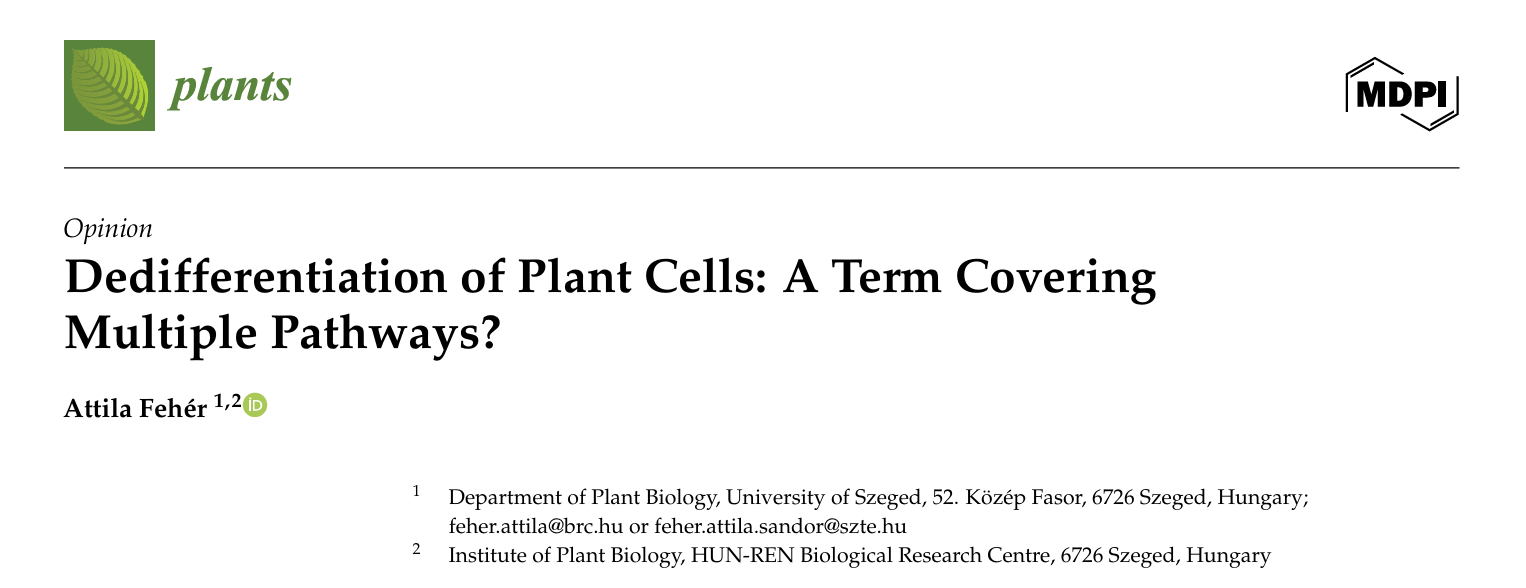

    This article acknowledged Stork in the Acknowledgment section:


    "I used storkapp.me Writing Assistant and Grammarly (v1.2.228.1813) to check grammar."


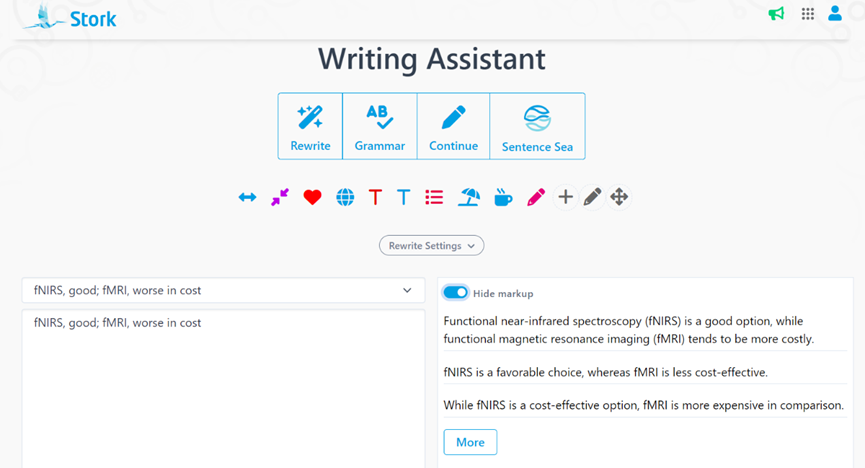
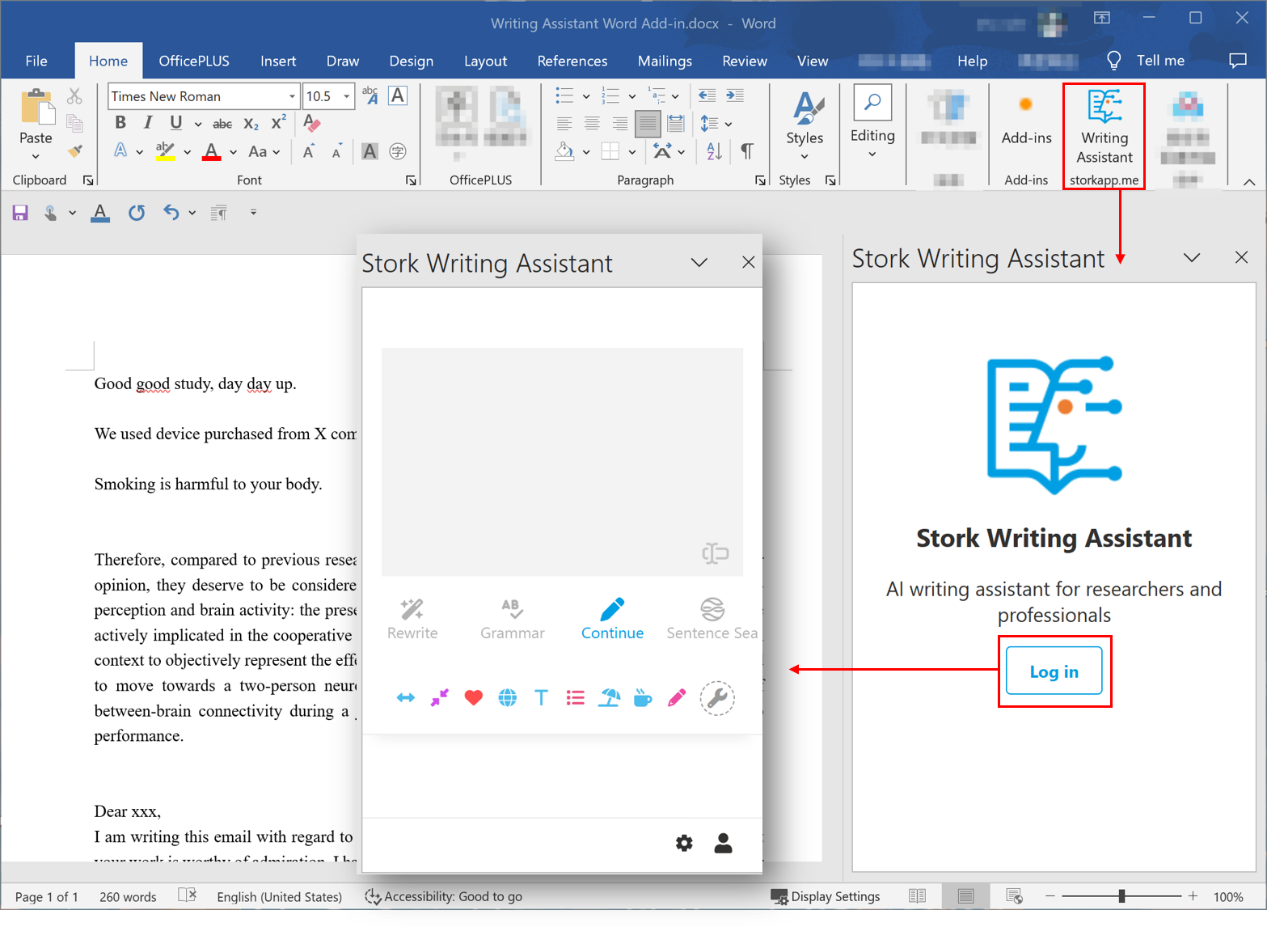
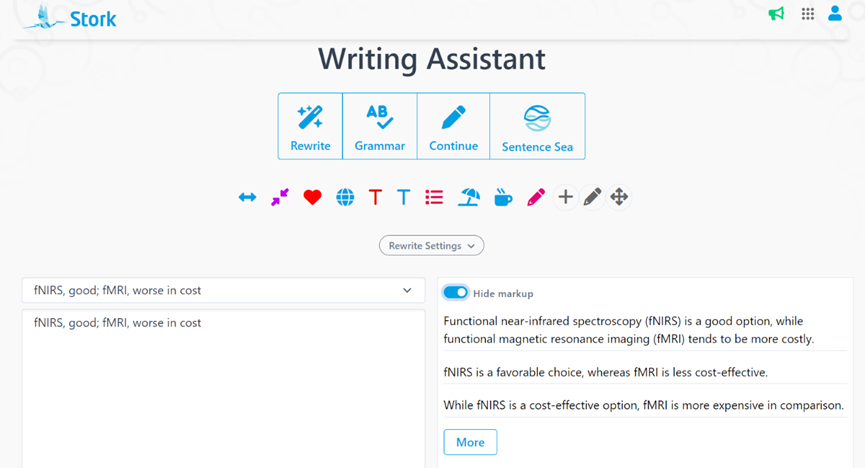
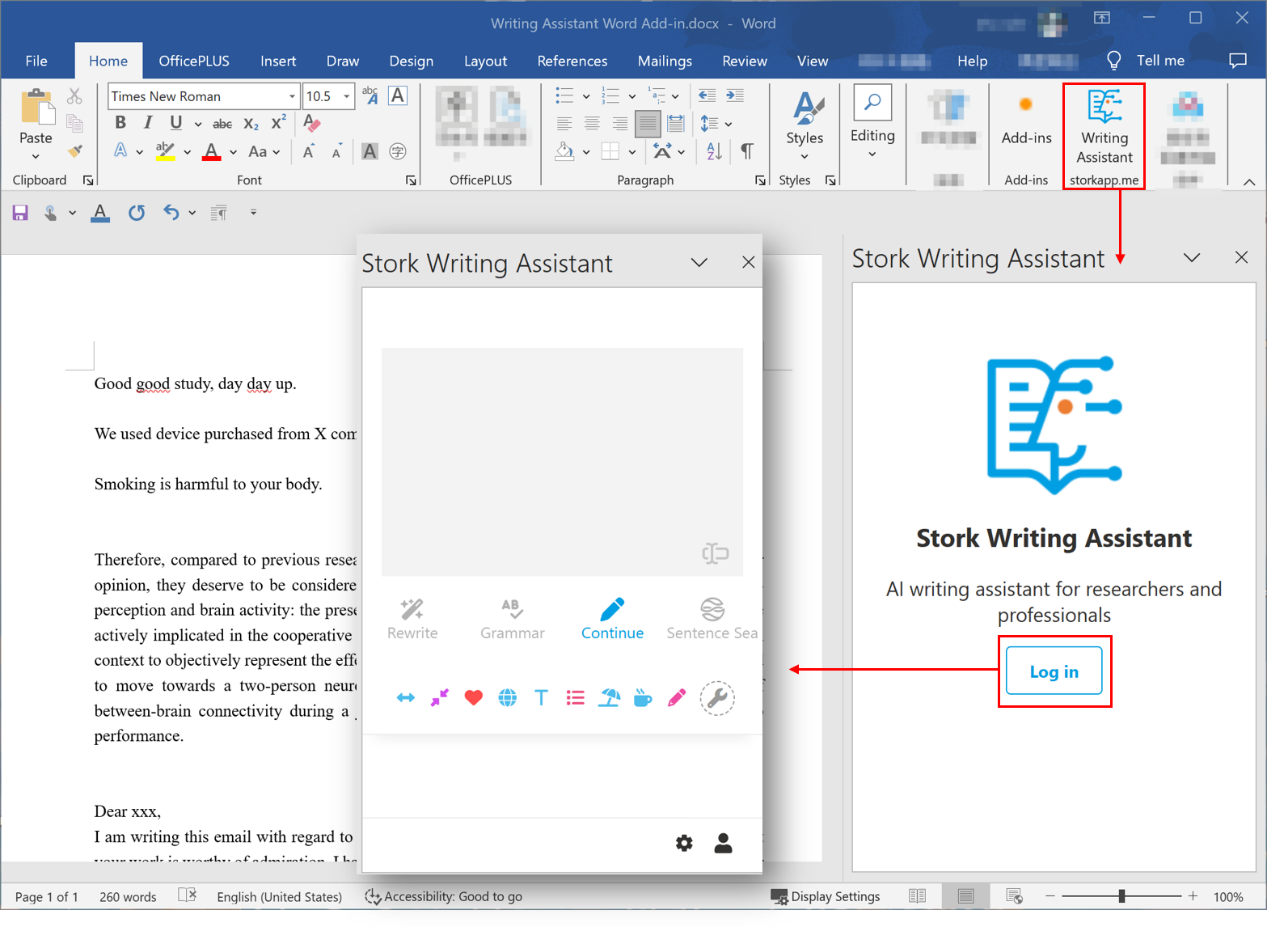
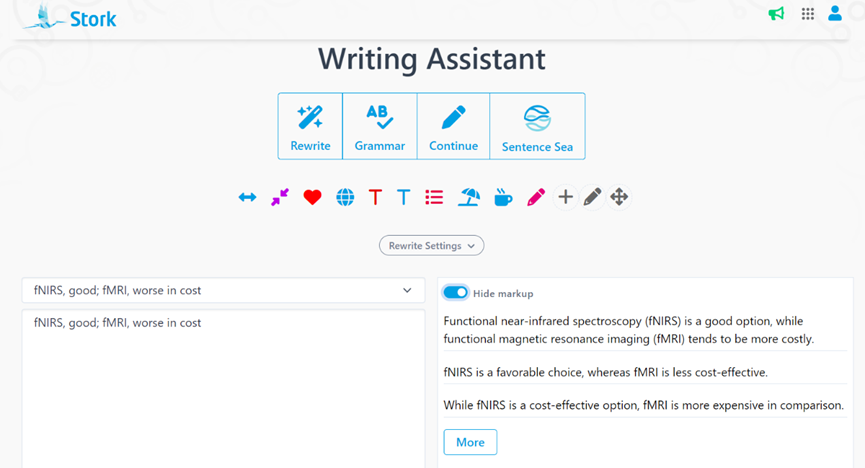
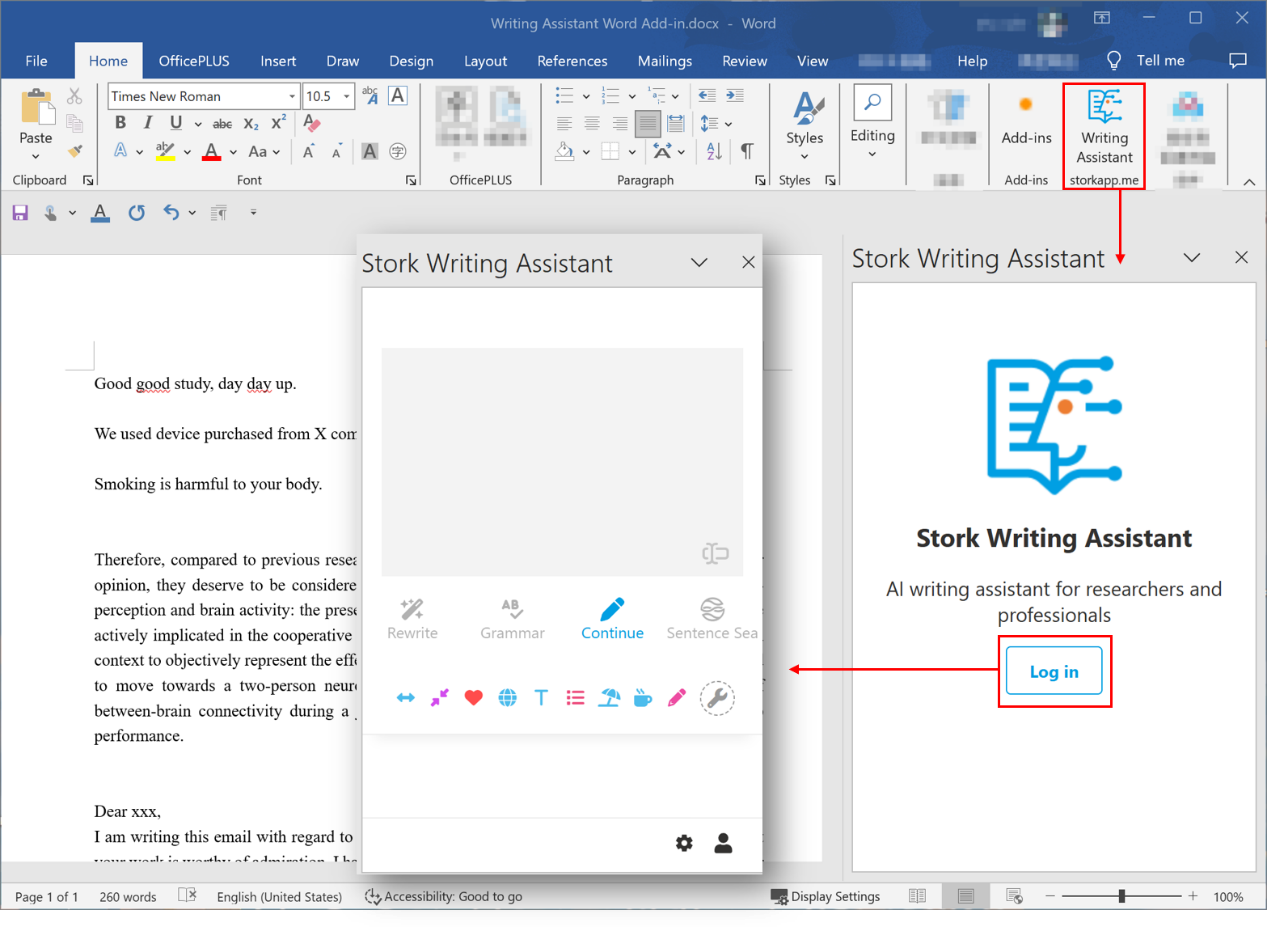
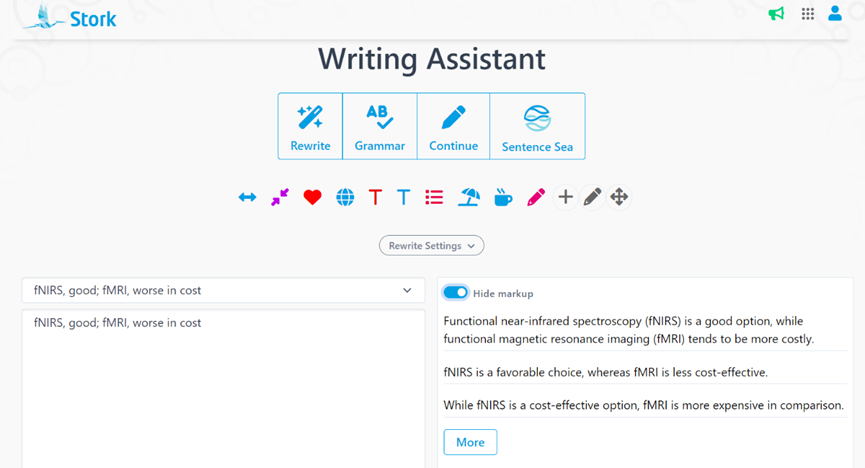
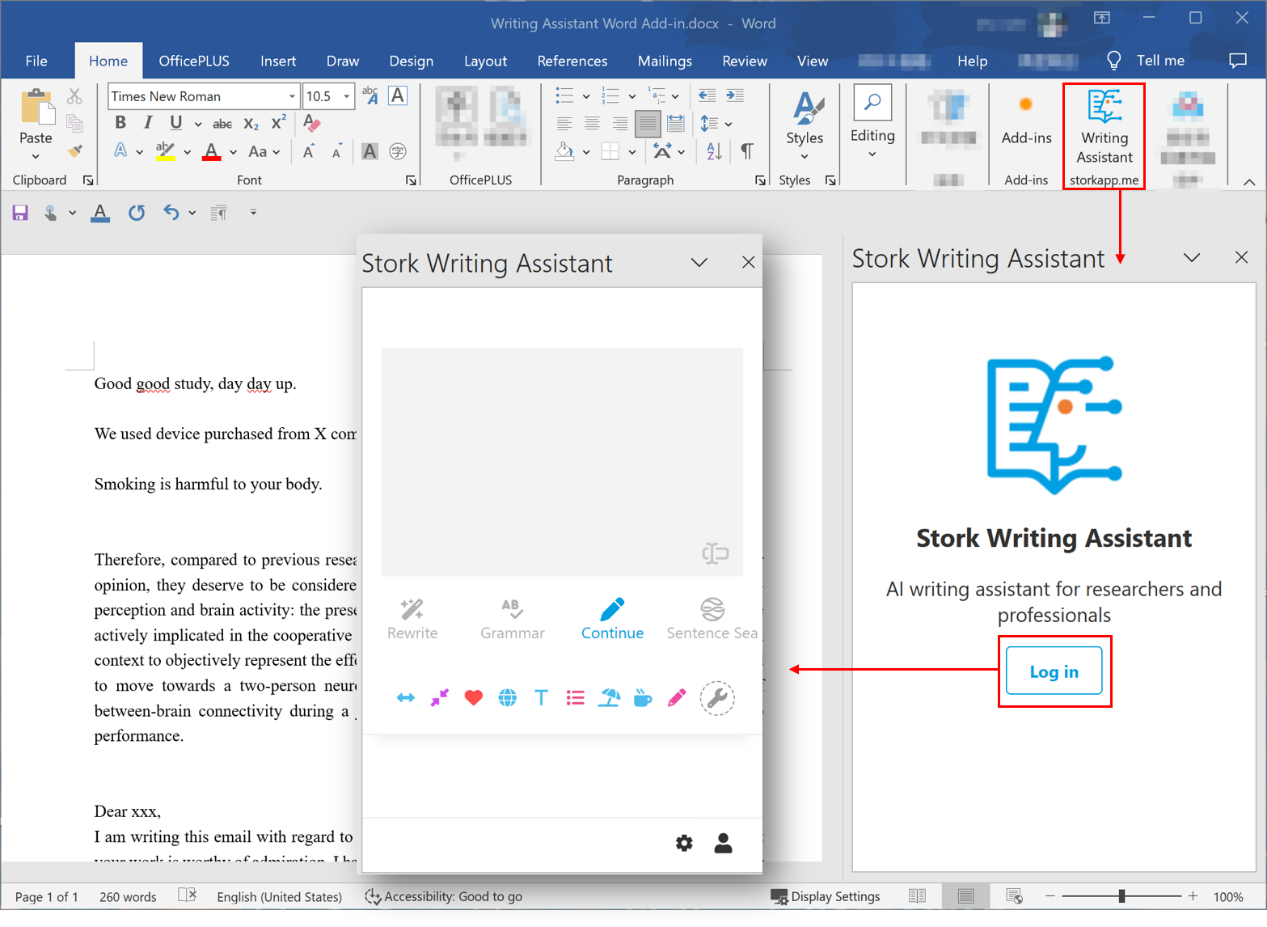
    Stork's Writing Assistant can help you with text polishing, grammar correction, and paragraph expansion, while also offering a Word Add-in for a smoother writing experience.
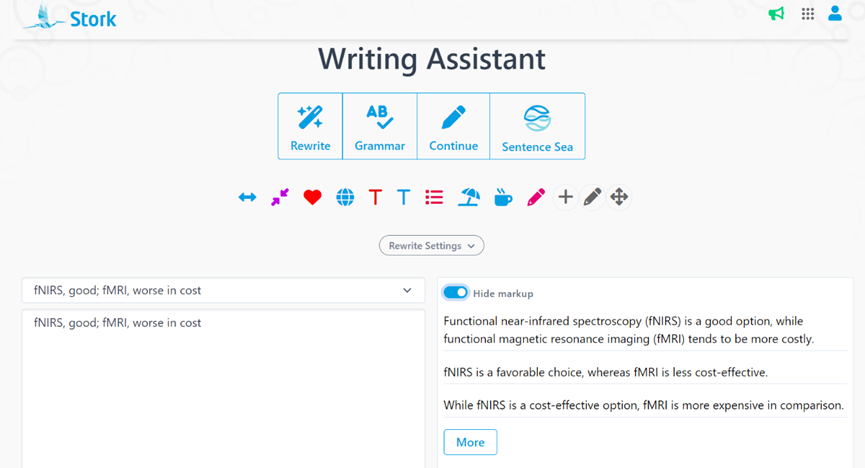
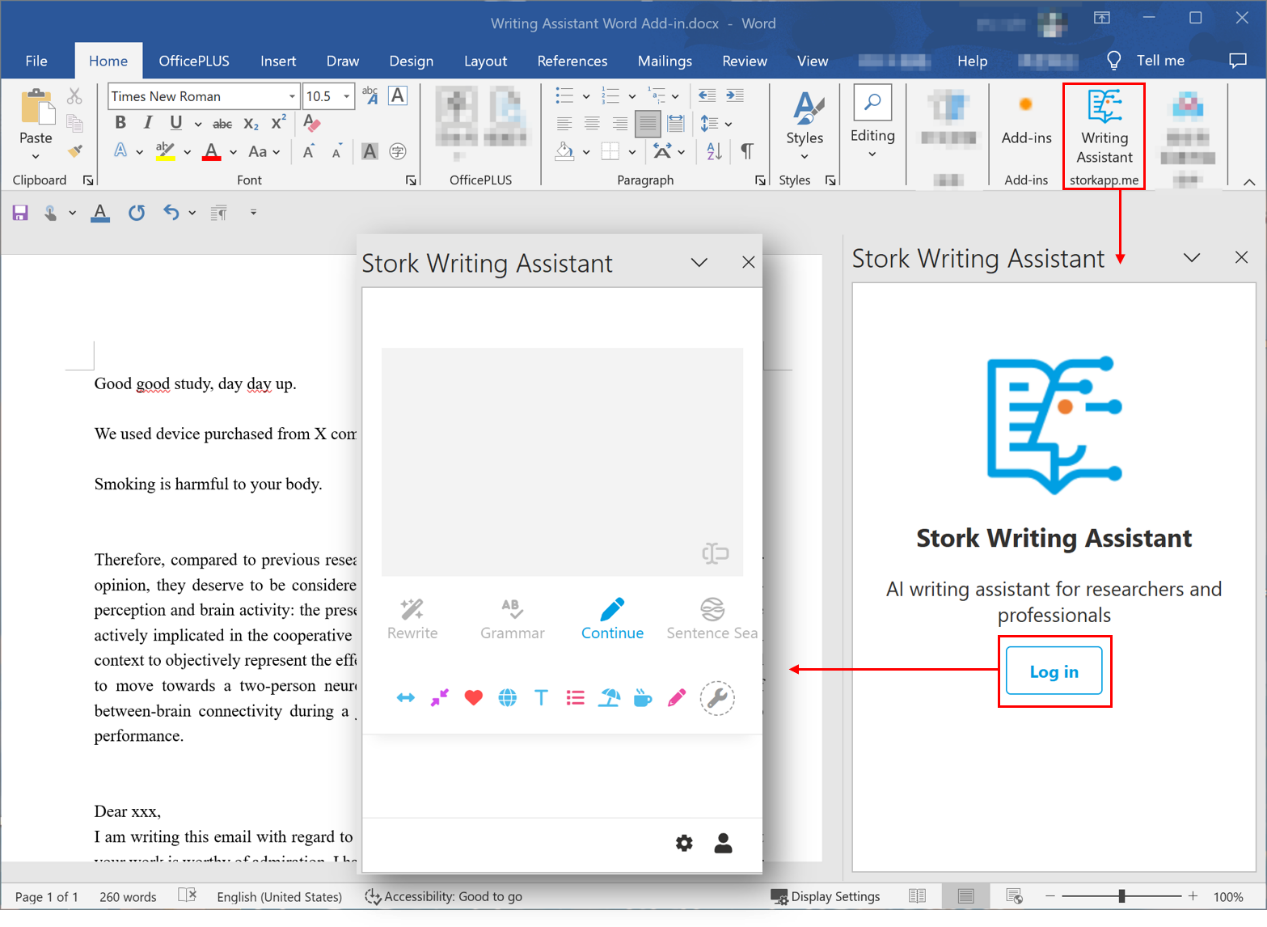
     【User Reviews】

    Eric Li, Ph.D

    Stanford University

    "Writing Assistant is an excellent tool for scientists and researchers to improve the quality of their publication writing. I highly recommend Writing Assistant for those whose native language is not English or who lack writing skills and ideas."

    Juanjuan Du, Professor

    Tsinghua University

    "In the past, the task of writing was often time-consuming. Fortunately, Writing Assistants have made this process much simpler by providing multiple sentences with the same meaning. This has made writing much more efficient and enjoyable."

    Xiaoyan Zheng, Processor

    GWU

    "Writing Assistant is an exceptional platform for verifying spelling and grammar. It also provides users with a variety of suggestions to alter their tones or enhance their writing's clarity. Highly recommended!"

    Xiaomeng Pei, Associate Research Fellow

    Hong Kong Polytechnic University

    "When I first started writing papers, in order to make the sentences more accurate, I would revise a sentence back and forth many times but still not be completely satisfied. If you are also facing the same problem, try Writing Assistant. It will undoubtedly assist you in effortlessly and efficiently writing the most genuine and seamlessly fluent English papers!"


     【How to use】

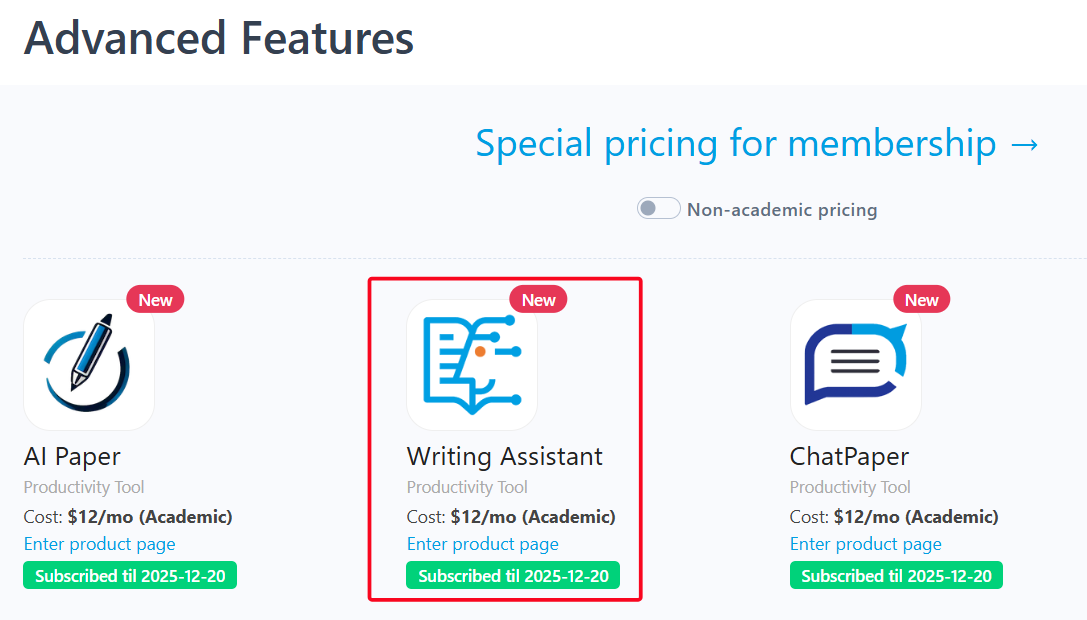
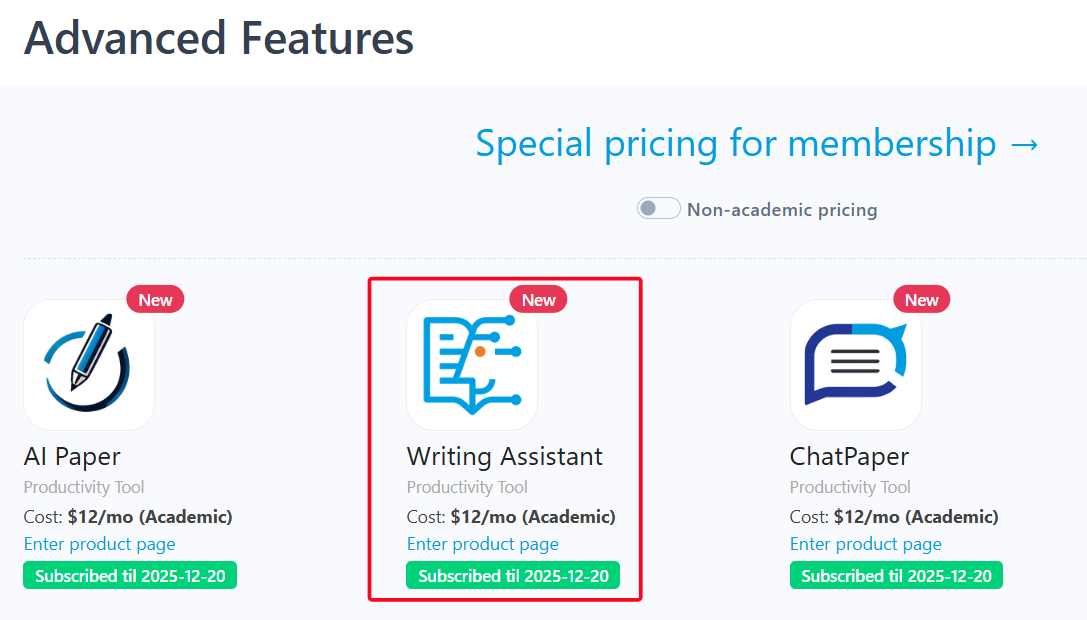
    Writing Assistant is an advanced feature offered by Stork (free trial is available). After registering/logging into Stork (https://www.storkapp.me), you can find Writing Assistant under the "Advanced Feature" section. Then you can try it out or subscribe. Alternatively, you can visit Writing Assistant website directly at https://www.storkapp.me/writeassistant/
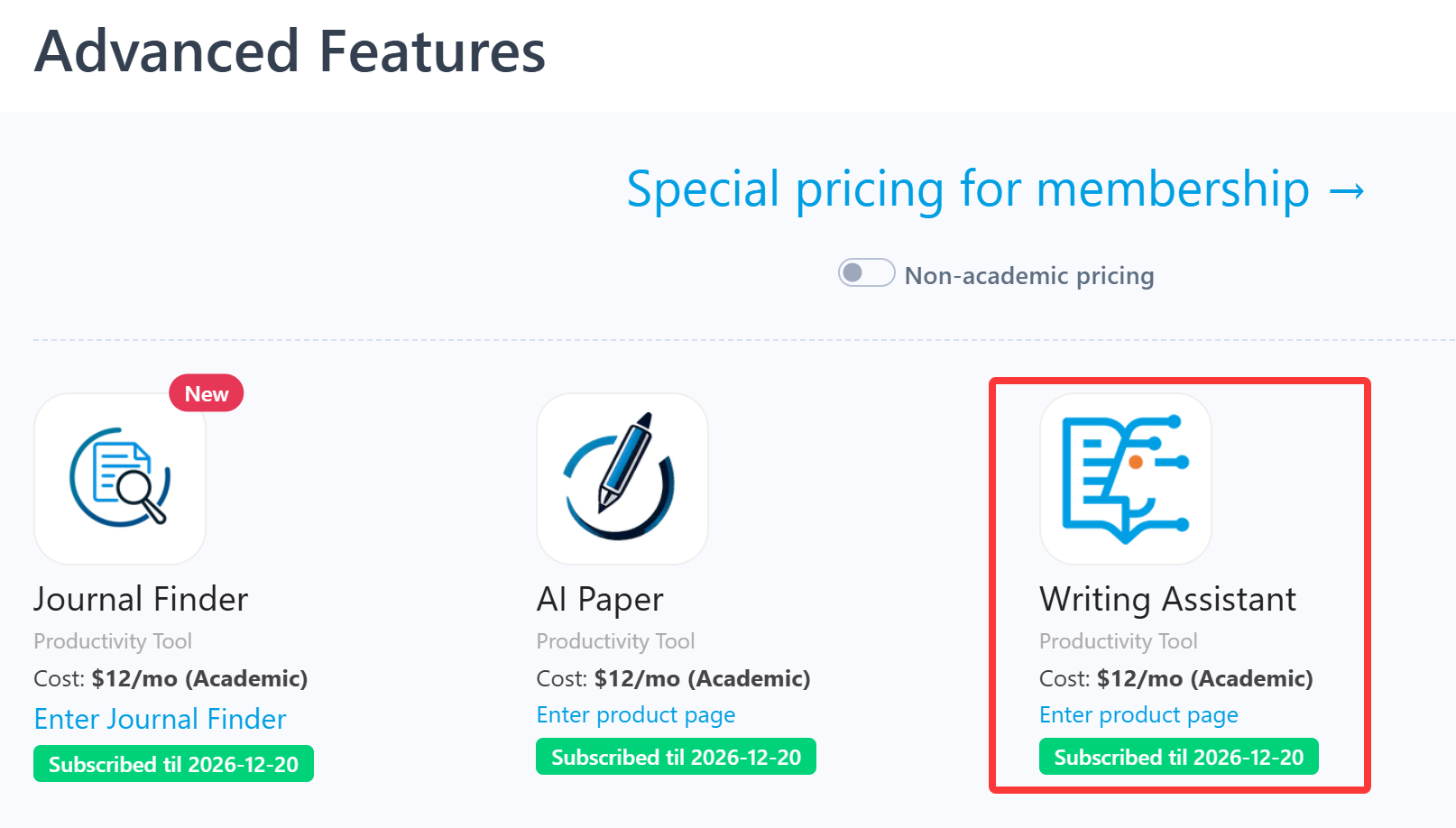


     Tips

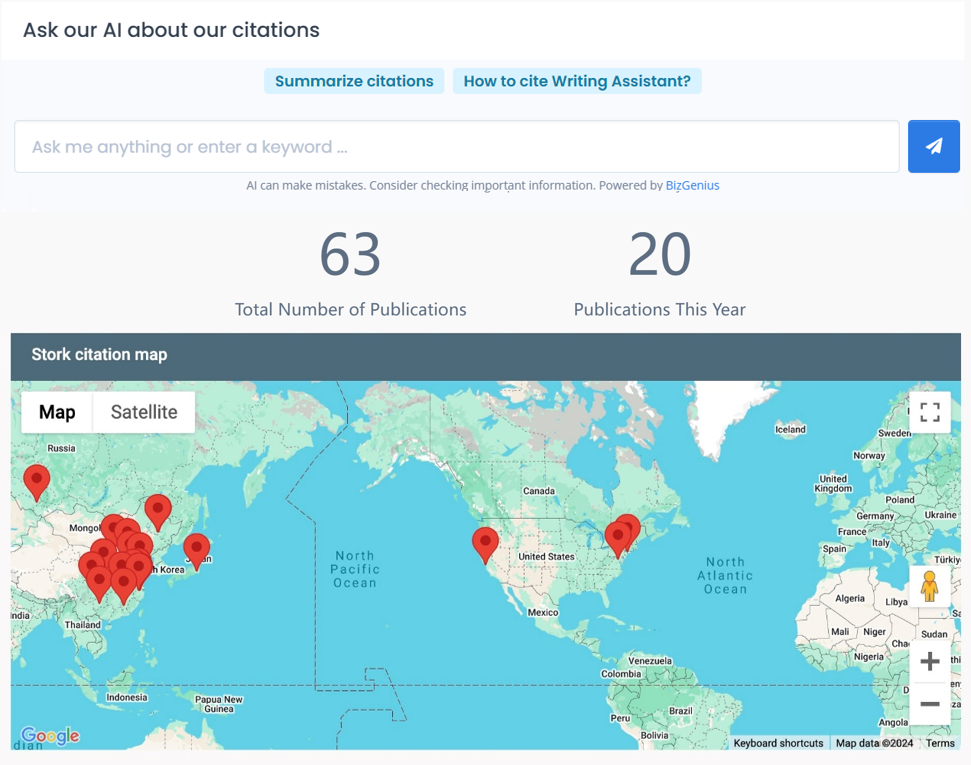
    To date,  more than 70 scientific papers have cited Stork. If you cite Stork in your paper, please let us know at support@storkapp.me, and we'll offer you a discount based on the journal's impact factor when you subscribe to Writing Assistant or other advanced features.

  • Listen to Papers • Podcast Update: You Can Now View & Edit the Script


    TL; DR

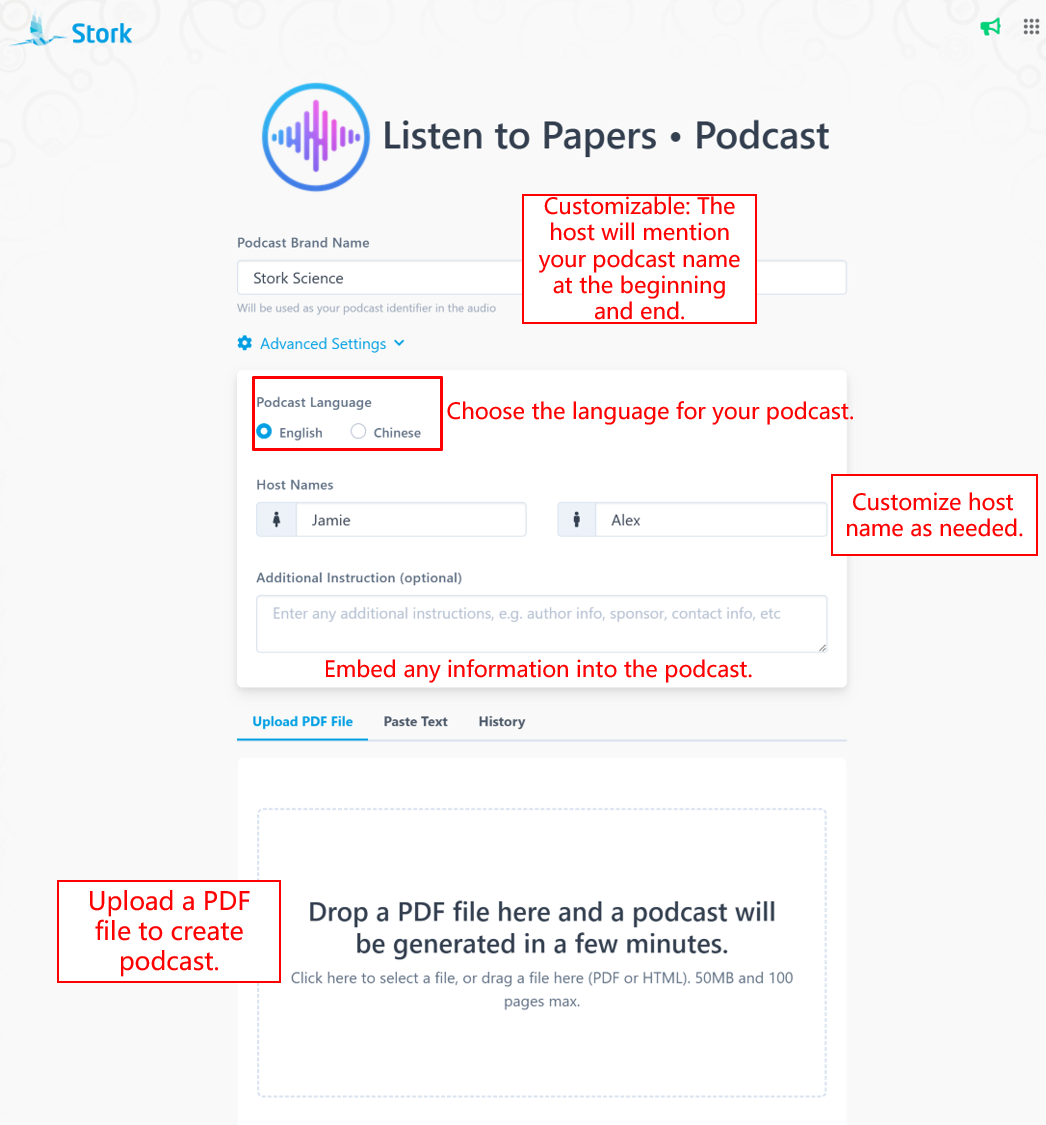
    Stork's podcast feature now lets you view and edit the script before generating podcast, so you’re not just listening, you’re creating.


    Stork’s "Listen to Papers • Podcast" advanced feature has always been both fun and practical. Instead of staring at a screen, you can simply put on your headphones and listen to papers while commuting, walking, or even cooking.

    And it does more than just read papers aloud. When you upload a PDF, Stork turns it into a natural two-host podcast, making complex research easier to follow.


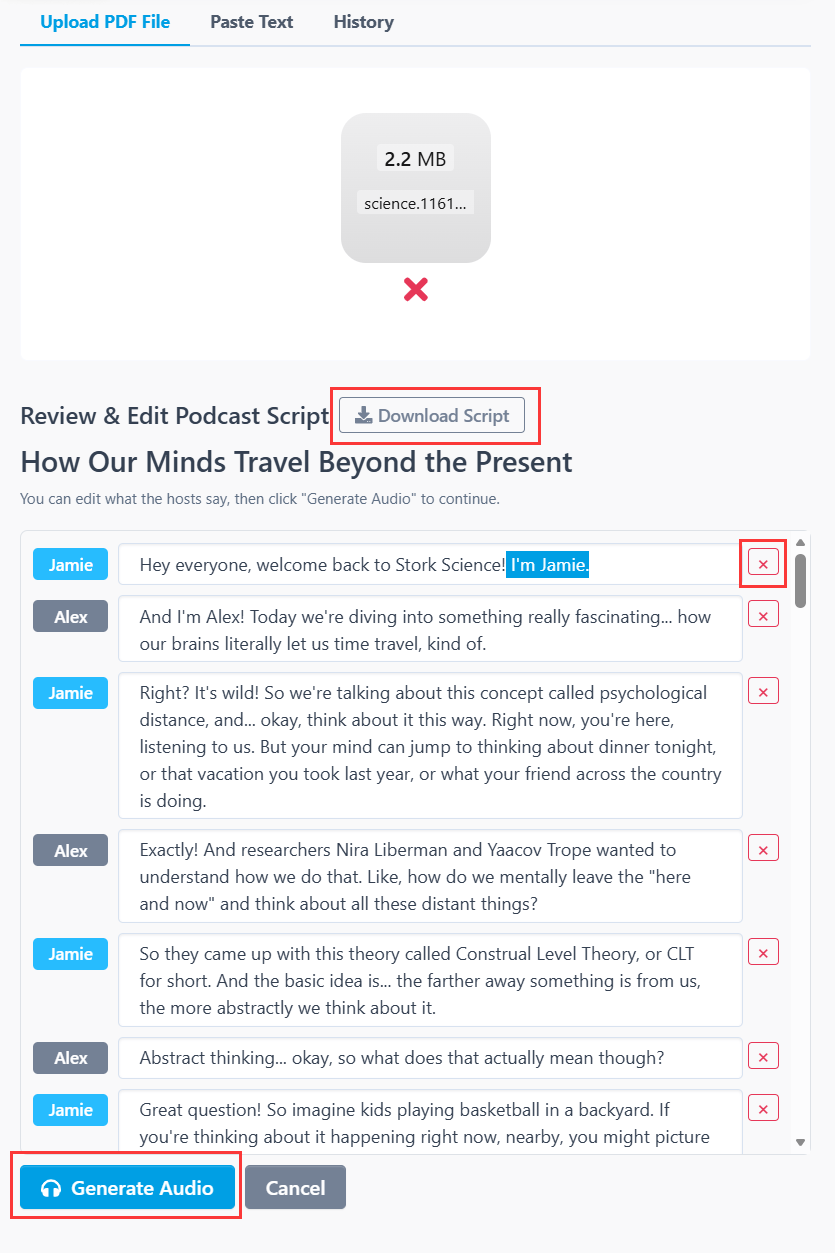
    Now, before the audio is generated, you can preview and edit the script yourself.

    After you upload a PDF or text, Stork first generates a script for preview and editing. Once your edits are done, click [Generate Audio] to turn it into the final podcast. 


    This update gives you more control over the content and opens up more ways to use it:

    • Understand papers more easily. Listen to key ideas in a lighter, more accessible format.

    • Create your own academic podcast. Edit the script and turn it into content you can share on social media.

    • Use it in teaching. Teachers can adjust the script based on their lesson goals and use it as classroom material.


    We hope you enjoy creating with Stork Podcast.


    [How to use]

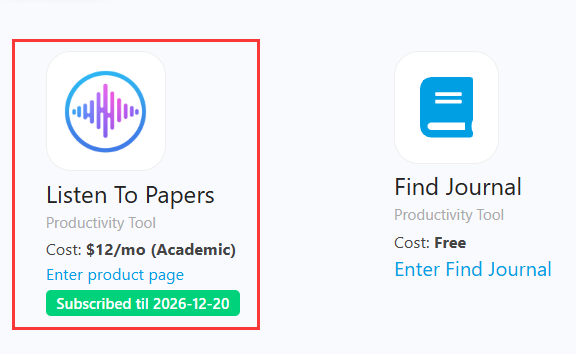
    "Listen to Papers • Podcast" is advanced feature offered by Stork, which requires subscription (free trial is available). After registering/logging in to Stork (https://www.storkapp.me), you can find "Listen to Papers • Podcast" under the advanced features section. Then you can try it out or subscribe. Alternatively, you can visit "Podcast creation" website directly at https://www.storkapp.me/podcast/


  • AI Figure Update: Better Prompt Understanding, Better Figures


    TL; DR

    Stork's advanced feature AI Figure has been updated: (1) Better prompt understanding: AI Figure now can interpret prompt more accurately and generate more precise visual elements. (2) More stable image quality during edits: images remain clear and well-structured even after multiple edits.


    When writing papers or preparing submissions, researchers often need to create figures. But making these visuals can take a surprising amount of time.

    With AI Figure, you can quickly generate a research diagram and then refine it through follow-up instructions.

    With the latest update, AI Figure does a better job of understanding prompts, and the images stay more stable through multiple edits.


    Better prompt understanding

    In earlier versions, some complex instructions could be interpreted imperfectly. The new version improves how AI Figure understands natural language instructions.

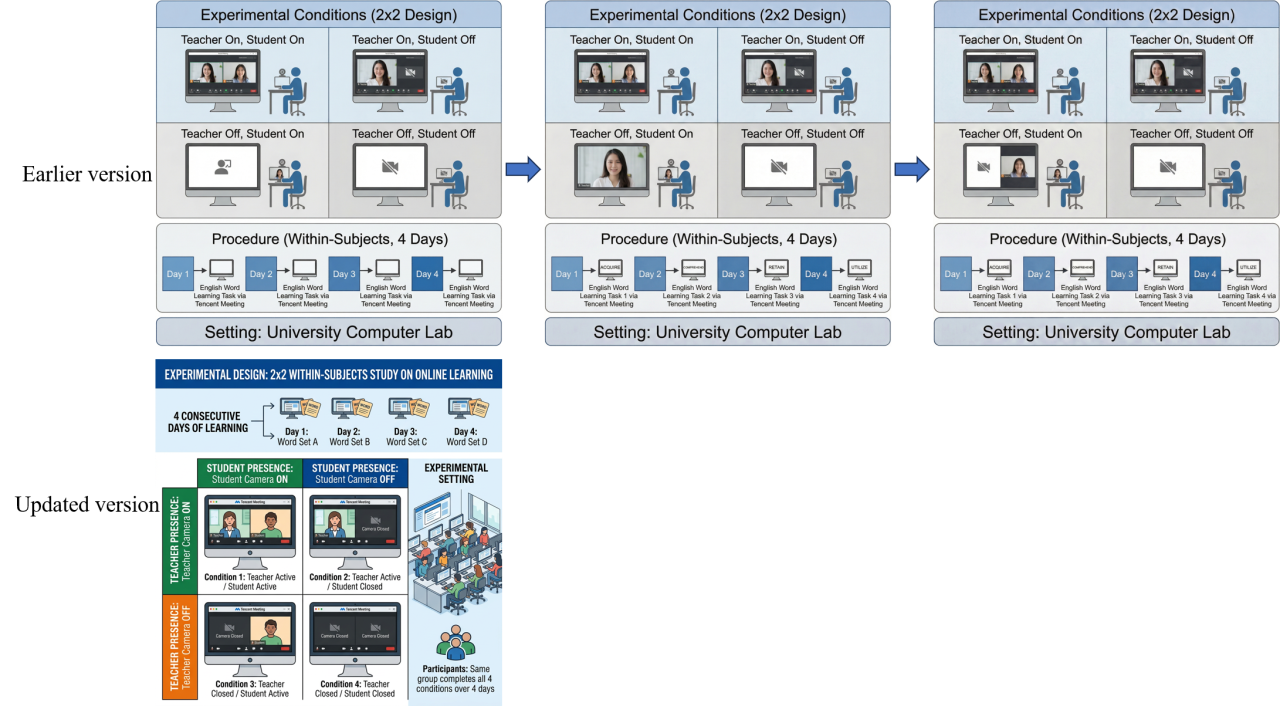
    For example, imagine you want to draw a 2 (Teacher presence: camera on vs. camera off) × 2 (Student presence: camera on vs. camera off) experimental design.

    The old version sometimes struggled to keep the teacher-on/student-off and teacher-off/student-on conditions symmetrical, even after a couple of edits.

    With the updated AI Figure, the system understands the structure immediately and generates a clean, well-balanced experimental design diagram in one step.


    More stable image quality during edits

    Another major improvement is image quality. The images are better overall, and it also holds up better after multiple edits. That makes it much easier to keep refining the same figure without it becoming blurry or visually inconsistent.

    The example below compares the old version (left) and the updated version (right), both after four rounds of editing.


    Overall, this update makes it much easier to refine research diagrams step by step. If you are working on scientific figures for a paper, proposal, or presentation, AI Figure is worth trying.


    [How to use]

    AI Figure is an advanced feature offered by Stork, which requires subscription (registered users can try 5 figures for free). After registering/logging in to Stork (https://www.storkapp.me), you can find AI Figure under the advanced features section. Then you can try it out or subscribe. Alternatively, you can visit the official AI Paper website directly at https://www.storkapp.me/aifigure/app.php  


  • AI Figure, Generate Scientific Figures with AI


    TL; DR

    AI Figure is a new advanced feature from Stork that enables researchers to generate scientific figures—including mechanism diagrams, tech roadmaps, cell pathways, workflows, molecular structures, and more. Figures can be iteratively refined and exported as fully editable SVG files.


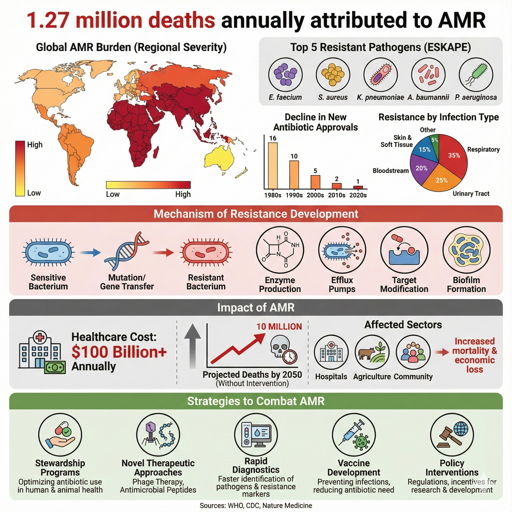
    We are pleased to introduce AI Figure, a new advanced feature from Stork. By describing an idea in natural language, you can generate high-quality scientific figures ready for submission within minutes.


    How to Generate Scientific Figures


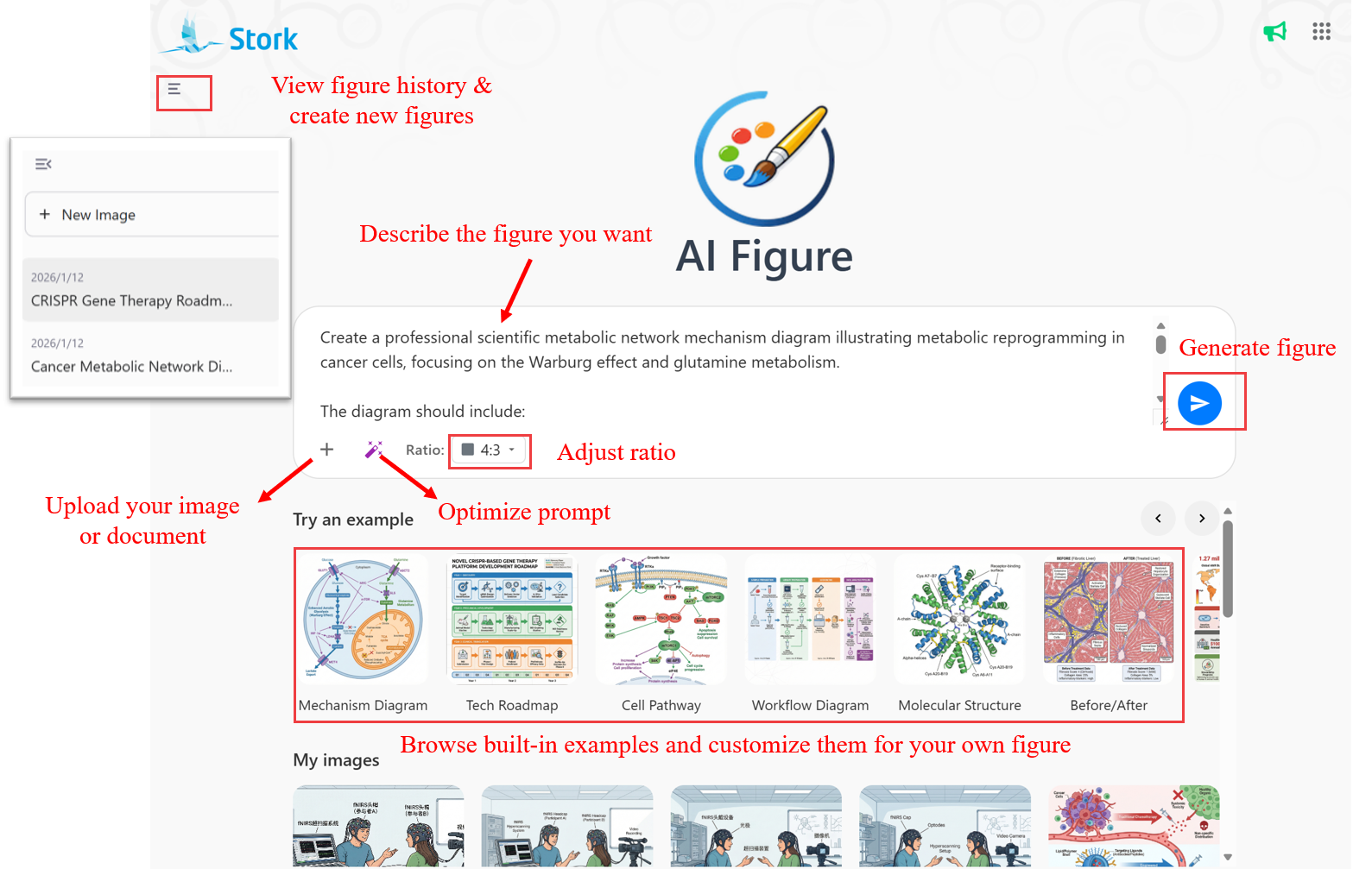
    Visit the AI Figure page (https://www.storkapp.me/aifigure/app.php) and describe the figure you want to generate in the input box. The corresponding image will be generated automatically.


    You can also:

    • Upload image or document: Click the “+” button to upload images or text in multiple formats. If it is difficult to describe a figure precisely, you can start with a rough sketch and let AI Figure refine it.

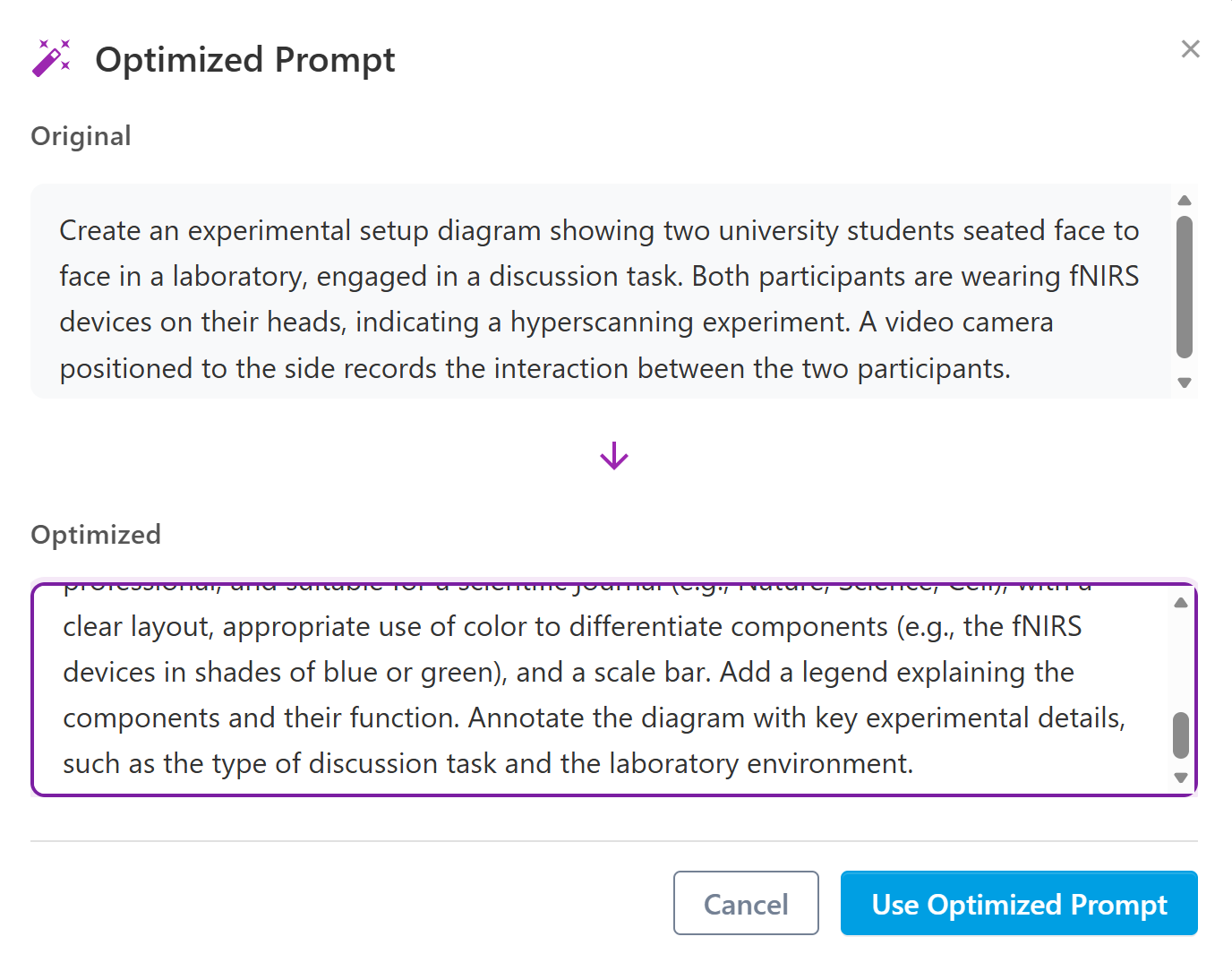
    • Optimize prompt: If the initial description does not produce the desired result, you can revise and improve it before regenerating the figure.

    • Adjust the aspect ratio: Figure dimensions can be adjusted as needed, covering most common size requirements.

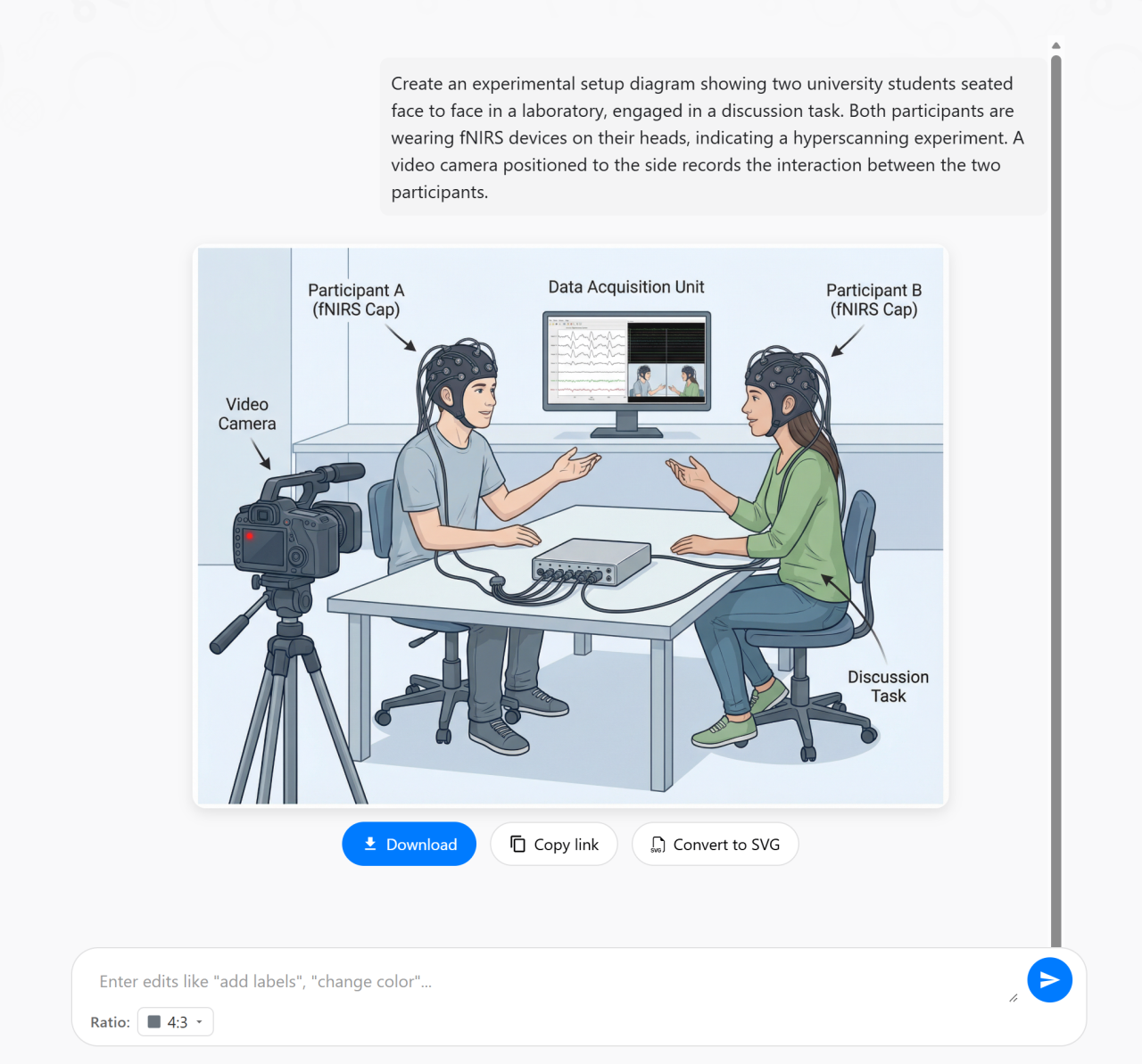
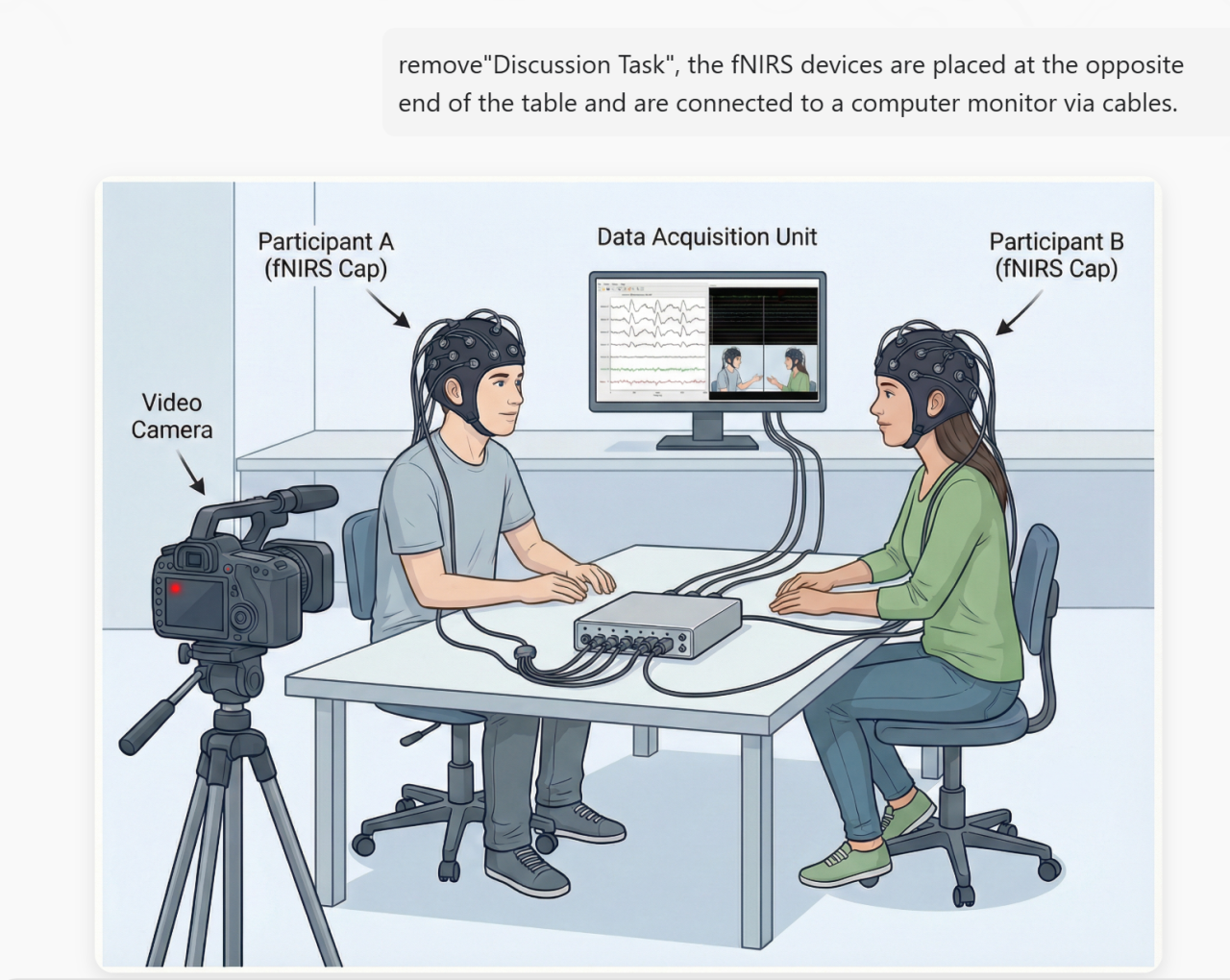
    • Further refine generated figures: After a figure is generated, you can continue refining it by providing additional instructions.

    • Download, copy link, or convert SVG: Generated figures can be downloaded, shared via a link, or exported as fully editable SVG files for further editing.

    • Try an example: AI Figure provides a set of common figure examples. Clicking on an example reveals a sample description that can be easily adapted to create a customized figure.


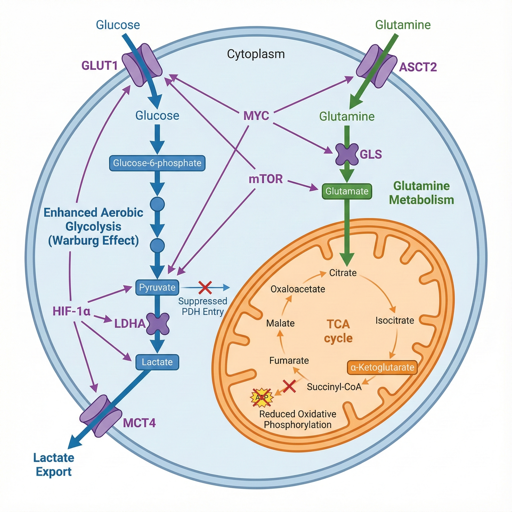
    Mechanism Diagrams


    AI figure helps create professional scientific mechanism diagrams showing metabolic pathways, signal transduction, disease mechanisms, and more. Clearly illustrate molecular interactions suitable for high-impact journal publications, allowing reviewers to grasp the core scientific story at a glance.


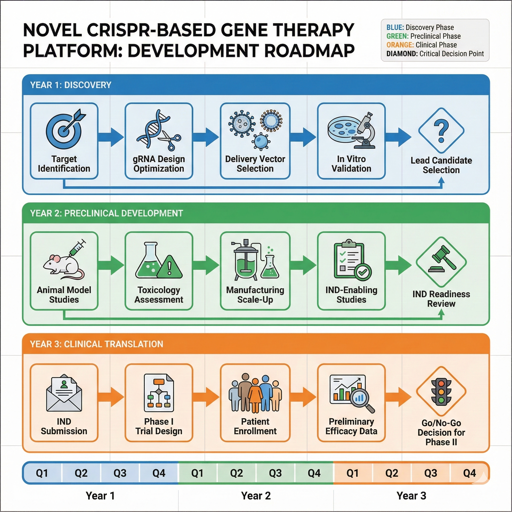
    Tech Roadmaps


    Whether for grant applications or project reports, a clear technical roadmap is critical. AI Figure helps visualize research phases, milestones, and timelines in a structured way, enabling reviewers to quickly understand the logic and innovation of your project.


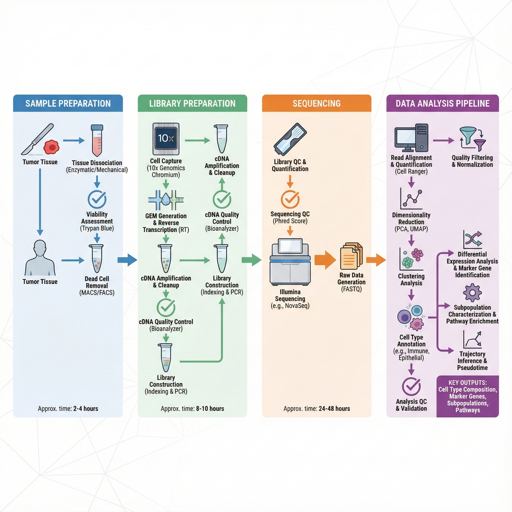
    Workflow Diagrams


    Including workflow diagrams in the methods section can greatly improve clarity and readability. AI Figure allows you to create clean experimental workflows that illustrate the complete process from sample preparation to data analysis.


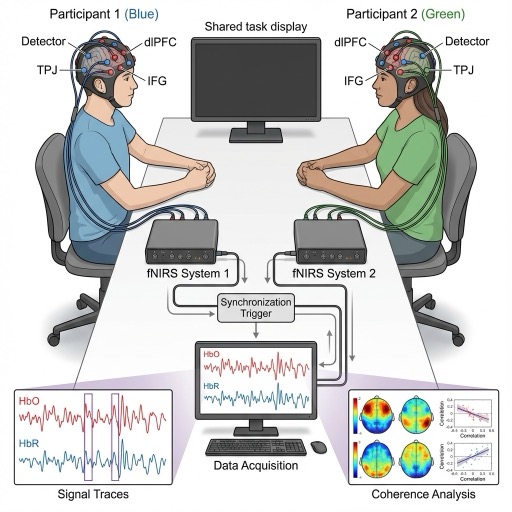
    Experiment Setups


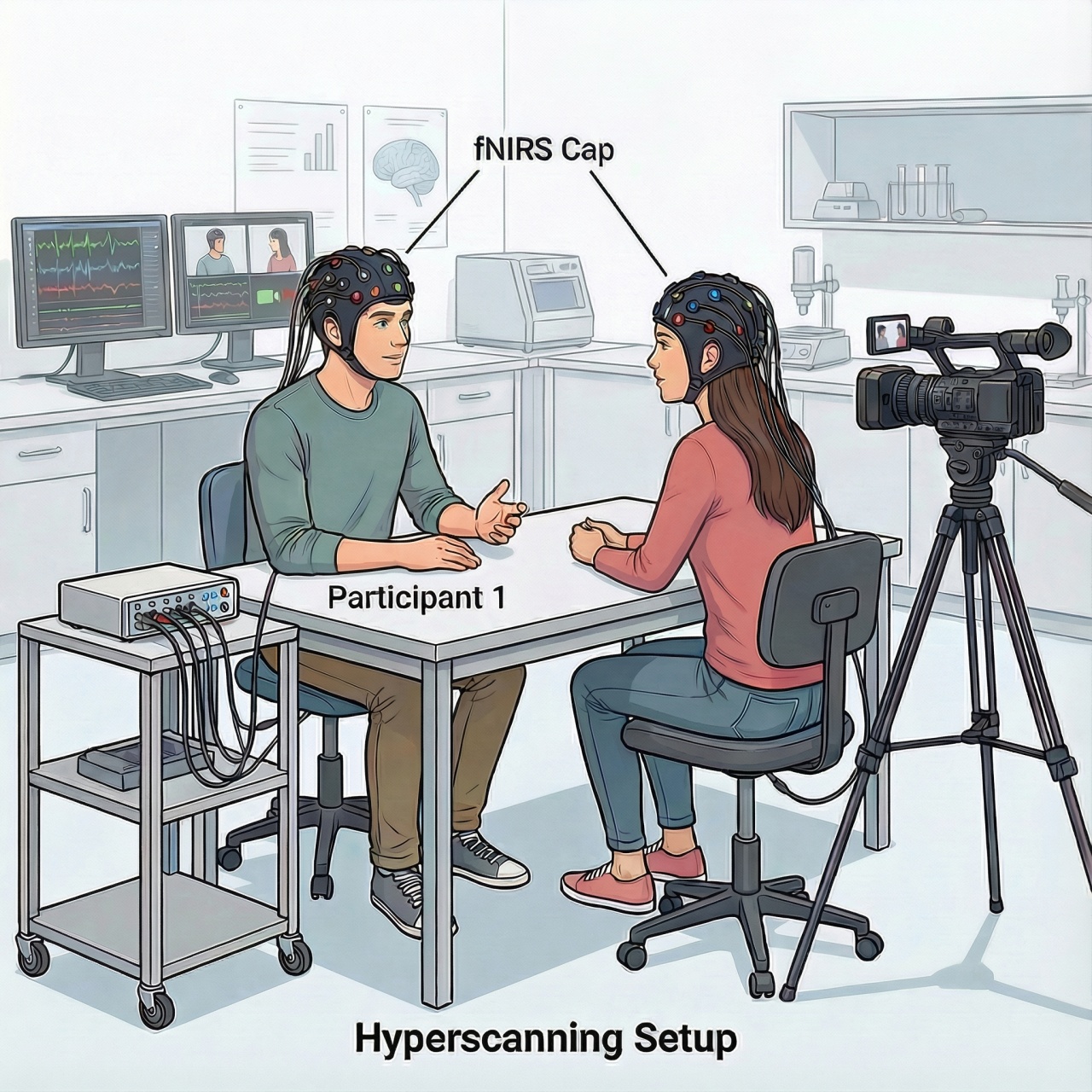
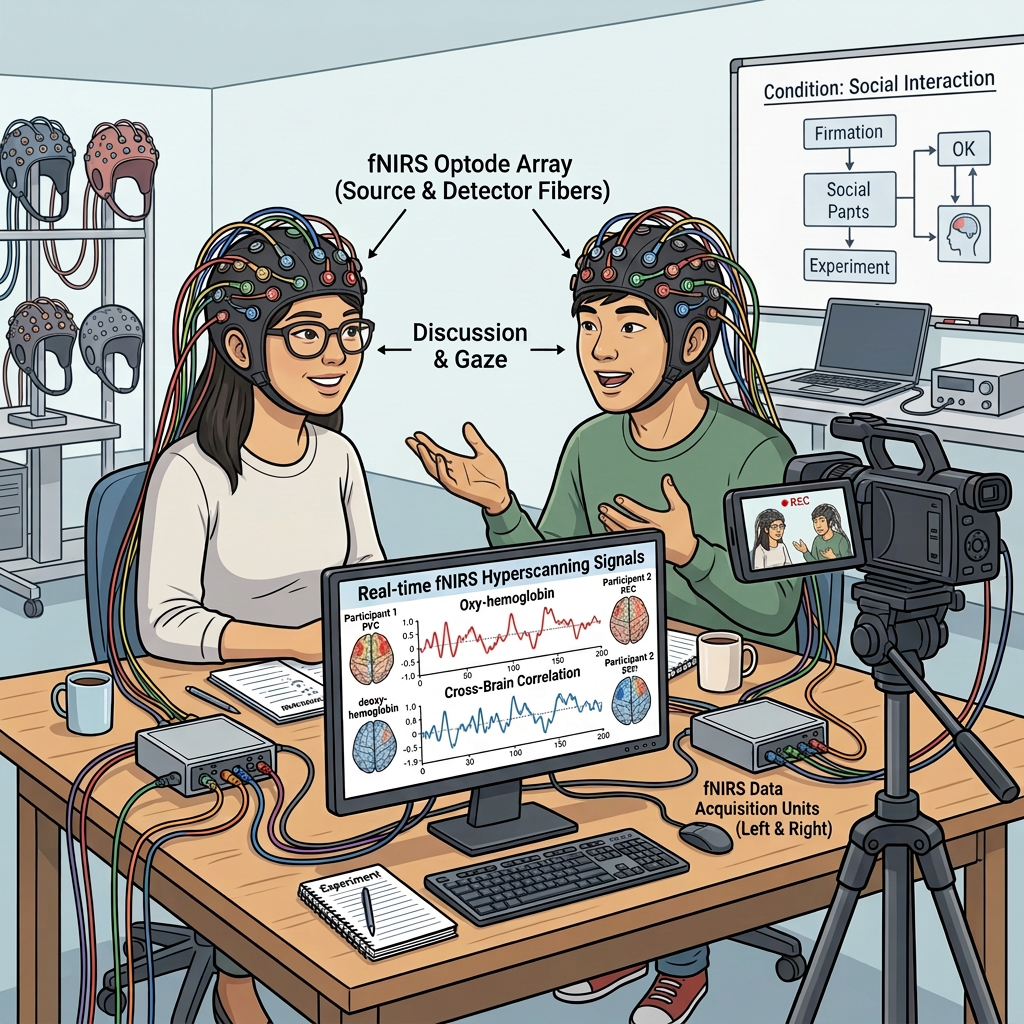
    AI Figure can draw professional experimental setup diagrams showing equipment configuration, participant arrangements, and data collection workflows. Perfect for neuroscience, psychology, and experimental research.


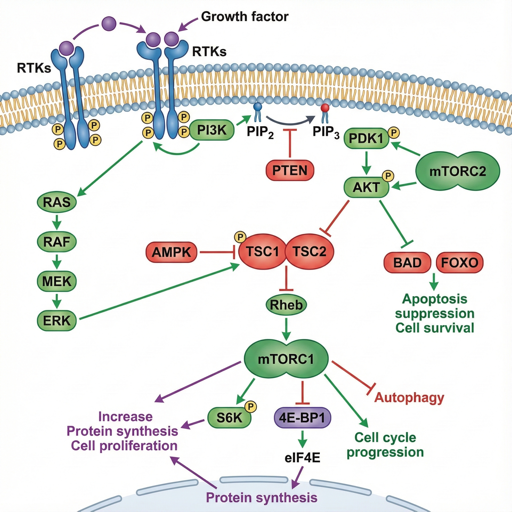
    Cell Pathways


    Classic pathways such as MAPK, PI3K/AKT, and Wnt often need to be customized to highlight study-specific mechanisms. AI Figure provides pathway templates that can be quickly adapted.


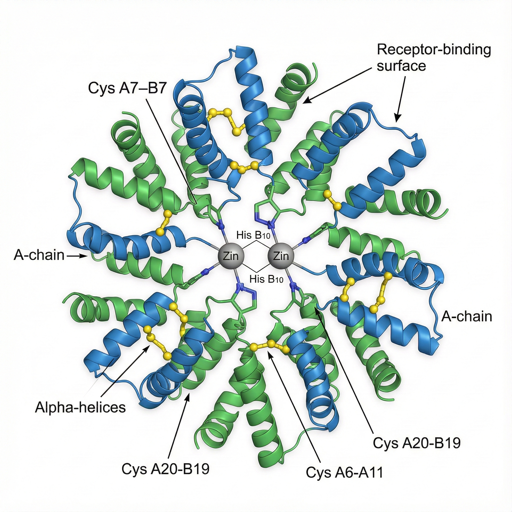
    Molecular Structures


    There is no longer a need to rely exclusively on specialized software. AI figure can generate high-quality 3D molecular structure illustrations showing proteins, DNA, small molecules, and their conformations. Supports ribbon diagrams, ball-and-stick models, and more.


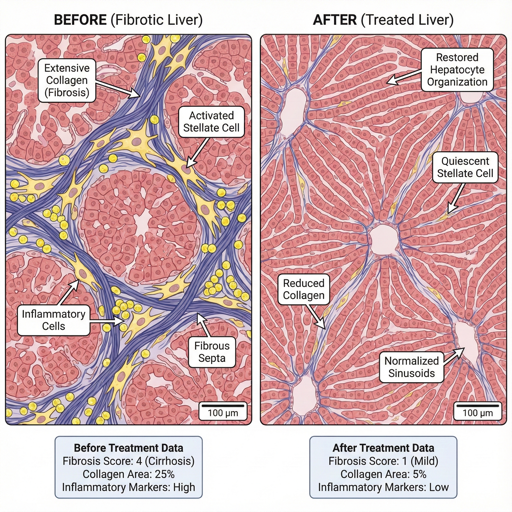
    Before/After Comparisons


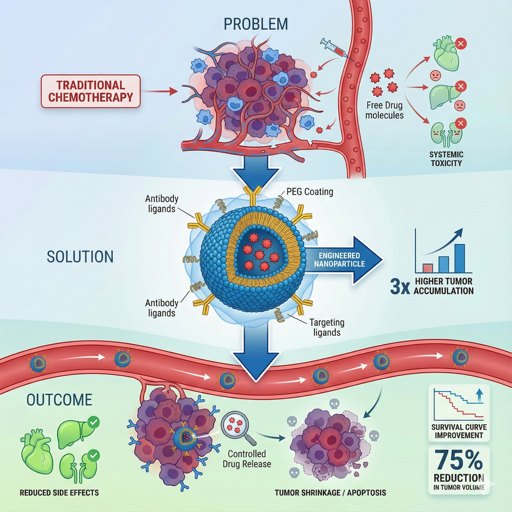
    AI Figure enables the creation of professional before-and-after comparison figures to illustrate changes in treatment outcomes or experimental results. Ideal for clinical studies and basic research presentations.


    Infographics


    When preparing materials for science communication, public health outreach, or conference posters, researchers often need figures that are both information-dense and visually accessible. AI Figure transforms complex data into structured, visually engaging infographics.


    Graphical Abstracts


    AI Figure creates beautiful graphical abstracts for your research papers, summarizing your study in one compelling image. Perfect for journal table of contents and social media sharing.


    Scientific research is demanding, and figure creation should not be a bottleneck in communicating your work. We hope AI Figure can become a reliable choice for scientific figure creation—so you can focus on defining the questions, while the visual work is handled with care. Give it a try!


    How to Use

    AI Figure is an advanced feature offered by Stork, which requires subscription (registered users can try 10 figures for free). After registering/logging in to Stork (https://www.storkapp.me), you can find AI Figure under the advanced features section. Then you can try it out or subscribe. Alternatively, you can visit the official AI Paper website directly at https://www.storkapp.me/aifigure/app.php  


  • AI Paper Update: From Draft to Revision


    TL; DR

    You can now chat with AI Paper and iteratively improve your manuscript. Select the part you want to change and specify how you’d like it updated.


    For many academic writers, the hardest part is facing the blank page. Where do I start? Is the structure right? What if I go off track from the very beginning?


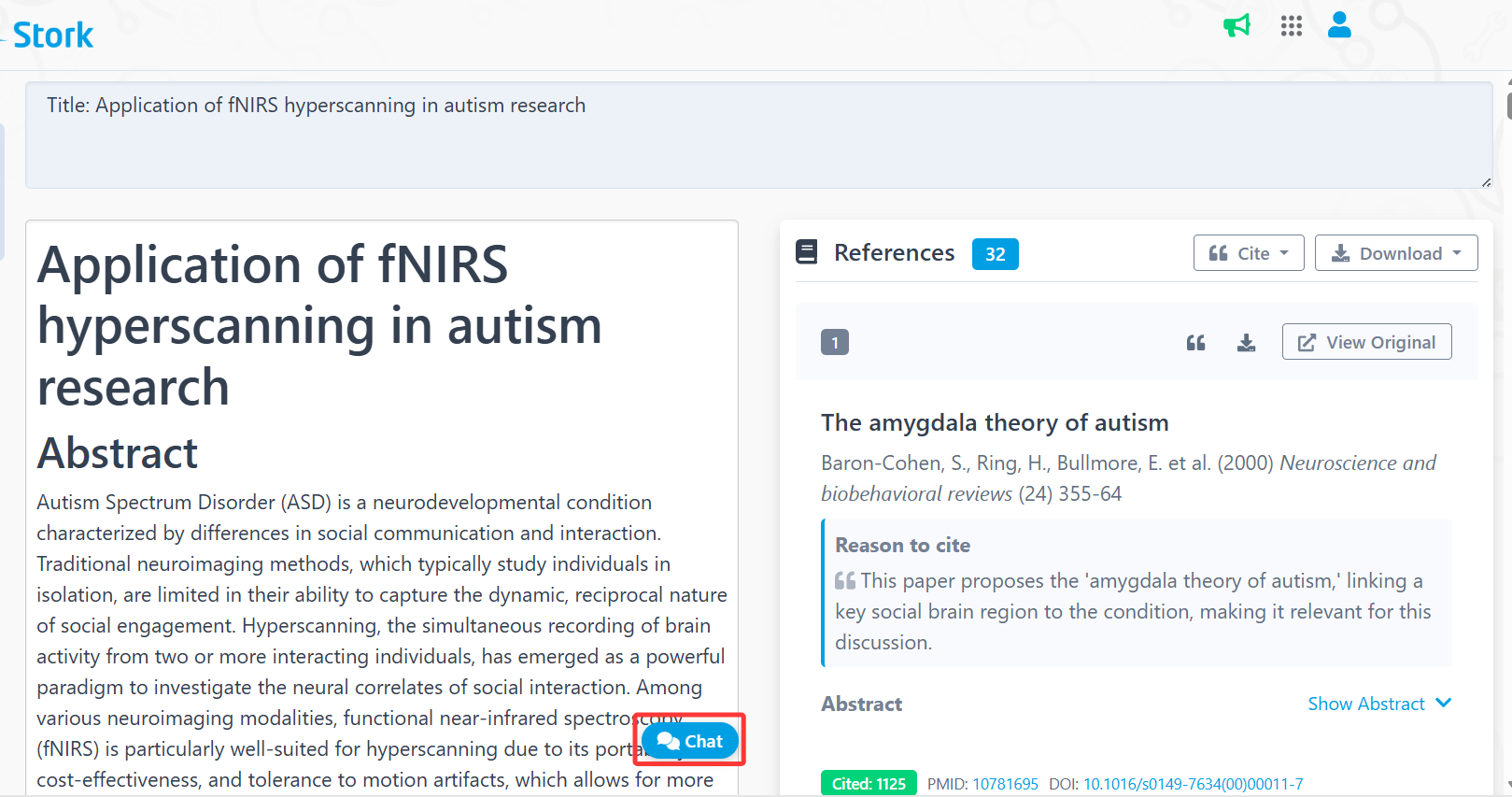
    AI Paper fills this role by providing a framework that helps you get started. With just a title and your requirements, AI Paper generates an initial draft with real references.


    As more users began relying on AI Paper for first drafts, another question naturally followed: What about revision? How do I revise the text once the draft is there?


    Good news – this update takes AI Paper one step further. AI Paper now supports conversational revision directly on existing drafts, allowing you to shorten/expand sentences and add citations, and more.


    How revision works


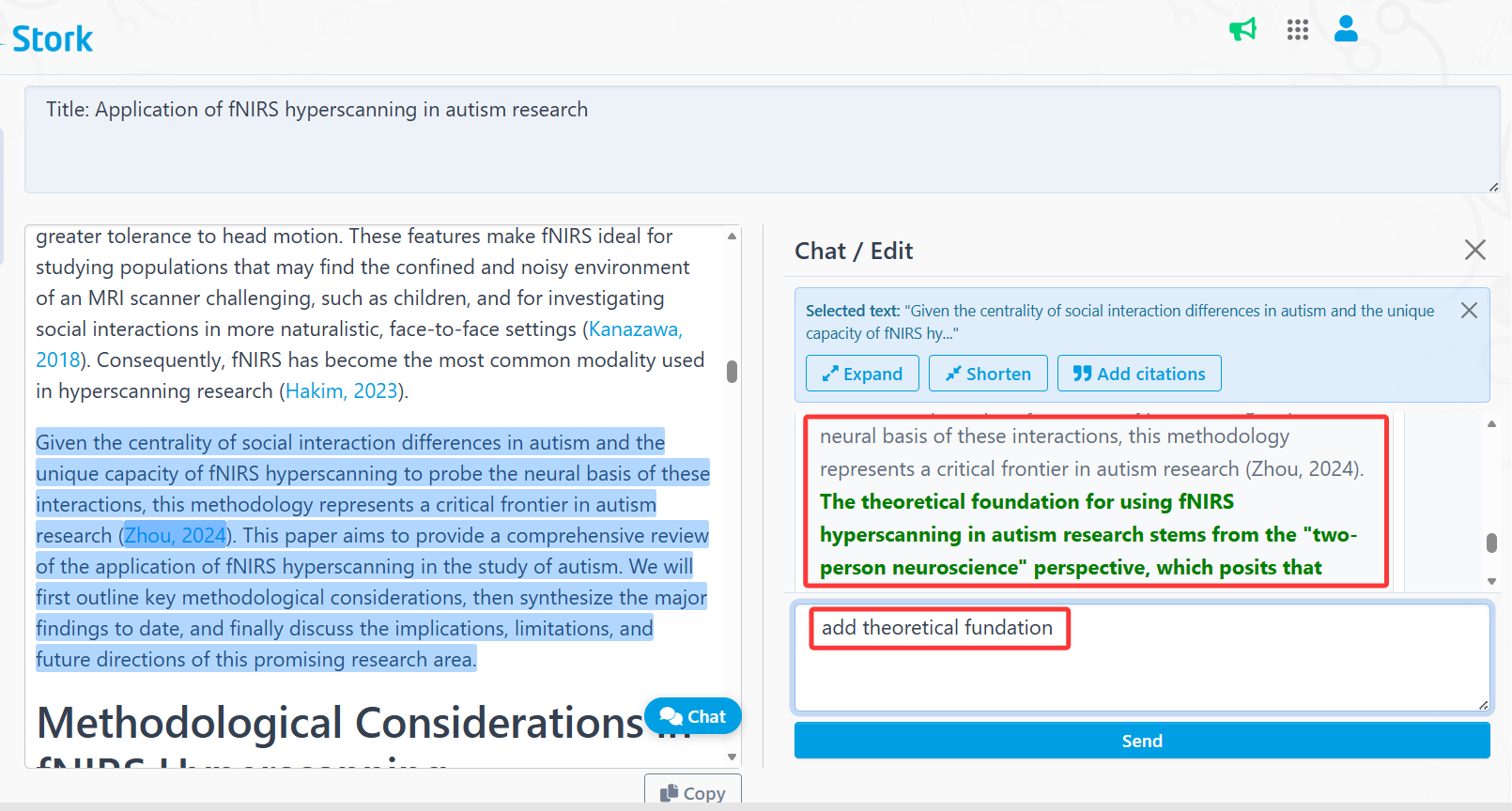
    First, select the type of text you want to generate and provide your title and prompts. After the draft is generated, a [Chat] button will appear below the content.


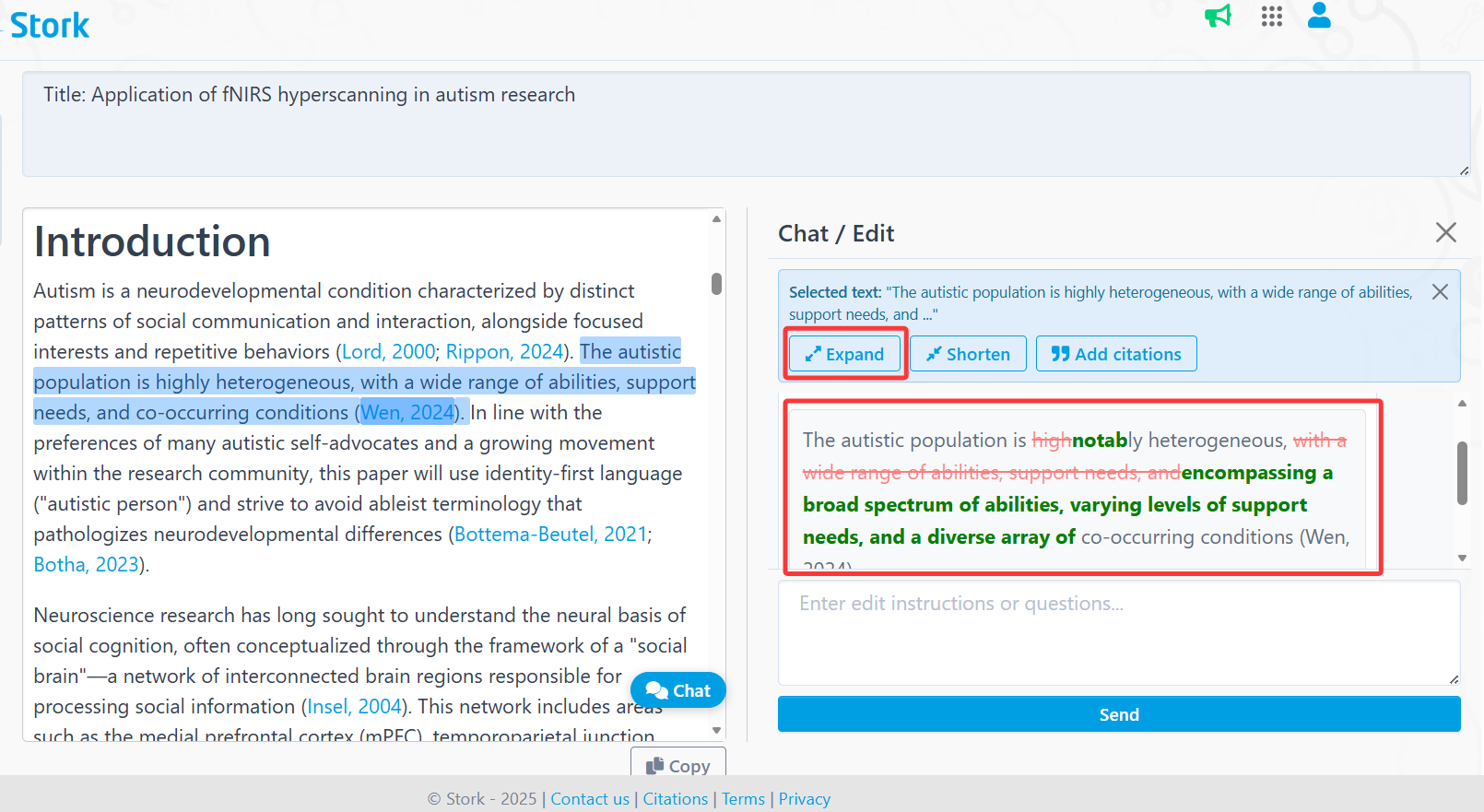
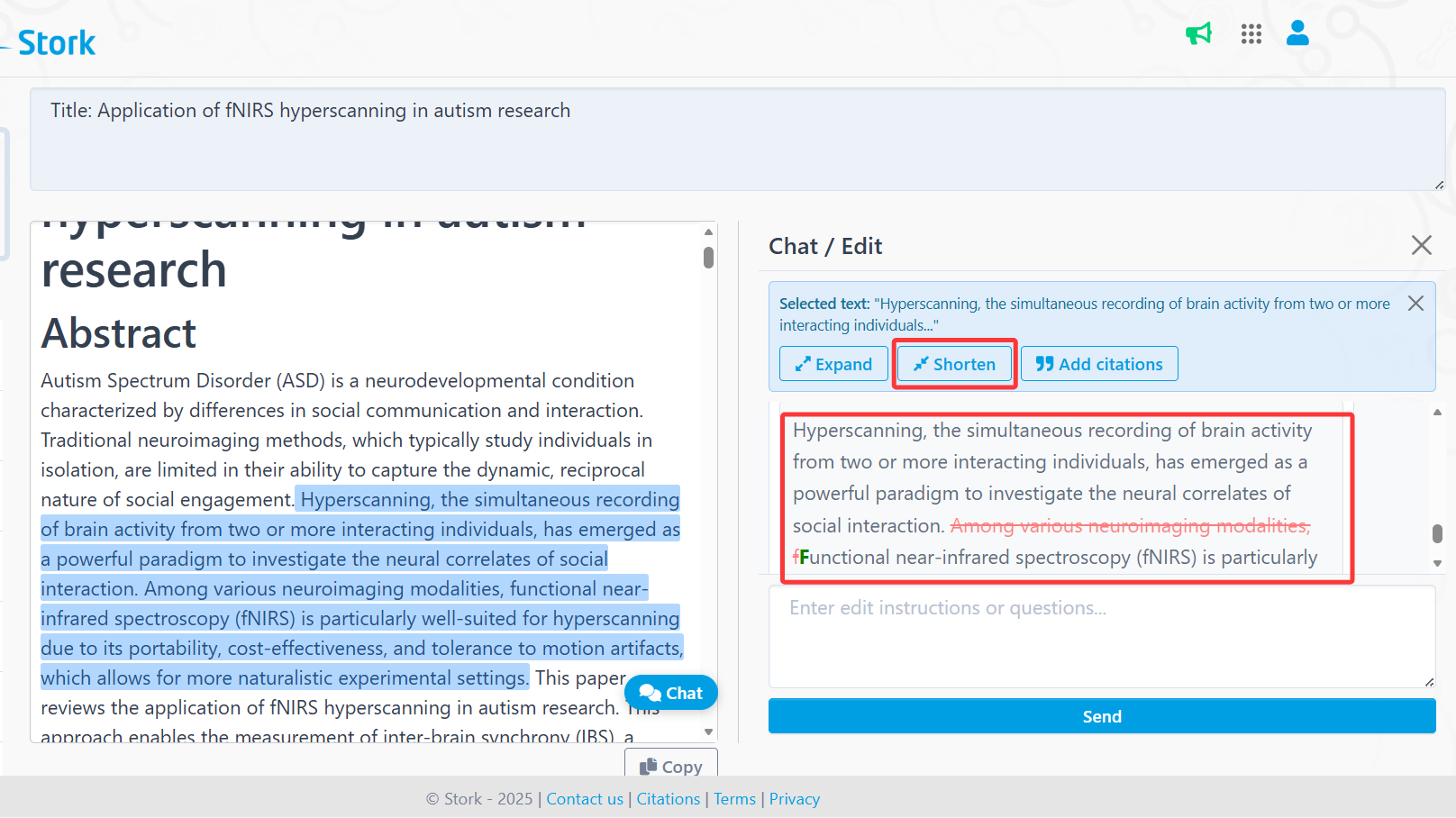
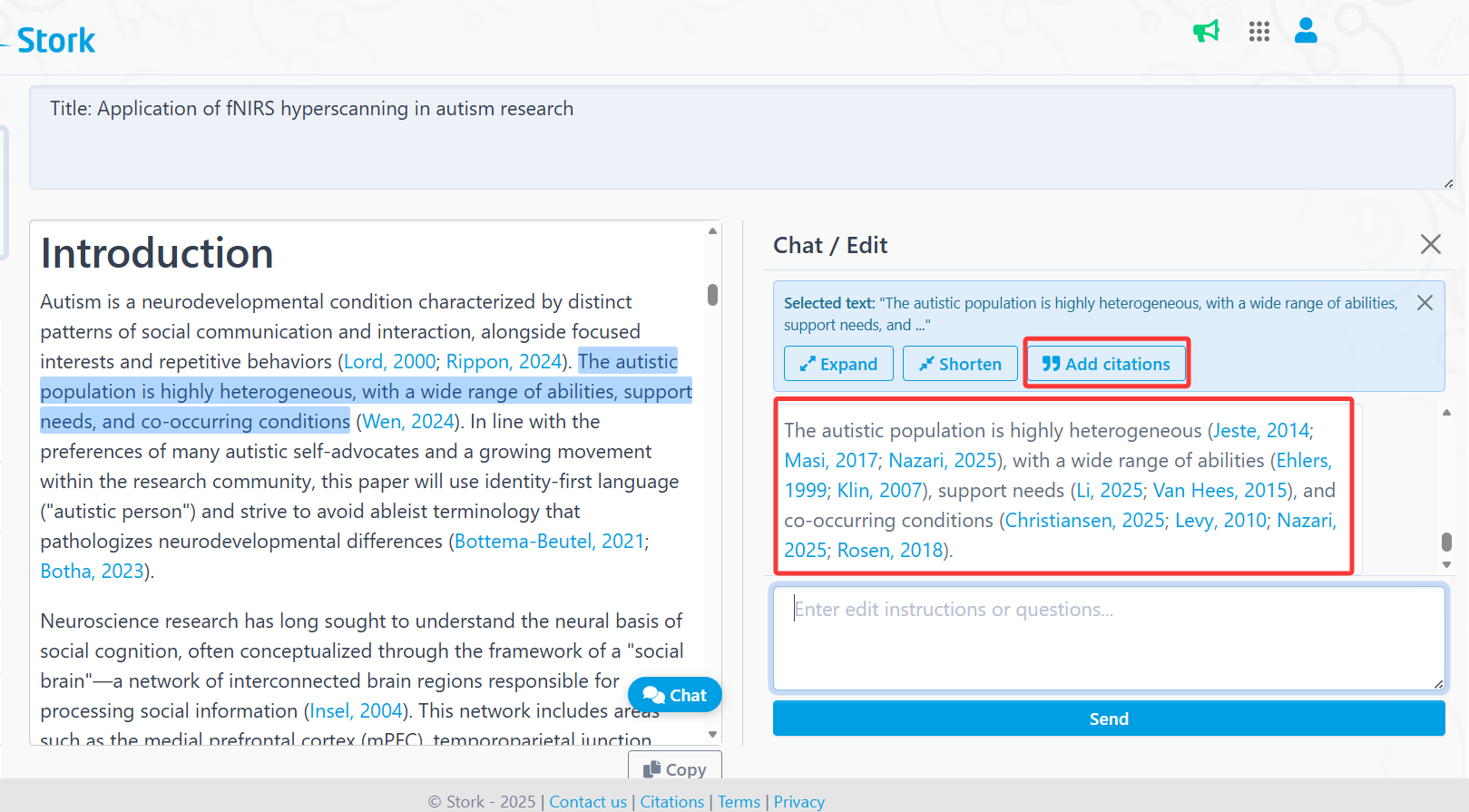
    You can then select any sentence or paragraph and apply quick edits such as [Expand], [Shorten], or [Add Citations]. If you’re satisfied with the revision, you can replace the original text directly.


    [Add Citations] helps identify relevant references for the selected content, similar to Stork’s advanced feature TrueCite.


    You can also enter custom instructions in the dialog box.


    Writing is never a one-pass task. AI Paper is there for both the first draft and the many small edits that follow. Give it a try!


    How to use

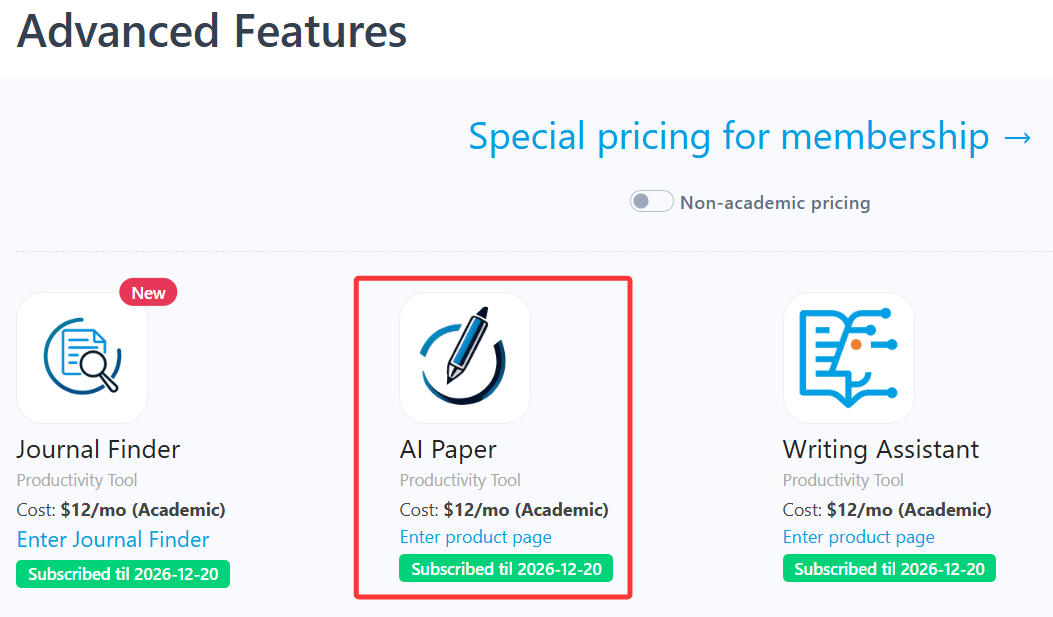
    AI Paper is an advanced feature offered by Stork, which requires subscription (registered users can try 10 articles for free). After registering/logging in to Stork (https://www.storkapp.me), you can find AI Paper under the advanced features section. Then you can try it out or subscribe. Alternatively, you can visit the official AI Paper website directly at https://www.storkapp.me/aipaper/


  • Writing Assistant helped Chen publish in Industrial Crops & Products


     Info

    "Gratitude is also expressed to Stork (https://www.storkapp.me/writeassistant/) for its linguistic assistance during manuscript preparation."


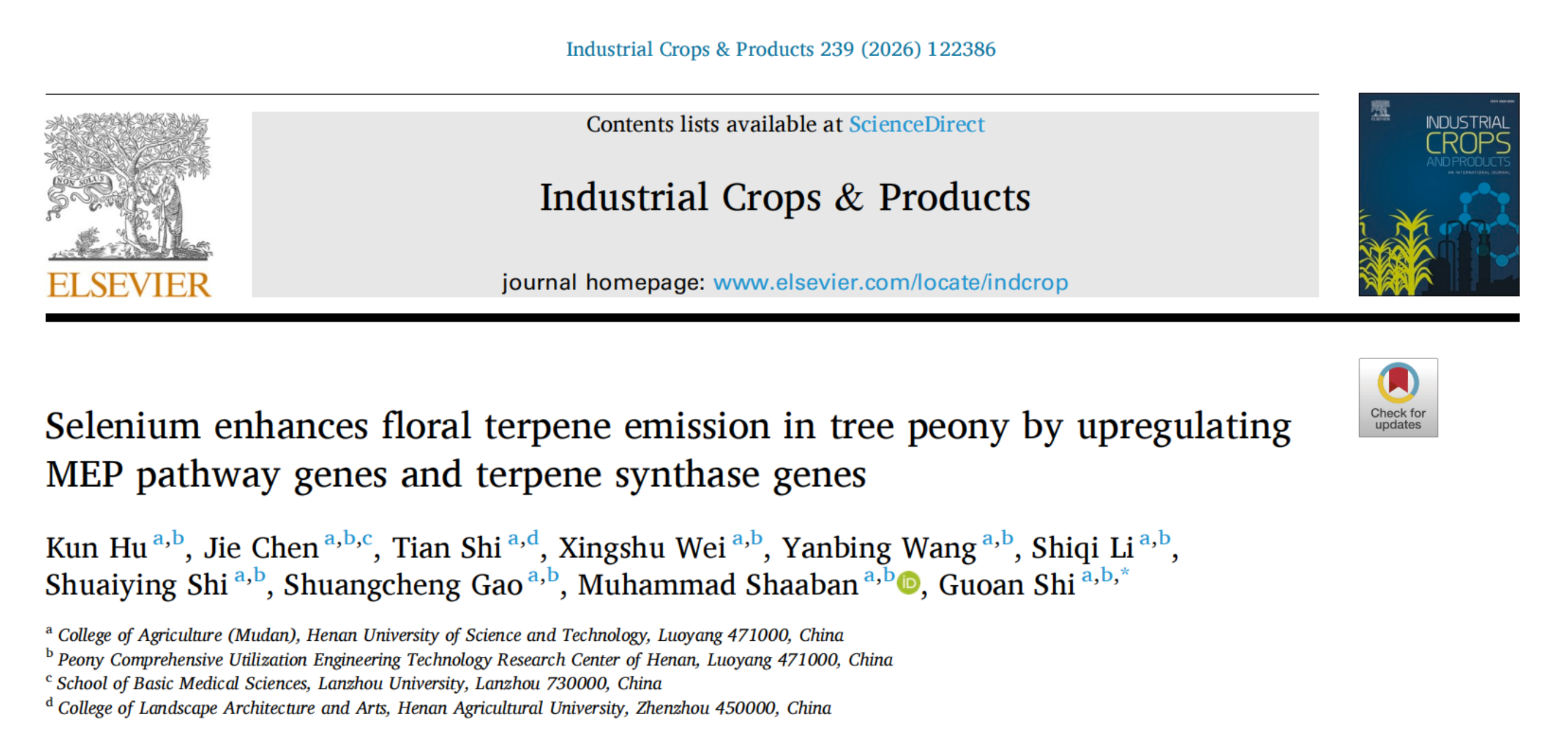
    Recently, Jie Chen and her colleagues from College of Agriculture (Mudan) at Henan University of Science and Technology in China published a paper titled "Selenium enhances floral terpene emission in tree peony by upregulating MEP pathway genes and terpene synthase genes" in the journal Industrial Crops & Products.  The paper cited Writing Assistant of Stork. You can access the paper here: https://doi.org/10.1016/j.indcrop.2025.122386


    This article acknowledged Stork in the Acknowledgment section:


    "Gratitude is also expressed to Stork (https://www.storkapp.me/writeassistant/) for its linguistic assistance during manuscript preparation."


    Stork's Writing Assistant can help you with text polishing, grammar correction, and paragraph expansion, while also offering a Word Add-in for a smoother writing experience.


     【User Reviews】

    Eric Li, Ph.D

    Stanford University

    "Writing Assistant is an excellent tool for scientists and researchers to improve the quality of their publication writing. I highly recommend Writing Assistant for those whose native language is not English or who lack writing skills and ideas."

    Juanjuan Du, Professor

    Tsinghua University

    "In the past, the task of writing was often time-consuming. Fortunately, Writing Assistants have made this process much simpler by providing multiple sentences with the same meaning. This has made writing much more efficient and enjoyable."

    Xiaoyan Zheng, Processor

    GWU

    "Writing Assistant is an exceptional platform for verifying spelling and grammar. It also provides users with a variety of suggestions to alter their tones or enhance their writing's clarity. Highly recommended!"

    Xiaomeng Pei, Associate Research Fellow

    Hong Kong Polytechnic University

    "When I first started writing papers, in order to make the sentences more accurate, I would revise a sentence back and forth many times but still not be completely satisfied. If you are also facing the same problem, try Writing Assistant. It will undoubtedly assist you in effortlessly and efficiently writing the most genuine and seamlessly fluent English papers!"


     【How to use】

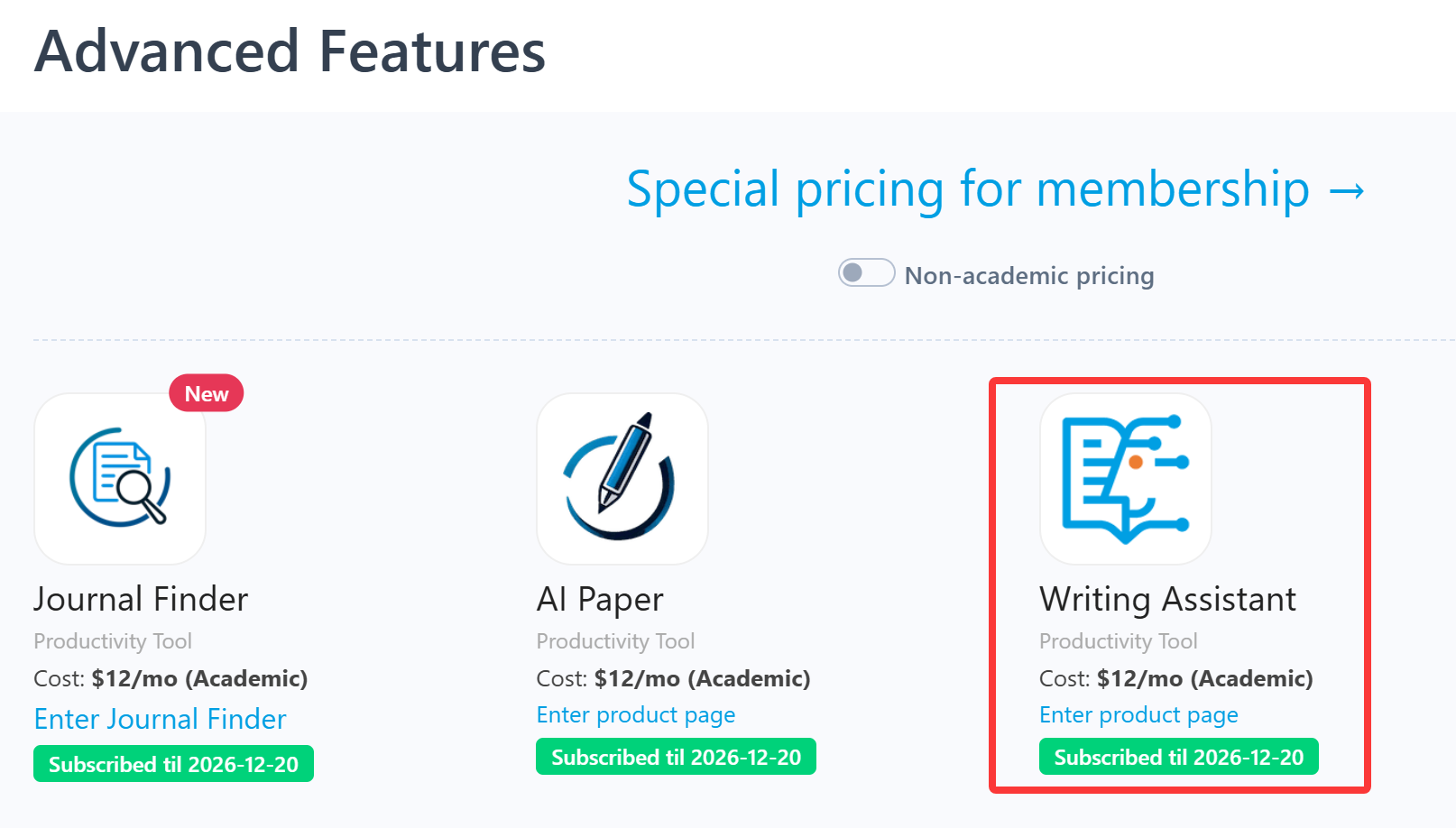
    Writing Assistant is an advanced feature offered by Stork (free trial is available). After registering/logging into Stork (https://www.storkapp.me), you can find Writing Assistant under the "Advanced Feature" section. Then you can try it out or subscribe. Alternatively, you can visit Writing Assistant website directly at https://www.storkapp.me/writeassistant/


     Tips

    To date,  nearly 70 scientific papers have cited Stork. If you cite Stork in your paper, please let us know at support@storkapp.me, and we'll offer you a discount based on the journal's impact factor when you subscribe to Writing Assistant or other advanced features.


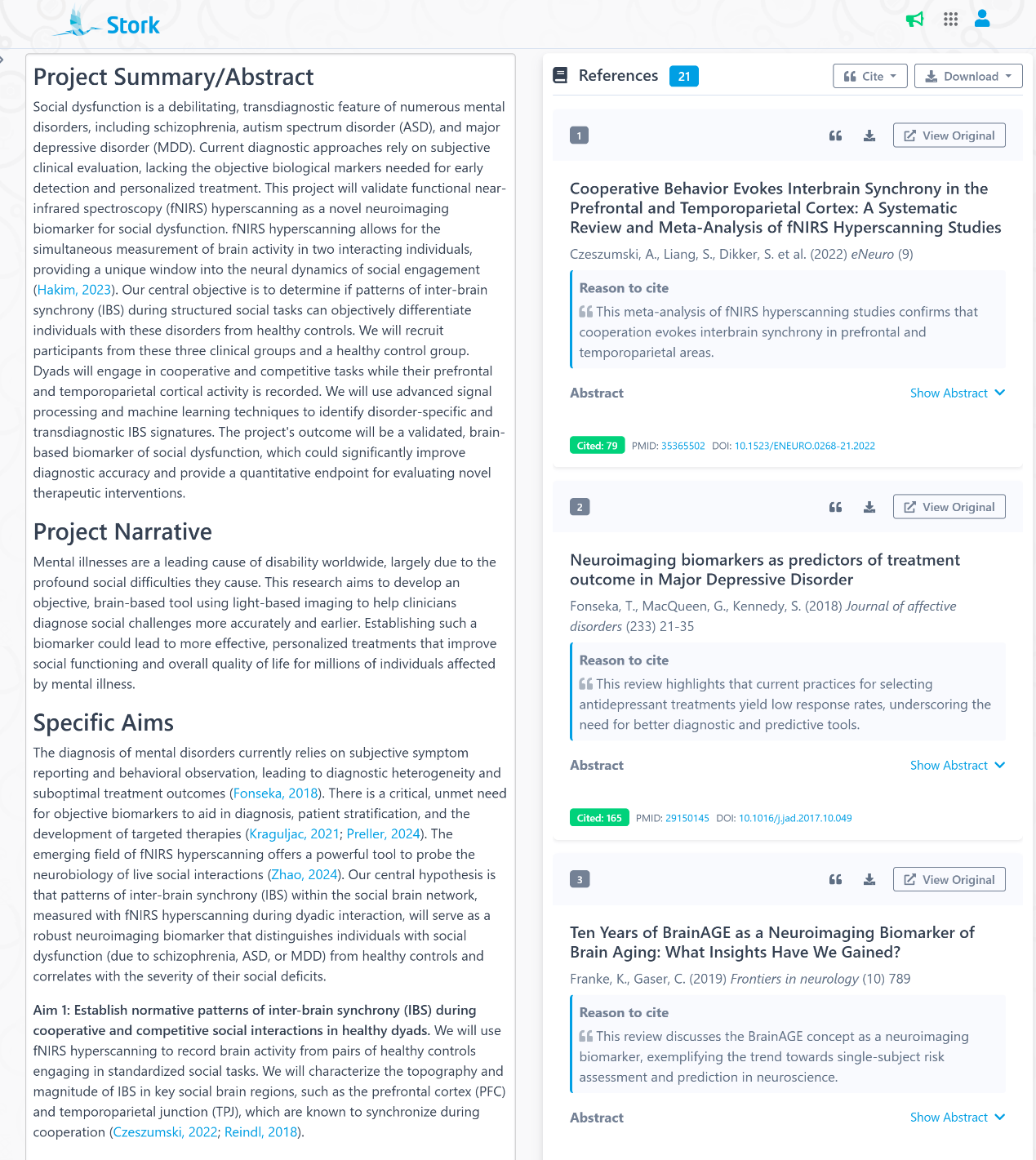
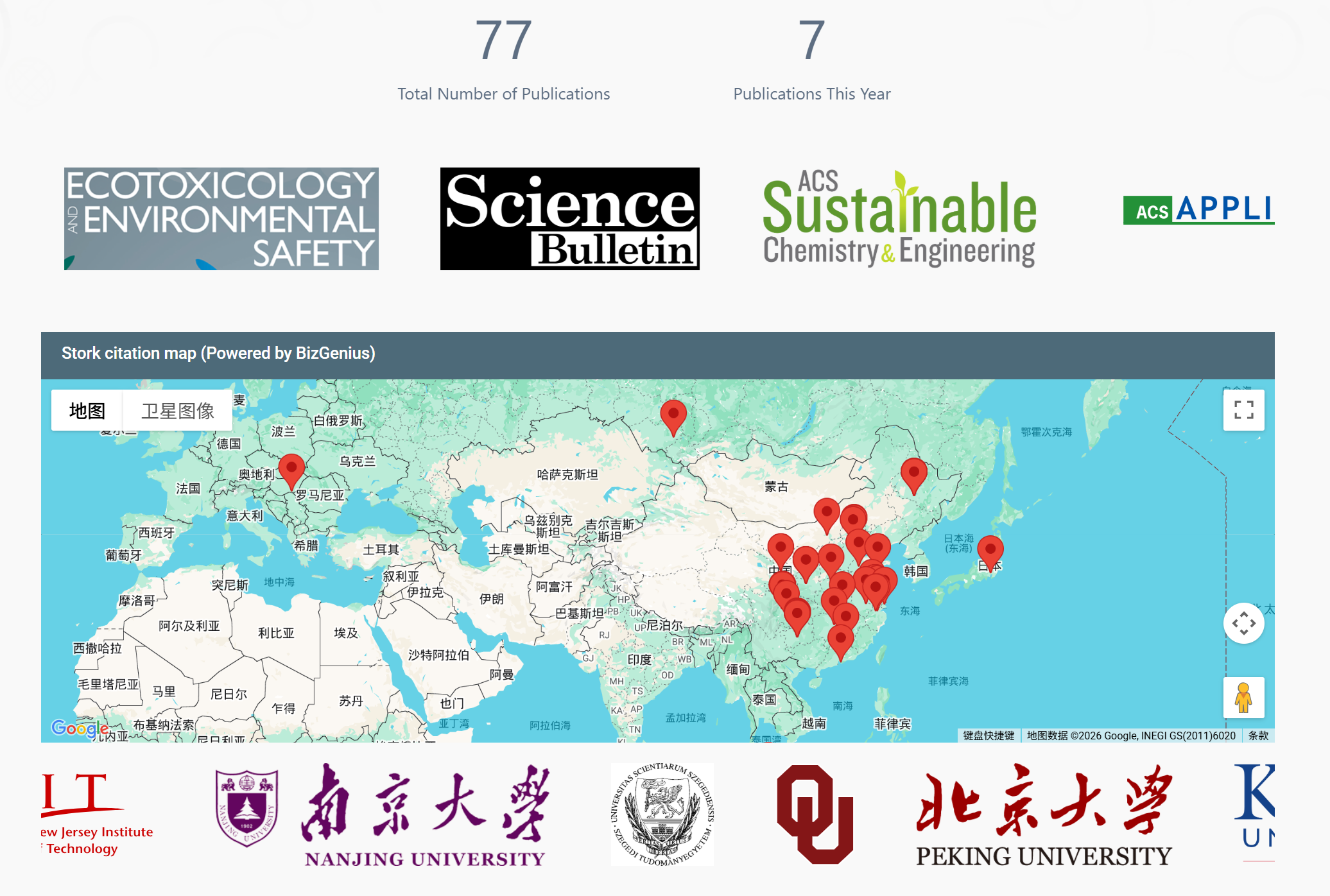
  • Over 60 Scientific Papers Have Cited Stork


    Did you know? 

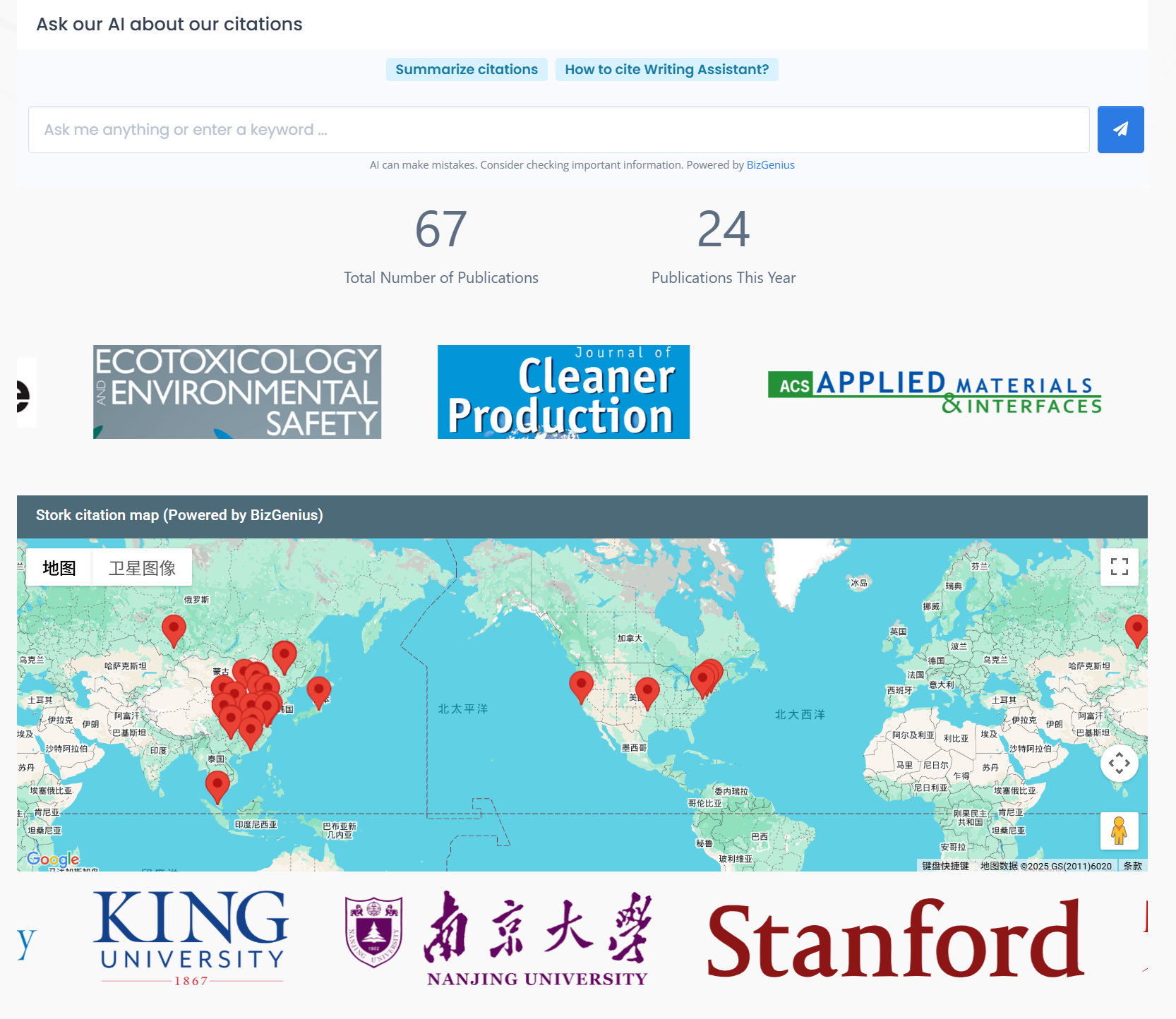
    More than 60 scientific papers have already cited Stork. What began as a simple paper alert assistant has grown into a tool that researchers rely on throughout their workflow. Let’s take a look at what this growing “citation landscape” looks like.


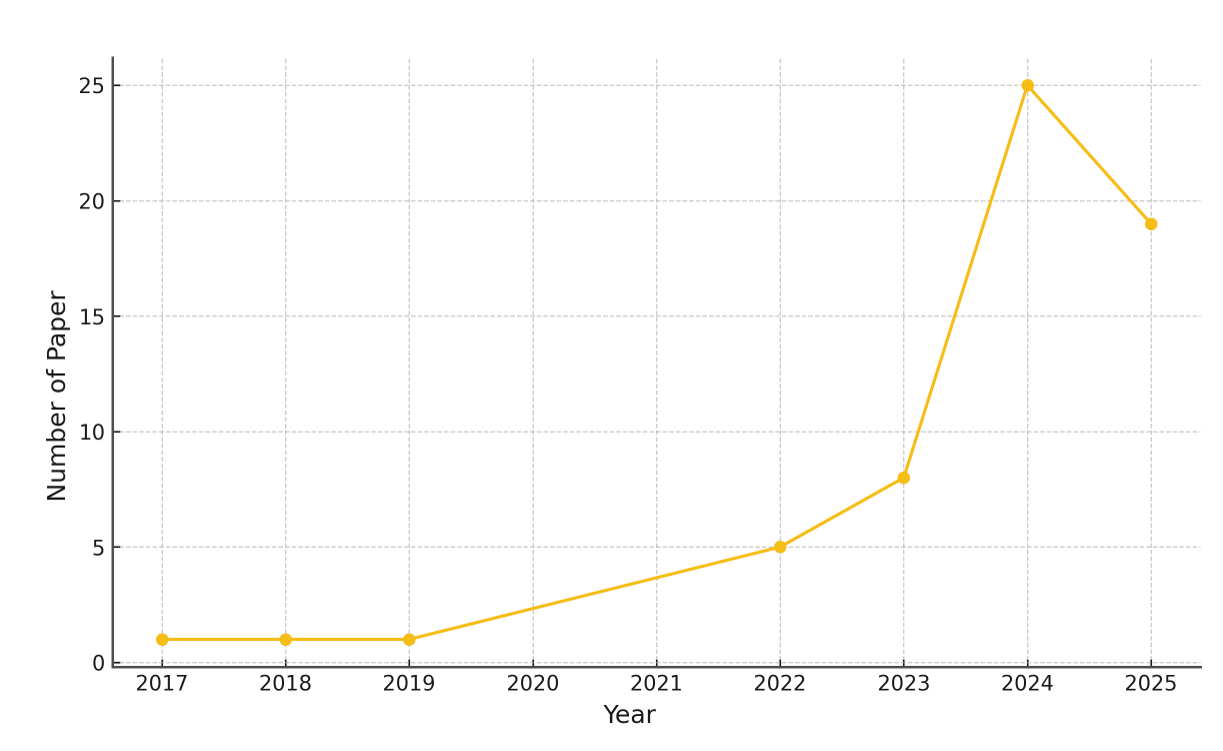
    The earliest known citation appeared in 2017. In that paper, published in Virologica Sinica, Editor Dongbo Nie and colleagues described Stork as "a practical tool that significantly improves the work quality and efficiency for journal editors. "


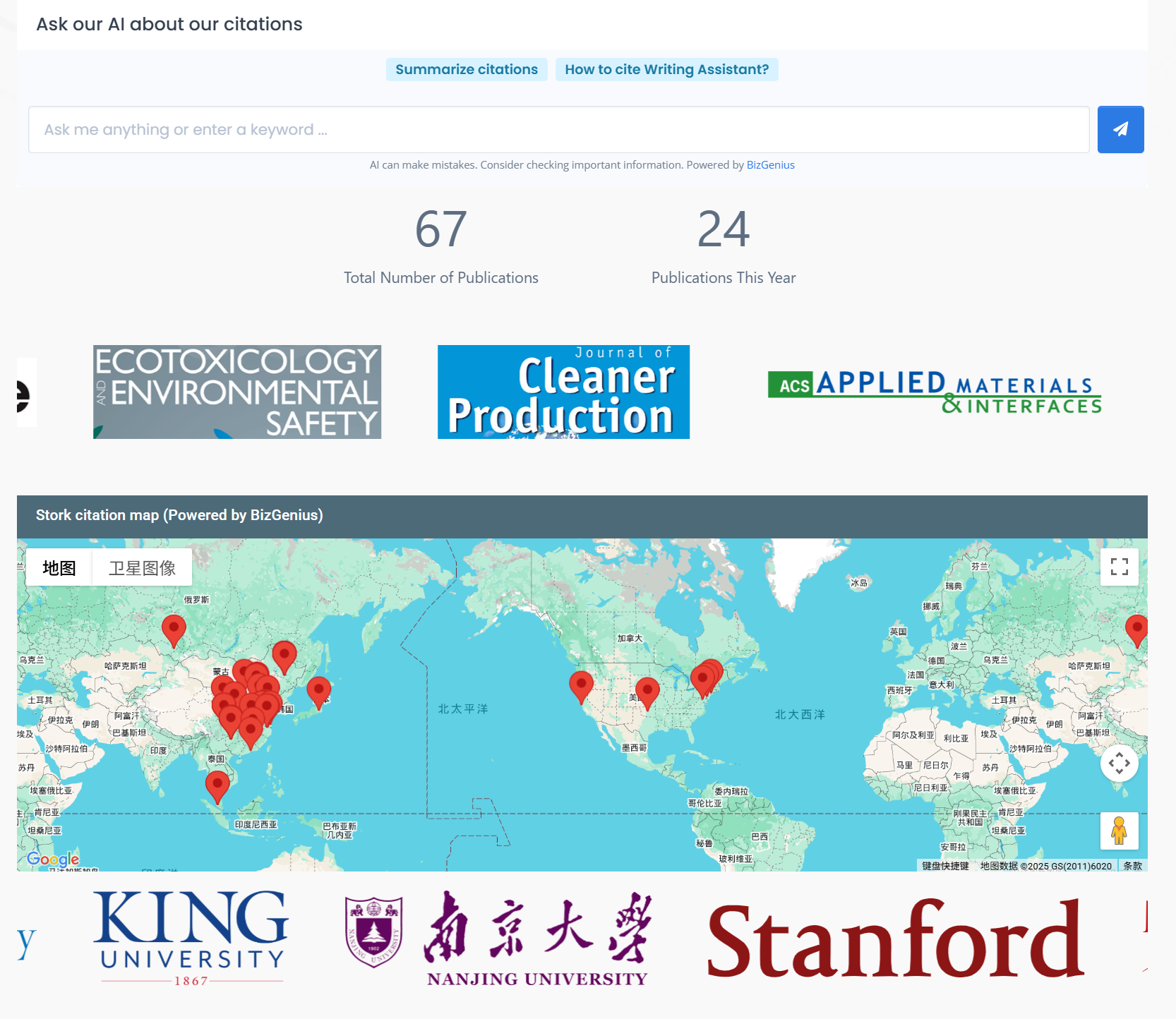
    As Stork added more features, more researchers started using it in their work and began citing it in their publications. Nearly 70% of the citations appeared in 2024–2025, which shows how rapidly Stork's adoption has picked up. The papers come from seven countries and more than 30 universities and research institutes—about 80% from Chinese teams, with the rest from the United States, Malaysia, Australia, Japan, Russia, and Turkey.


    Most of these studies were published in mainstream SCI and SSCI journals, and a number of them even appeared in high-impact venues (IF ≥ 10) such as Science Bulletin and Advanced Functional Materials.


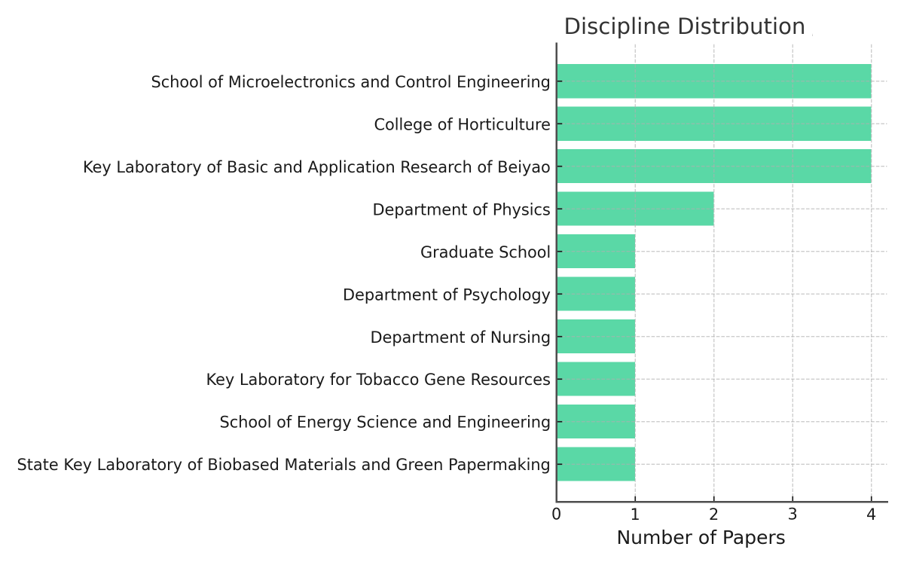
    Among the papers that cite Stork, about one-third come from medical and health-related fields such as nursing, dentistry, biomedical science, and radiation protection. Around one-fifth come from life sciences and agriculture, including plant science, ecology, and agronomy. The rest cover a wide range of areas—materials science, physics, engineering, environmental science, as well as psychology and the social sciences.


    We warmly welcome researchers from even more fields to explore Stork's tools and let them support your work and publications.


    In these papers, the most frequently mentioned one is the Writing Assistant:


    " The text in this paper was polished and significantly improved by Stork's Writing Assistant (https:// http://www.storkapp.me/writeassistant/)."


    It can help you with text polishing, grammar correction, and paragraph expansion, while also offering a Word Add-in for a smoother writing experience.


    Another commonly cited set of tools includes Big Analysis and Citation Network:


    "The authors would like to thank Stork (https://www.storkapp.me/) for their invaluable support and resources that greatly assisted the review."


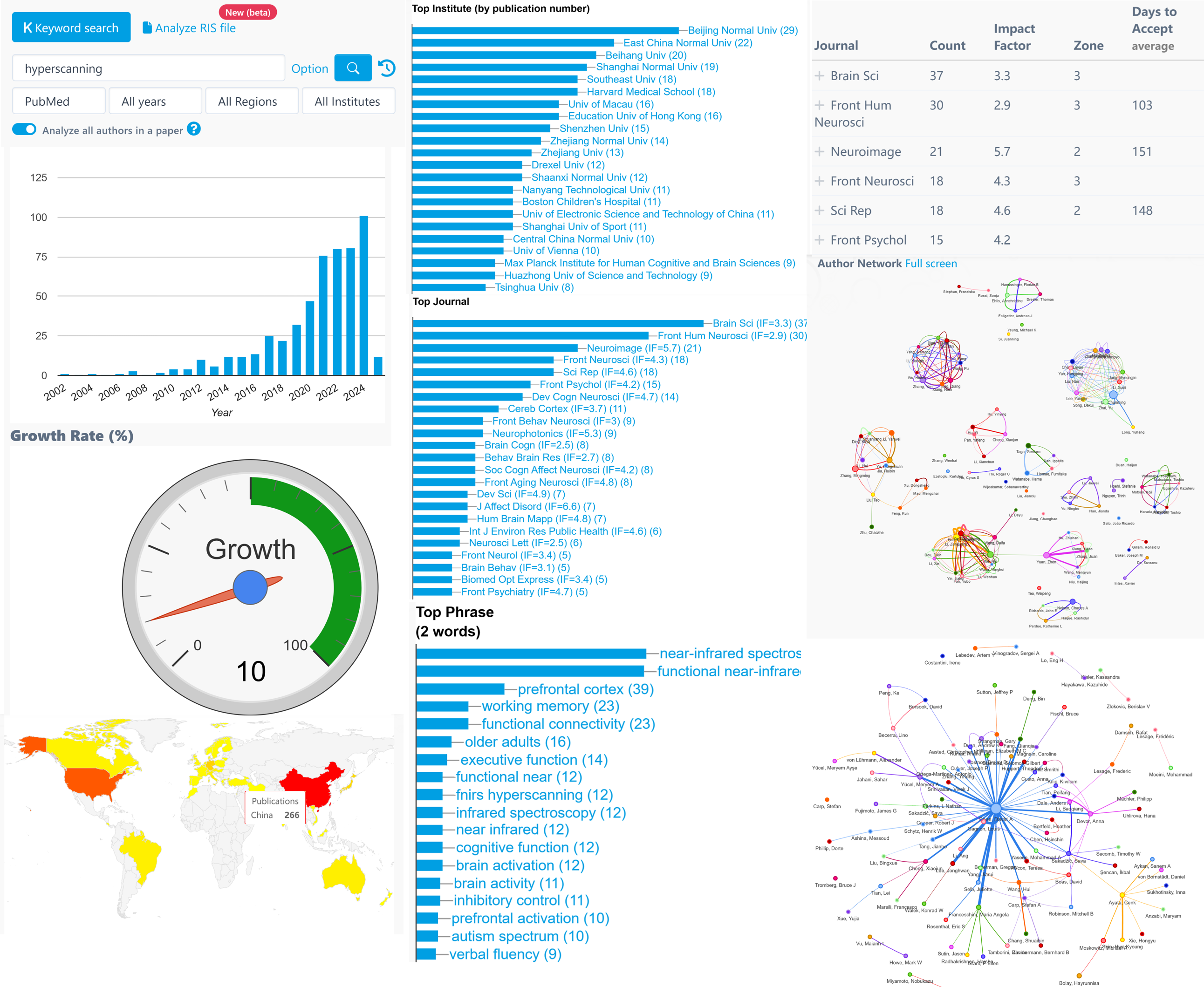
    Big Analysis allows a researcher to quickly understand all aspects of a field's progress in a matter of minutes, including growth trends, geographic distribution, experts (and their contact information), genes, diseases, brain regions, etc.


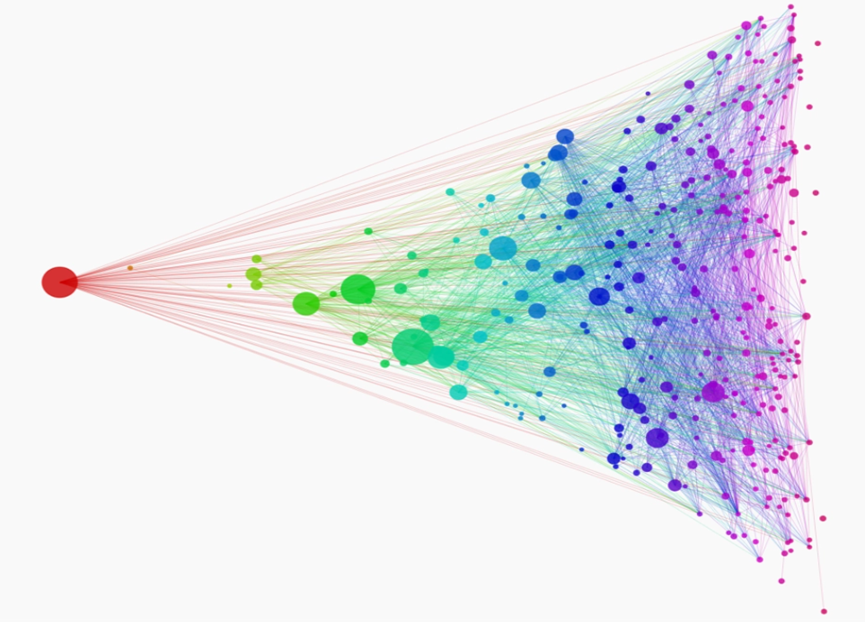
    Citation Network allows researchers to quickly identify the classic/important papers in a field within a few minutes and do more research with less effort.


    Stork's AI Paper is also becoming a popular advanced feature, offering structured draft to help researchers begin their writing process more easily.


    Every citation is a reminder that Stork has been part of real research stories. And more are coming. Stork will stay by researchers' side—helping make the path from idea to publication a little smoother.


    【User Reviews】

    Eric Li, Ph.D

    Stanford University

    "Writing Assistant is an excellent tool for scientists and researchers to improve the quality of their publication writing. I highly recommend Writing Assistant for those whose native language is not English or who lack writing skills and ideas."

    Juanjuan Du, Professor

    Tsinghua University

    "In the past, the task of writing was often time-consuming. Fortunately, Writing Assistants have made this process much simpler by providing multiple sentences with the same meaning. This has made writing much more efficient and enjoyable."

    Hüseyin Yiğit

    Erciyes University

    "I needed some support with English language and grammar during the publication process of my work. For this purpose, I applied to various language services, and their cost exceeded $400. With Stork, I resolved the language and grammar needs of my manuscript for only $12. Stork saved me $400. I thank the Stork team."

    Joseph Baker

    Stanford University

    “Big Analysis is a fantastic tool for scientists in need of aggregating all aspects of research in their field. Personally, I've used Big Analysis to find papers to include in a systematic review for publication, to aggregate existing data for power analyses, and to finding the name and contact information for other researchers in my field. Together with Stork, Big Analysis is an indispensable tool for all research scientists.


     【How to use】

    After registering/logging into Stork (https://www.storkapp.me), you can find Stork's advanced features under the "Advanced Feature" section. Then you can try it out or subscribe.


    If you cite Stork in your paper, please let us know at support@storkapp.me, and we'll offer you a discount based on the journal's impact factor when you subscribe to Writing Assistant or other advanced features.


  • Writing Assistant helped Cai publish in ACS Medicinal Chemistry Letters

     Info

    “The texts in this paper were polished by Stork’s Writing Assistant.”

    Dr. Xianrong Cai


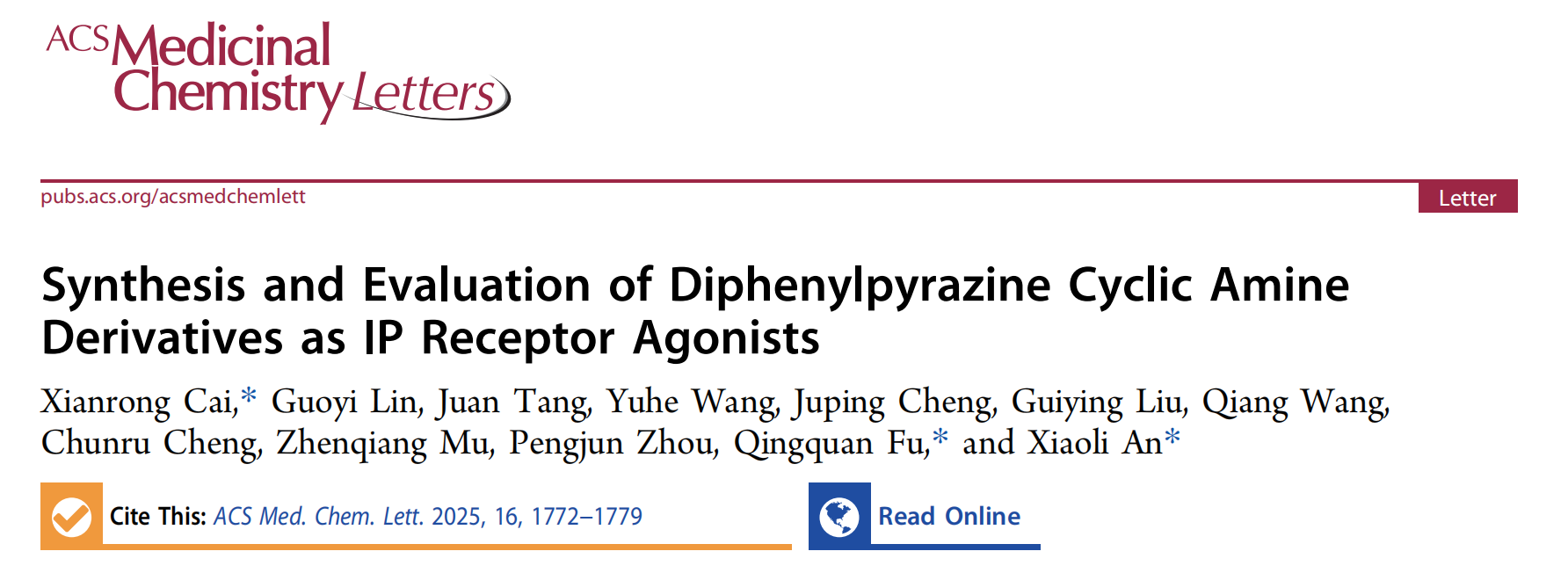
    Recently, Xianrong Cai from School of Chemistry Engineering at Sichuan University of Science & Engineering in China published a paper titled "Synthesis and Evaluation of Diphenylpyrazine Cyclic Amine Derivatives as IP Receptor Agonists" in the journal ACS Medicinal Chemistry Letters. The paper cited Writing Assistant of Stork. 

    You can access the paper here: https://doi.org/10.1021/acsmedchemlett.5c00312


    This article cited Stork in the Acknowledgments section:


    "The texts in this paper were polished by Stork's Writing Assistant."


    Stork's Writing Assistant can help you with text polishing, grammar correction, and paragraph expansion, while also offering a Word Add-in for a smoother writing experience.


     【User Reviews】

    Eric Li, Ph.D

    Stanford University

    "Writing Assistant is an excellent tool for scientists and researchers to improve the quality of their publication writing. I highly recommend Writing Assistant for those whose native language is not English or who lack writing skills and ideas."

    Juanjuan Du, Professor

    Tsinghua University

    "In the past, the task of writing was often time-consuming. Fortunately, Writing Assistants have made this process much simpler by providing multiple sentences with the same meaning. This has made writing much more efficient and enjoyable."

    Xiaoyan Zheng, Processor

    GWU

    "Writing Assistant is an exceptional platform for verifying spelling and grammar. It also provides users with a variety of suggestions to alter their tones or enhance their writing's clarity. Highly recommended!"

    Xiaomeng Pei, Associate Research Fellow

    Hong Kong Polytechnic University

    "When I first started writing papers, in order to make the sentences more accurate, I would revise a sentence back and forth many times but still not be completely satisfied. If you are also facing the same problem, try Writing Assistant. It will undoubtedly assist you in effortlessly and efficiently writing the most genuine and seamlessly fluent English papers!"


     【How to use】

    Writing Assistant is an advanced feature offered by Stork (free trial is available). After registering/logging into Stork (https://www.storkapp.me), you can find Writing Assistant under the "Advanced Feature" section. Then you can try it out or subscribe. Alternatively, you can visit Writing Assistant website directly at https://www.storkapp.me/writeassistant/


     Tips

    To date,  nearly 70 scientific papers have cited Stork. If you cite Stork in your paper, please let us know at support@storkapp.me, and we'll offer you a discount based on the journal's impact factor when you subscribe to Writing Assistant or other advanced features.

  • ChatPaper Update: Mind Maps Make Papers Easier to Read


    TL; DR

    ChatPaper now allows you to create mind maps. They help you quickly grasp a paper's main points.


    Studies show that mind maps help people organize ideas, make sense of complex information, and reduce mental effort. Many researchers also like to draw mind maps when reading papers.

    But creating a mind map by hand takes a lot of time. You read the paper, mark the key ideas, reorganize everything, and then draw the structure from scratch. Sometimes it even feels tougher than reading the paper.

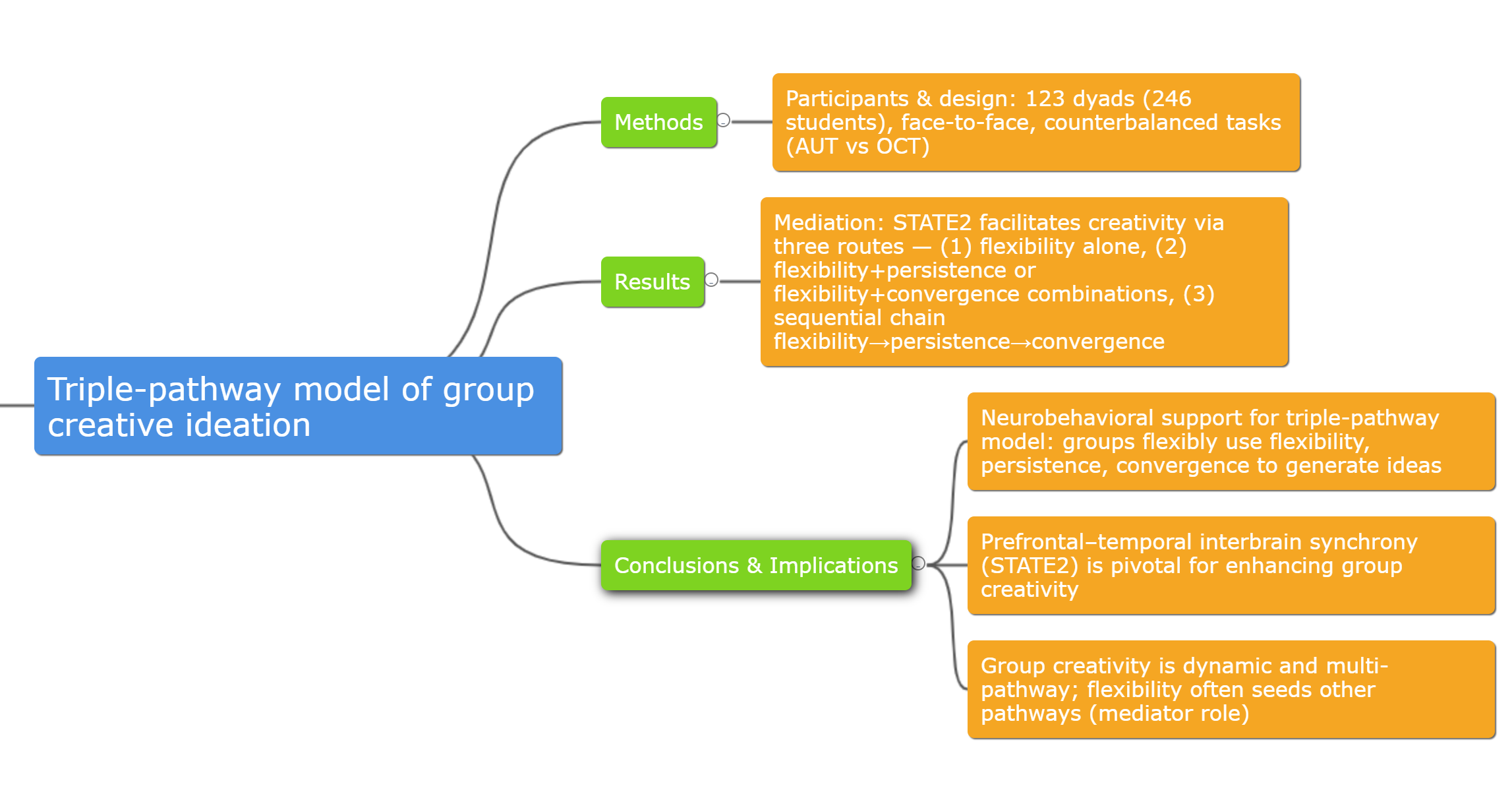
    Now, ChatPaper can take over this step for you. With the new update, it automatically creates a mind map for any paper you upload. No extra tools, no manual drawing—the paper's logic just shows up right in your reading view.


    How to Generate a Mind Map


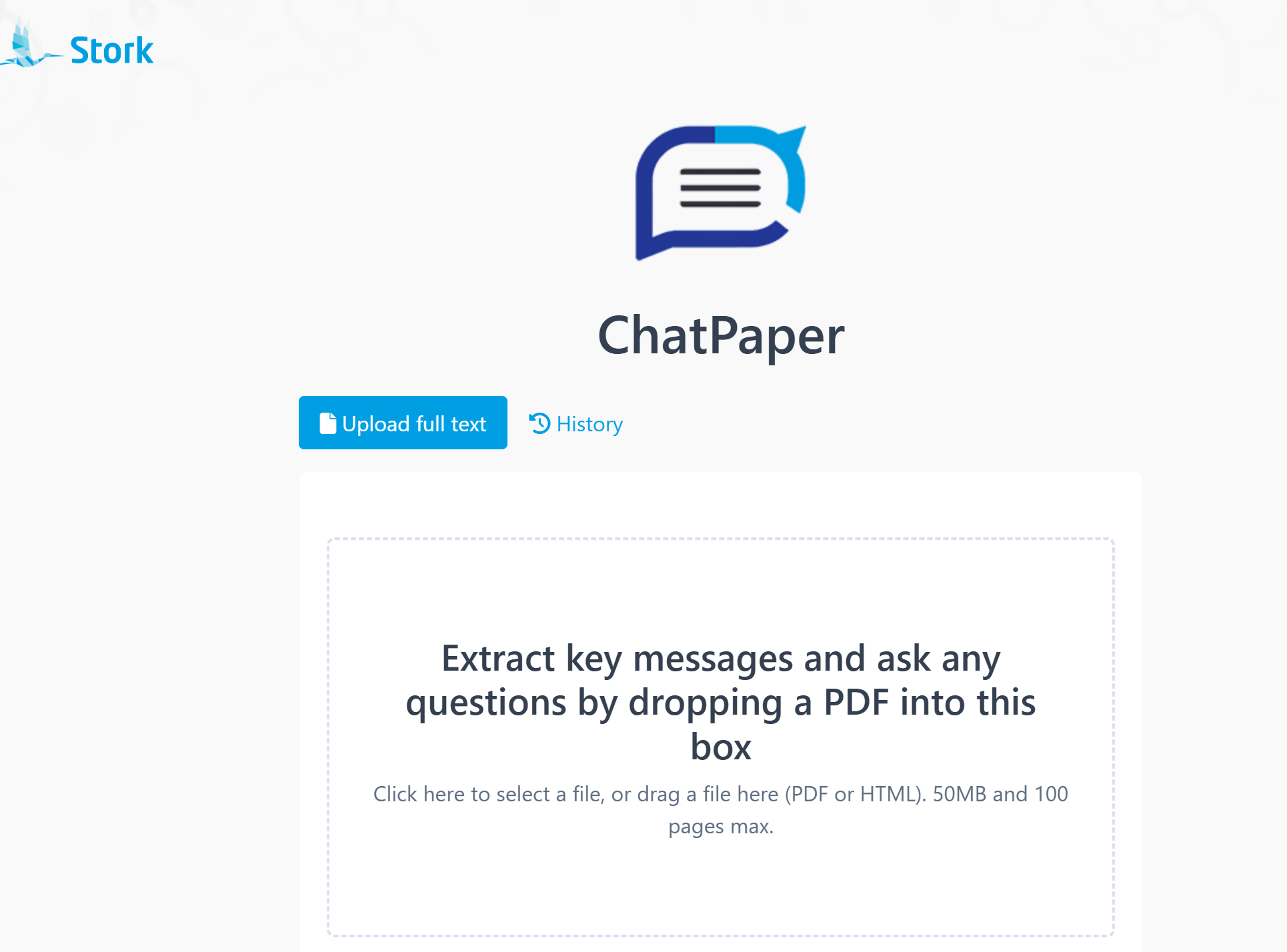
    Go to the ChatPaper website (https://www.storkapp.me/chatpaper) and upload the paper you want to read.

    You can still ask questions, translate sentences, and let ChatPaper explain terms as usual.


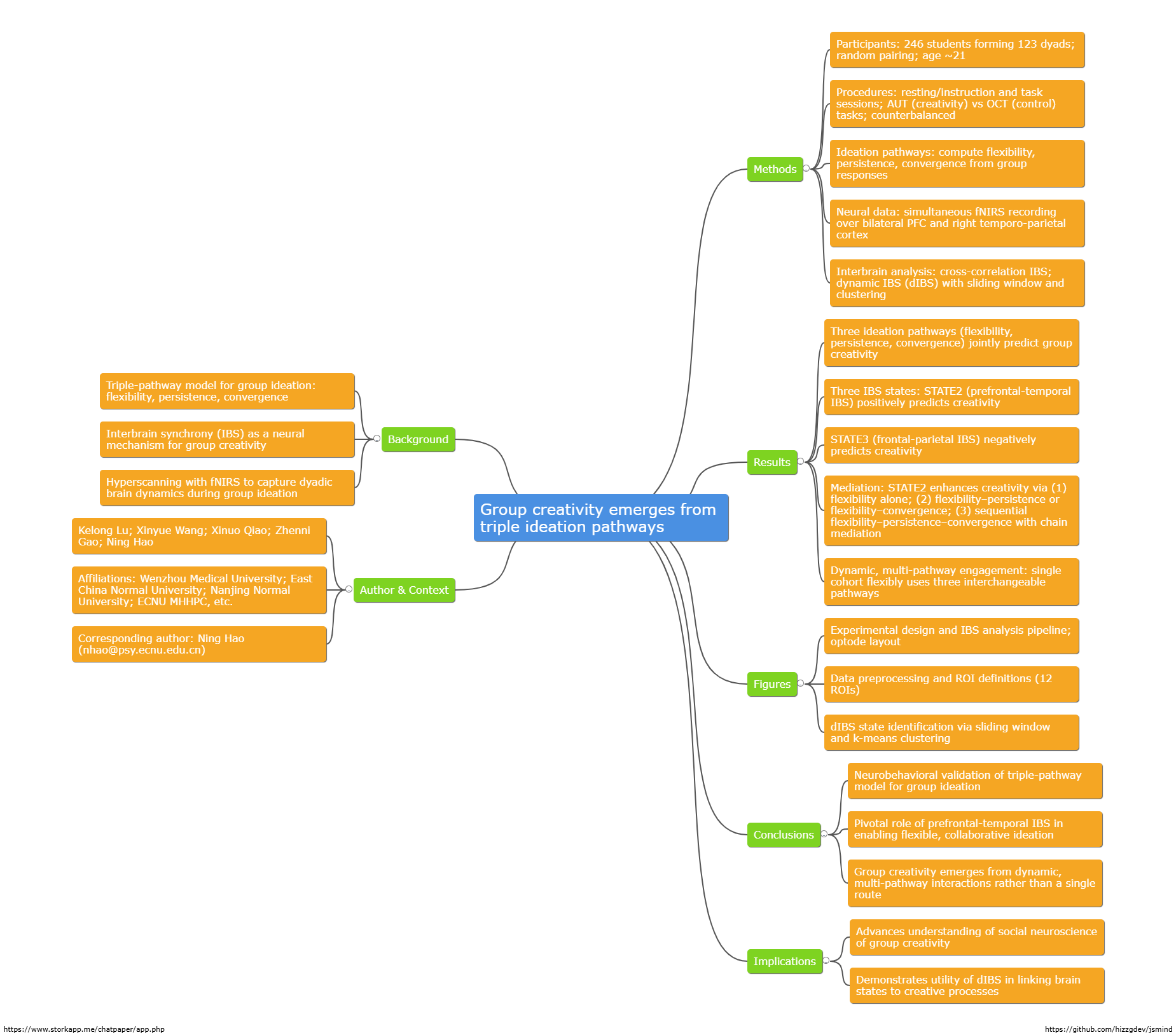
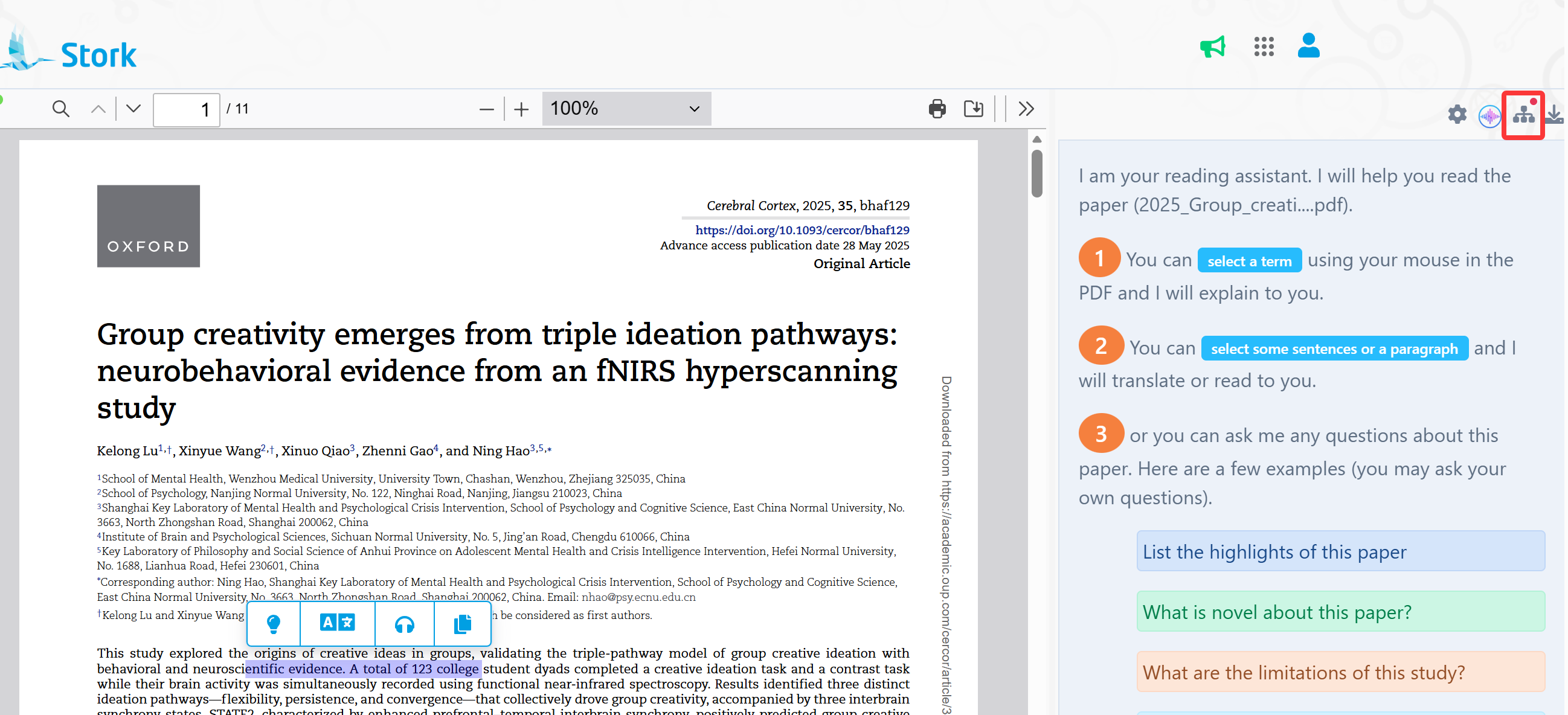
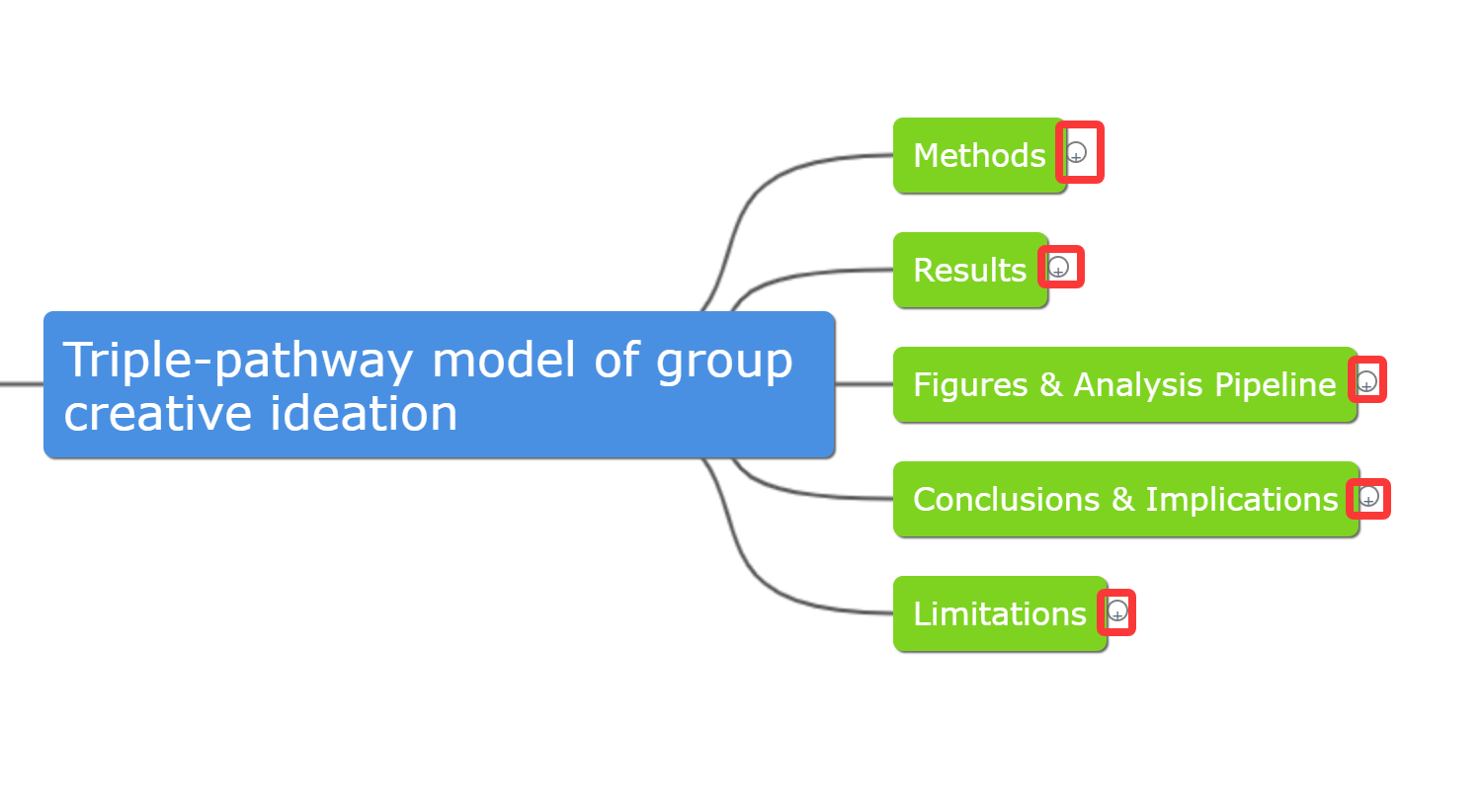
    When you want the mind map, just click the Mind Map icon in the top right corner. ChatPaper will extract the structure of the paper—background, research questions, methods, key findings, and conclusions—and turn it into a clean, compact mind map.


    You can expand or collapse each level by clicking the "+" or "–" icons.


    How to Edit the Mind Map


    The map is not only a quick summary—it can also be the starting point for your own notes.

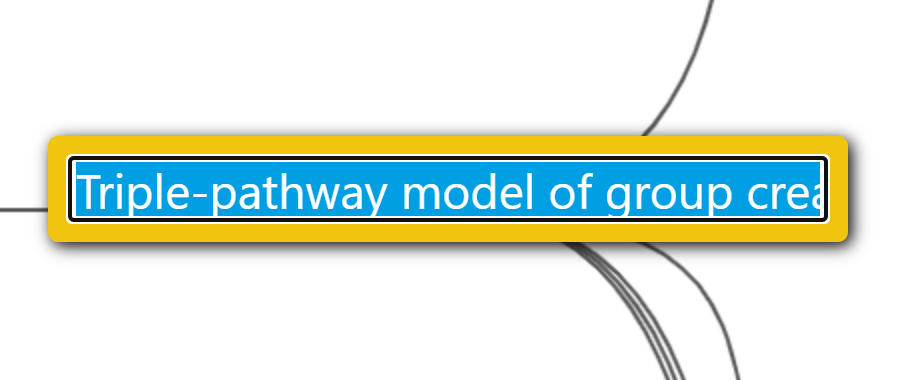
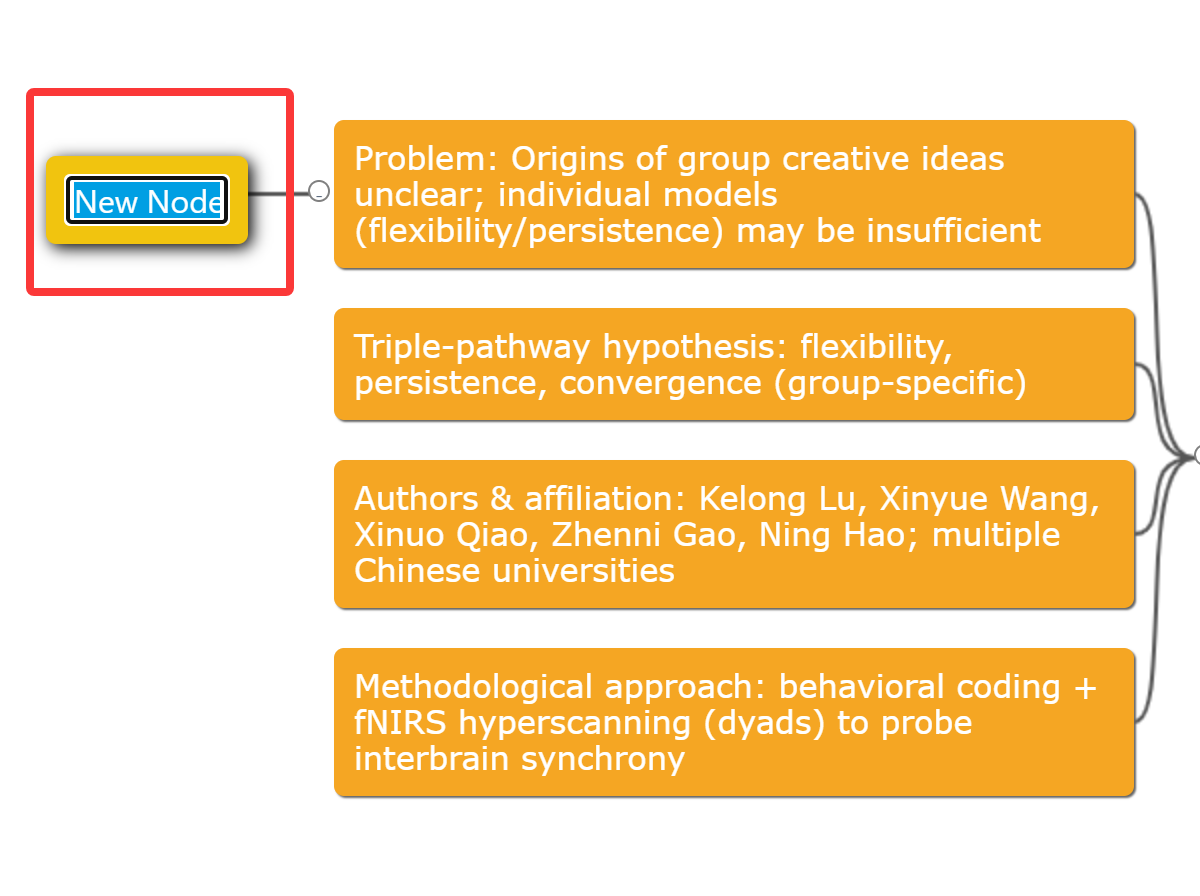
    • Edit text: double-click a node


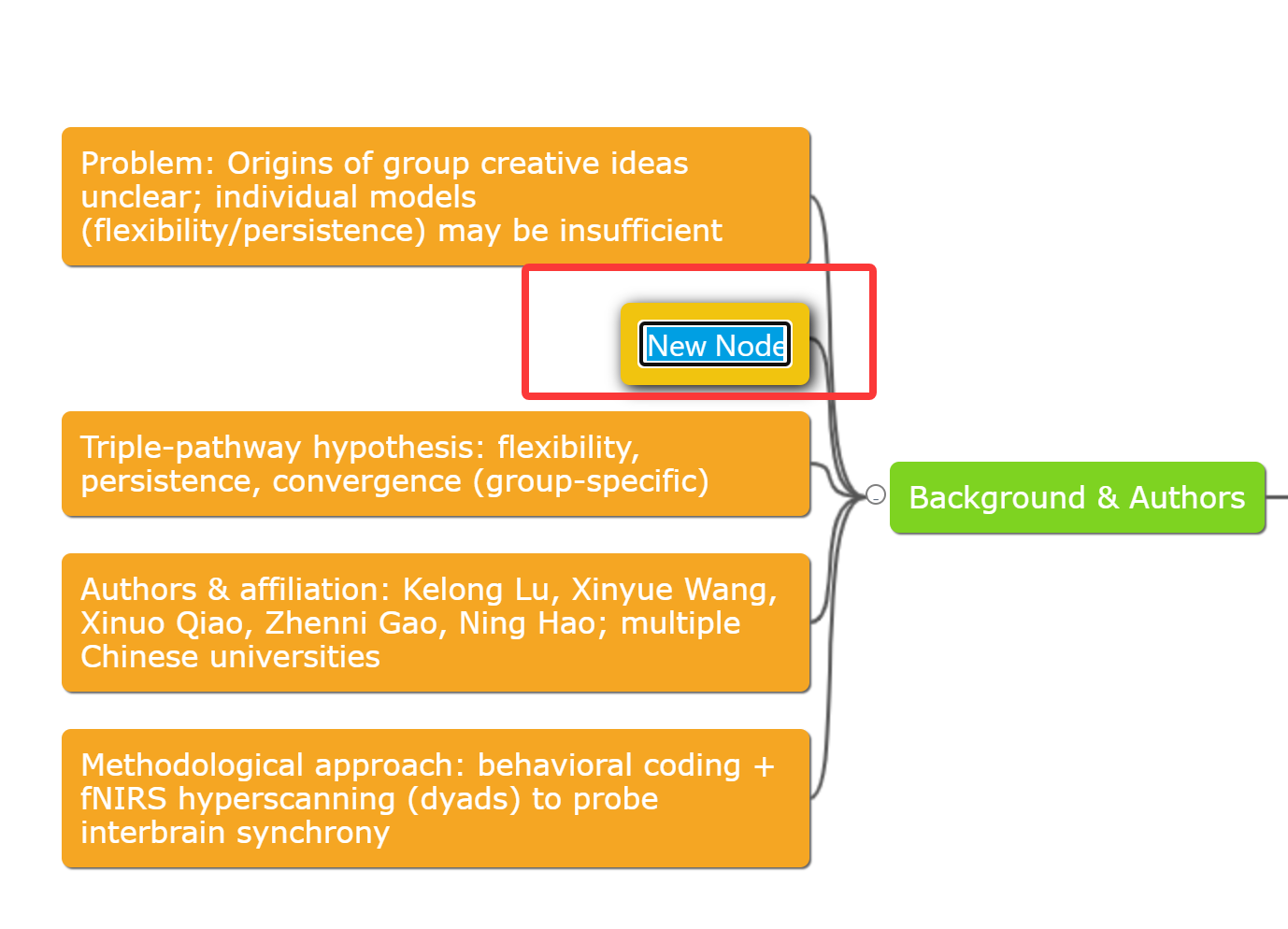
    • Add a sibling node: select a node → press Enter


    • Add a child node or note: select a node → Ctrl + Enter


    • Delete a node: select the node → Delete


    How to Download the Mind Map

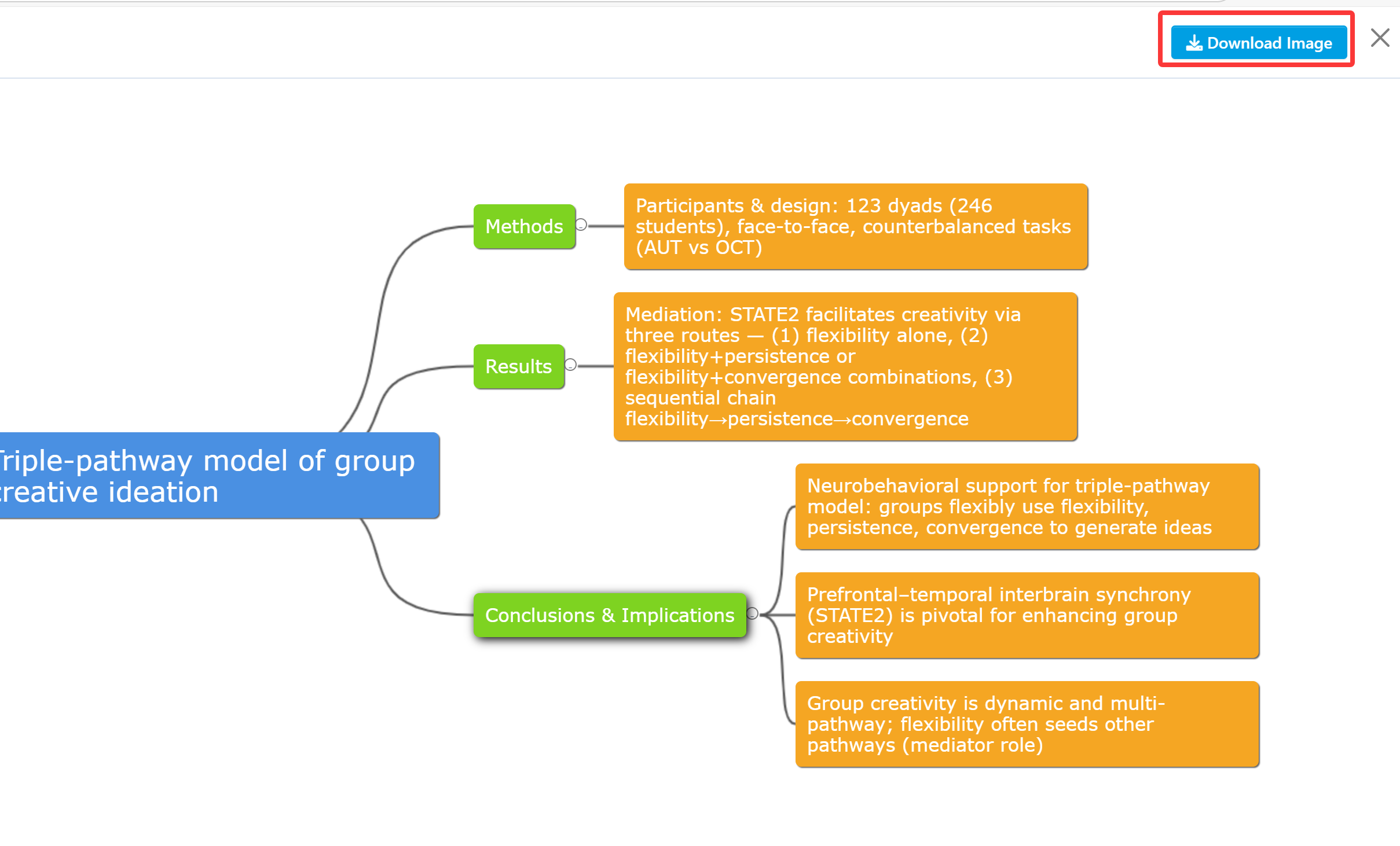
    Click Download Image in the top right to save the mind map as a PNG file.
    When you revisit the paper later, the map helps you recall the full structure and main conclusions within seconds.

    Mind maps turn paper reading from a slow, heavy task into something clearer and more enjoyable. And you can put your focus where it really matters.


    Give the new ChatPaper mind map feature a try!


    【How to Use】

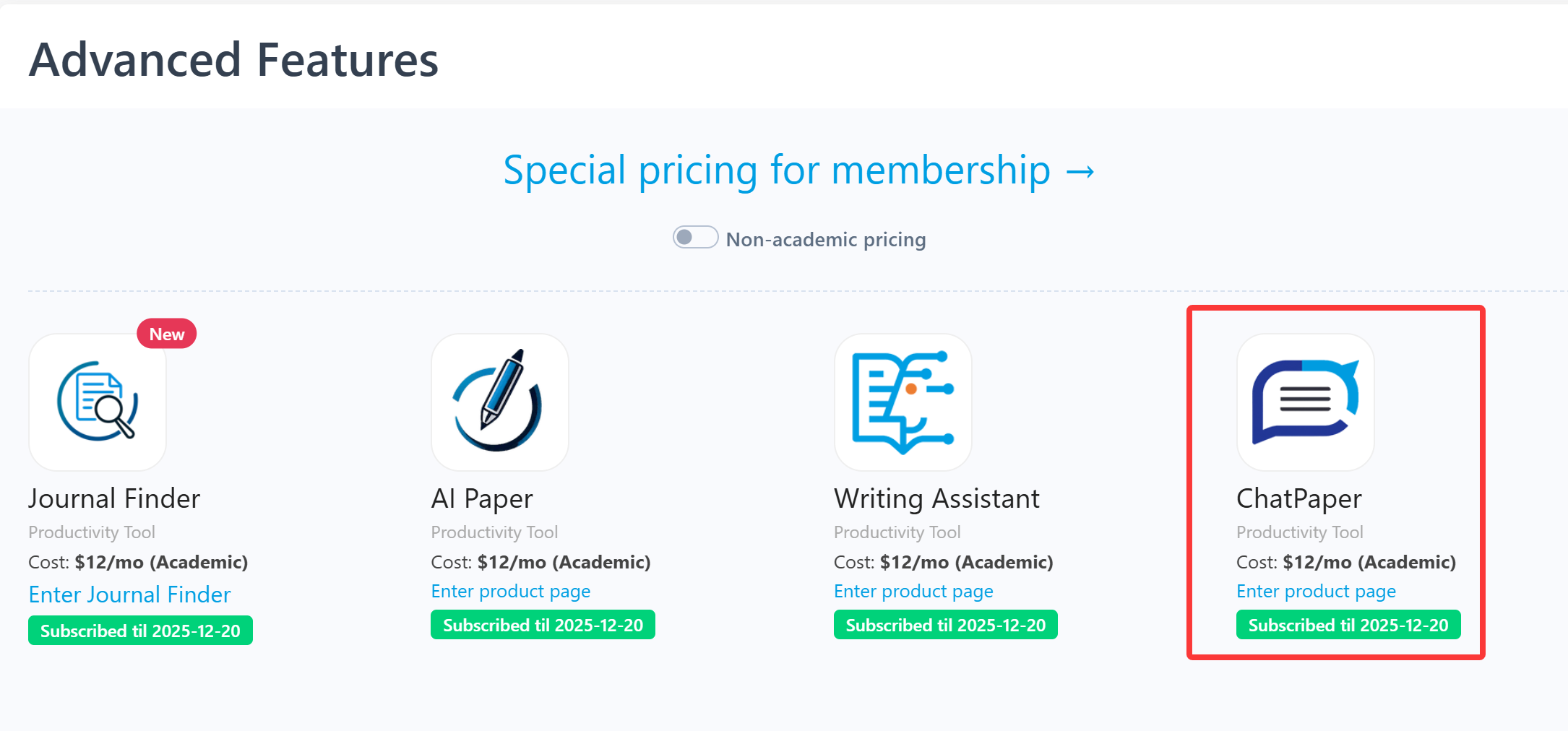
    ChatPaper is an advanced feature offered by Stork (free trial is available). After registering/logging into Stork (https://www.storkapp.me), you can find ChatPaper under the "Advanced Feature" section. Then you can try it out or subscribe. Alternatively, you can visit ChatPaper website directly at https://www.storkapp.me/chatpaper/


  • Two in a row! Stork helped Xu’s team publish papers


     Info

    "The authors extend their gratitude to Stork's Writing Assistant (https://www.storkapp.me/writeassistant) for its assistance in polishing some of the text in this article"

    Yuehua Xu Associate Professor
      

    Recently, Yuehua Xu and her team from School of Microelectronics and Control Engineering at Changzhou University in China published two articles citing Writing Assistant of Stork. Details of the articles are as follows:


    Title: Electronic transport and interface properties of FeOCl-type monolayer SnNCl for flexible nanodevices

    Journal: Surfaces and Interfaces (IF =6.3)

    Doi: https://doi.org/10.1016/j.surfin.2025.106524


    Title: Ferroelastic phase transition-modulated electronic transport and photoelectric properties in monolayer 1T′ ZrCl2

    Journal: Physical Chemistry Chemical Physics (IF = 2.9)

    Doi: https://doi.org/10.1039/d4cp04315d


    These articles cited Stork in the Acknowledgments section:


    "The authors extend their gratitude to Stork's Writing Assistant (https://www.storkapp.me/writeassistant) for its assistance in polishing some of the text in this article."


    Stork's Writing Assistant can help you with text polishing, grammar correction, and paragraph expansion, while also offering a Word Add-in for a smoother writing experience.


     【User Reviews】

    Eric Li, Ph.D

    Stanford University

    "Writing Assistant is an excellent tool for scientists and researchers to improve the quality of their publication writing. I highly recommend Writing Assistant for those whose native language is not English or who lack writing skills and ideas."

    Juanjuan Du, Professor

    Tsinghua University

    "In the past, the task of writing was often time-consuming. Fortunately, Writing Assistants have made this process much simpler by providing multiple sentences with the same meaning. This has made writing much more efficient and enjoyable."

    Xiaoyan Zheng, Processor

    GWU

    "Writing Assistant is an exceptional platform for verifying spelling and grammar. It also provides users with a variety of suggestions to alter their tones or enhance their writing's clarity. Highly recommended!"

    Xiaomeng Pei, Associate Research Fellow

    Hong Kong Polytechnic University

    "When I first started writing papers, in order to make the sentences more accurate, I would revise a sentence back and forth many times but still not be completely satisfied. If you are also facing the same problem, try Writing Assistant. It will undoubtedly assist you in effortlessly and efficiently writing the most genuine and seamlessly fluent English papers!"


     【How to use】

    Writing Assistant is an advanced feature offered by Stork (free trial is available). After registering/logging into Stork (https://www.storkapp.me), you can find Writing Assistant under the "Advanced Feature" section. Then you can try it out or subscribe. Alternatively, you can visit Writing Assistant website directly at https://www.storkapp.me/writeassistant/


     Tips

    To date,  more than 60 scientific papers have cited Stork. If you cite Stork in your paper, please let us know at support@storkapp.me, and we'll offer you a discount based on the journal's impact factor when you subscribe to Writing Assistant or other advanced features.