Category: update

  • Stork helped Cheng’s team publish in Environmental Research

     Info

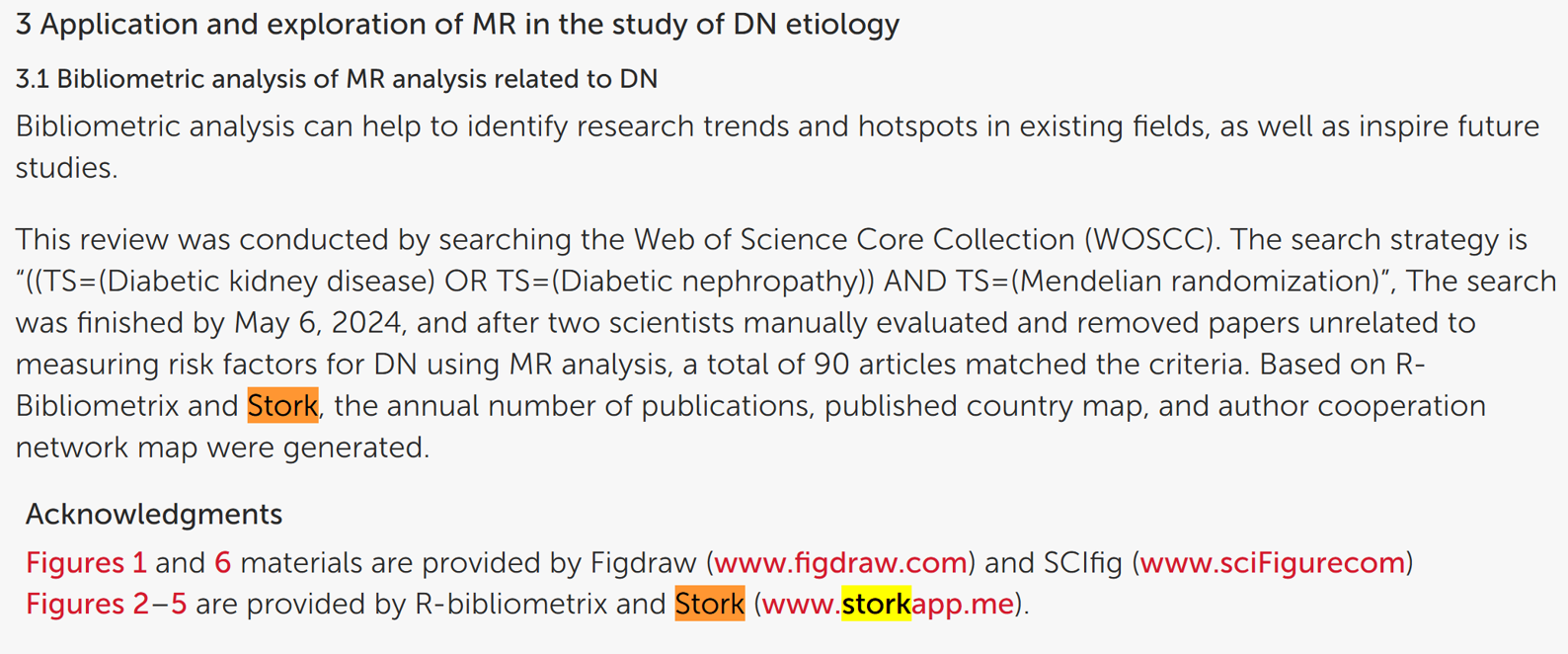
    "We acknowledge Stork (https://www.storkapp.me) for their contributions to the literature analysis and linguistic editing."


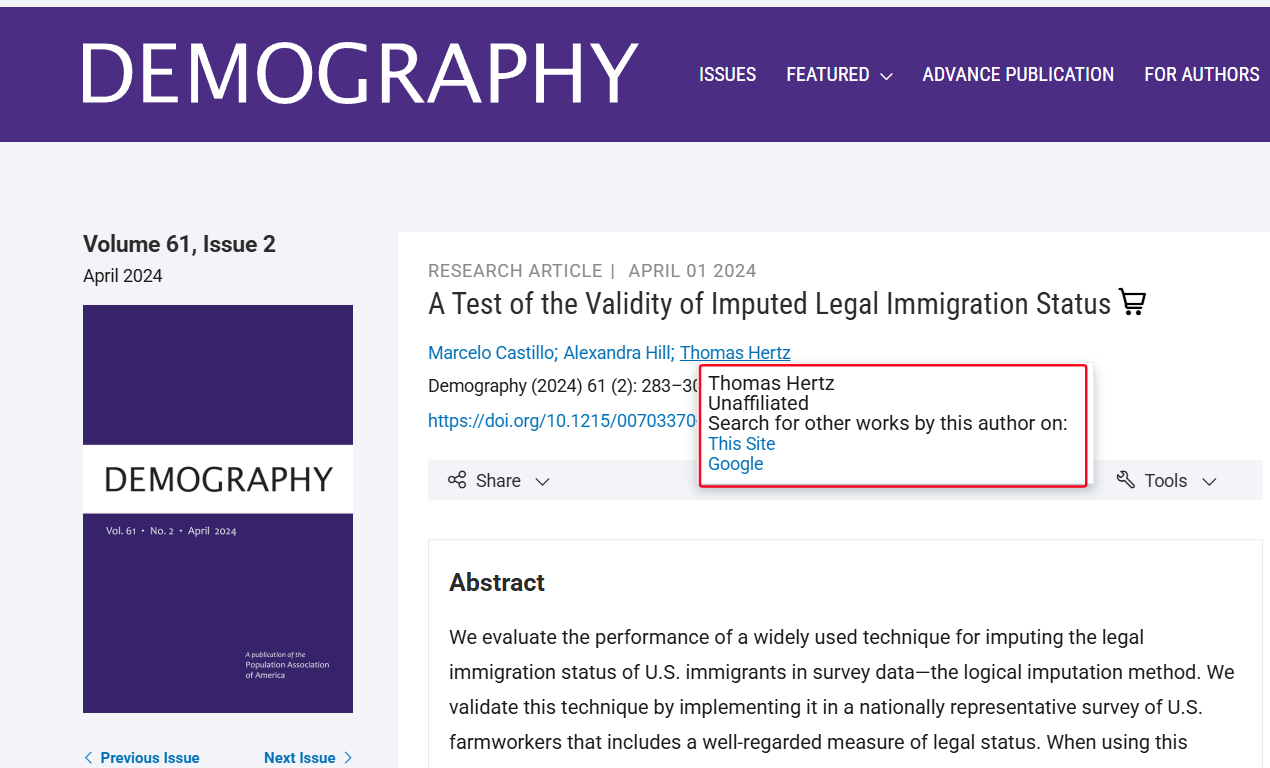
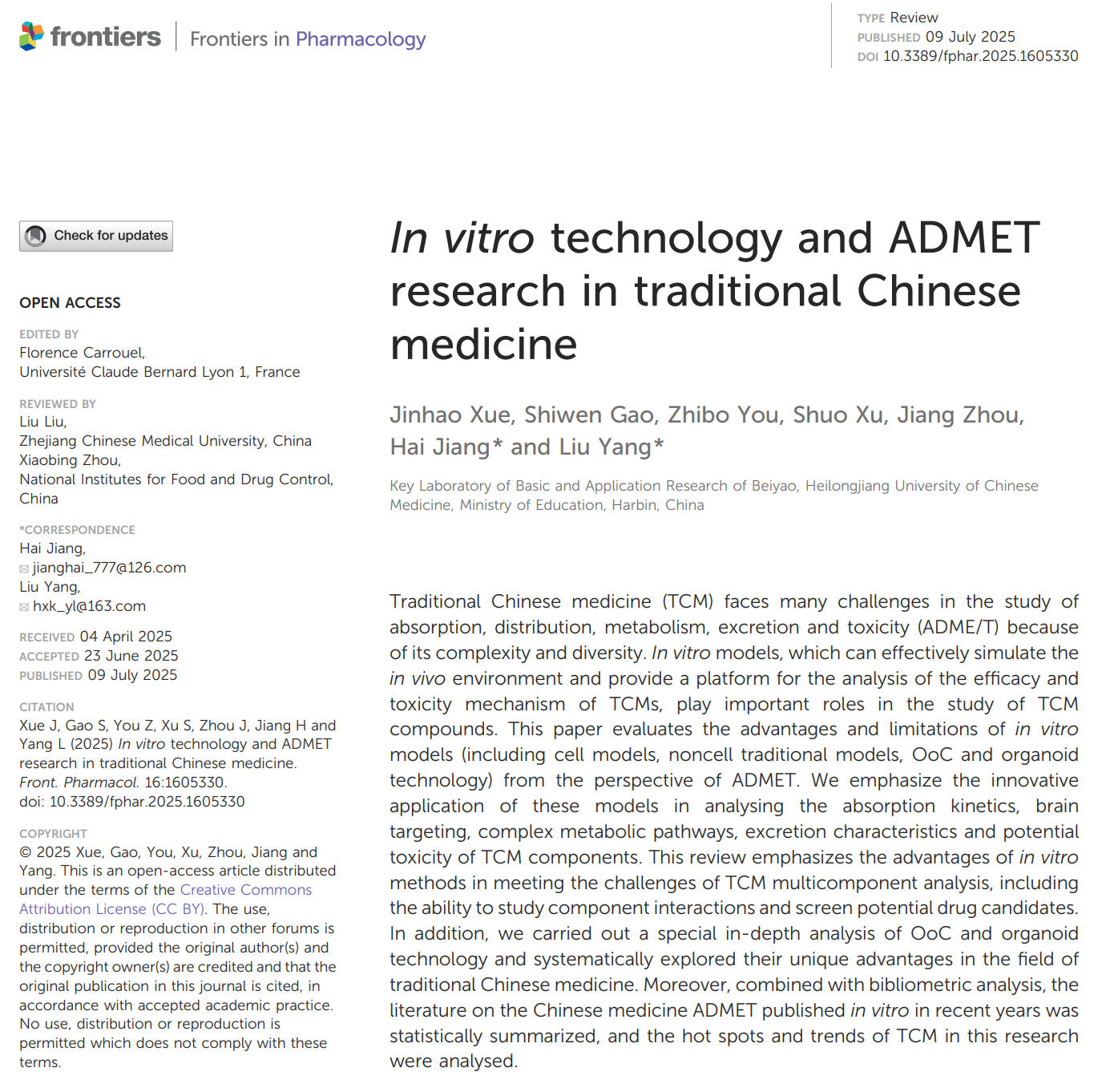
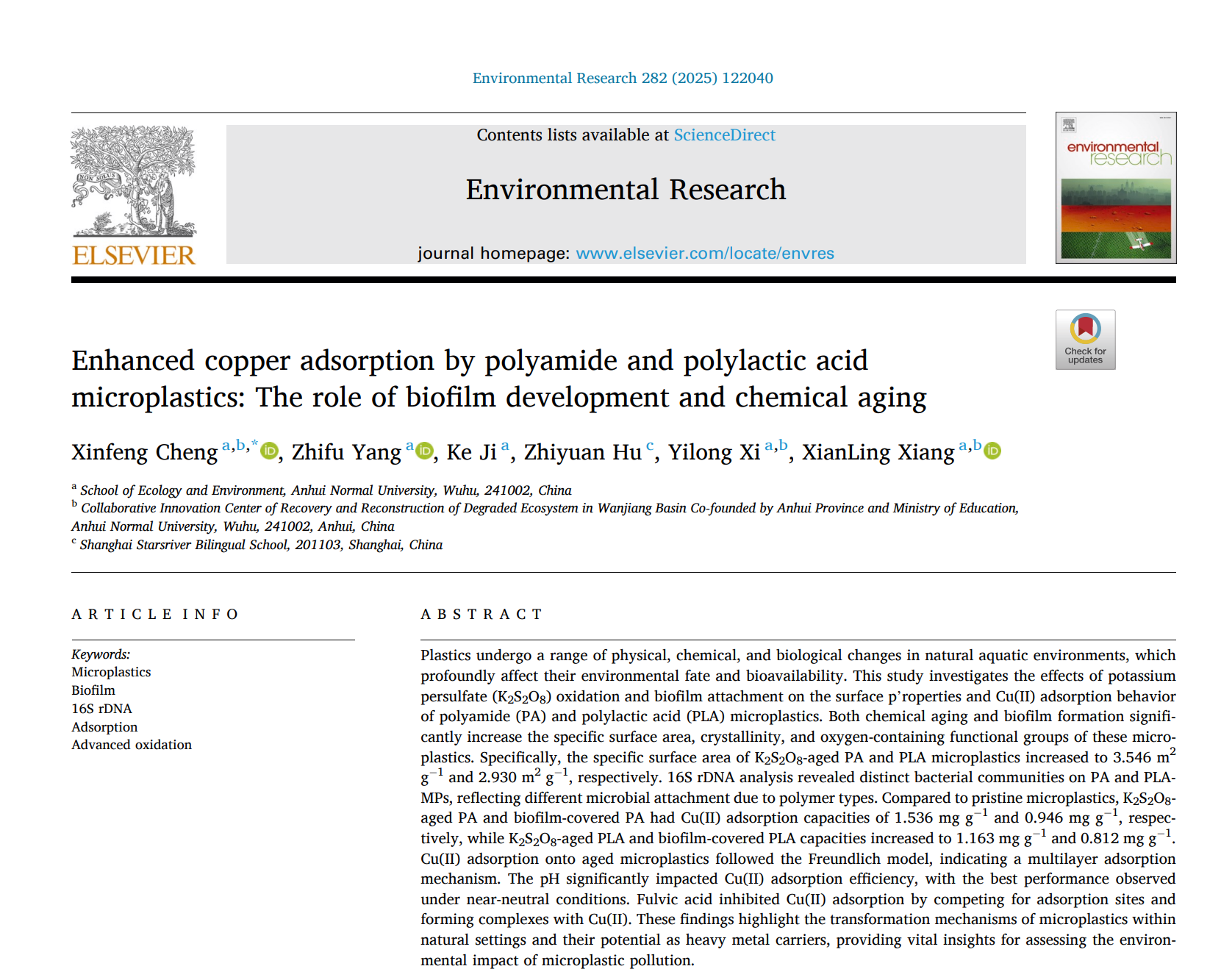
    Recently, Xinfeng and his team from School of Ecology and Environment, and Collaborative Innovation Center of Recovery and Reconstruction of Degraded Ecosystem in Wanjiang Basin Co-founded by Anhui Province and Ministry of Education at Anhui Normal University in China published a paper titled " Enhanced copper adsorption by polyamide and polylactic acid microplastics: The role of biofilm development and chemical aging" in the journal Environmental Research (IF = 7.7). The paper cited Writing AssistantBig Analysis, and Citation Network of Stork. You can access the paper here: https://doi.org/10.1016/j.envres.2025.122040


    This article acknowledged Stork in the Acknowledgment section:


    "We acknowledge Stork (https://www.storkapp.me) for their contributions to the literature analysis and linguistic editing."


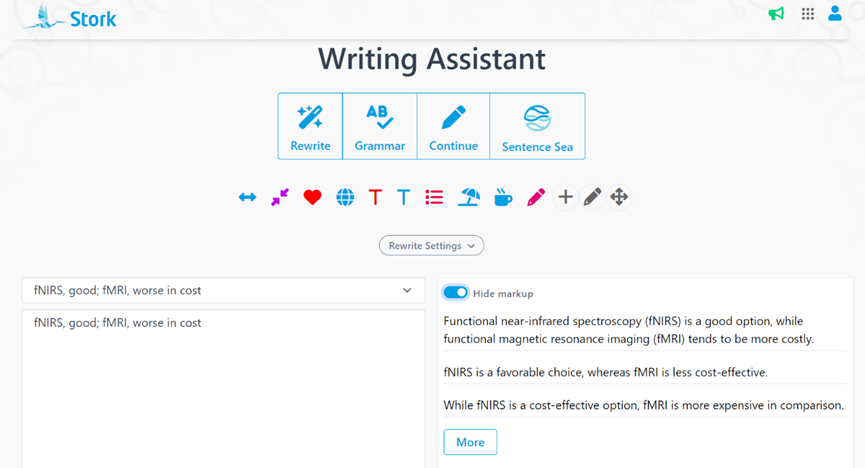
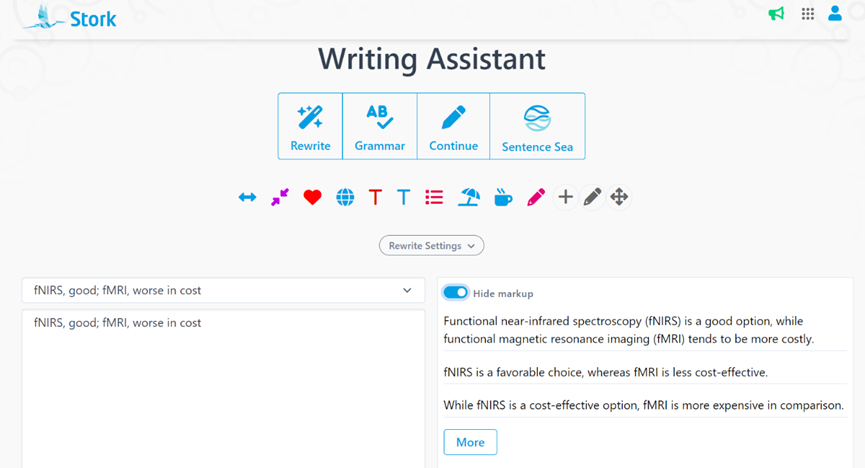
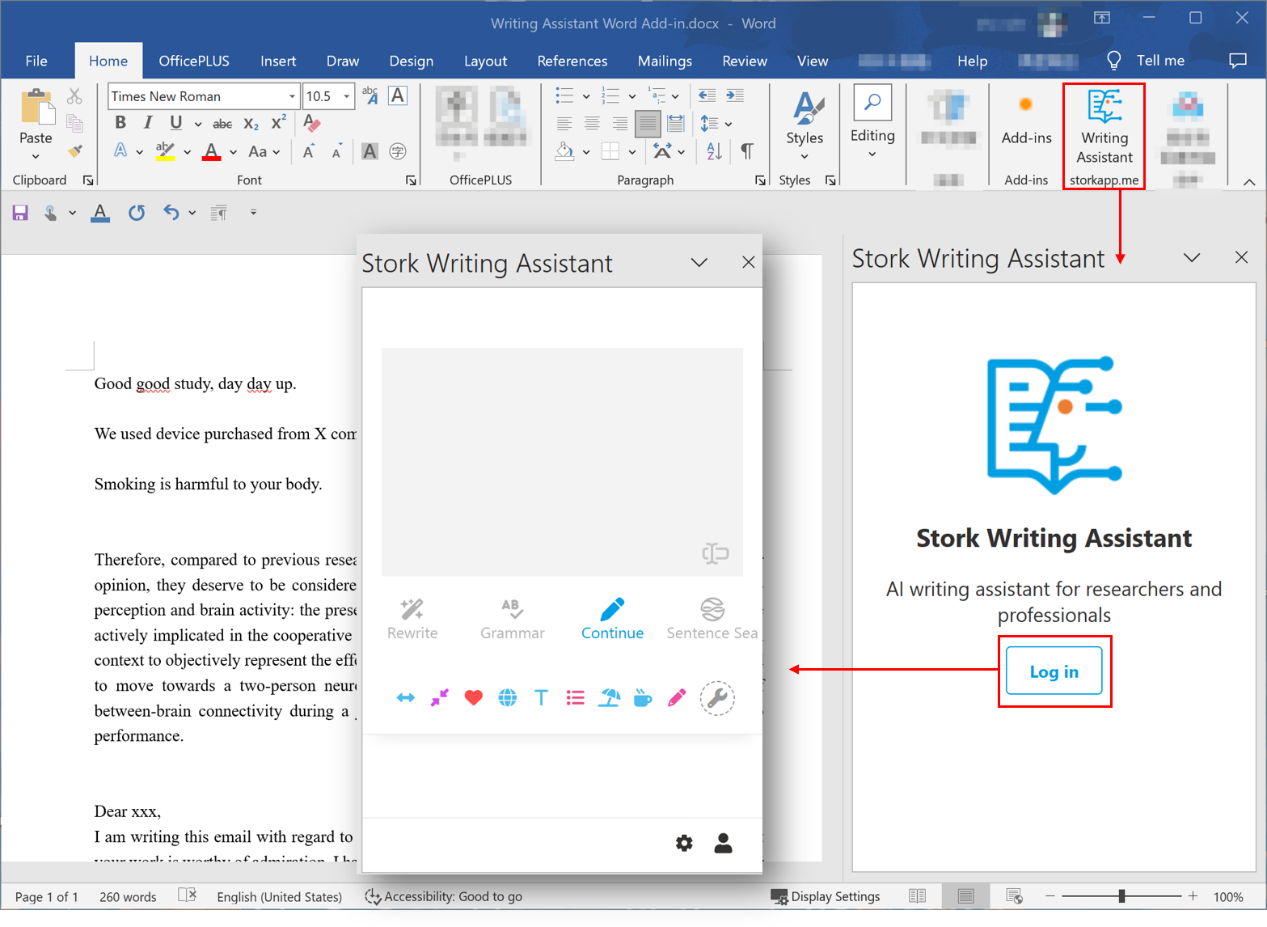
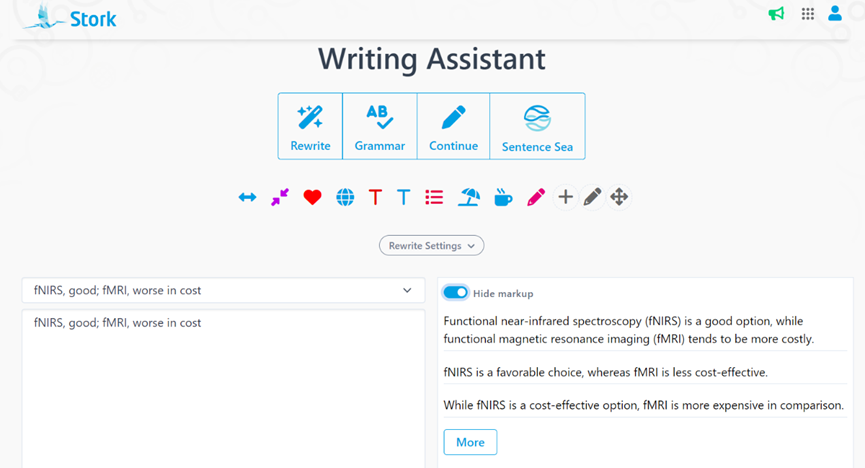
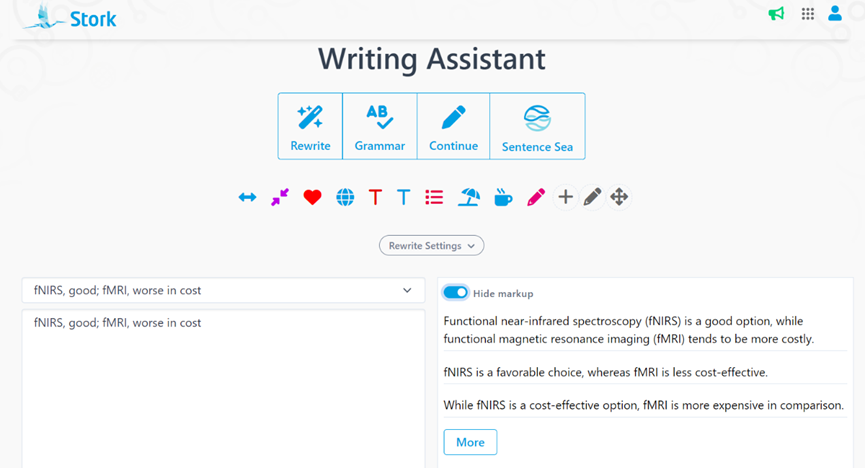
    Stork's Writing Assistant can help you with text polishing, grammar correction, and paragraph expansion, while also offering a Word Add-in for a smoother writing experience.


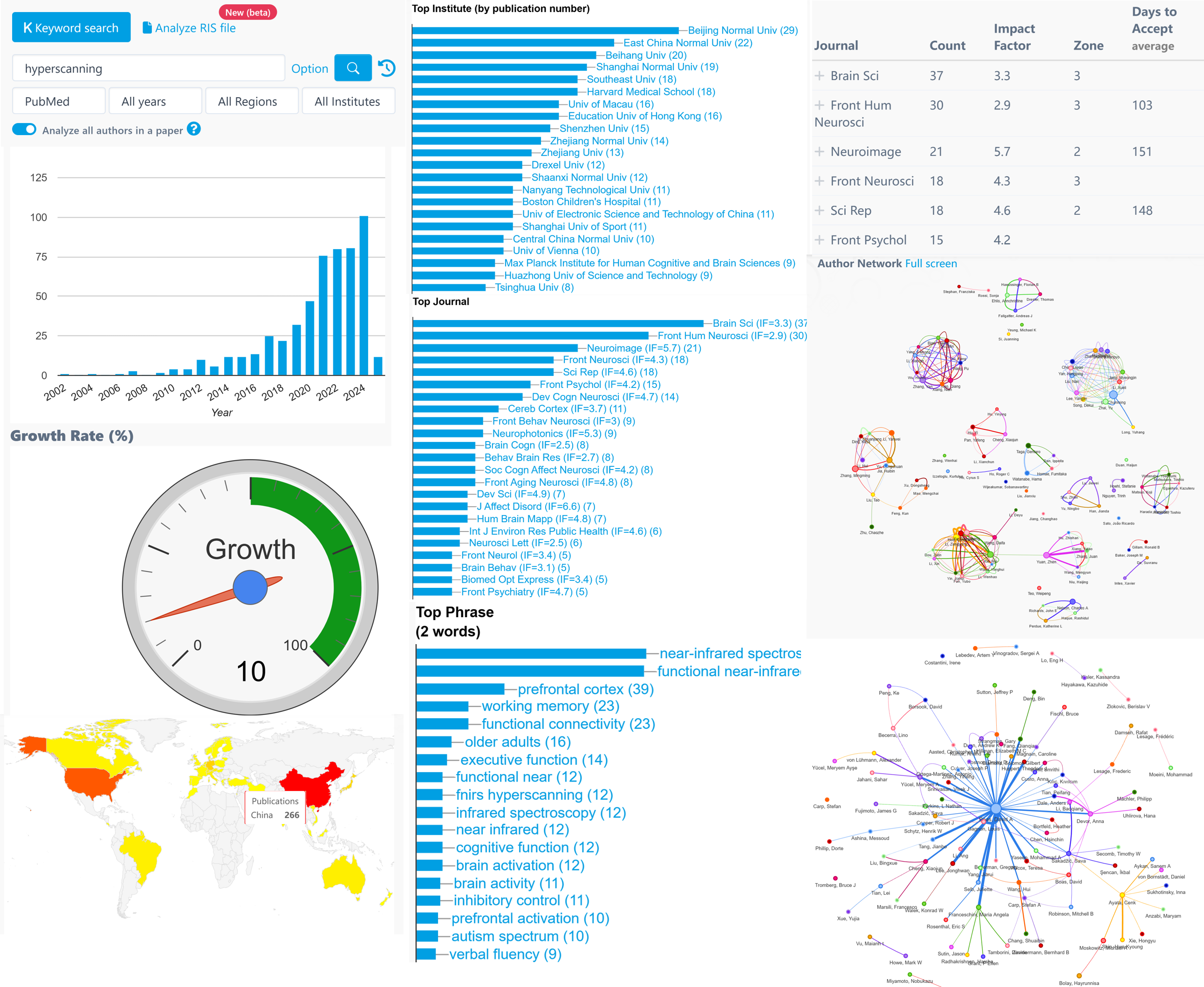
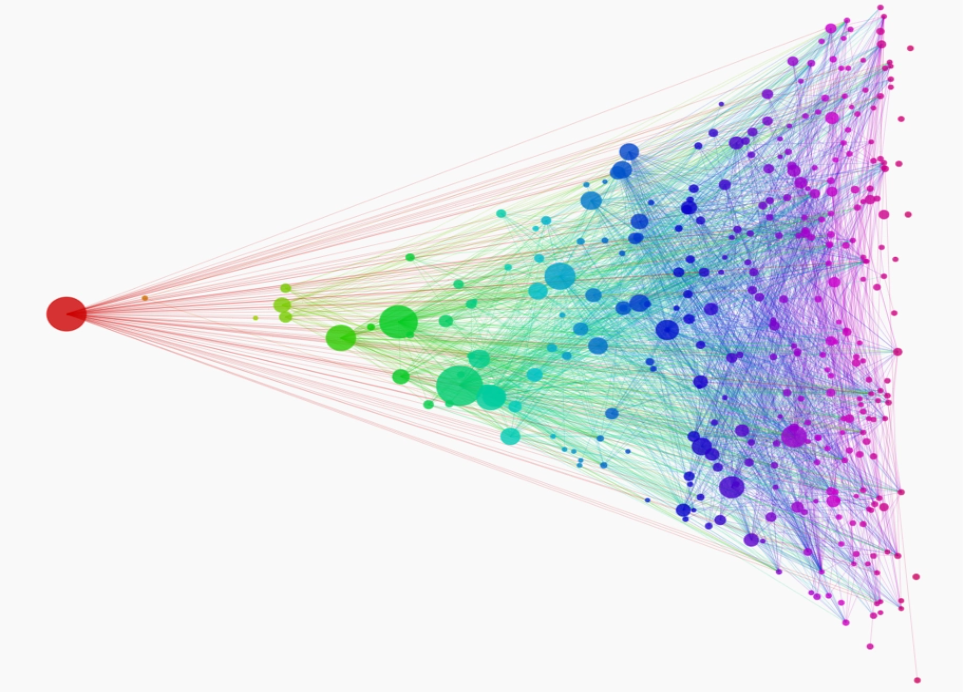
    Big Analysis and Citation Network can support literature analysis:

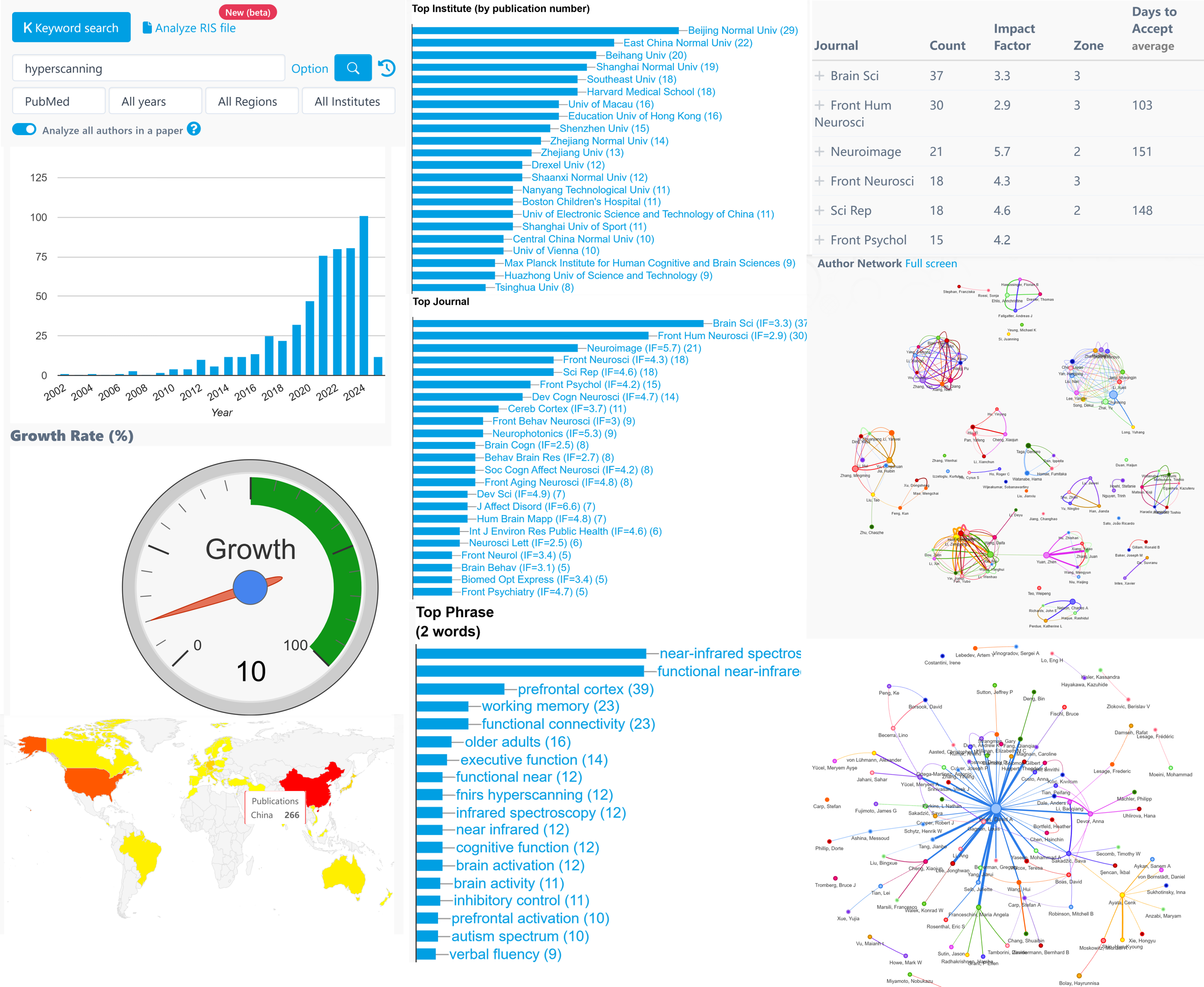
    • Big Analysis allows a researcher to quickly understand all aspects of a field's progress in a matter of minutes, including growth trends, geographic distribution, experts (and their contact information), genes, diseases, brain regions, etc.

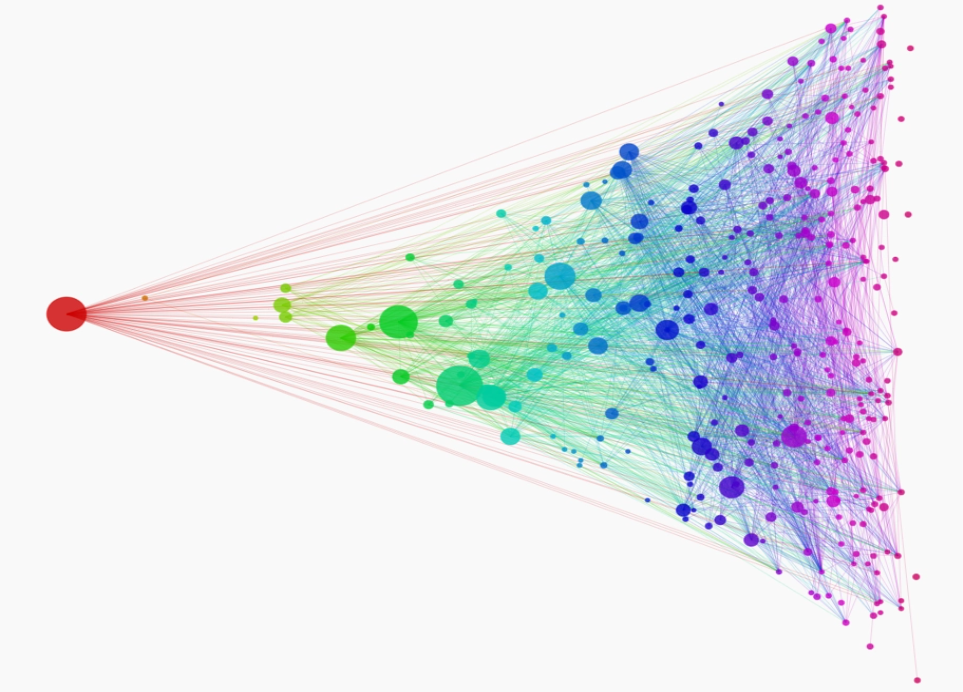
    • Citation Network allows researchers to quickly identify the classic/important papers in a field within a few minutes and do more research with less effort.


     【User Reviews】

    Eric Li, Ph.D

    Stanford University

    "Writing Assistant is an excellent tool for scientists and researchers to improve the quality of their publication writing. I highly recommend Writing Assistant for those whose native language is not English or who lack writing skills and ideas."

    Juanjuan Du, Professor

    Tsinghua University

    "In the past, the task of writing was often time-consuming. Fortunately, Writing Assistants have made this process much simpler by providing multiple sentences with the same meaning. This has made writing much more efficient and enjoyable."

    Joseph Baker
    Stanford University

    "Big Analysis is a fantastic tool for scientists in need of aggregating all aspects of research in their field. Personally, I've used Big Analysis to find papers to include in a systematic review for publication, to aggregate existing data for power analyses, and to finding the name and contact information for other researchers in my field. Together with Stork, Big Analysis is an indispensable tool for all research scientists."

    Xu Cui, Ph.D

    Stanford University

    "Citation Network allows me to quickly find classic literature in a field."


     【How to use】

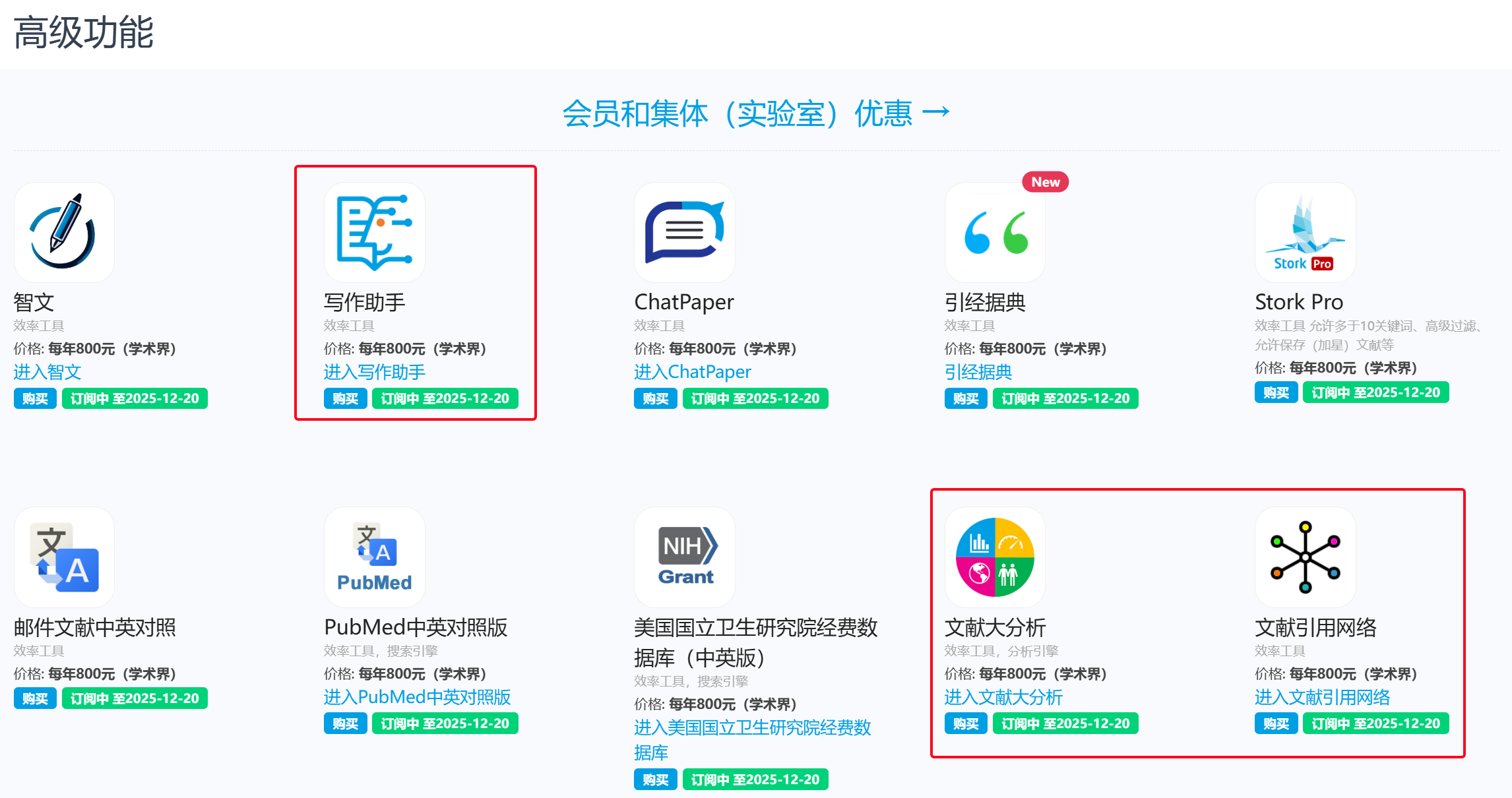
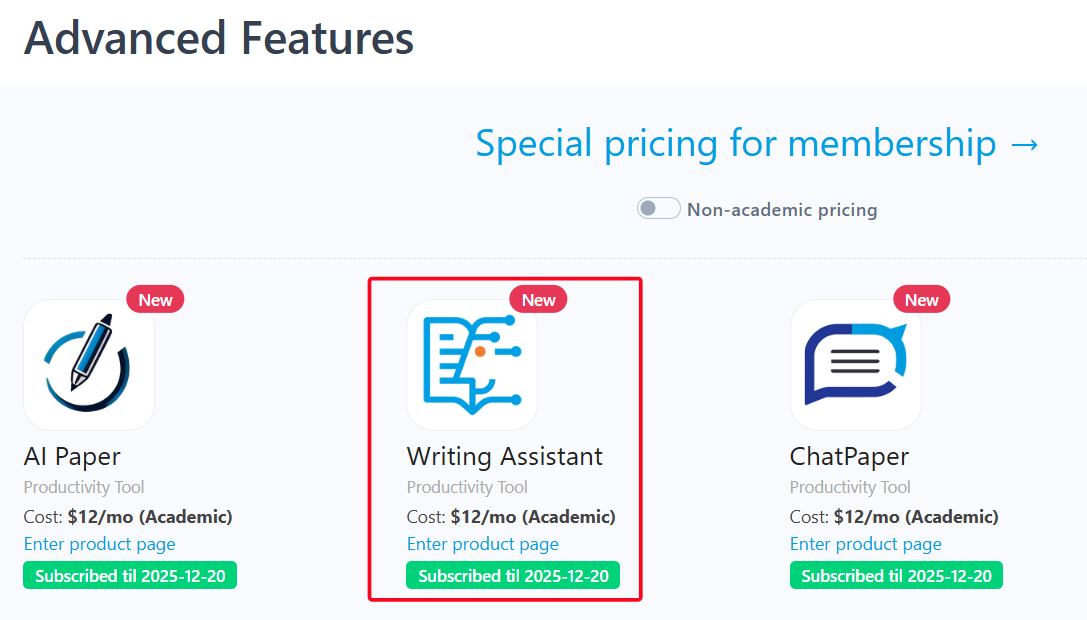
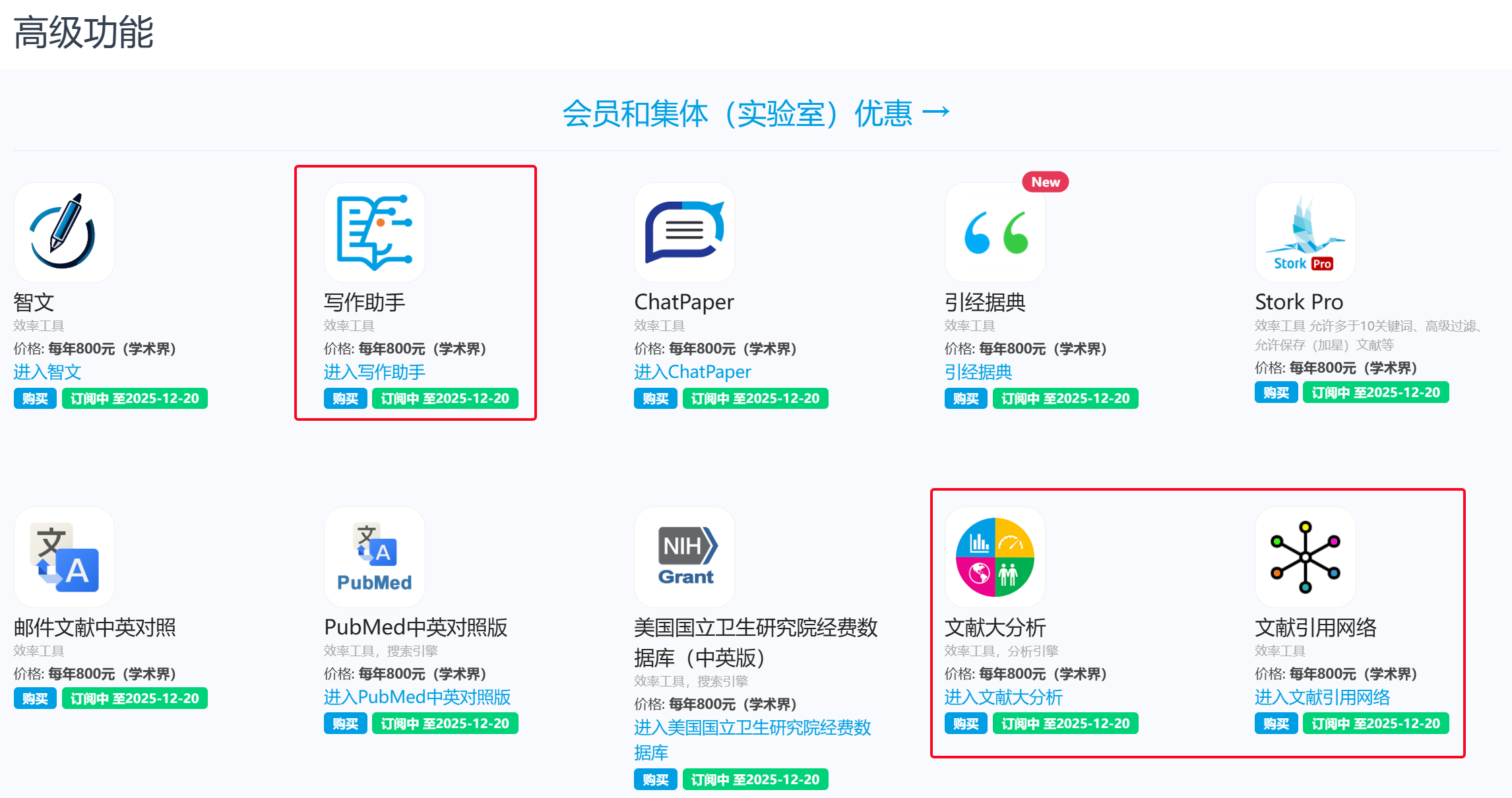
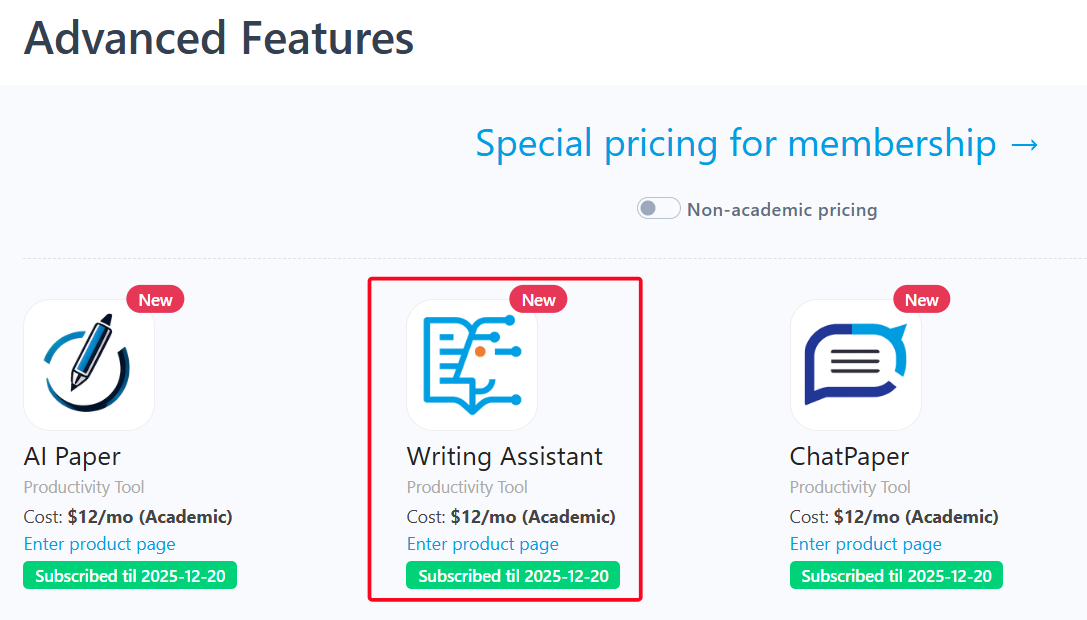
    Writing Assistant, Big Analysis, and Citation Network are advanced features offered by Stork (free trial is available). After registering/logging into Stork (https://www.storkapp.me), you can find them under the "Advanced Feature" section. Then you can try it out or subscribe. Alternatively, you can visit Writing Assistant website directly at https://www.storkapp.me/writeassistant/, Big Analysis at  https://www.storkapp.me/meta/, and Citation Network at https://www.storkapp.me/citenet/.


     Tips

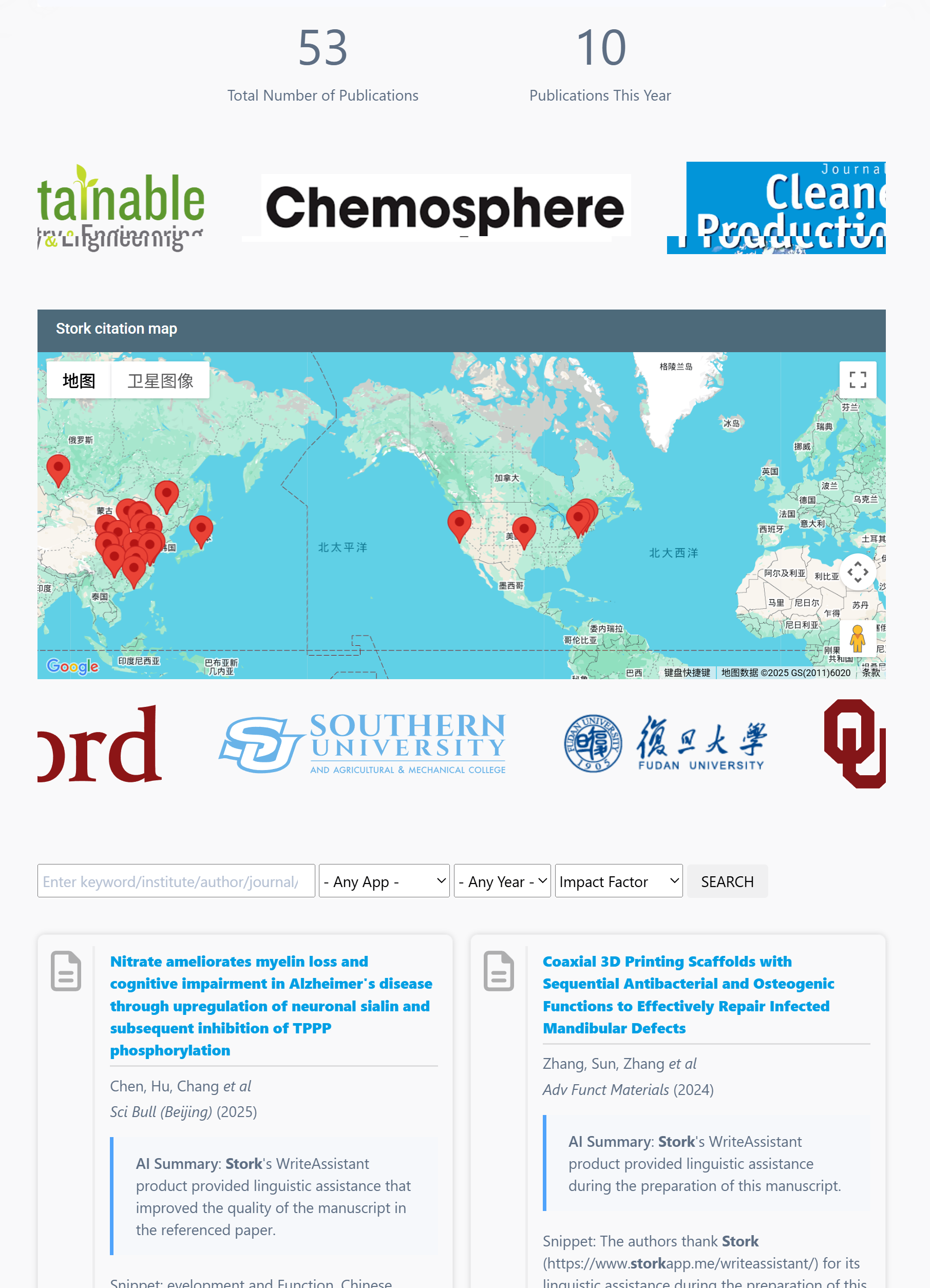
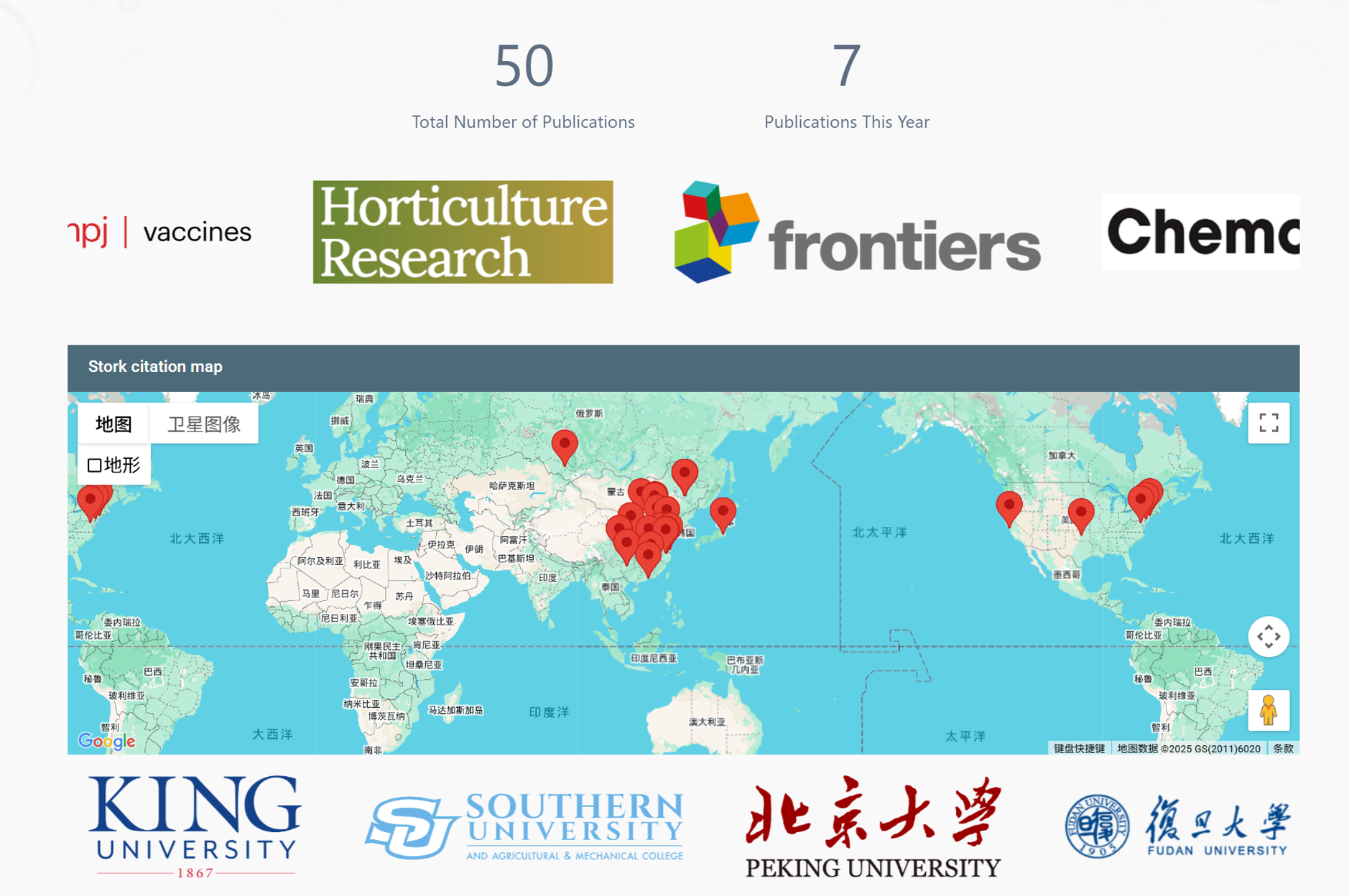
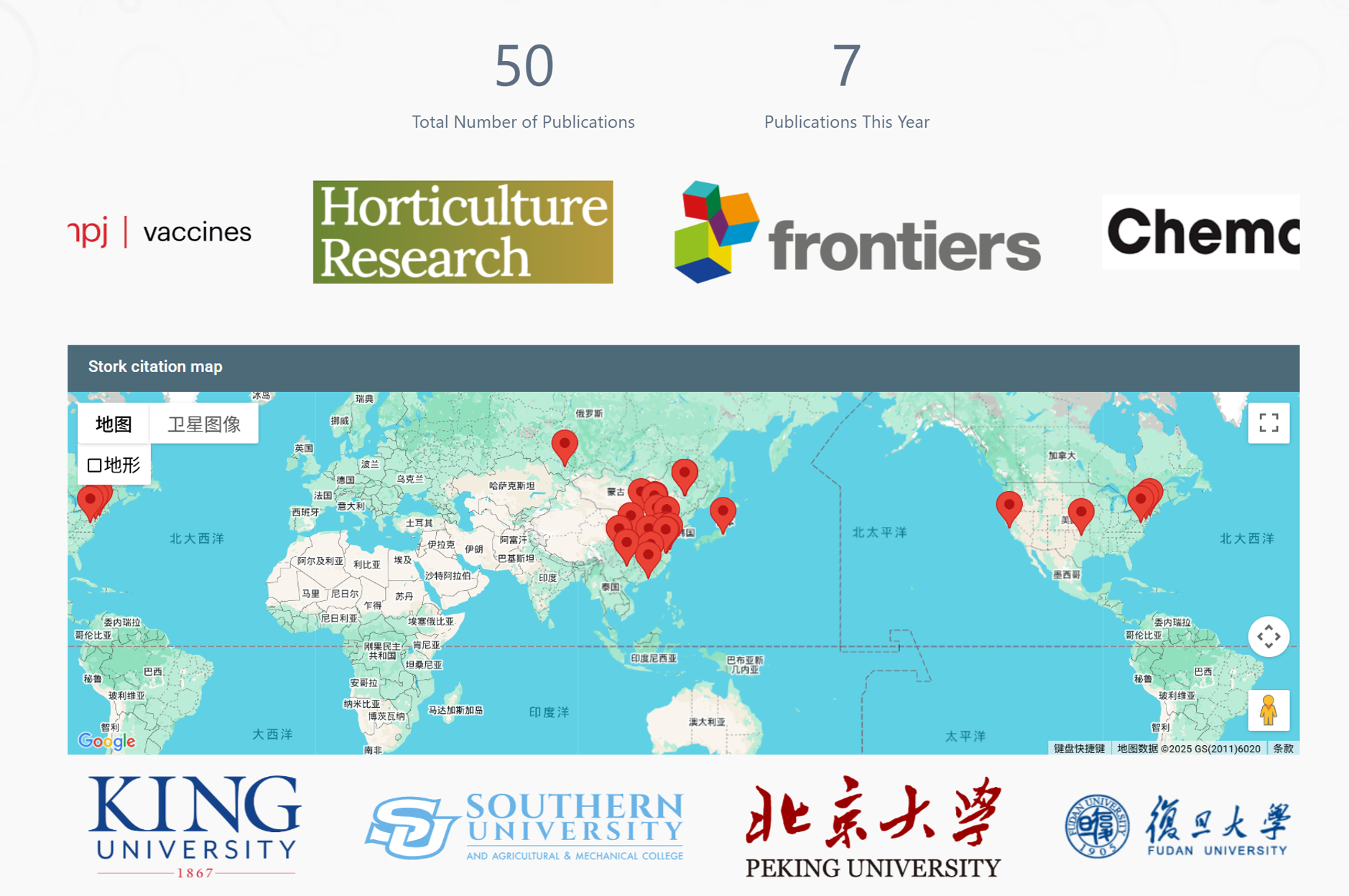
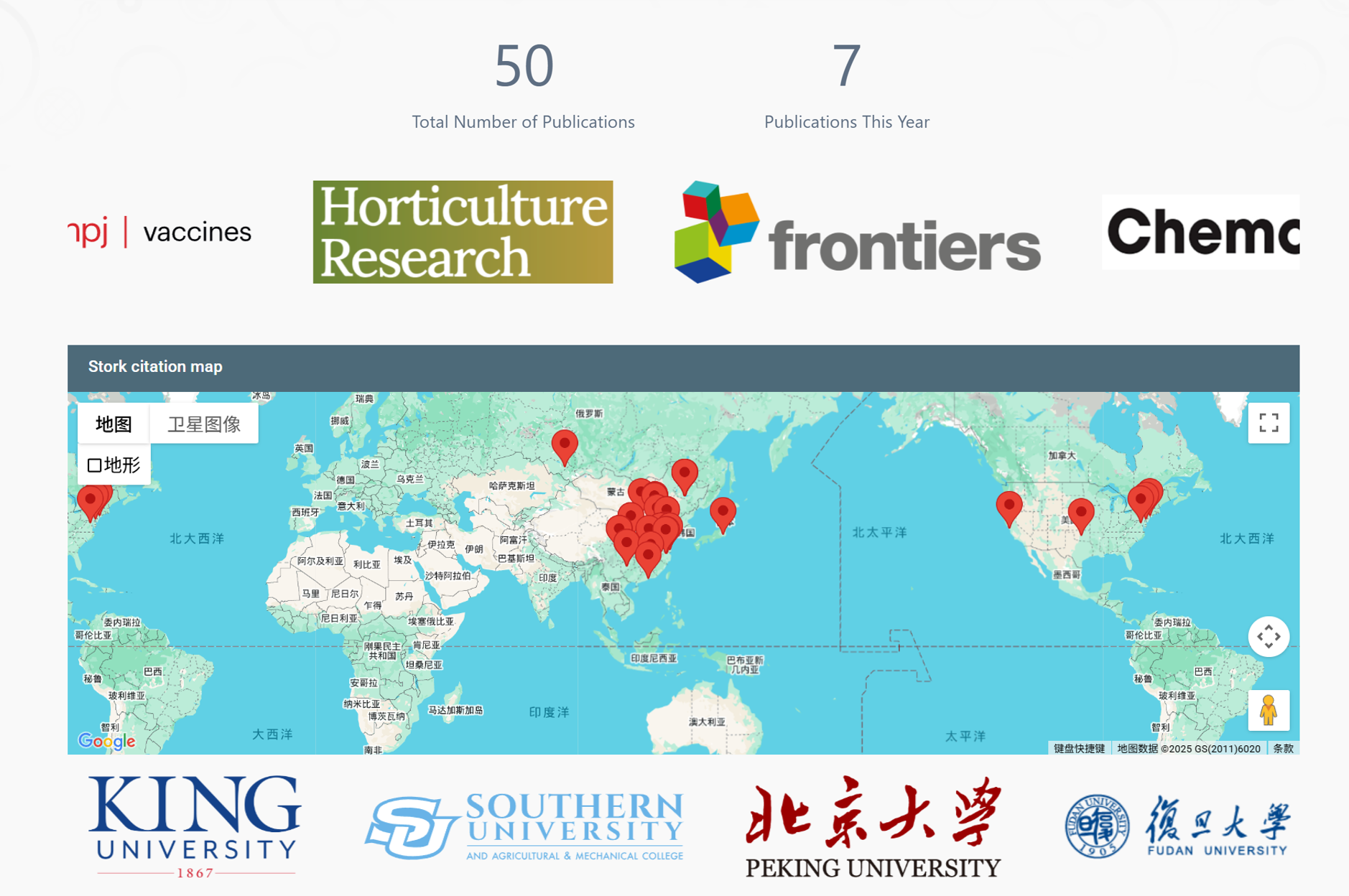
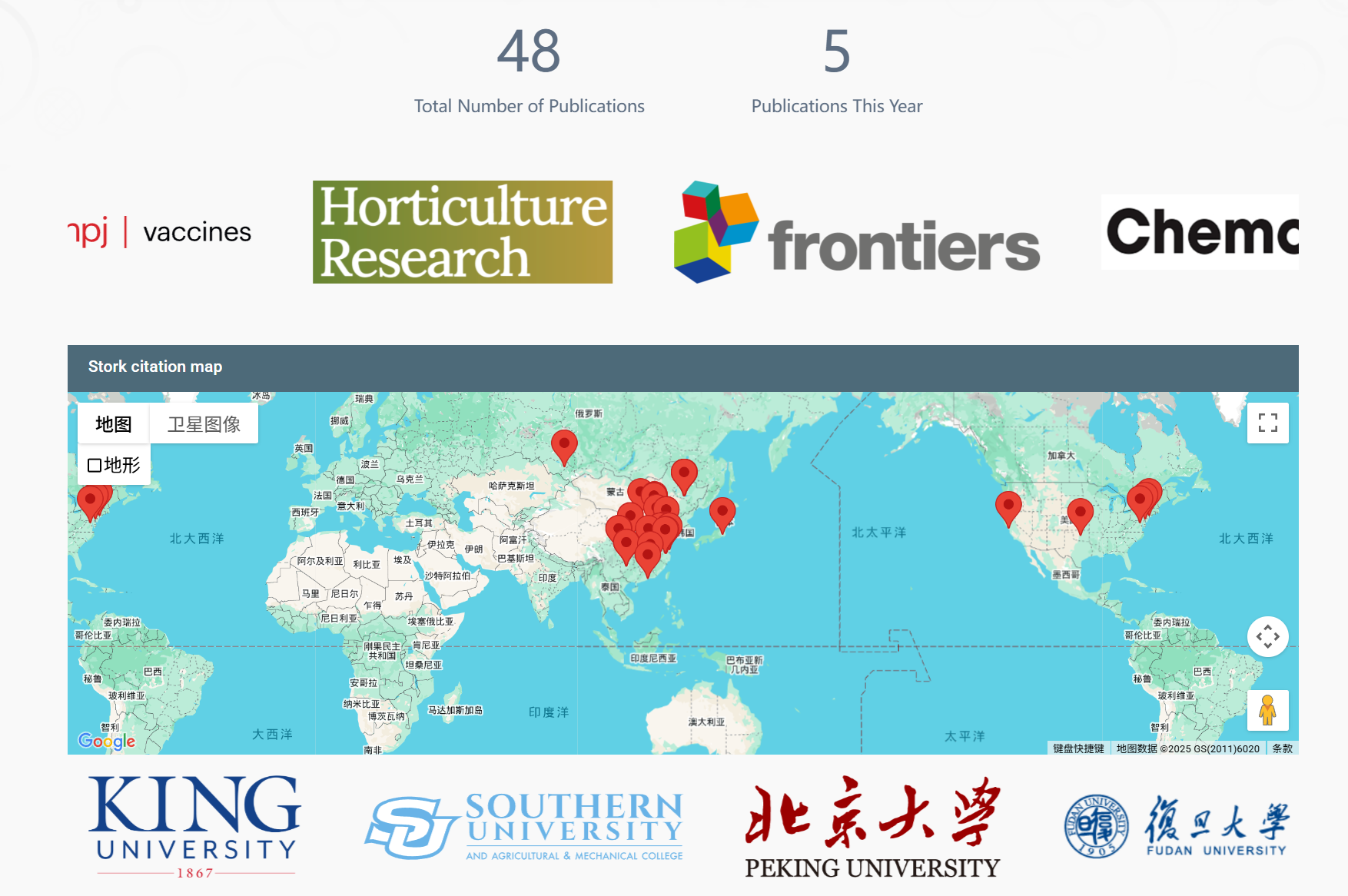
    To date,  50 scientific papers have cited Stork. If you cite Stork in your paper, please let us know at support@storkapp.me, and we'll offer you a discount based on the journal's impact factor when you subscribe to Writing Assistant or other advanced features.


  • AI Paper Update: Write full papers


    TL; DR

    Stork's AI Paper just got a major update: (a) Write a full paper in one go; (b) Accept file uploads (e.g. Word drafts, PowerPoint figures, and Excel results files); (c) More powerful AI with clearer logic, more concise language and better relevance.


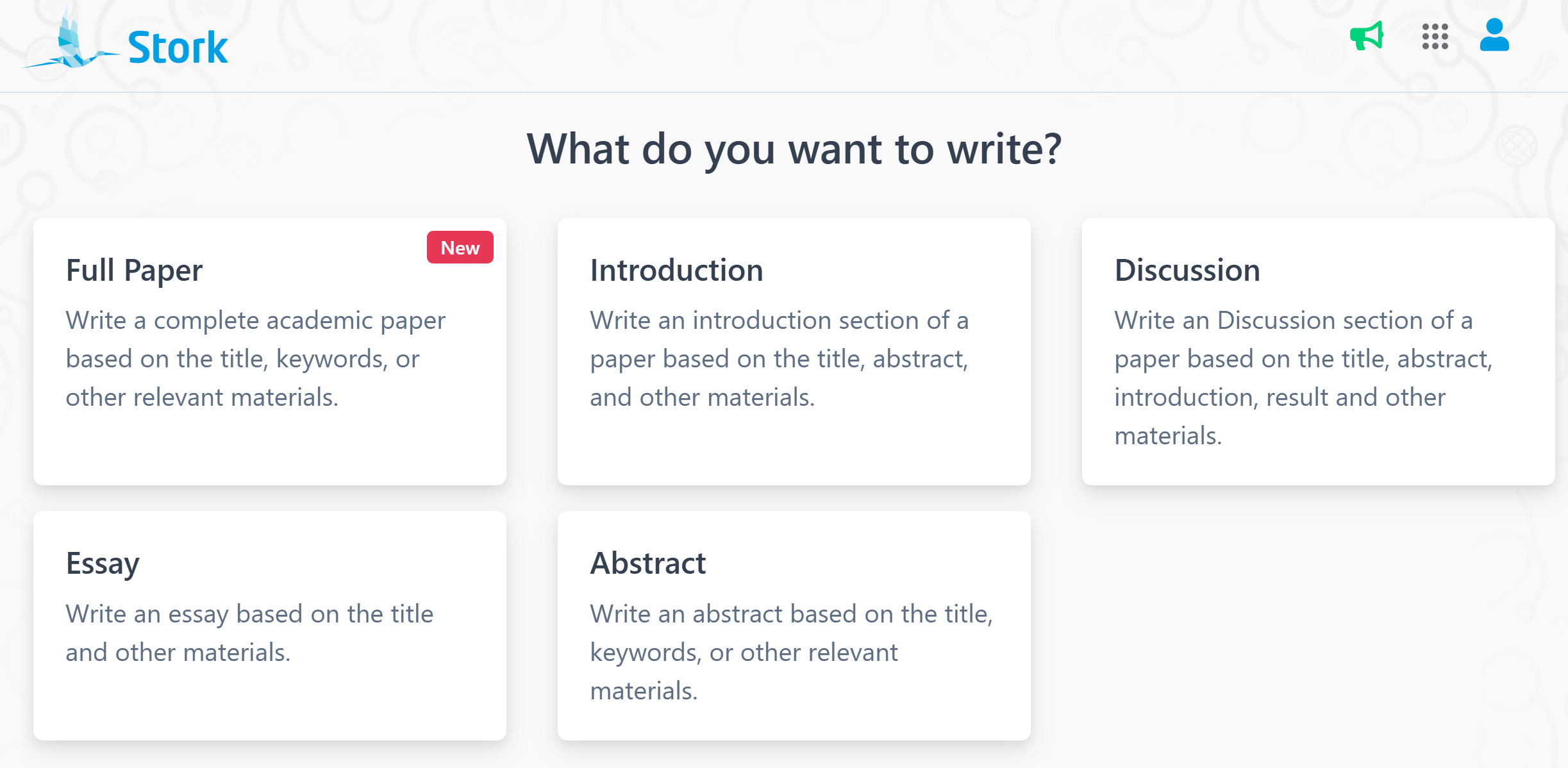
    Whether you need write an introduction, a discussion, an abstract or an essay, AI Paper helps generate high-quality content based on your title, keywords or other relevant materials.

    Taking things a step further, AI Paper now supports full-paper writing, file uploads, and a more powerful AI – with clearer logic, tighter language, and better relevance.


    Write Full Papers


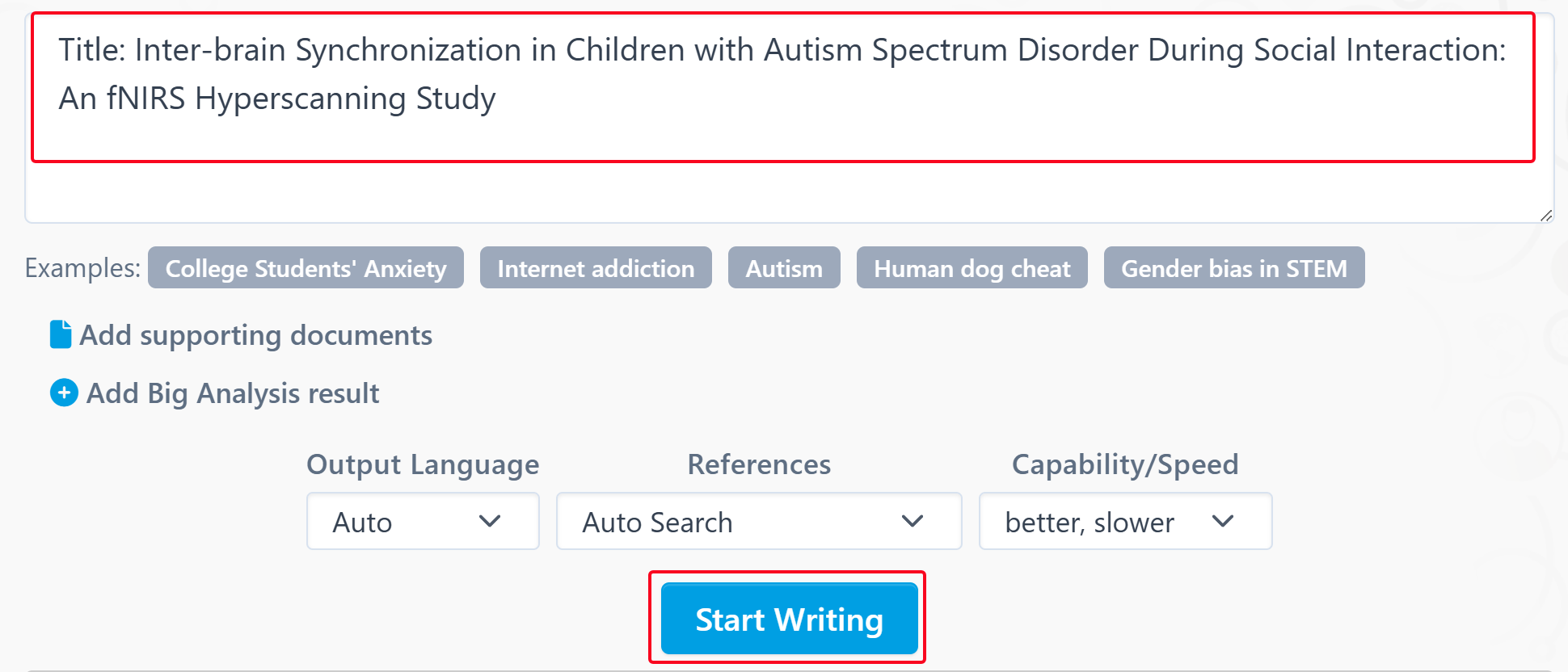
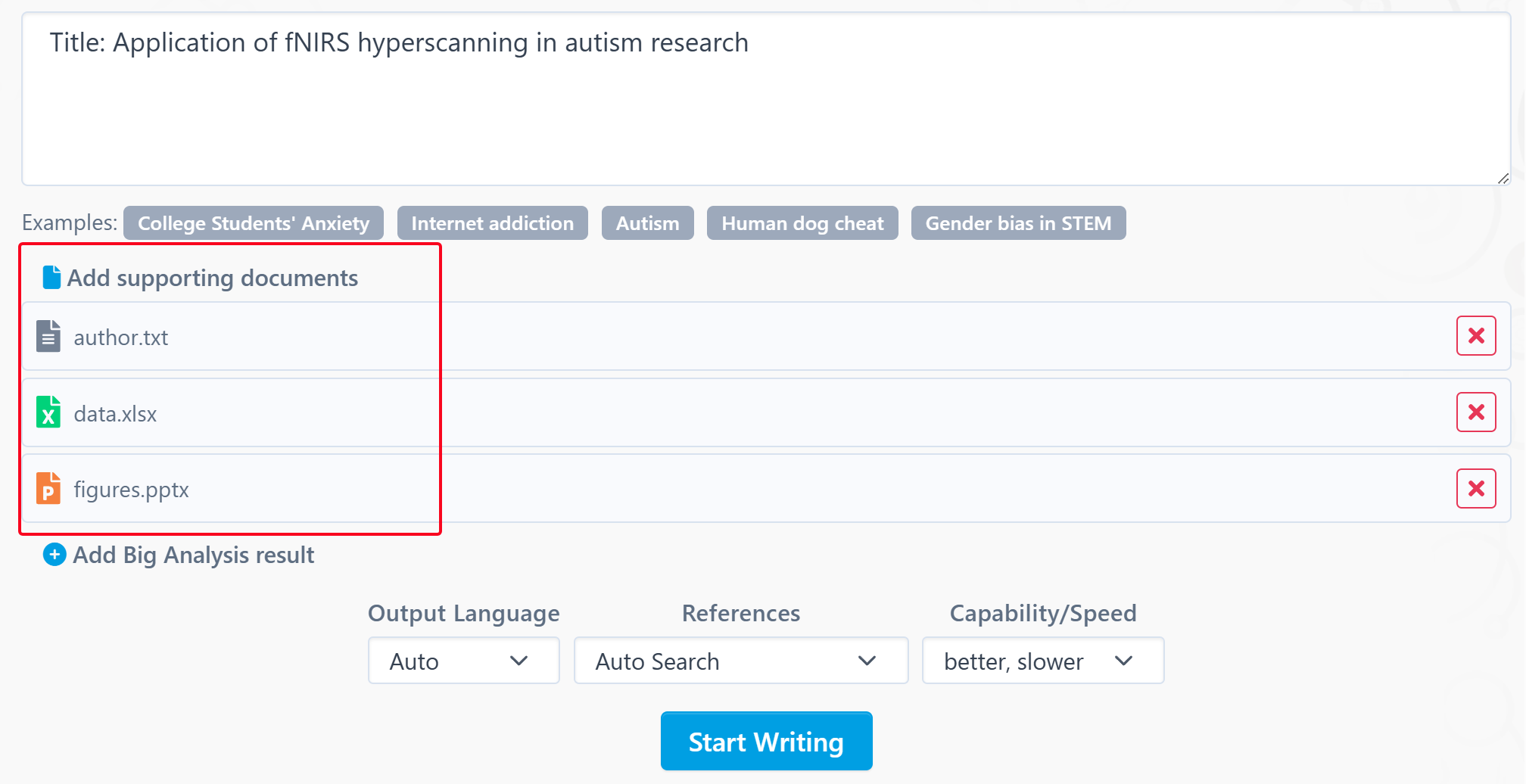
    Visit the AI Paper homepage at https://www.storkapp.me/aipaper/, click "Full Paper", enter your title and any supporting materials, and click “Start Writing.” AI Paper will search and read related literature, then generate a complete paper for you.


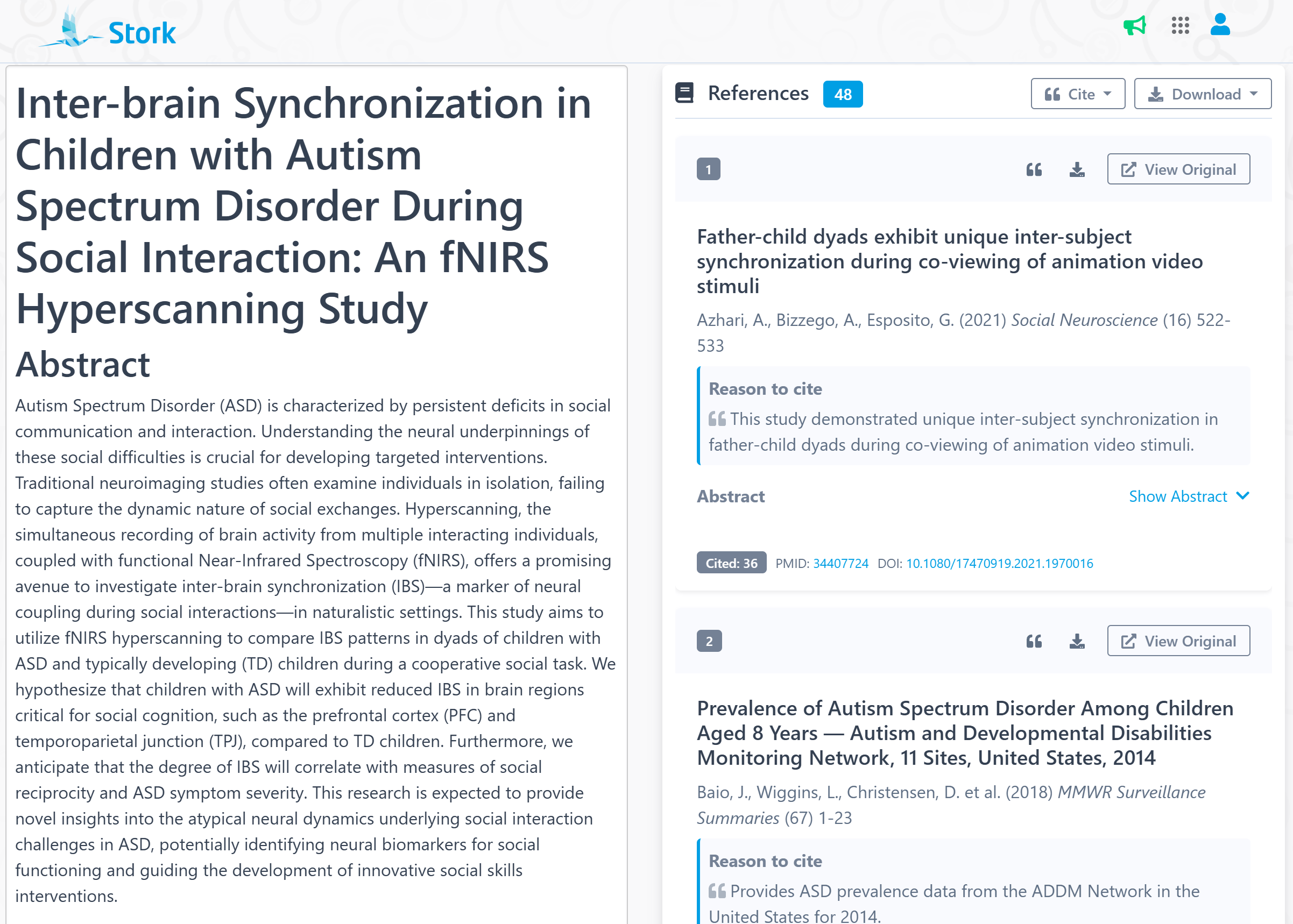
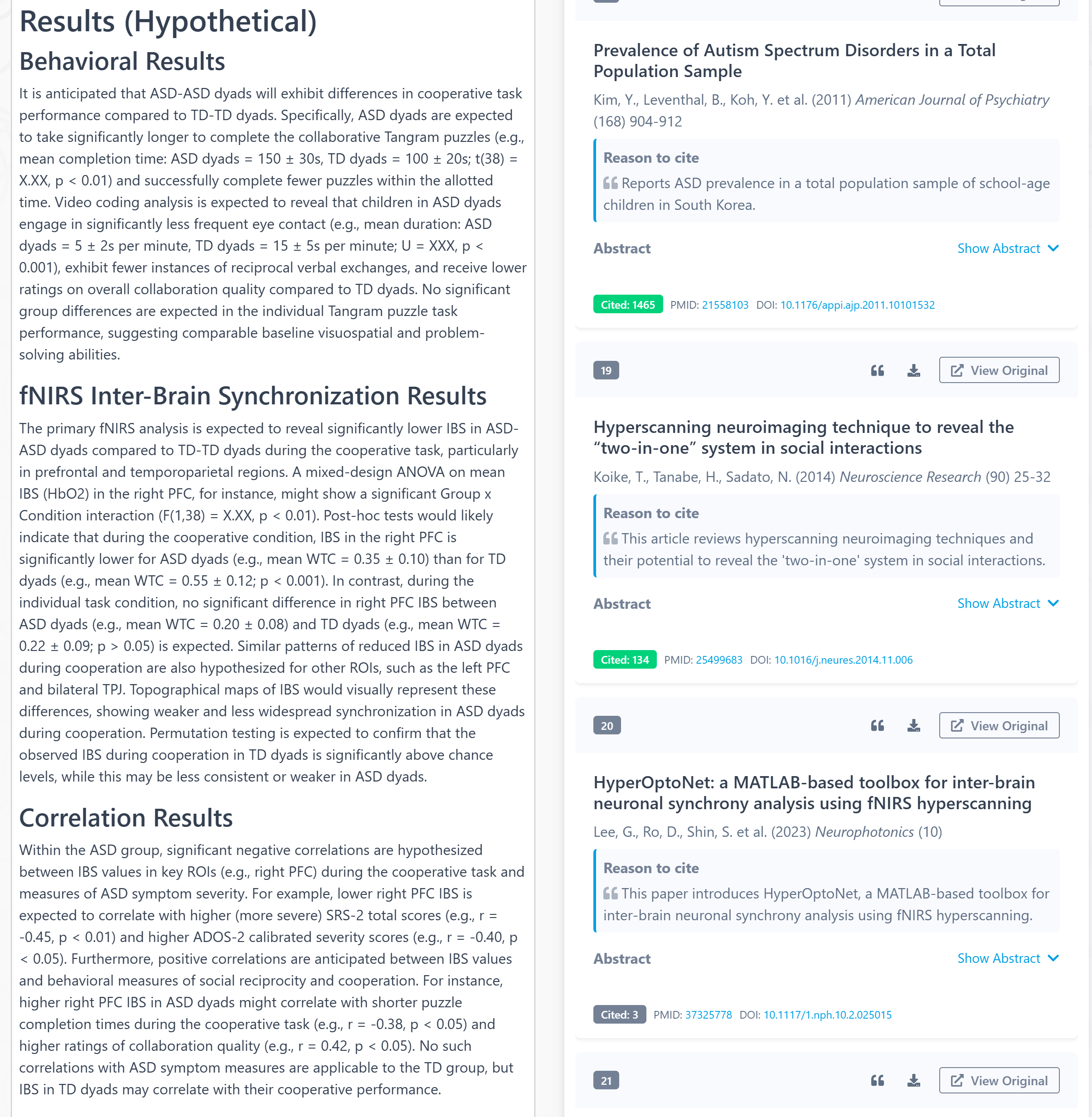
    The output includes: abstract, keywords, introduction, methods, results, figures and descriptions, discussion, conclusion, and a list of real, relevant references in right-hand panel. (Note: sample data is used in the results section.)

    Parts like methods and results are often the easiest to reference. For example, in the participant description, you can use the text generated by AI Paper as-is, simply replacing the numbers with those from your own study.


    For writing beginners, it's often unclear what details need to be included. Take the fNIRS Hyperscanning Acquisition part for example—AI Paper might generate something like:


    " The sampling rate for fNIRS data acquisition will be approximately 10 Hz. Anatomical landmarks (e.g., nasion, inion, preauricular points) and the 10-20 system will be used to ensure consistent cap placement across participants."


    If you’re new to scientific writing, you might not even realize you're supposed to report things like sampling frequency. It’s like having an experienced researcher whispering what to write.


    Similarly, if you're unfamiliar with how to report certain types of data analyses, AI Paper provides useful examples with proper structure.


    Upload Supporting Files


    To help AI Paper better understand your study, you can now upload up to 5 supporting files. These can include Word drafts, figures from PowerPoint and data from Excel.


    AI Paper will read your files and use that information to generate more relevant, customized, and professional content—essentially acting like a research assistant who’s already read your notes.


    More powerful AI

    The language model behind AI Paper has been upgraded to one of the most powerful models in the world. Based on current testing, the new model delivers:

    📍 Clearer logic and better structure; 

    📍 More accurate and relevant references;

    📍 More concise language.

    Stork will continue to improve AI Paper to bring researchers the best writing experience possible.


    【How to Use】

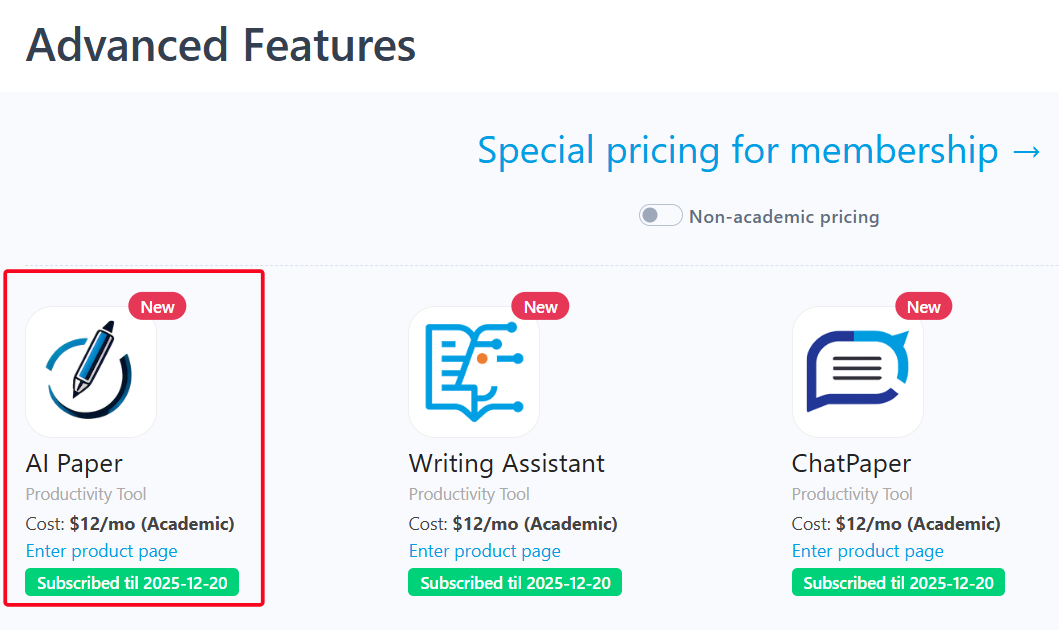
    AI Paper is an advanced feature offered by Stork, which requires subscription (registered users can try 10 articles for free). After registering/logging in to Stork (https://www.storkapp.me), you can find AI Paper under the advanced features section. Then you can try it out or subscribe. Alternatively, you can visit the official AI Paper website directly at https://www.storkapp.me/aipaper/


  • Writing Assistant helped Kou’s team publish in IJCHP


     Info

    "While peparing this work, the authors utilized Stork to check for language grammar errors and enhance readability."


    Juan Kou Associate Research Fellow

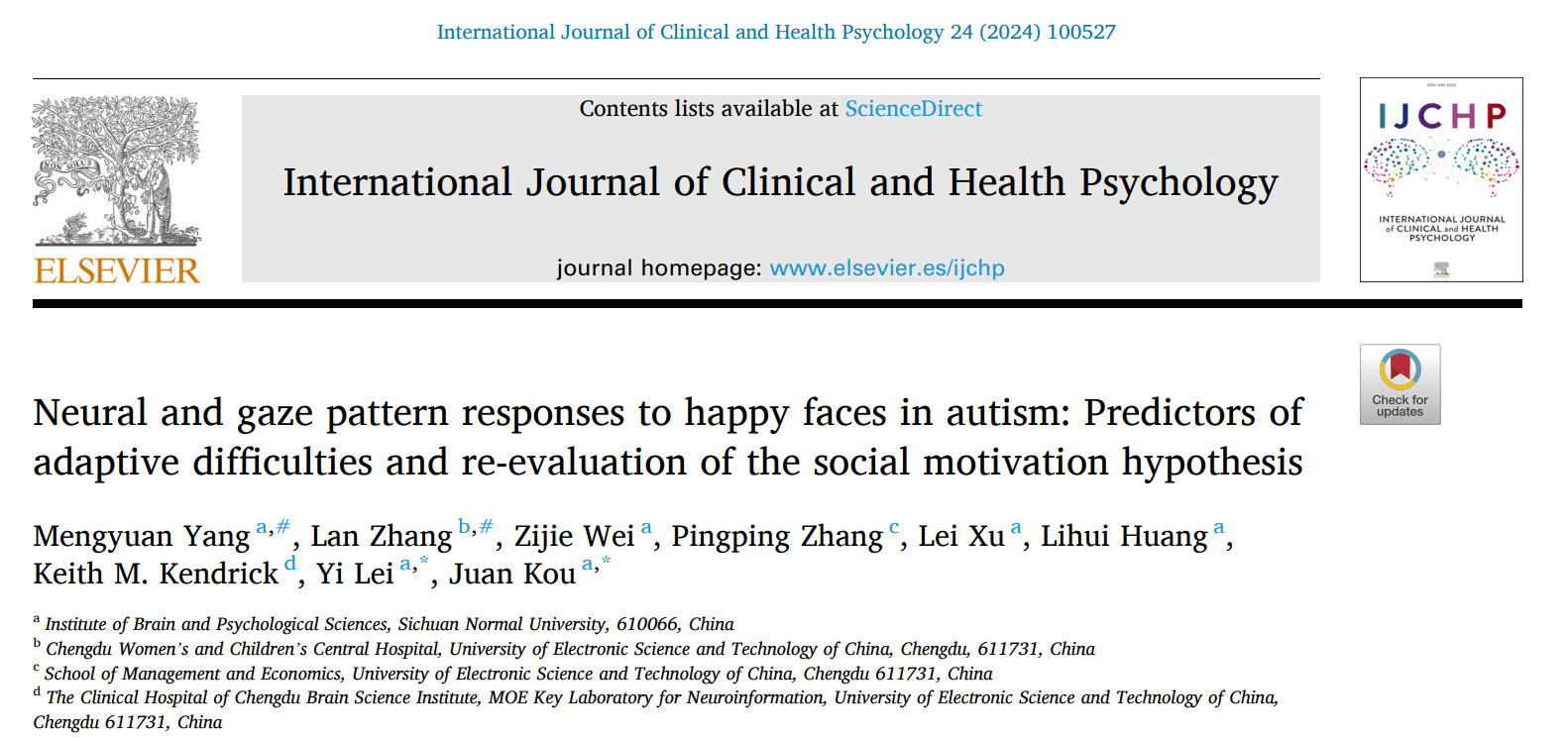
    Recently, Juan Kou and her team from the Institute of Brain and Psychological Sciences at Sichuan Normal University in China published a paper titled “Neural and gaze pattern responses to happy faces in autism: Predictors of adaptive difficulties and re-evaluation of the social motivation hypothesis” in the journal International Journal of Clinical and Health Psychology (IF = 5.3). The paper cited Writing Assistant of Stork. You can access the paper here: https://doi.org/10.1016/j.ijchp.2024.100527


    This article cited Stork in the Declaration section:


    “While preparing this work, the authors utilized Stork to check for language grammar errors and enhance readability.”


    Stork’s Writing Assistant can help you with text polishing, grammar correction, and paragraph expansion, while also offering a Word Add-in for a smoother writing experience.


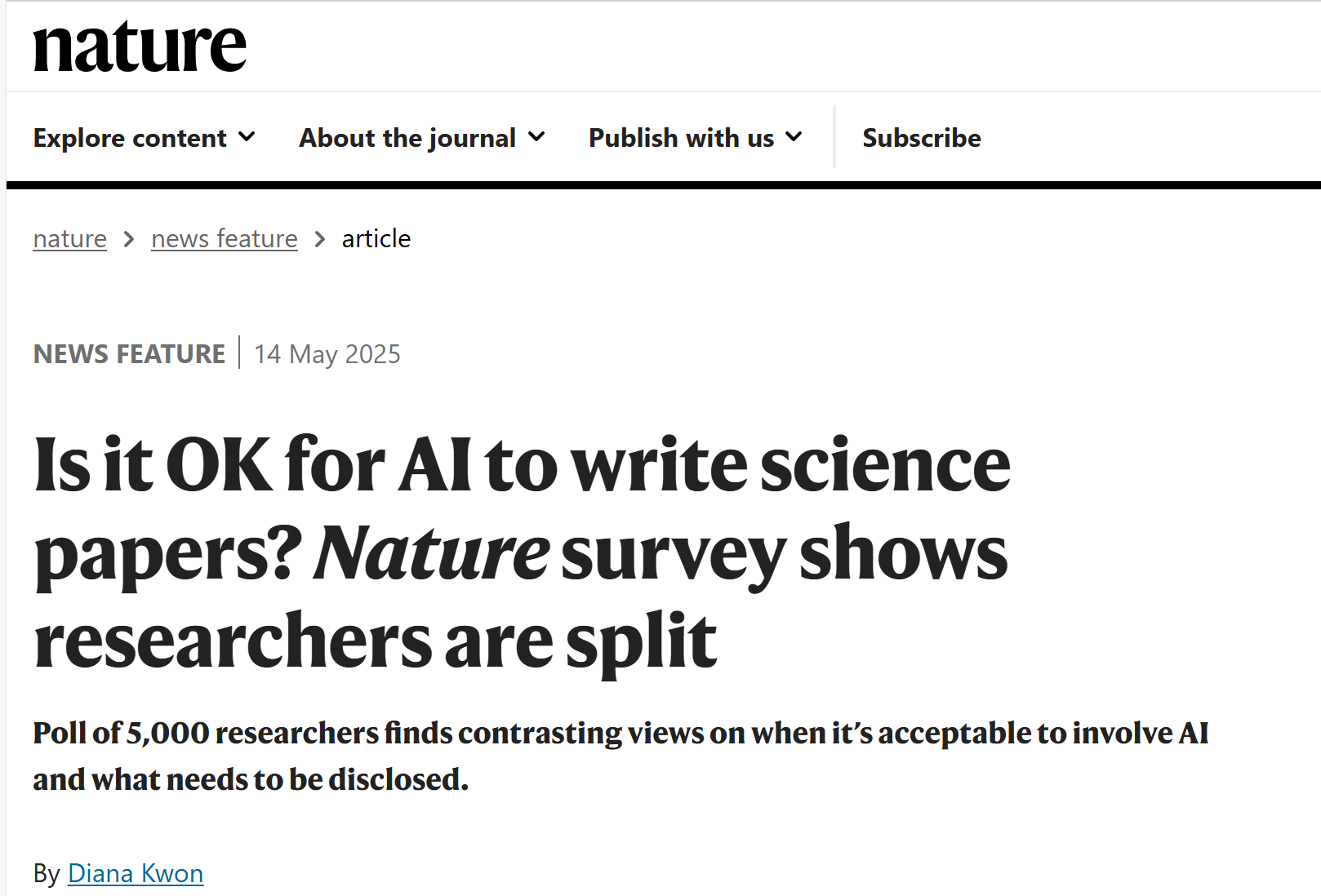
    Note: According to a recent news feature published in Nature (https://www.nature.com/articles/d41586-025-01463-8), the use of AI tools with proper researcher disclosure is now accepted by the vast majority of academic journals.


     【User Reviews】

    Eric Li, Ph.D

    Stanford University

    “Writing Assistant is an excellent tool for scientists and researchers to improve the quality of their publication writing. I highly recommend Writing Assistant for those whose native language is not English or who lack writing skills and ideas.”

    Juanjuan Du, Professor

    Tsinghua University

    “In the past, the task of writing was often time-consuming. Fortunately, Writing Assistants have made this process much simpler by providing multiple sentences with the same meaning. This has made writing much more efficient and enjoyable.”

    Xiaoyan Zheng, Processor

    GWU

    “Writing Assistant is an exceptional platform for verifying spelling and grammar. It also provides users with a variety of suggestions to alter their tones or enhance their writing’s clarity. Highly recommended!”

    Xiaomeng Pei, Associate Research Fellow

    Hong Kong Polytechnic University

    “When I first started writing papers, in order to make the sentences more accurate, I would revise a sentence back and forth many times but still not be completely satisfied. If you are also facing the same problem, try Writing Assistant. It will undoubtedly assist you in effortlessly and efficiently writing the most genuine and seamlessly fluent English papers!”


     【How to use】

    Writing Assistant is an advanced feature offered by Stork (free trial is available). After registering/logging into Stork (https://www.storkapp.me), you can find Writing Assistant under the “Advanced Feature” section. Then you can try it out or subscribe. Alternatively, you can visit Writing Assistant website directly at https://www.storkapp.me/writeassistant/


     Tips

    To date, nearly 50 scientific papers have cited Stork. If you cite Stork in your paper, please let us know at support@storkapp.me, and we’ll offer you a discount based on the journal’s impact factor when you subscribe to Writing Assistant or other advanced features.


  • Nature Survey Reveals What 5,000 Researchers Really Think About AI Writing


    TL; DR

    A Nature survey of over 5,000 researchers shows that most people accept using AI tools for translation, proofreading, and even writing the first draft—if disclosed. But using AI for peer review is widely frowned upon. Transparency is key.


    AI writing tools are changing the way researchers work—faster drafts, better grammar, smoother translations. But some big questions remain:

    📍 How much AI is too much?

    📍 Is using AI in academic writing ethical?

    📍 Should authors always disclose their use of AI?


    A recent Nature news feature, titled "Is it OK for AI to write science papers? Nature survey shows researchers are split" (https://www.nature.com/articles/d41586-025-01463-8), provides valuable insights. Based on responses from more than 5,000 researchers across disciplines and career stages, the survey explored how AI is being used and what researchers think about it.


    Overwhelming support for editing and translation

    More than 90% of respondents said they were comfortable using generative AI to edit or translate their scientific writing. This includes improving grammar, clarity or structure, especially for those who are not native English speakers.


    "I don't think it's any different than asking a colleague who is a native English speaker to read and revise your text," one respondent noted.


    Two-thirds are OK with drafting—cautiously

    Roughly two-thirds of researchers said it was acceptable to use AI to help write manuscripts, such as generating first drafts or summarizing content.


    But the support was less enthusiastic than for translation and editing. Many researchers emphasized that AI should assist, not replace, the author’s thinking and expertise.


    One respondent put it bluntly: "You can use AI to help you write your paper, but not to think for you."


    Most researchers reject AI-written peer reviews

    When it comes to peer review, attitudes shift.

    More than 50% of respondents disapproved of using AI to write referee reports, citing concerns about confidentiality and scholarly responsibility.


    Should you disclose AI use?

    This was one of the most debated questions in the survey.

    While many felt that basic editing or translation didn't require disclosure, most agreed that using AI to generate content—such as paragraphs or entire drafts—should be disclosed.


    Journal policies vary widely:

    📍 Lenient: Journals like Springer Nature and IOP Publishing say that light editing doesn't require disclosure, as long as  the authors take responsibility.

    📍 Moderate: Wiley suggests that if AI is used to generate or rewrite text, authors should include a note in the manuscript.

    📍 Strict: The JAMA journals require authors to specify which AI tools were used, how they were used, and to take full responsibility for any AI-generated content.


    "It’s like disclosing a conflict of interest," said one journal editor. "It’s not that we mind if you use AI—we mind if you don’t tell us."


    Are Stork's AI Tools Still Safe to Use?

    Definitely—and wisely. Stork's AI tools are here to help researchers work more efficiently.

    📍For drafting with For Writing Assistant and Translation: They can be incredibly helpful—especially for researchers writing in a second language. In fact, over 40 published papers have used Writing Assistant.

    📍 For drafting with AI paper: It can be a great starting point. But you should personally review, verify, and revise the draft AI generates.

    📍 Before submission: Always check the journal's AI use policy. When in doubt, disclose AI involvement.


    The academic world is still figuring out how best to use AI in research. Surveys like Nature's are just the beginning.

    How do you use AI in your writing process? Please let us know.


  • Create Your Own Research Podcasts: A New Way to “Read” Papers


    TL; DR

    Podcast feature in "Listen to Papers" and “ChatPaper” lets you turn any PDF or text into a high-quality audio podcast—making academic content as addictive as your favorite podcast.

    Reading papers is essential for every researcher—but let's be honest, it's not always easy to find the time to sit down and focus on dense academic texts. Between commutes, workouts, and daily chores, wouldn't it be great if your papers could talk to you?


    That's the Podcast idea behind a new update to Listen to Papers and ChatPaper, a feature designed to turn academic content into something more engaging and accessible: audio podcasts.


    This isn't your average text-to-speech feature. Here's what makes it stand out:

    📍Conversational: Instead of flat narration, the audio mimics a two-person podcast, making complex ideas easier to follow.

    📍Easy words: It simplifies academic jargon so even non-specialists can grasp the key ideas.

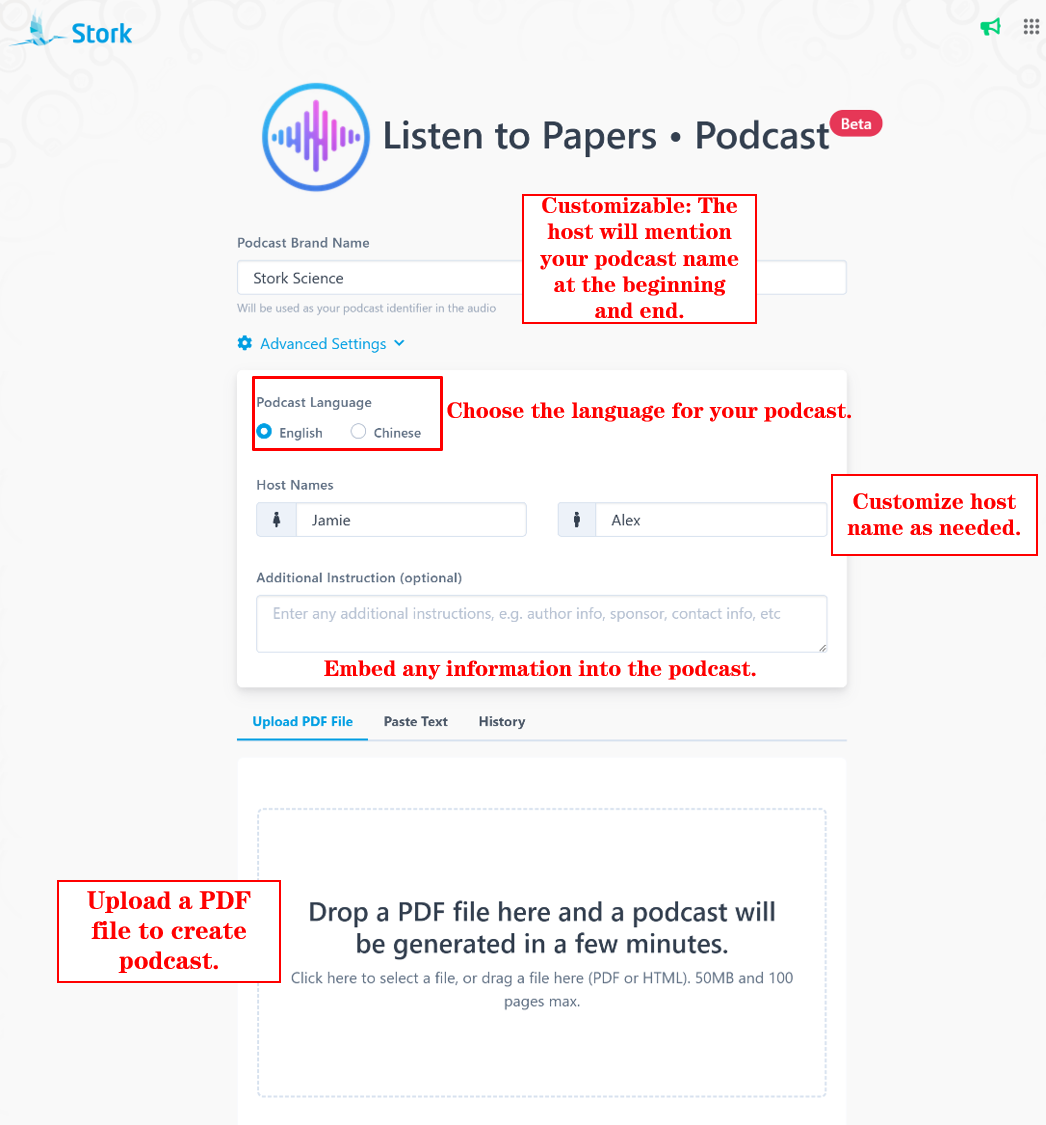
    📍Personalization options: Customize your podcast brand name.

    📍Hands-free learning: Easily download or listen online, learning anywhere and anytime.


    How It Works

    Creating a podcast is simple. Head over to the https://www.storkapp.me/podcast/, give your podcast a name, set your language and host details, and upload a PDF. Stork will take care of the rest.


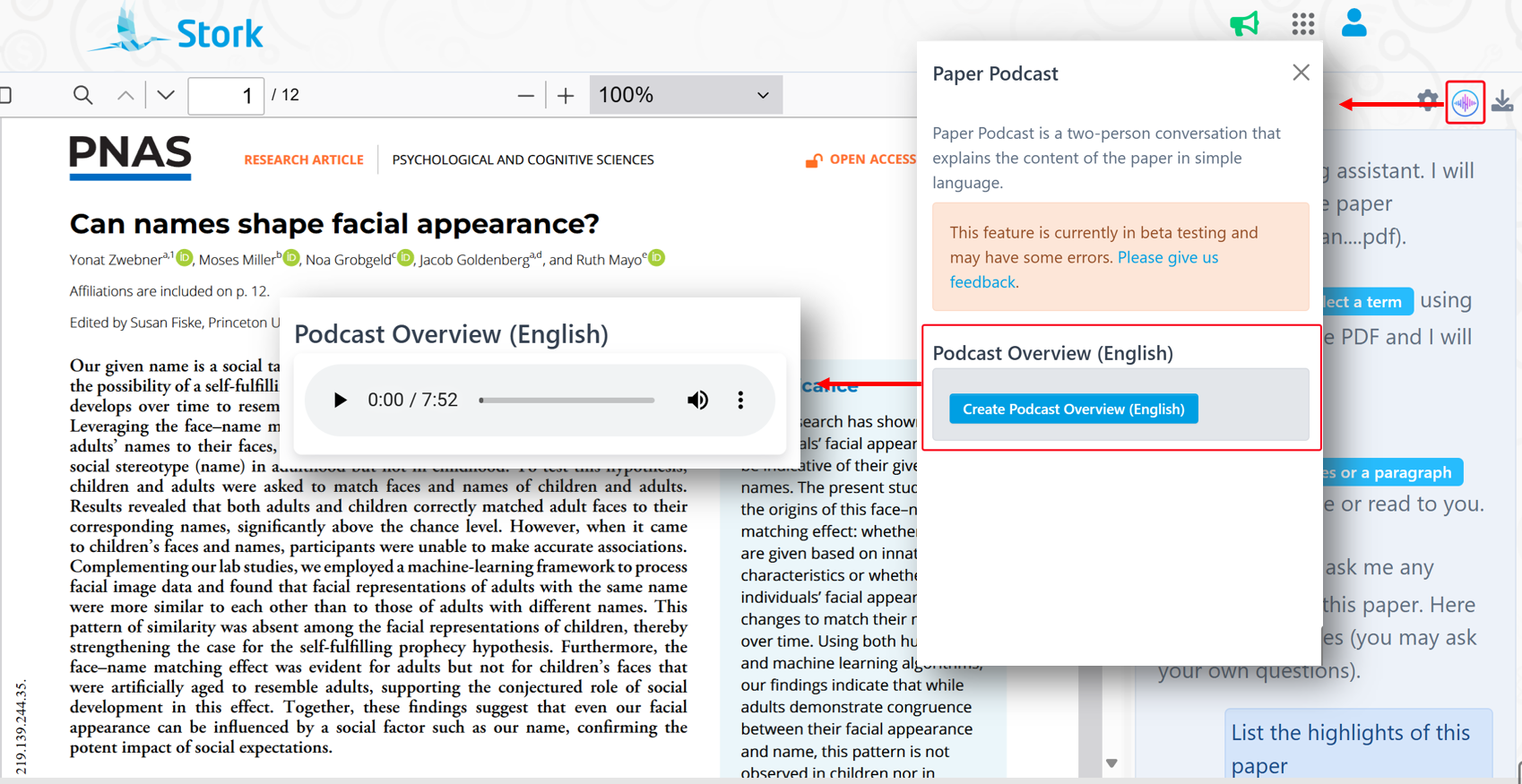
    You can stream the podcast directly, adjust speed and volume, or download the audio for offline listening.


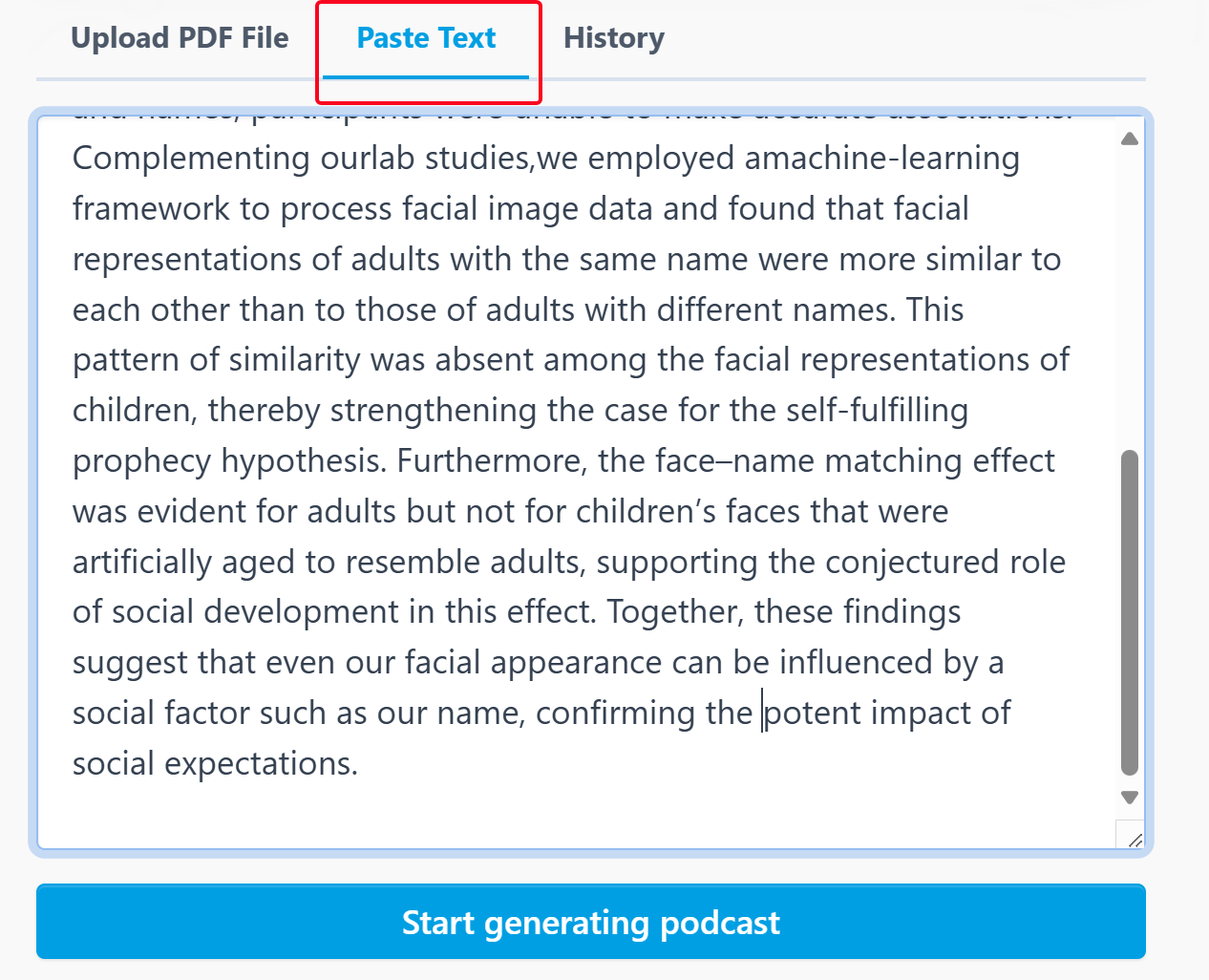
    You can also paste in any text, and it will be converted into a dialogue-style podcast episode.


    Revisit past podcasts through the "History" section—play, download, or delete them as needed.


    Integrated with ChatPaper

    If you're already using ChatPaper to read academic literature, there's good news: you can now generate a podcast with one click while reading any paper. Seamless and efficient.


    User Reviews

    Wang Qian,
    Beijing Tongren Hospital, Capital Medical University

    "The podcast feature brilliantly uses a Q&A style to explain a paper's background, methods, and significance clearly and concisely. It's perfect for catching up on research during short breaks. Surprisingly, it even explains unfamiliar terms! The delivery is natural and engaging, not robotic at all – it tells the story of the research, which is fascinating! "

    Xing Xiuye,
    Beijing Chaoyang Hospital, Capital Medical University

    "Stork's podcast feature is incredibly thoughtful and efficient, making literature review effortless. It transforms complex professional content into an engaging Q&A format that's easy to understand, perfect for listening during fragmented time like commutes. For clinicians like us, this tool masterfully blends practicality with intelligence. Highly recommended."

    Su Zhaoyin,
    Lanzhou University, The First Clinical Medical College of Lanzhou University

    "I was genuinely shocked by how clearly this feature summarizes research, giving it a well-structured, almost programmatic feel. It effectively captures the key points and nuances of studies, comprehensively covering background, results, findings, and limitations without omission. It's incredibly useful, especially when reading feels tedious. Listening is not only easier but also more engaging and educational."


    【How to use】

    "Podcast" feature is part of Stork's advanced feature "Listen to Papers" (free trial is available). It’s also available in ChatPaper. After registering/logging into Stork (https://www.storkapp.me), you can find  "Listen to Papers" or ChatPaper under the "Advanced Feature" section. Then you can try it out or subscribe. Alternatively, you can visit "Podcast creation" website directly at https://www.storkapp.me/podcast/


    Below is a transcript from the sample episode. It offers a glimpse into how the podcast transforms rigorous scientific literature into clear, accessible dialogue.


    Podcast Title: Stork Science
    Source: Zwebner, Y., Miller, M., Grobgeld, N., Goldenberg, J., & Mayo, R. (2024). Can names shape facial appearance? Proceedings of the National Academy of Sciences, 121(30), e2405334121.
    Note: Text in red highlights the podcast’s interpretation and commentary—it is not part of the original article.


    Jamie: welcome to stork science, the podcast where we hatch fascinating, scientific discoveries. I'm your host Jamie and today we're diving into a mindbending question:  can our names actually shape how we look (Intro).

    Alex: And I'm Alex. Ready to unpack this incredible research with you. It sounds almost impossible, right?  The idea that something is arbitrary as a name could influence our facial appearance seems like science fiction.

    Jamie: But the that's exactly what researchers Yonat Zwebner and colleagues investigated in a paper recently published in the proceedings of the national academy of sciences, and their findings are genuinely surprising.

    Alex: So, Jamie, let's break this down. the researchers were testing something called the face name matching effect. Basically, the idea that people might actually grow to look like their names over time (Explaining jargon in plain terms).

    Jamie: Right! And they were specifically looking at whether this is something were born with, like do babies just naturally look like a Jennifer, or Michael (Bringing the topic closer to daily life)?  Or if it's something that develops over time through what they call a self-fulfilling prophecy.

    Alex: Exactly. And to test this, they conducted five different studies using both human participants and machine learning algorithms to see if people could match faces to names better than random chance would predict.

    Jamie: The key comparison was between adults and children. If we're born looking like our names, then both adults and kids should look like their names. But if it's something that develops over time, you know, this self-fulfilling prophecy idea, then only adults would look like their names.

    Alex: And what they found was fascinating. In the first two studies, they asked both adults and children to match faces with names. Consistently, participants could match adult faces to their correct names at rates significantly above chance level, but when it came to children's faces.

    Jamie: They couldn't do it. The participants weren't able to match children's faces to their names any better than random guessing would predict. This was true whether the participants themselves were adults or children, which rules out the possibility that it's just about being better at recognizing faces of your own age group.

    Alex: That's such a crucial control in the study design, and they didn't stop there. In their third study (The three experiments were introduced in a step-by-step manner through a natural and engaging dialogue between the hosts), they used a sophisticated machine learning approach called a triplet loss siamese neural network, which sounds incredibly complex.

    Jamie: It does sound complex, but essentially, they trained this neural network to analyze facial similarities between people with the same names versus different names.  And again, they found that adults who share the same name had more similar facial features compared to those with different names.

    Alex: But this pattern is simply didn't exist for children. Children who shared the same name didn't have any more facial similarity than children with different names. This finding really strengthens the case that we grow to look like our names over time.

    Jamie: Now here's where it gets even more interesting. The researchers wondered what if it's just the natural aging process that makes us look more like our name. So, in studies 4a and 4b, they did something really clever.

    Alex: They took photos of children and used an artificial intelligence algorithm to digitally age them into adults. Then they tested whether these artificially aged faces looked like their names.

    Jamie: And guess what, unlike real adults, these artificially aged faces didn't look like their names. People couldn't match these computer-generated adult faces to their correct names any better than chance.

    Alex: which suggests that it's not just about biological aging. It's about the social process of living with your name. The researchers call this a self-fulfilling prophecy. Essentially, our names carry social expectations and stereotypes and over time. We may unconsciously conform to these expectations.

    Jamie: Exactly, so, for example, if people have certain stereotypes about what a Brad looks like versus what a john looks like. Over time,  actual Brad's and John's might start to embody those stereotypes through their expressions, hairstyles, glasses or even subtle facial muscle development from different habitual expression.

    Alex: It's fascinating to think about how this might work. The paper suggests that it could happen directly, like when someone chooses a hairstyle, or glasses that fit what they think a person with their name should look like. Or it could happen indirectly, through behaviors that eventually affect facial appearance.

    Jamie: Like if your name smiley, ok, that's not a real name, but you get the point. Maybe you'd smile more often which could eventually create more pronounced smile lines on your face.

    Alex: Exactly! And what's particularly interesting is that children seem to learn name stereotypes pretty early. The child participants in the study could match adult faces to names above chance level. But they don't yet embody these stereotypes in their own appearance.

    Jamie: That suggests there's a developmental process at work here. Children recognize the stereotypes associated with names before they start to manifest those stereotypes themselves.

    Alex: I keep thinking about George Orwell's quote that the researchers mention. At 50, everyone has the face he deserves. This research suggests there might be some truth to that. Our faces may indeed develop over time to reflect social expectations, including those tied to our names (The hosts begin summarizing the study and highlighting its main conclusions).

    Jamie: It's mind blowing to think that something is arbitrary as the name our parents gave us could actually influence how we look as adults. And it raises so many questions, like would this effect be stronger for people with more distinctive or unusual names?

    Alex: Or what about people who go by nicknames most of their lives, or people who change their names. There are so many fascinating directions this research could go.

    Jamie: Absolutely, and I think it's important to note that this is about subtle effects that emerge over time. We're not saying that all Michaels look identical or anything like that.

    Alex: Right? It's about statistical patterns that only emerge when looking at large groups of people. But still, it suggests something profound about how deeply intertwined our social and physical realities are.

    Jamie: It really does! We are social creatures shaped by our interactions and the expectations others have of us, apparently even down to our facial features.

    Alex: So next time you meet someone and think, wow, they really look like a Jessica or whatever name comes to mind. Well, there might actually be something to that (They tie the study back to real-life situations, adding a personal and relatable touch).

    Jamie:  that's all for today's episode of Stork Science. If you enjoyed this discussion, please subscribe, leave a review and check out the full research paper in the proceedings of the national academy of sciences. we've linked it in the show notes.

    Alex: And let us know what you think, do you feel like you look like your name? Or have you ever met someone who perfectly matched their name? We'd love to hear your thoughts until next time. I'm Alex.

    Jamie: And I'm Jamie. Thanks for listening to stork science, where we had fascinating scientific discover.


    Give it a try with a paper you’ve been meaning to read—you might find yourself learning in a whole new way.


  • ChatPaper Update: Improved Performance in Answering Startup Questions


    TL; DR

    ChatPaper supports Startup Questions. After uploading a paper, the system will automatically answer these questions. With this update, ChatPaper delivers even more accurate, faster, and detailed answers to your startup questions!


    ChatPaper is the best assistant for reading academic papers, offering features like term explanation, reading aloud, and interactive chatting.


    One standout feature of ChatPaper is Startup Questions. You can set some questions in advance. When you upload a paper, ChatPaper will automatically answer these questions for you.


    This update takes Startup Questions to the next level, making ChatPaper smarter and more efficient. It now delivers answers that are not only more accurate but also faster and more detailed!


    If you're new to setting Startup Questions in ChatPaper, here's a quick tip:

    Go to the ChatPaper, click on "Settings" in the top-right corner. You'll find some commonly used startup questions in the input box, which you can modify. Don't forget to click the "OK" when you're done!

    We also recommend downloading the answers to your questions and saving them alongside your documents for easy management and future reference.

    Use cases:
    ▪️ Quickly grasp the key points of papers before a meeting.
    ▪️ Efficiently track developments in a specific research field.
    ▪️ Organize answers along with your documents for easy access.


    【User Reviews】

    Xu Cui, Ph.D
    Stanford University

    "Reading papers is surprisingly enjoyable with ChatPaper!"

    Yangming Wang, Ph.D, Professor Peking University

    "Just finished reading a paper and I was astounded by the results! ChatPaper is an absolute must-have for beginners and experienced researchers alike. Those who want to make reading papers easier should definitely give it a go; it can improve productivity by threefold!"

    Rani Zhang, MD
    Peking University

    "ChatPaper allows you to drag and drop a document, which is very convenient. When you come across unfamiliar words, you can directly select them for instant translation. The speed is fast and the translation is accurate. It can also help analyze the highlights and limitations of the article, as well as the experimental techniques adopted, and so on. It is very useful, highly recommended!"

    Xiaomeng Pei, Associate Research Fellow
    Hong Kong Polytechnic University

    "ChatPaper not only provides explanations for unfamiliar concepts in the papers, but also answers any questions you might have about the article, such as its innovation, methodology, and more. This makes daily literature review both efficient and engaging, akin to having an experienced expert guiding you through the reading process!"


    【How to use】

    ChatPaper is an advanced feature offered by Stork (free trial is available). After registering/logging into Stork (https://www.storkapp.me), you can find ChatPaper under the "Advanced Feature" section. Then you can try it out or subscribe. Alternatively, you can visit ChatPaper website directly at https://www.storkapp.me/chatpaper/


  • Writing Assistant helped researchers publish in BMJ Open

     Info

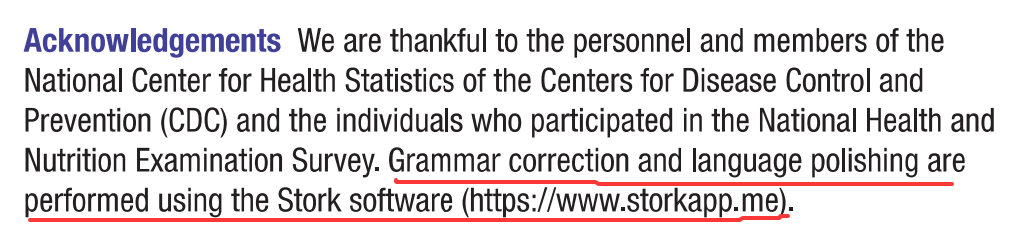
    "Grammar correction and language polishing are performed using the Stork software (https://www.storkapp.me)."


    Recently, Xingkang He and his colleagues from the Department of Gastroenterology, Sir Run Run Shaw Hospital at Zhejiang University School of Medicine in China published a paper titled " Association of sleep duration with Visceral Adiposity Index: a cross-sectional study based on the NHANES 2007–2018" in the journal BMJ Open. The paper cited Writing Assistant of Stork. You can access the paper here: https://doi.org/10.1136/bmjopen-2023-082601


    This article acknowledged Stork in the Acknowledgment section:


    "Grammar correction and language polishing are performed using the Stork software (https://www.storkapp.me)."


    Stork's Writing Assistant can help you with text polishing, grammar correction, and paragraph expansion, while also offering a Word Add-in for a smoother writing experience.


     【User Reviews】

    Eric Li, Ph.D

    Stanford University

    "Writing Assistant is an excellent tool for scientists and researchers to improve the quality of their publication writing. I highly recommend Writing Assistant for those whose native language is not English or who lack writing skills and ideas."

    Juanjuan Du, Professor

    Tsinghua University

    "In the past, the task of writing was often time-consuming. Fortunately, Writing Assistants have made this process much simpler by providing multiple sentences with the same meaning. This has made writing much more efficient and enjoyable."

    Xiaoyan Zheng, Processor

    GWU

    "Writing Assistant is an exceptional platform for verifying spelling and grammar. It also provides users with a variety of suggestions to alter their tones or enhance their writing's clarity. Highly recommended!"

    Xiaomeng Pei, Associate Research Fellow

    Hong Kong Polytechnic University

    "When I first started writing papers, in order to make the sentences more accurate, I would revise a sentence back and forth many times but still not be completely satisfied. If you are also facing the same problem, try Writing Assistant. It will undoubtedly assist you in effortlessly and efficiently writing the most genuine and seamlessly fluent English papers!"


     【How to use】

    Writing Assistant is an advanced feature offered by Stork (free trial is available). After registering/logging into Stork (https://www.storkapp.me), you can find Writing Assistant under the "Advanced Feature" section. Then you can try it out or subscribe. Alternatively, you can visit Writing Assistant website directly at https://www.storkapp.me/writeassistant/


     Tips

    To date, nearly 50 scientific papers have cited Stork. If you cite Stork in your paper, please let us know at support@storkapp.me, and we'll offer you a discount based on the journal's impact factor when you subscribe to Writing Assistant or other advanced features.


  • TrueCite: your citation assistant


    TL; DR

    TrueCite is a new advanced feature of Stork which offers:

    [You Write I Cite]  – Automatic Citation Insertion

    [Verify Citations] – Reference Authenticity Check

    [Fill References] – Complete Citation Information

    Give it a try at https://www.storkapp.me/truecite/


    Writing a research paper comes with its challenges, and one of the most time-consuming tasks is managing citations. Finding the right references, verifying their accuracy, and formatting them correctly can slow down even the most efficient researchers.


    To help ease this part of the writing process, we recently developed an advanced feature called TrueCite. It brings together three citation-related features that aim to support academic writers with clarity and accuracy.


    [You Write I Cite]  Automatic Citation Insertion

    Ever struggled to find the perfect reference to support a claim in your manuscript? 


    You Write I Cite allows you to focus on content creation while the system automatically searches for and adds relevant academic citations and providing detailed reference information on the sidebar, enhancing your paper’s academic credibility. 


    It supports multiple input languages and even lets you filter references by criteria such as publication date (e.g., last 2 years) or journal impact factor (e.g., >5).


    Go to TrueCite and select You Write I Cite. Simply paste or enter your text and click “Find and Add Citations”. The app will analyze it sentence by sentence, automatically inserting citations where appropriate, and provides detailed information about all referenced literature in the sidebar.


    Once processed, you can view your text with citations added on the left side, while detailed information (title, authors, journal, abstract, reason to cite, DOI, etc.) about all cited references will be displayed on the right. Click “View original” to explore further.


    Clicking on any in-text citation will automatically display the corresponding reference details on the right right panel, allowing you to conveniently view information.


    You can export references in APA, Harvard, or other formats, or download them for your reference manager.


    Customize Your Search:

    · Reference Search Method: Prefer to input specific references? Stork will locate their full details (like abstracts) and cite them correctly.

    · Filters: Limit results to “last 2/5 years” or journals with “IF > 5” or “IF > 10.”


    「[Verify Citations] Reference Authenticity Check

    Ever worried about AI-generated or mistyped references? Verify Citations acts like a fraud detector for citations, verifying them against academic databases by checking the title, first author, journal name, and publication year.


    Paste your references in the text box below and click the ‘Verify’ button. The system will display the verification status of each citation and the overall match percentage.

    As an example, we asked a famous AI to list 10 “classic” fNIRS hyperscanning papers—then ran them through Verify Citations.


    Most looked legitimate, but two contained errors – subtle mistakes easily overlooked without Verify Citations.


    References can be exported in multiple citation styles (e.g., APA, MLA) and downloaded as CSV or RIS files.


    [Fill References] Complete Citation Information

    Working with incomplete or messy citations? Fill References parses and enriches your reference list, filling in missing details like DOIs, PubMed IDs, or full journal names. It supports multiple input formats and exports clean, structured citations for your reference manager.


    Paste your reference list in the text box below and click the ‘Start’ button. The system will search, parse, and organize the citation information, displaying it in a table for you to review, export, and download.


    Our goal isn’t just to save you time—it’s to help you write with greater accuracy and less frustration. Citations are the backbone of scholarly work, and we want to make them as seamless as possible. We’d love for you to give it a try.


    【How to use】

    TrueCite is a new advanced feature offered by Stork, which requires subscription (free trial is available). After registering/logging in to Stork (https://www.storkapp.me), you can find TrueCite under the advanced features section. Then you can try it out or subscribe. Alternatively, you can visit official TrueCite website directly at https://www.storkapp.me/truecite/


  • Big Analysis: A Quick Overview of CAR-NK Research


    TL; DR

    "Big Analysis" allows you to quickly understand all aspects of CAR-NK in a matter of minutes, including growth trends, geographic distribution, experts (and their contact information), genes, and diseases, etc.


    CAR-NK (Chimeric Antigen Receptor Natural Killer) cells are making waves in cancer immunotherapy in recent years. To help researchers grasp this field, we used Stork's Big Analysis advanced feature to systematically review the trends, research hotspots, and core teams involved in CAR-NK research.


    Go to Stork's Big Analysis page. Enter the keyword "CAR-NK," check "Analyze all authors in a paper," and click "Search," you can access the comprehensive analysis results.


    Trend and Growth Rate  

    Since 2014, the number of publications on CAR-NK has increased significantly, growing from sporadic reports to a robust area of study. In 2024, the number of papers reached 178, with an average annual growth rate of approximately 30%, indicating the rapid expansion and growing attention to CAR-NK cell research.


    Country ranking

     Geographically, the United States leads with 327 publications, followed by China (236), Germany (89), Iran (54), and Italy (42). This distribution reflects both the early advantage of Western countries in cell therapy technology and significant progress made by Asian countries, particularly China.


    Institute ranking

    The University of Texas MD Anderson Cancer Center, Harvard Medical School, and Boston Children's Hospital are leading institutions in CAR-NK research.  If you're looking for collaborators or benchmarks, these are the hubs to watch. The analysis also ranks institutions based on the number of papers published and the total paper impact (publication count * journal impact factor).


    Journal ranking

    Most papers are published in journals like Frontiers in Immunology, Cancers, and Frontiers in Oncology. (Pro tip: Big Analysis even shows Days to Accept, so you can plan accordingly.)


    Gene and Disease ranking

    The data reveals the top targets for CAR-NK therapies: CD19 (by a wide margin), followed by CD38, CD7, CD70, and ERBB2. As for diseases, leukemia and multiple myeloma get the most attention, but solid tumors—like breast, lung, and colorectal cancers—are catching up.


    Term frequency analysis

    The importance of selecting appropriate target antigens is further underscored by the observation that the frequency of certain keywords–such as "chimeric antigen receptor",  "natural killer cells", and "CAR-NK cell therapy"–has steadily increased over time. This trend reflects a growing consensus among researchers regarding the potential benefits of harnessing NK cells as vehicles for targeted immunotherapy.


    Author Network

    The research community is closely connected, with major contributions from teams at the University of Texas MD Anderson Cancer Center. Chinese researchers are also playing a big role in advancing CAR-NK research.


    Researchers' information can be accessed in the Author List, and data from the analysis can be downloaded below the search box.


    This data offers a snapshot of where CAR-NK research stands and where it's heading. For researchers, this can help you:

    · Stay on top of the latest trends in the field

    · Identify potential collaborators

    · Choose the right journals for your publications


    Ready to explore your own research questions? Give it a try here.


    【How to use】

    Big Analysis is an advanced feature offered by Stork (free trial is available). After registering/logging into Stork (https://www.storkapp.me), you can find Big Analysis  under the "Advanced Feature" section. Then you can try it out or subscribe. Alternatively, you can visit Big Analysis website directly at https://www.storkapp.me/meta/.


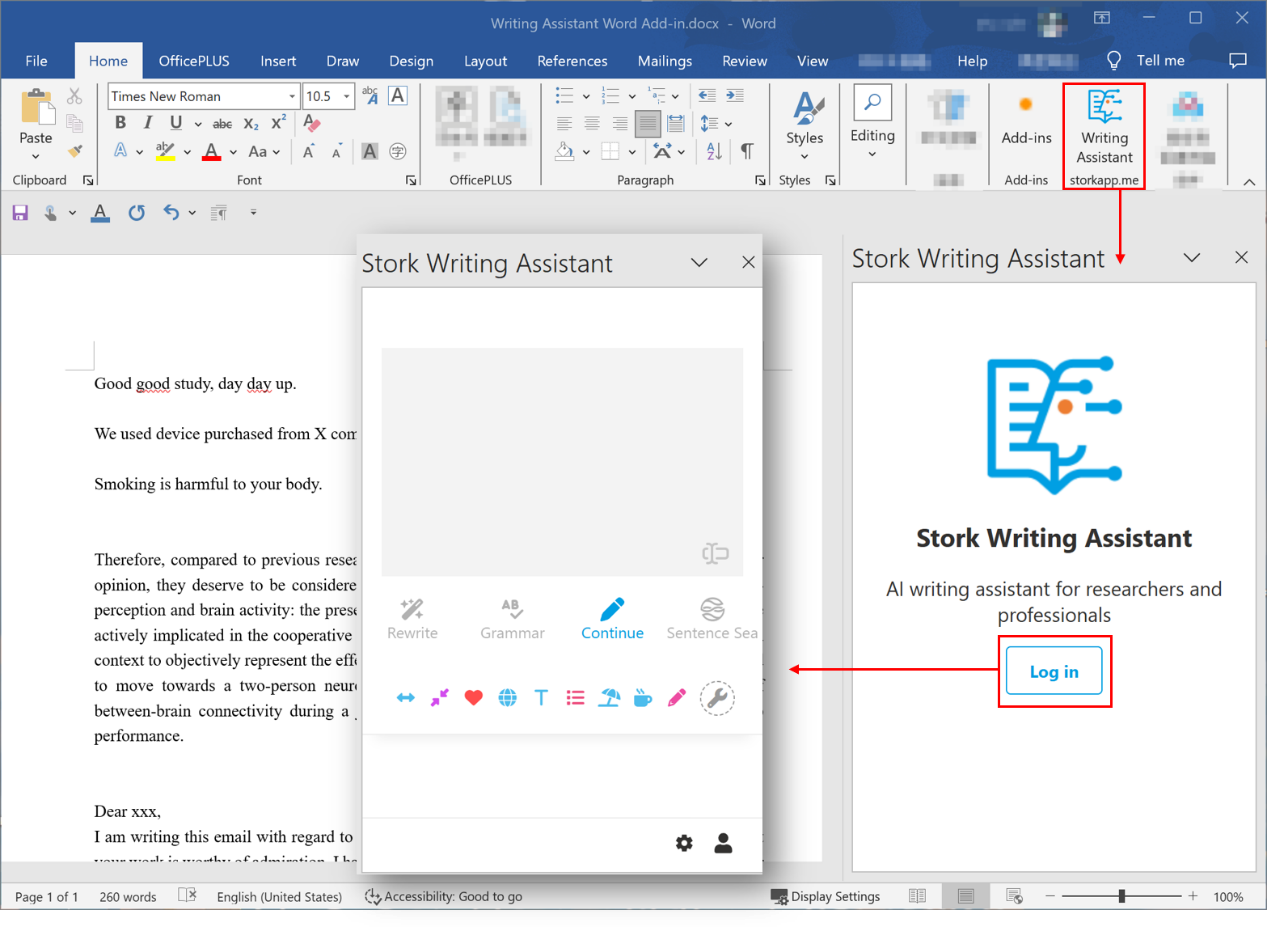
  • Writing Assistant Add-in for Word


    TL; DR

    Writing Assistant offers a Word add-in and you can polish your manuscripts directly inside Word. Over 30 published papers have used Writing Assistant to improve the language.


    Writing academic papers can be challenging, especially when you’re aiming for clear, precise, and professional language. That’s why tools like Writing Assistant exist—to help make the process much easier. It’s designed to transform your writing to professional English.


    But here’s something surprising: many users still don’t know that Writing Assistant offers a Word add-in! If you’re favor of writing paper directly in Word, this can make your more efficient. It’s a small change, but it can save you time and help you focus on your writing.


     Let’s see how it can make your writing process more efficient.


    Where to Download the Word Add-in?

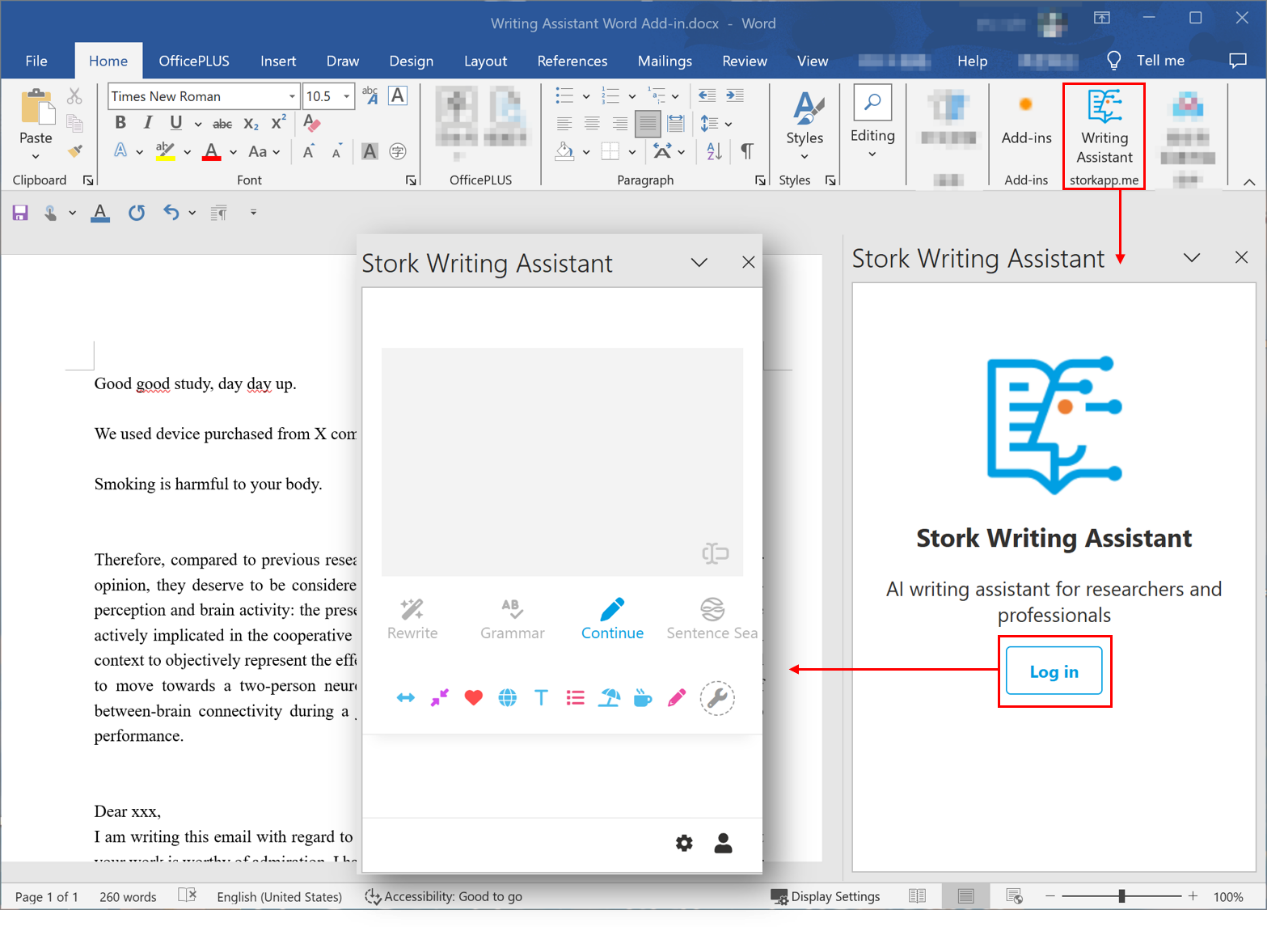
    Simply go to Writing Assistant’s official website (https://www.storkapp.me/writeassistant/) and click “Word Add-in” in the top right corner. This will take you to the download page, where you’ll find the installation link, setup instructions, and troubleshooting tips.


    How to Use Writing Assistant in Word?

    Once installed, you’ll see Writing Assistant in the top toolbar of Word.  Click on it, log in, and you're ready to go!


    Rewrite

    Select the text (a sentence or a paragraph), and the content will instantly sync to the input box on the right side of Writing Assistant. Next, click on "Rewrite", and you’ll see multiple improved versions. Hover over the version you prefer to see options like [Replace], [Insert], and [Copy]. Choose according to your needs.


    After reading your article, editors will marvel at your English writing skills!


    Grammar

    Three simple steps to eliminate grammar mistakes:


    1 Select a passage.

    2 Click "Grammar".

    3 Replace the original text with the corrected version.


    Run this check before submission, and your reviewers will have fewer critiques! 


    Continue

    Need to expand on an idea? The "Continue" feature helps you generate additional content. In the Word version, the generated text is directly inserted into your document— no need to copy and paste. 


    Sentence Sea

    The "Sentence Sea" can help you find similar sentences in a vast array of literature, providing inspiration and evidence for your writing.


    Custom Instructions

    You can create custom instructions based on your needs, enabling personalized text processing and writing assistance. you can create and manage your own instructions via the settings panel.


    Tips

    Enable [Auto Expand] to automatically sync the entire sentence into Writing Assistant panel. Disable it to sync only the selected text.

    Want to track changes in Word? Select the modified sentence in Writing Assistant, use your computer’s standard copy function (instead of Writing Assistant’s “Copy” button), then paste it into Word with “Keep Source Formatting”.


    Publishing Papers with Writing Assistant

    Over 30 papers have already used Writing Assistant to enhance and improve their manuscript.

    The paper in Advanced Functional Materials (Q1, IF=18) included the following in the acknowledgments:


    "The authors thank Stork (https://www.storkapp.me/writeassistant/) for its linguistic assistance during the preparation of this manuscript. "


    This article in Horticulture Research (Q1, IF=7.6) mentioned:


    " Some text in this paper was polished by Stork’s Writing Assistant (https:// http://www.storkapp.me/writeassistant/). "

    This manuscript published in ACS Sustainable Chemistry and Engineering (Q1, IF=7.1) noted:


    "Some text in this paper was polished by Stork’s Writing Assistant."


    If you haven’t tried this Word add-in for Writing Assistant yet, now is the perfect time to open Word and explore. It could quickly become your new favorite writing companion.


    【How to use】

    Writing Assistant is an advanced feature offered by Stork (free trial is available). After registering/logging into Stork (https://www.storkapp.me), you can find Writing Assistant under the "Advanced Feature" section. Then you can try it out or subscribe. Alternatively, you can visit Writing Assistant website directly at https://www.storkapp.me/writeassistant/.