
Category: update

  • Big Analysis: A Quick Overview of CAR-NK Research


    TL; DR

    "Big Analysis" allows you to quickly understand all aspects of CAR-NK in a matter of minutes, including growth trends, geographic distribution, experts (and their contact information), genes, and diseases, etc.


    CAR-NK (Chimeric Antigen Receptor Natural Killer) cells are making waves in cancer immunotherapy in recent years. To help researchers grasp this field, we used Stork's Big Analysis advanced feature to systematically review the trends, research hotspots, and core teams involved in CAR-NK research.


    Go to Stork's Big Analysis page. Enter the keyword "CAR-NK," check "Analyze all authors in a paper," and click "Search," you can access the comprehensive analysis results.


    Trend and Growth Rate  

    Since 2014, the number of publications on CAR-NK has increased significantly, growing from sporadic reports to a robust area of study. In 2024, the number of papers reached 178, with an average annual growth rate of approximately 30%, indicating the rapid expansion and growing attention to CAR-NK cell research.


    Country ranking

     Geographically, the United States leads with 327 publications, followed by China (236), Germany (89), Iran (54), and Italy (42). This distribution reflects both the early advantage of Western countries in cell therapy technology and significant progress made by Asian countries, particularly China.


    Institute ranking

    The University of Texas MD Anderson Cancer Center, Harvard Medical School, and Boston Children's Hospital are leading institutions in CAR-NK research.  If you're looking for collaborators or benchmarks, these are the hubs to watch. The analysis also ranks institutions based on the number of papers published and the total paper impact (publication count * journal impact factor).


    Journal ranking

    Most papers are published in journals like Frontiers in Immunology, Cancers, and Frontiers in Oncology. (Pro tip: Big Analysis even shows Days to Accept, so you can plan accordingly.)


    Gene and Disease ranking

    The data reveals the top targets for CAR-NK therapies: CD19 (by a wide margin), followed by CD38, CD7, CD70, and ERBB2. As for diseases, leukemia and multiple myeloma get the most attention, but solid tumorsโ€”like breast, lung, and colorectal cancersโ€”are catching up.


    Term frequency analysis

    The importance of selecting appropriate target antigens is further underscored by the observation that the frequency of certain keywords–such as "chimeric antigen receptor",  "natural killer cells", and "CAR-NK cell therapy"–has steadily increased over time. This trend reflects a growing consensus among researchers regarding the potential benefits of harnessing NK cells as vehicles for targeted immunotherapy.


    Author Network

    The research community is closely connected, with major contributions from teams at the University of Texas MD Anderson Cancer Center. Chinese researchers are also playing a big role in advancing CAR-NK research.


    Researchers' information can be accessed in the Author List, and data from the analysis can be downloaded below the search box.


    This data offers a snapshot of where CAR-NK research stands and where it's heading. For researchers, this can help you:

    ยท Stay on top of the latest trends in the field

    ยท Identify potential collaborators

    ยท Choose the right journals for your publications


    Ready to explore your own research questions? Give it a try here.


    ใ€How to useใ€‘

    Big Analysis is an advanced feature offered by Stork (free trial is available). After registering/logging into Stork (https://www.storkapp.me), you can find Big Analysis  under the "Advanced Feature" section. Then you can try it out or subscribe. Alternatively, you can visit Big Analysis website directly at https://www.storkapp.me/meta/.


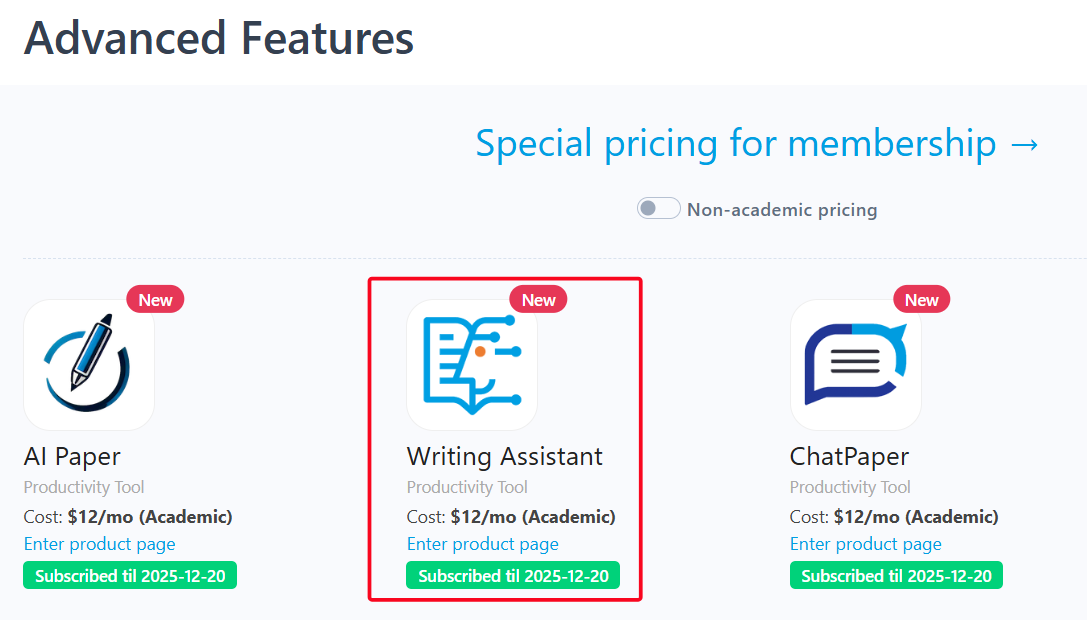
  • Writing Assistant Add-in for Word


    TL; DR

    Writing Assistant offers a Word add-in and you can polish your manuscripts directly inside Word. Over 30 published papers have used Writing Assistant to improve the language.


    Writing academic papers can be challenging, especially when youโ€™re aiming for clear, precise, and professional language. Thatโ€™s why tools like Writing Assistant existโ€”to help make the process much easier. Itโ€™s designed to transform your writing to professional English.


    But hereโ€™s something surprising: many users still donโ€™t know that Writing Assistant offers a Word add-in! If youโ€™re favor of writing paper directly in Word, this can make your more efficient. Itโ€™s a small change, but it can save you time and help you focus on your writing.


     Letโ€™s see how it can make your writing process more efficient.


    Where to Download the Word Add-in?

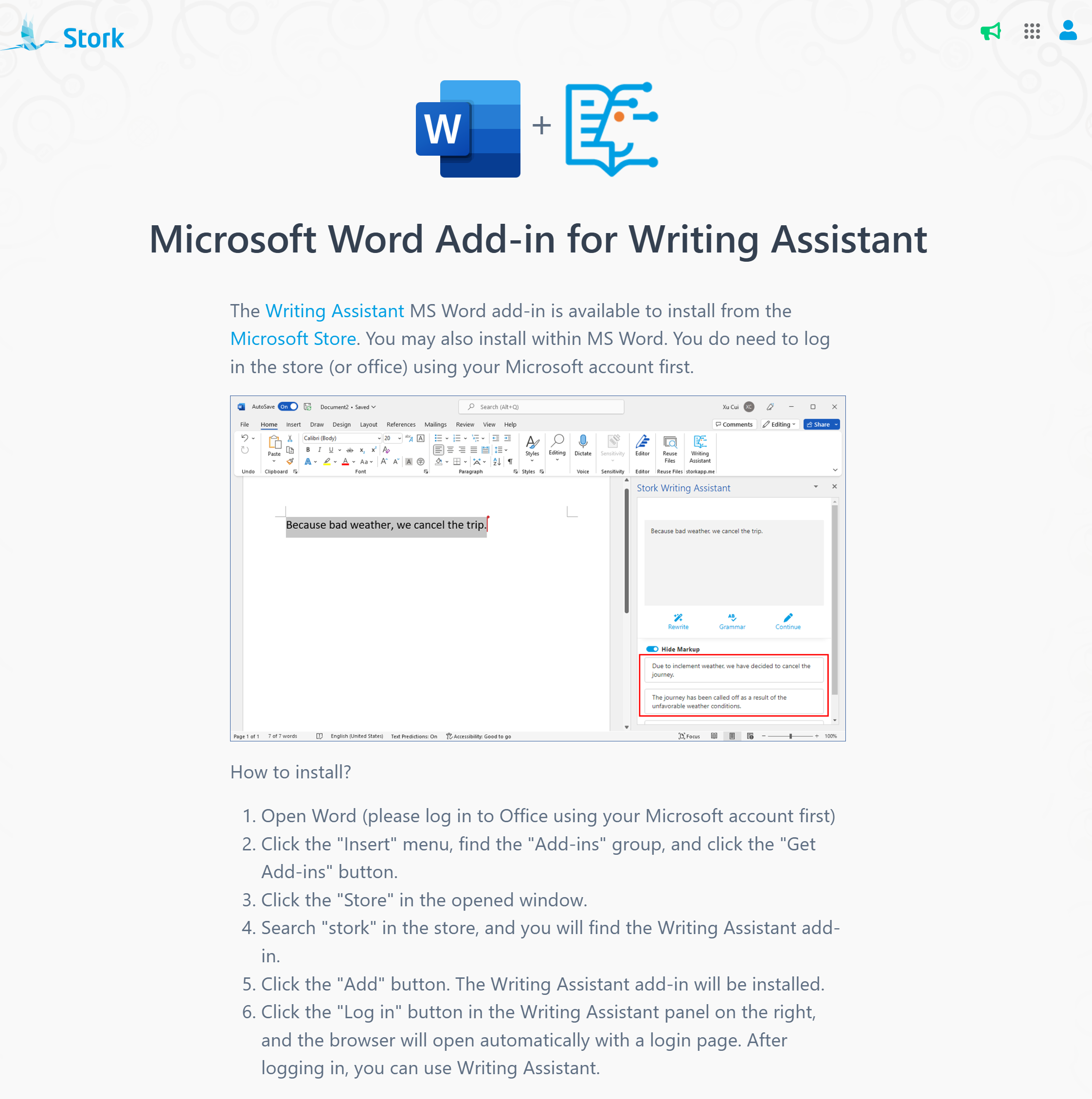
    Simply go to Writing Assistantโ€™s official website (https://www.storkapp.me/writeassistant/) and click โ€œWord Add-inโ€ in the top right corner. This will take you to the download page, where youโ€™ll find the installation link, setup instructions, and troubleshooting tips.


    How to Use Writing Assistant in Word?

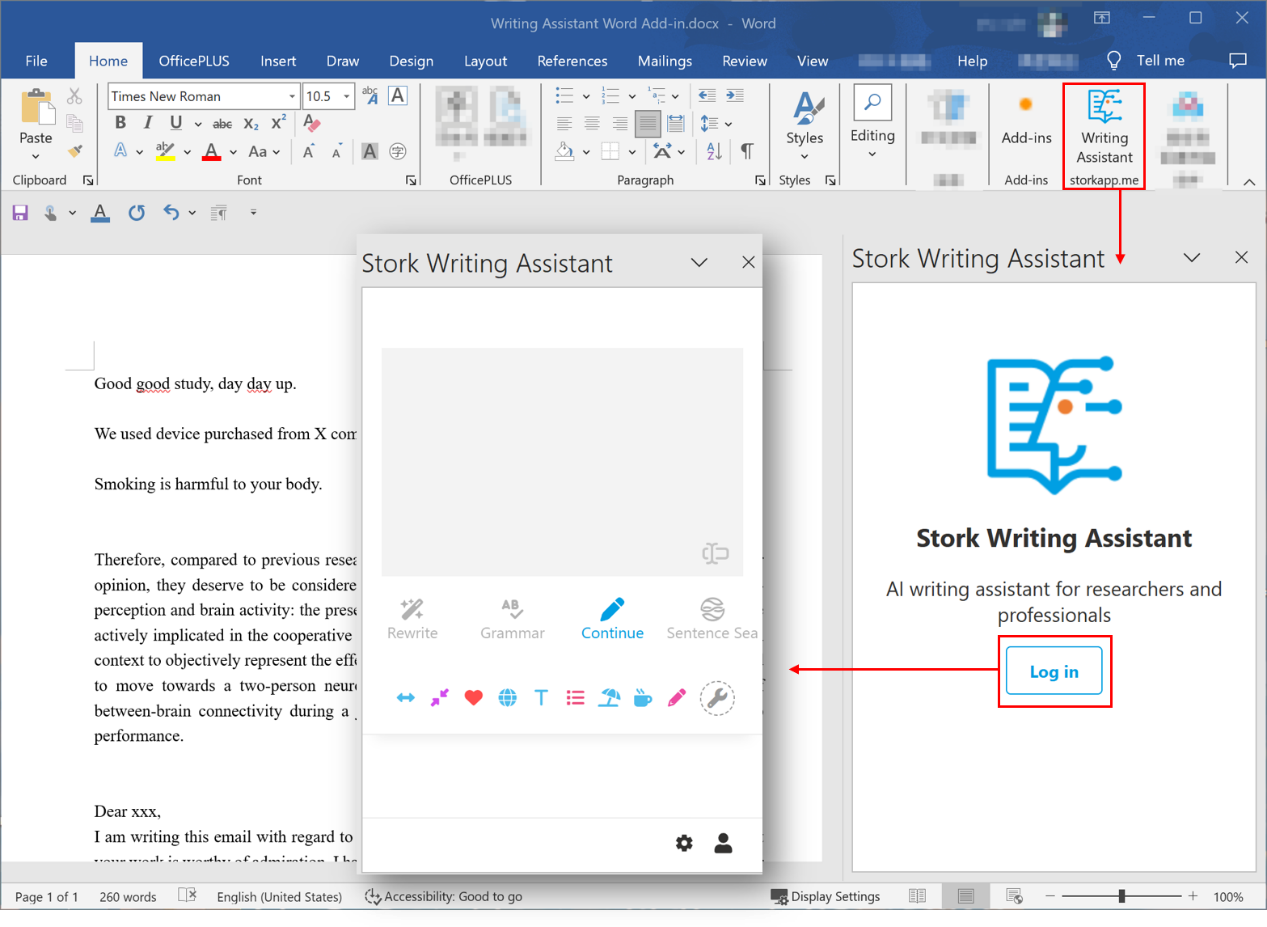
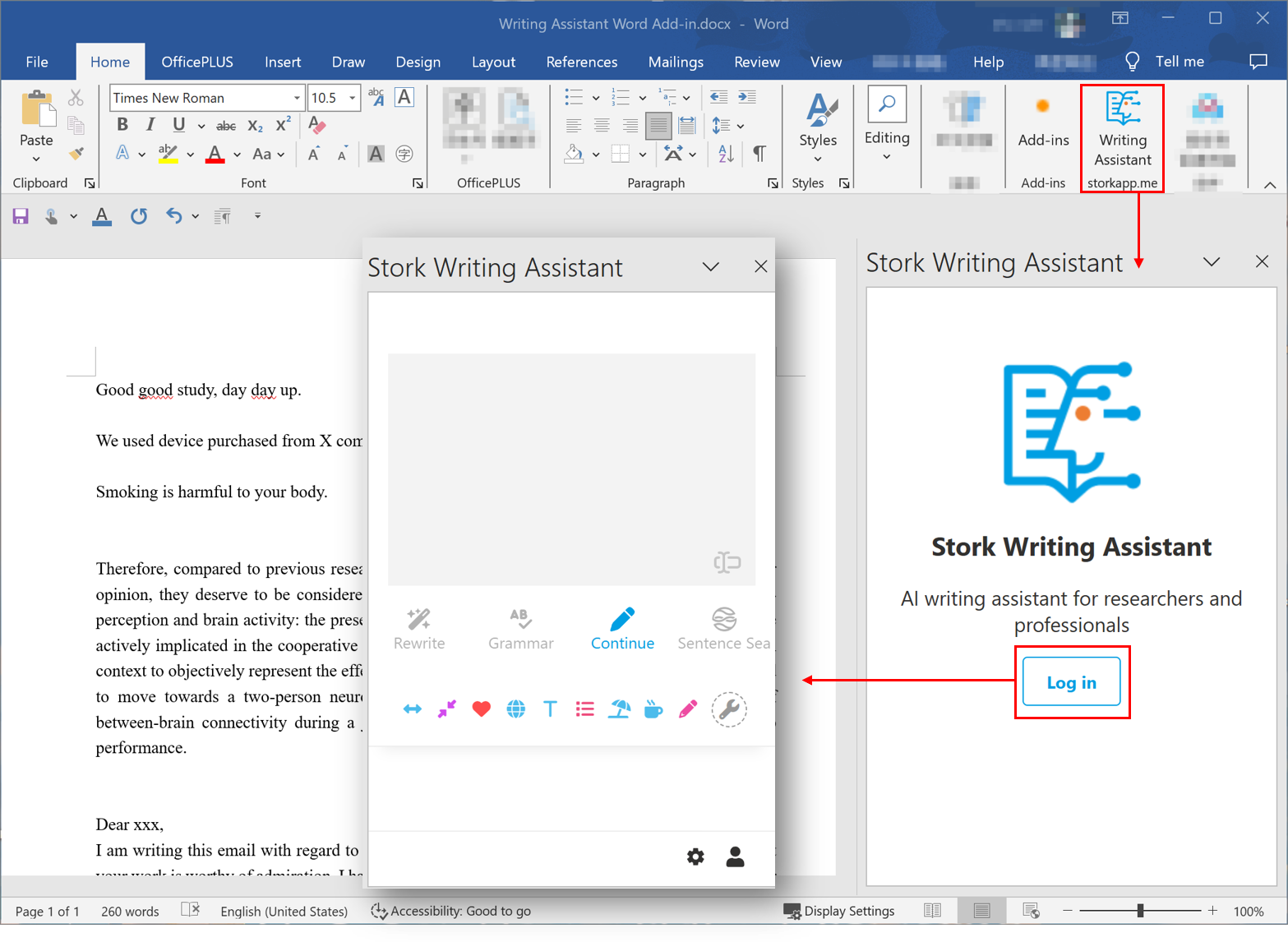
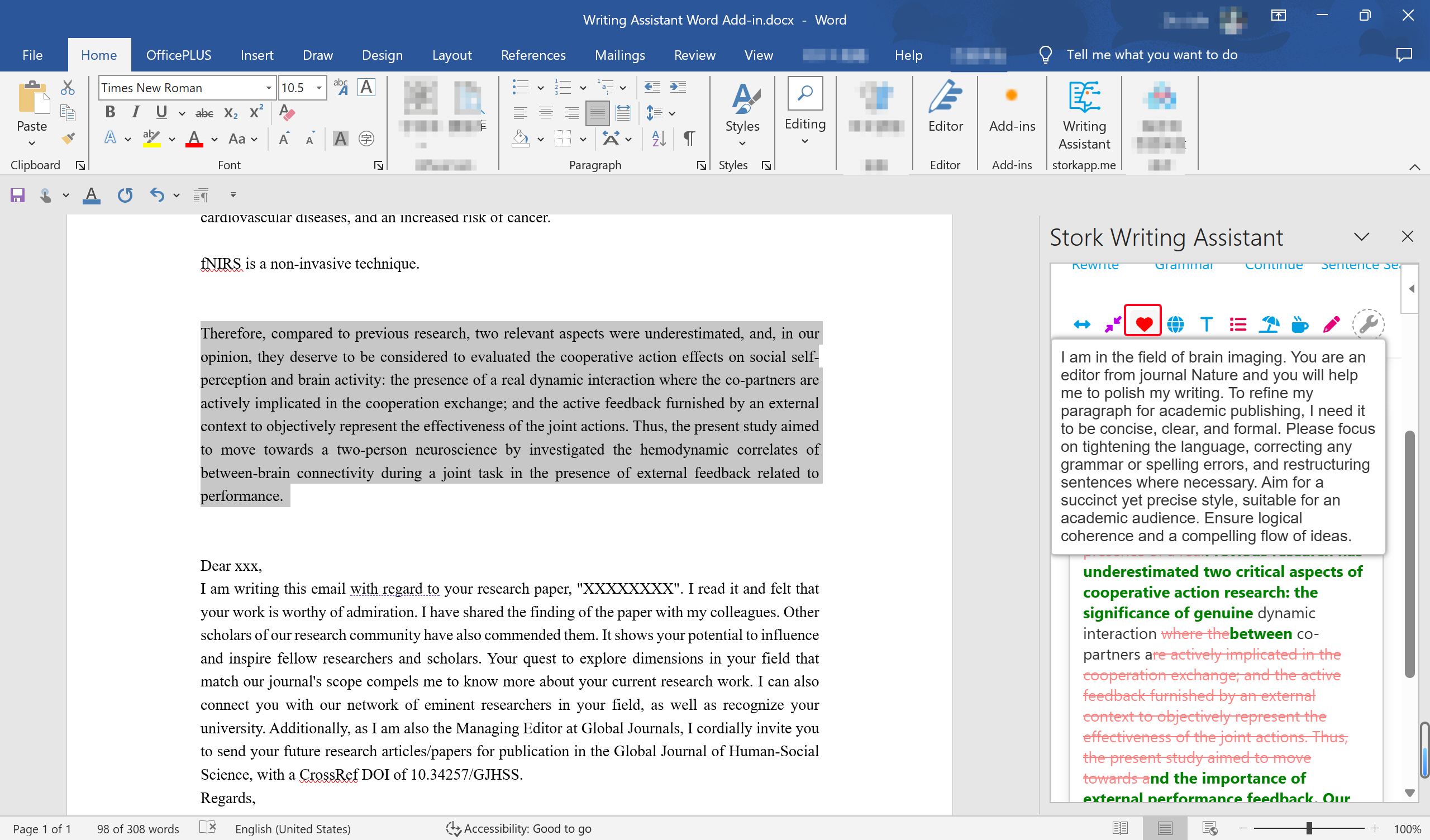
    Once installed, youโ€™ll see Writing Assistant in the top toolbar of Word.  Click on it, log in, and you're ready to go!


    Rewrite

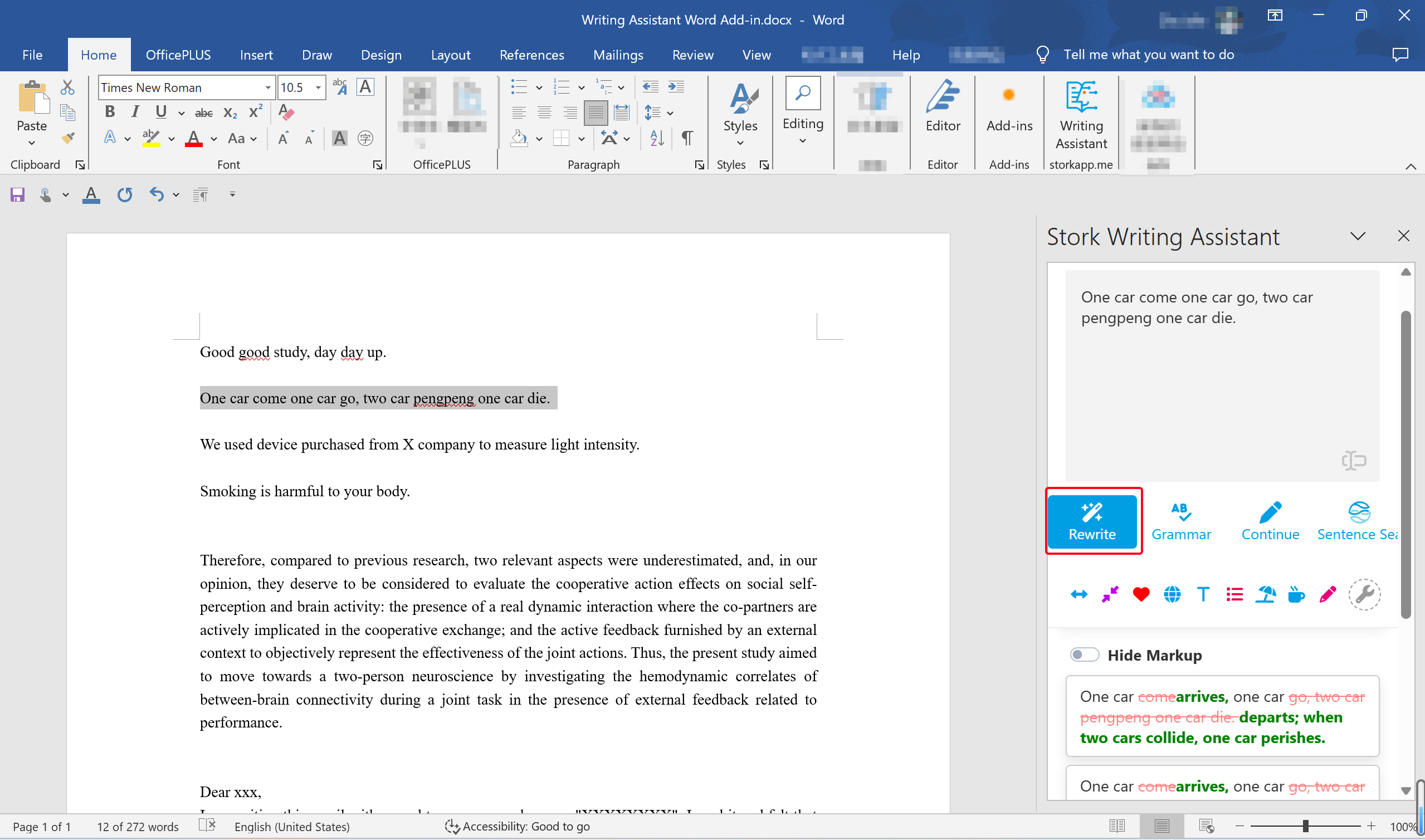
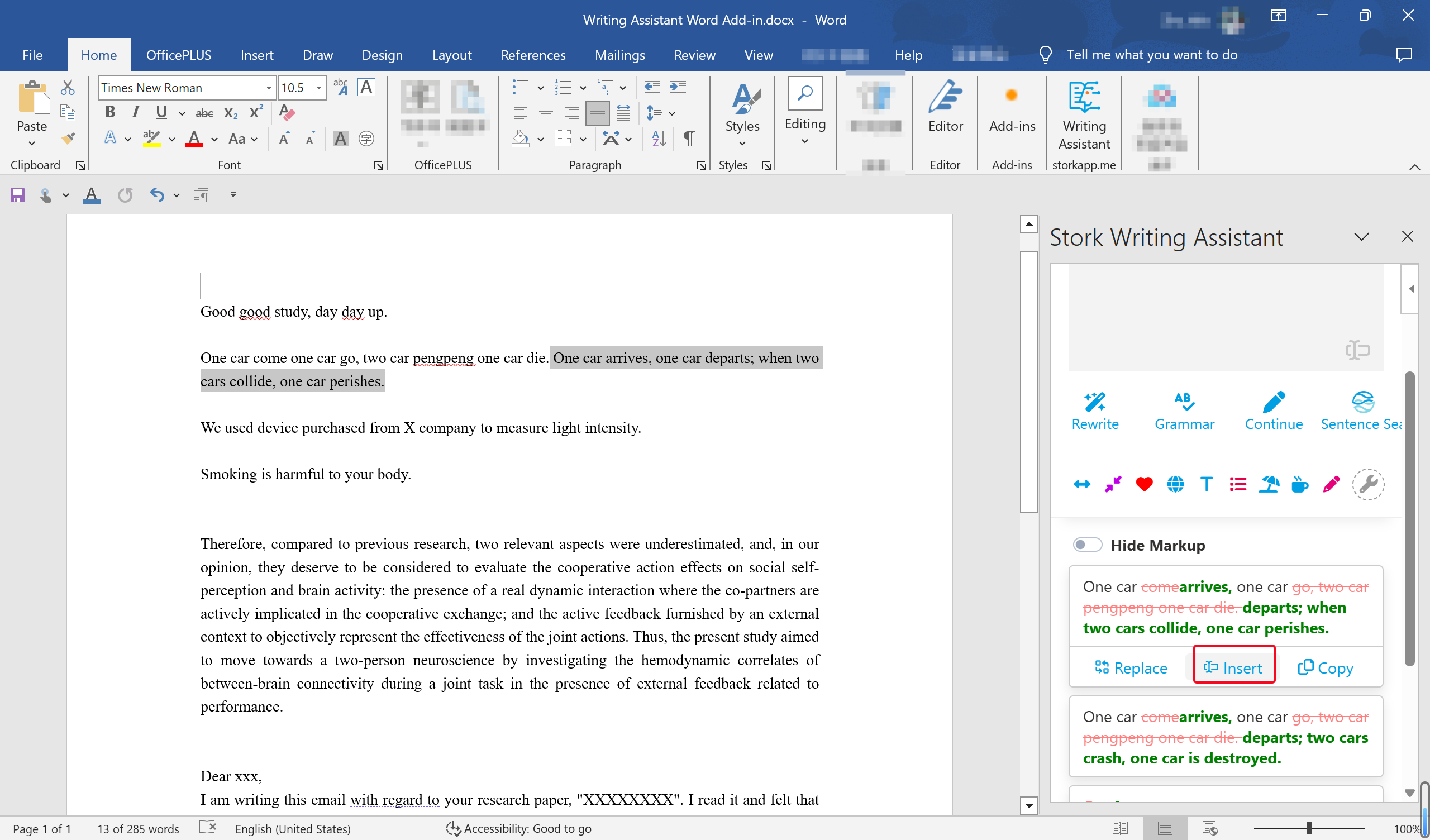
    Select the text (a sentence or a paragraph), and the content will instantly sync to the input box on the right side of Writing Assistant. Next, click on "Rewrite", and youโ€™ll see multiple improved versions. Hover over the version you prefer to see options like [Replace], [Insert], and [Copy]. Choose according to your needs.


    After reading your article, editors will marvel at your English writing skills!


    Grammar

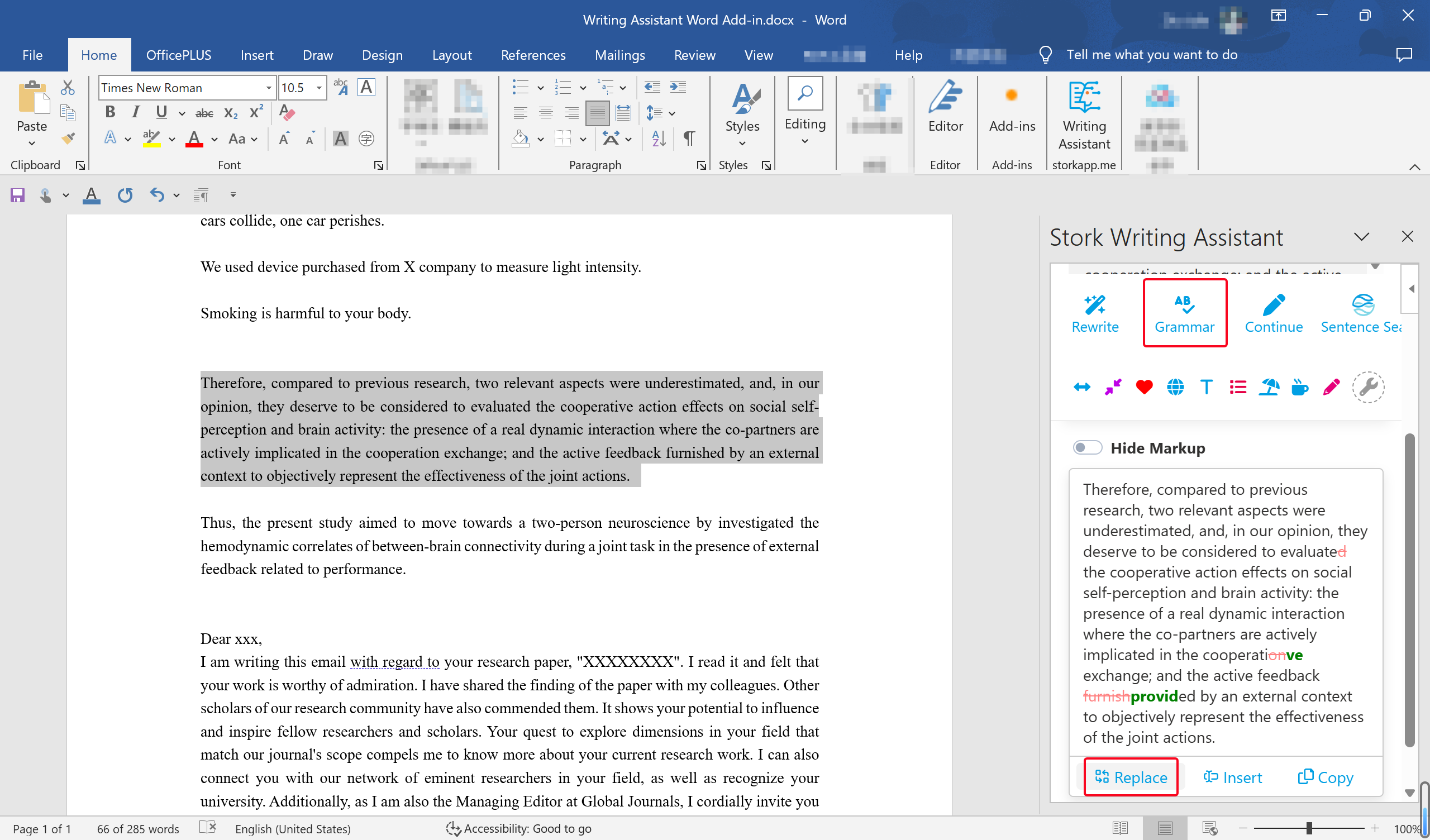
    Three simple steps to eliminate grammar mistakes:


    1 Select a passage.

    2 Click "Grammar".

    3 Replace the original text with the corrected version.


    Run this check before submission, and your reviewers will have fewer critiques! 


    Continue

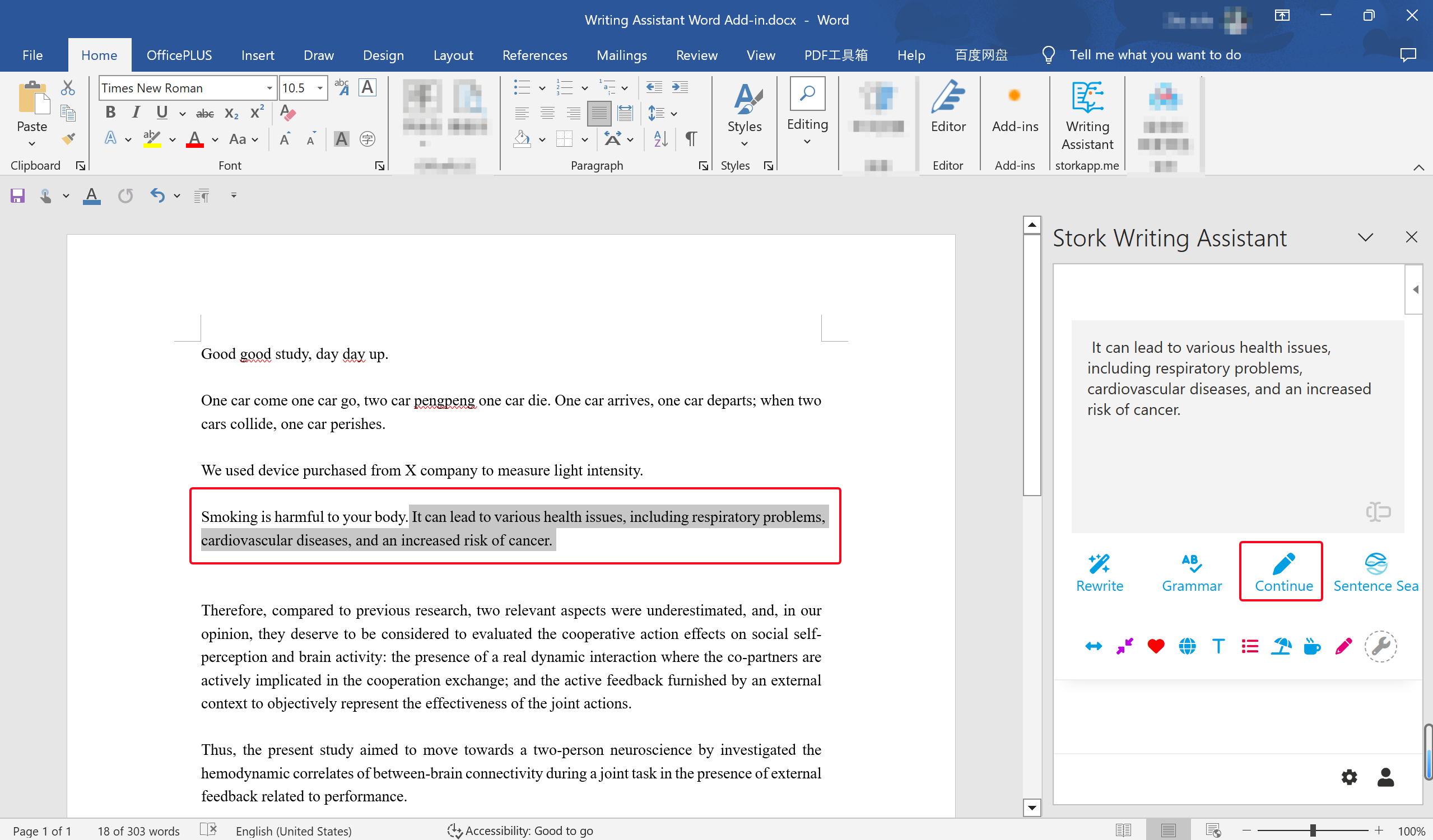
    Need to expand on an idea? The "Continue" feature helps you generate additional content. In the Word version, the generated text is directly inserted into your documentโ€” no need to copy and paste. 


    Sentence Sea

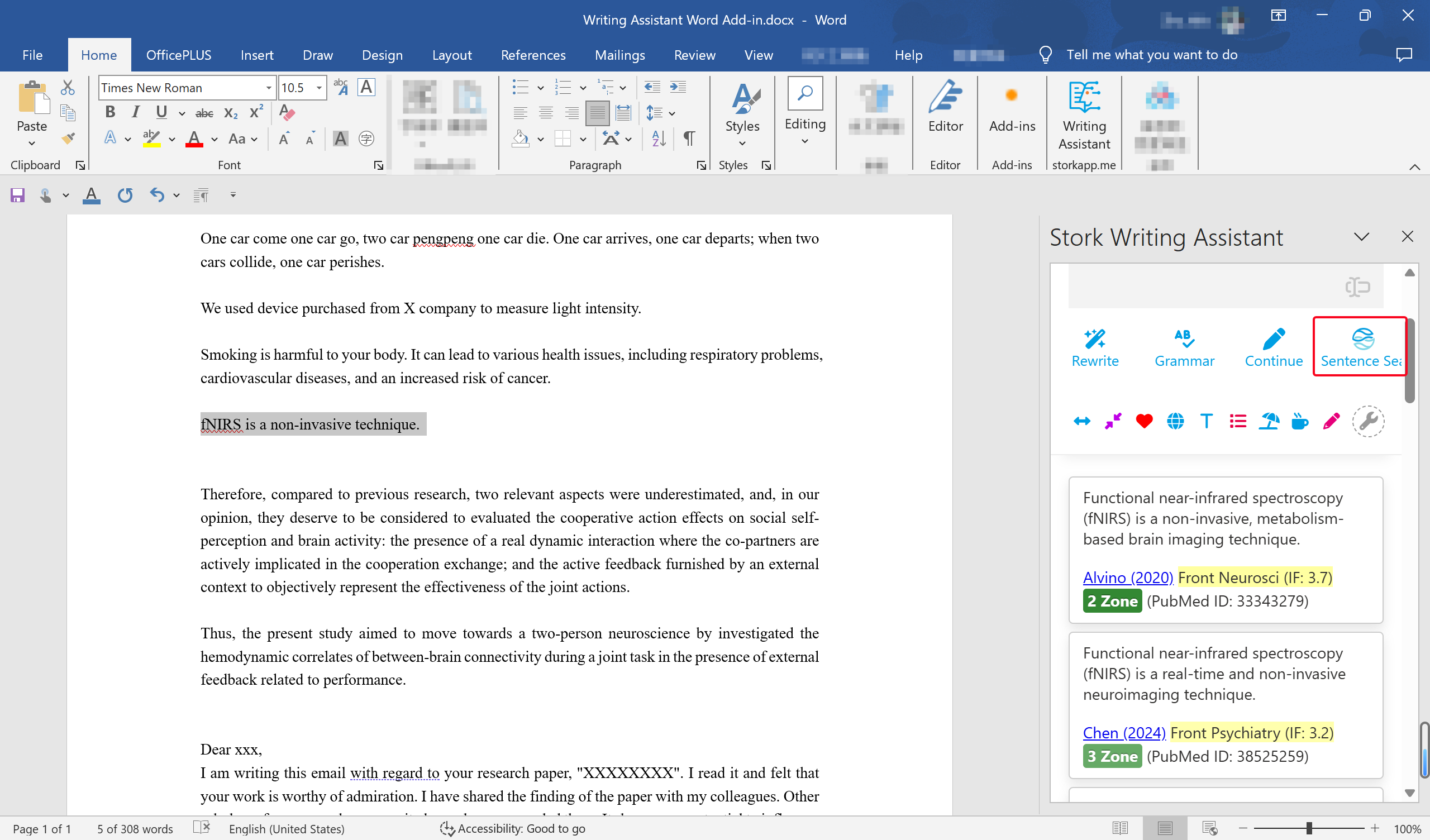
    The "Sentence Sea" can help you find similar sentences in a vast array of literature, providing inspiration and evidence for your writing.


    Custom Instructions

    You can create custom instructions based on your needs, enabling personalized text processing and writing assistance. you can create and manage your own instructions via the settings panel.


    Tips

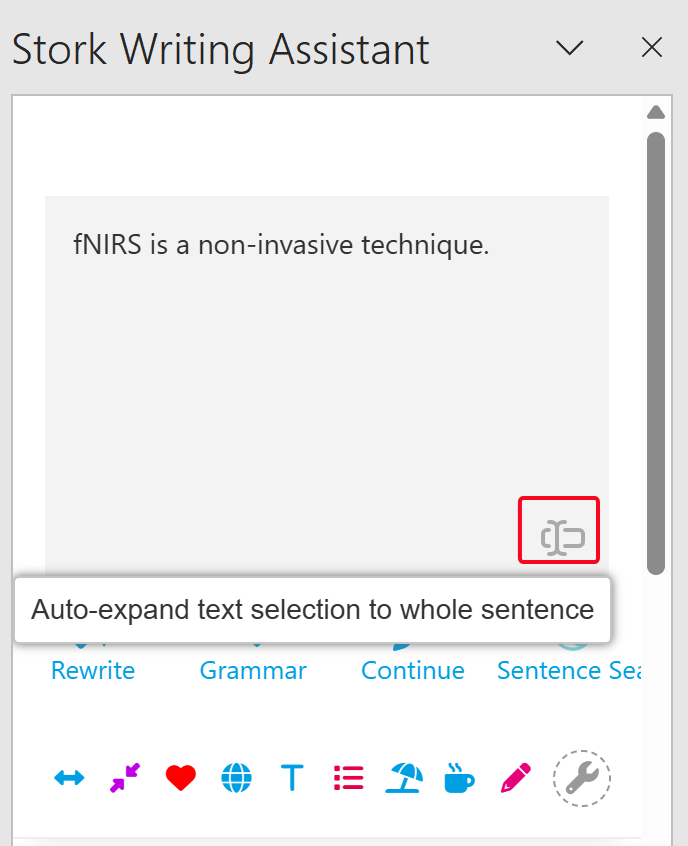
    Enable [Auto Expand] to automatically sync the entire sentence into Writing Assistant panel. Disable it to sync only the selected text.

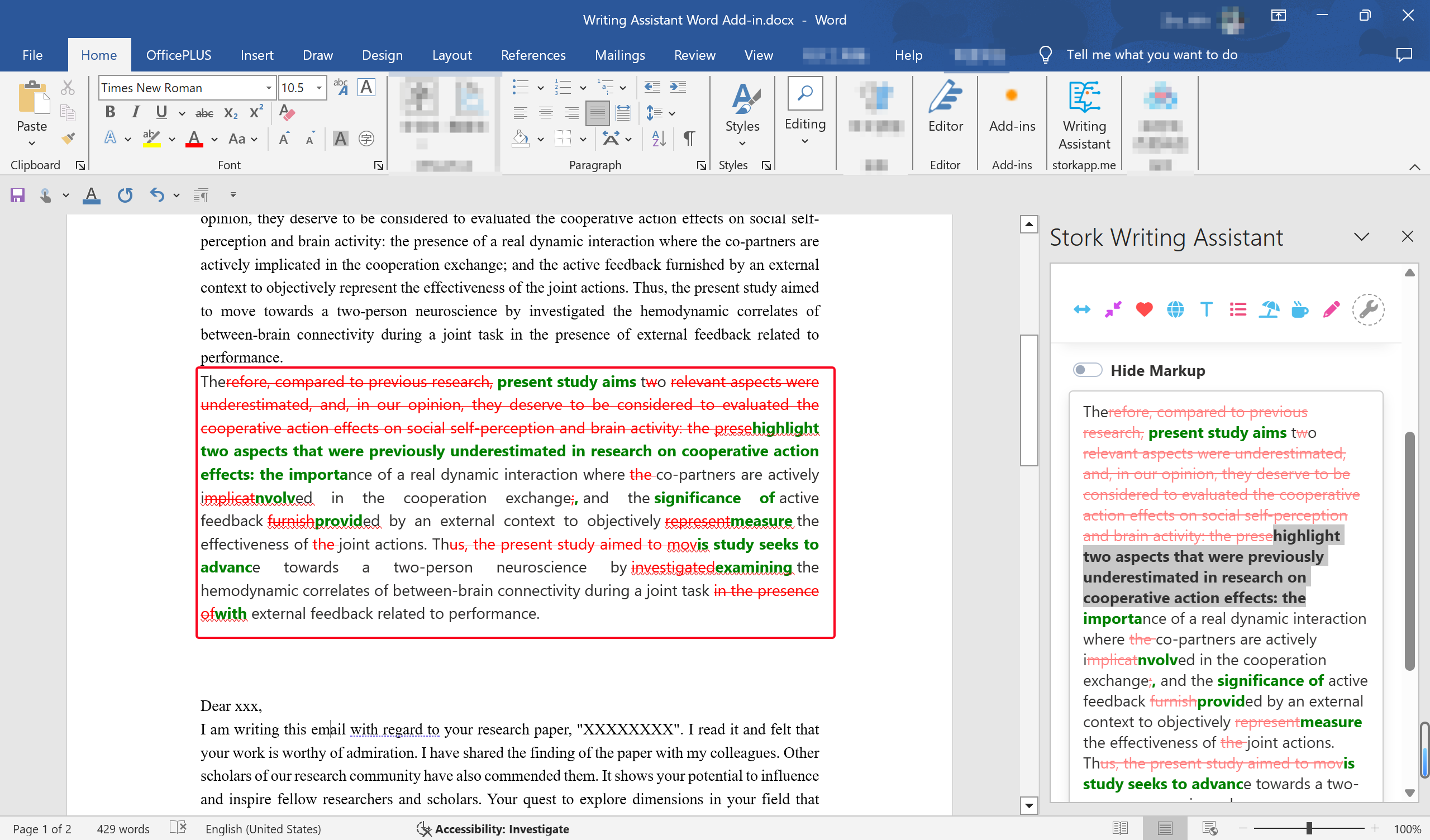
    Want to track changes in Word? Select the modified sentence in Writing Assistant, use your computerโ€™s standard copy function (instead of Writing Assistantโ€™s โ€œCopyโ€ button), then paste it into Word with โ€œKeep Source Formattingโ€.


    Publishing Papers with Writing Assistant

    Over 30 papers have already used Writing Assistant to enhance and improve their manuscript.

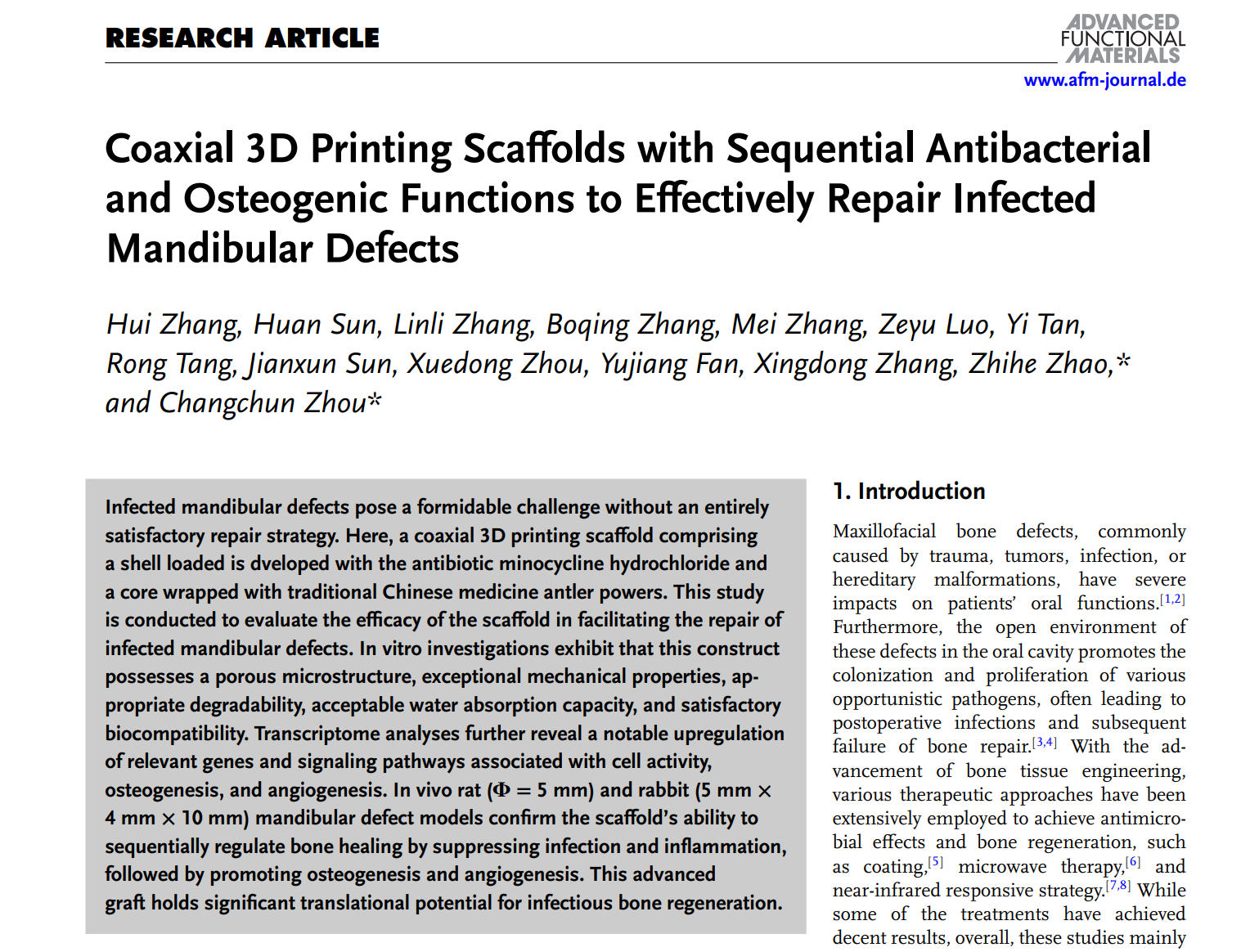
    The paper in Advanced Functional Materials (Q1, IF=18) included the following in the acknowledgments:


    "The authors thank Stork (https://www.storkapp.me/writeassistant/) for its linguistic assistance during the preparation of this manuscript. "


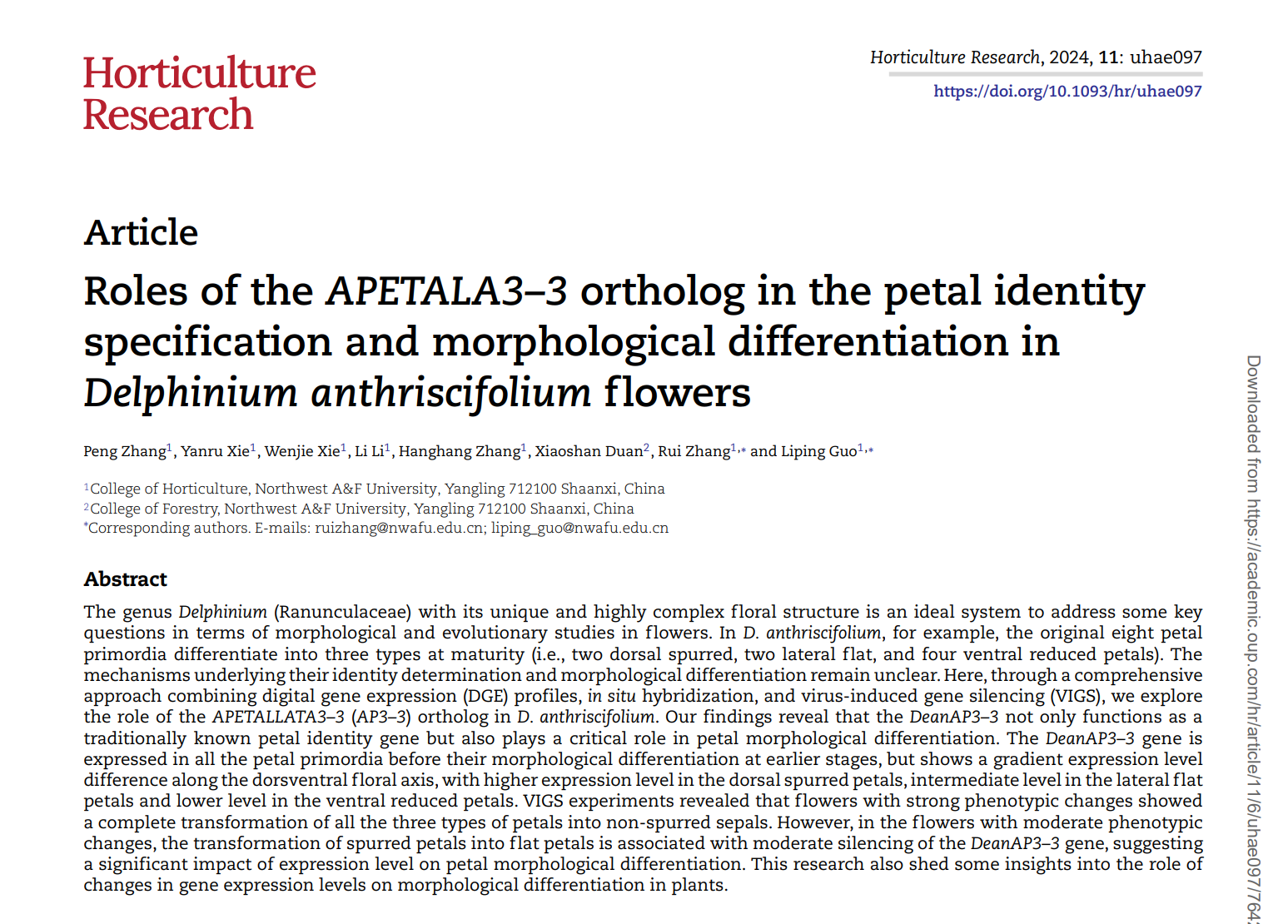
    This article in Horticulture Research (Q1, IF=7.6) mentioned:


    " Some text in this paper was polished by Storkโ€™s Writing Assistant (https:// http://www.storkapp.me/writeassistant/). "

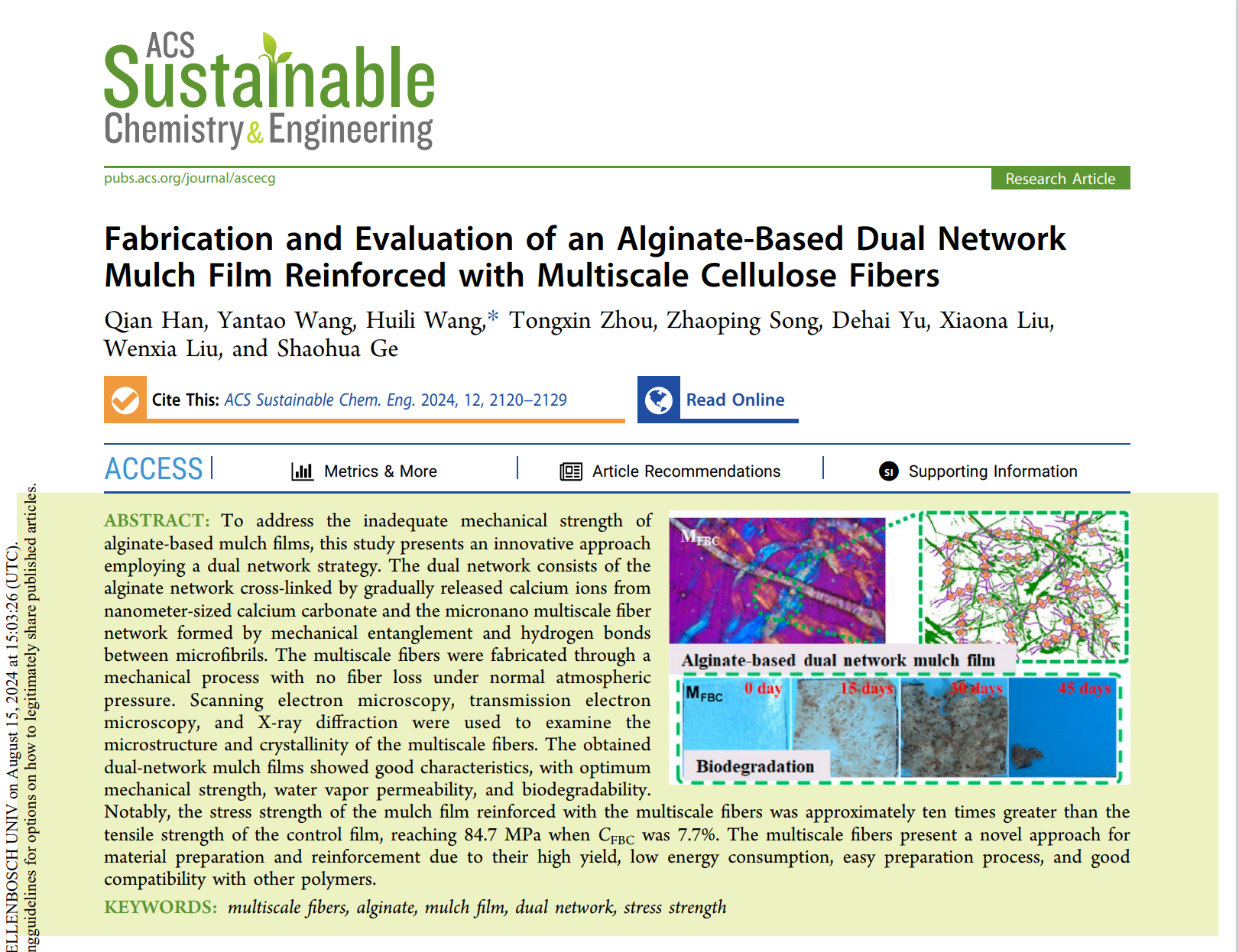
    This manuscript published in ACS Sustainable Chemistry and Engineering (Q1, IF=7.1) noted:


    "Some text in this paper was polished by Storkโ€™s Writing Assistant."


    If you havenโ€™t tried this Word add-in for Writing Assistant yet, now is the perfect time to open Word and explore. It could quickly become your new favorite writing companion.


    ใ€How to useใ€‘

    Writing Assistant is an advanced feature offered by Stork (free trial is available). After registering/logging into Stork (https://www.storkapp.me), you can find Writing Assistant under the "Advanced Feature" section. Then you can try it out or subscribe. Alternatively, you can visit Writing Assistant website directly at https://www.storkapp.me/writeassistant/.


  • Writing Assistant helped Guo’s team publish in Acta Biomaterialia


     Info

    "The text in this paper was polished and significantly improved by Stork's Writing Assistant (https:// http://www.storkapp.me/writeassistant/)."


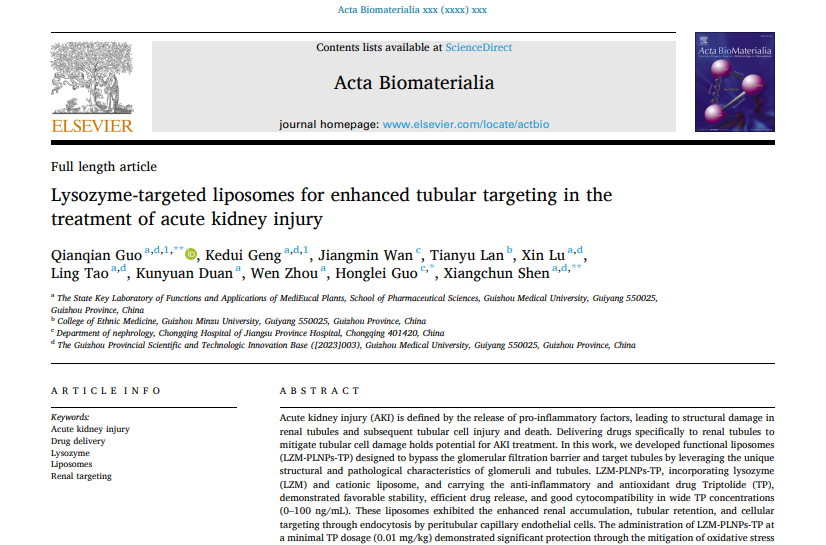
    Recently, Qianqian Guo and her team from the State Key Laboratory of Functions and Applications of Medicinal Plants, School of Pharmaceutical Sciences at Guizhou Medical University in China published a paper titled "Lysozyme-targeted liposomes for enhanced tubular targeting in the treatment of acute kidney injury" in the journal Acta Biomaterialia. The paper cited Writing Assistant of Stork. You can access the paper here: https://doi.org/10.1016/j.actbio.2024.12.026


    This article acknowledged Stork's Writing Assistant in the Acknowledgment section:


    "The text in this paper was polished and significantly improved by Stork's Writing Assistant (https:// http://www.storkapp.me/writeassistant/)."


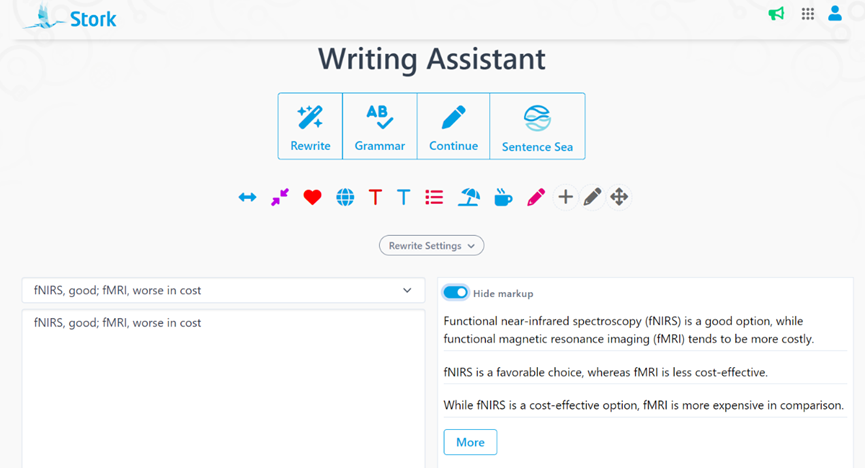
    Stork's Writing Assistant can help you with text polishing, grammar correction, and paragraph expansion, etc.


     ใ€How to useใ€‘

    Writing Assistant is an advanced feature offered by Stork (free trial is available). After registering/logging into Stork (https://www.storkapp.me), you can find Writing Assistant under the "Advanced Feature" section. Then you can try it out or subscribe. Alternatively, you can visit Writing Assistant website directly at https://www.storkapp.me/writeassistant/


     Tips

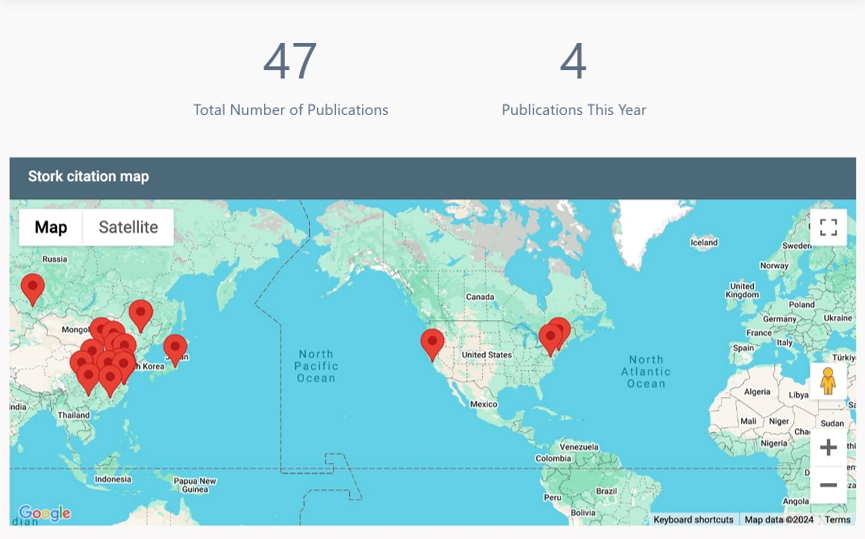
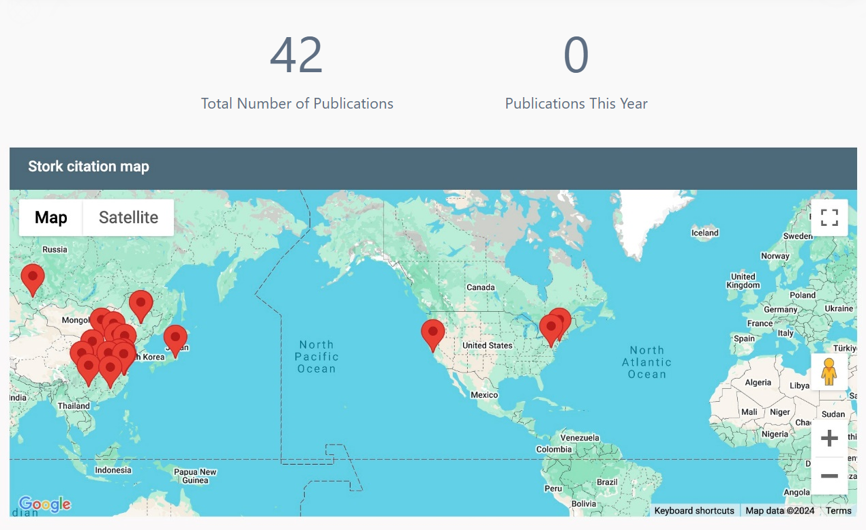
    To date, more than 40 scientific papers have cited Stork. If you cite Stork in your paper, please let us know at support@storkapp.me, and we'll offer you a discount based on the journal's impact factor when you subscribe to Writing Assistant or other advanced features.


  • ใ€AI Paper Upgradeใ€‘Quality Citations, Structured Discussions, and a Smoother UI


    TL; DR

    AI Paper gets a major upgrade๏ผš

    1) Quality Citations – Prioritizes highly cited and the latest research; Improves alignment between sentences and cited references;

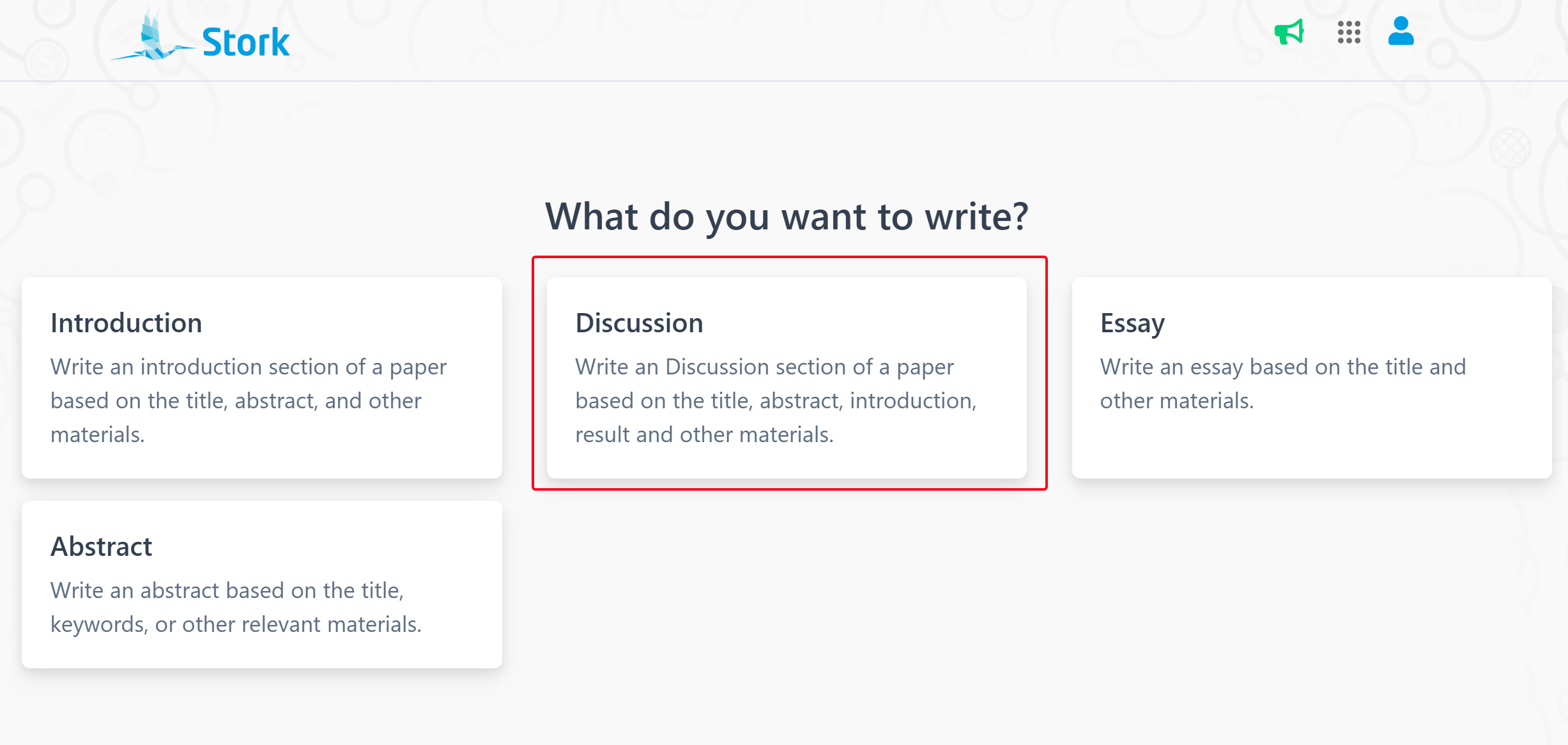
    2) Structured Discussions – Now supports generating discussion content for your paper;

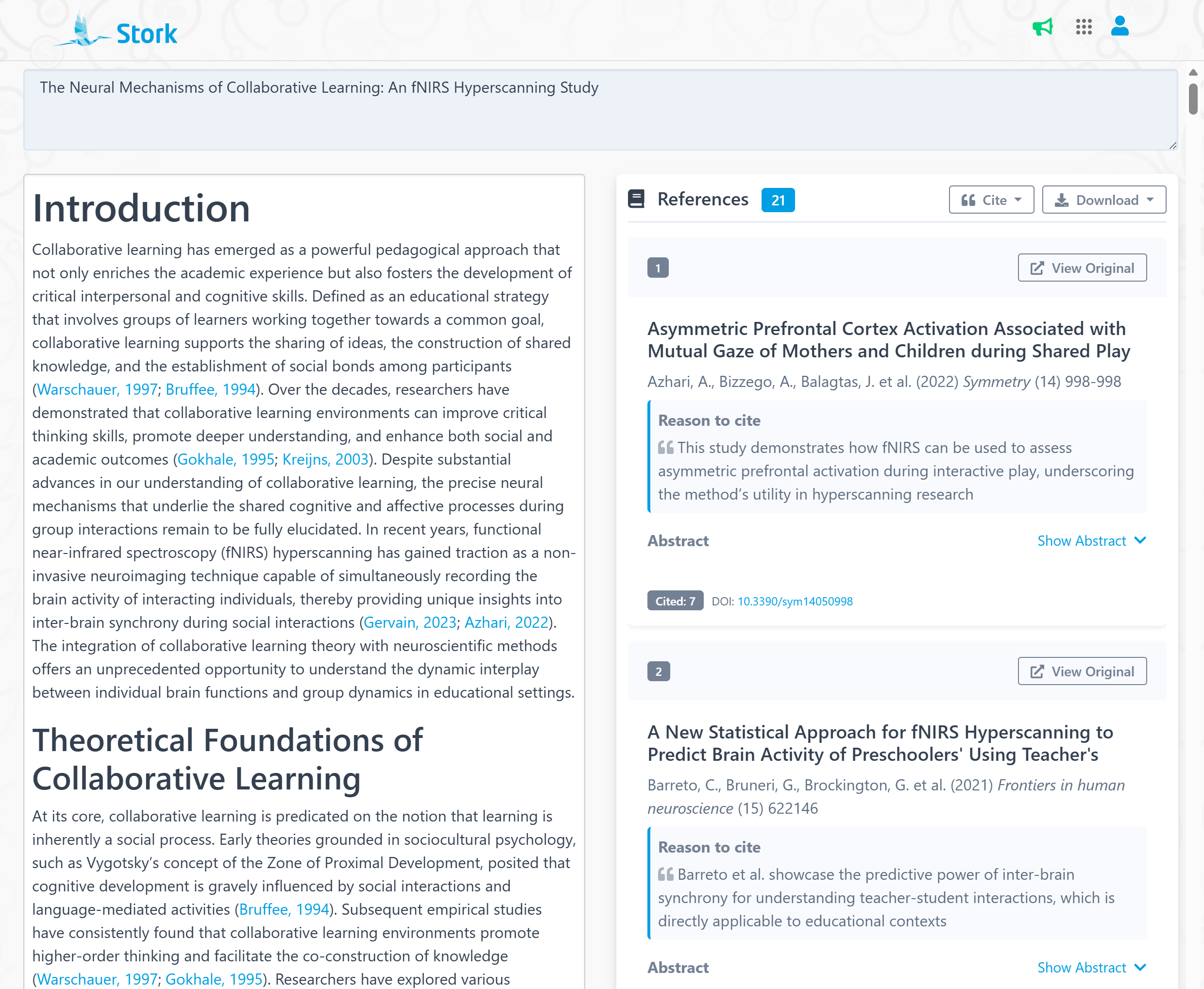
    3) Smoother UI – Now, the reference list appears on the right side of your document, dynamically following your writing; Each reference now includes citation count, abstract, DOI, PubMed ID, and even a reason to cite.


    AI Paper have made it easy for researchers to write papers. It can write structured drafts, including introductions, essays, abstracts, and now, discussion sections.


    Now, AI Paper is getting even better! With an improved UI, more authoritative references, and better content alignment between sentences and cited references, this upgrade meets the demands of top-tier academic writing!


    More Friendly UI

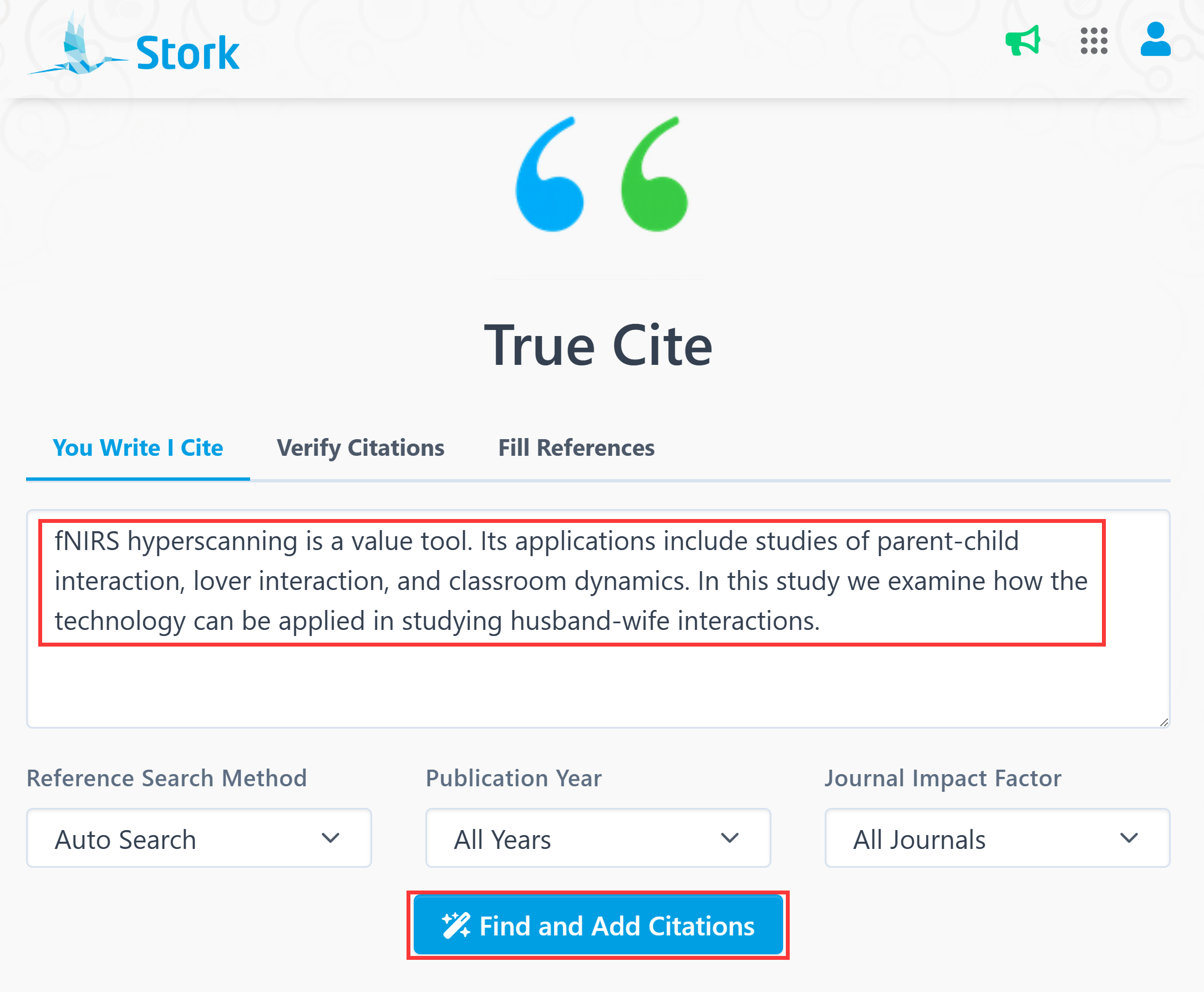
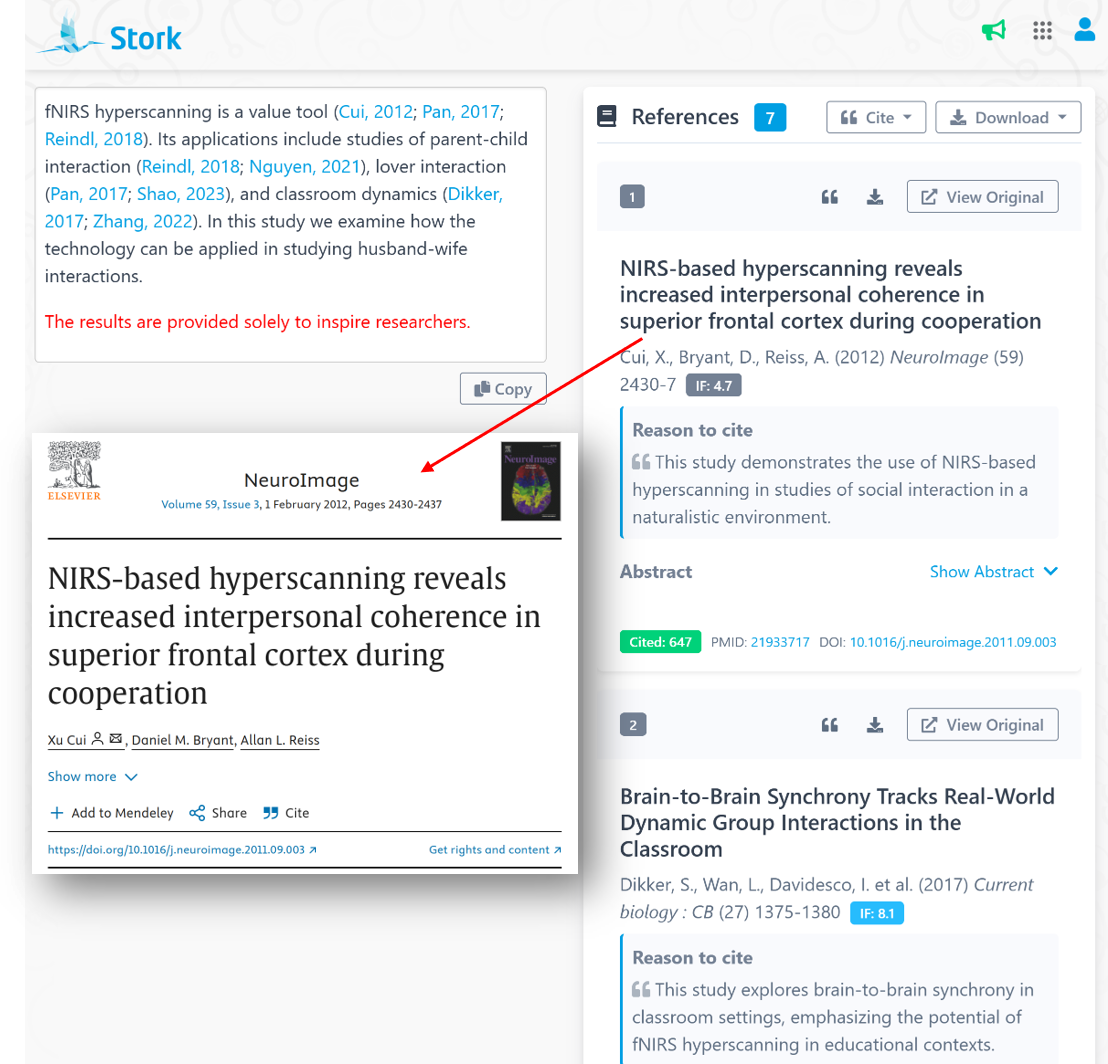
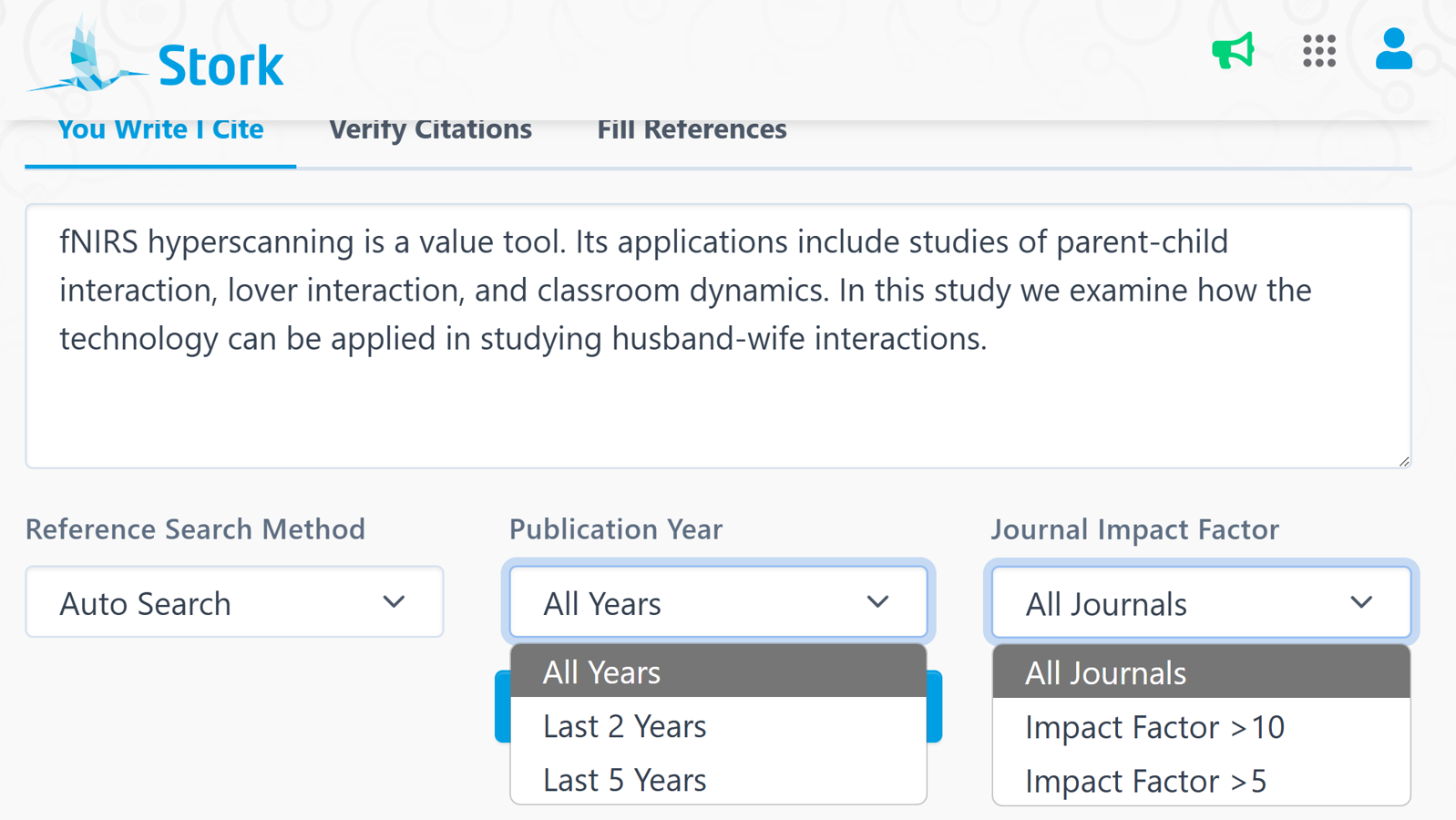
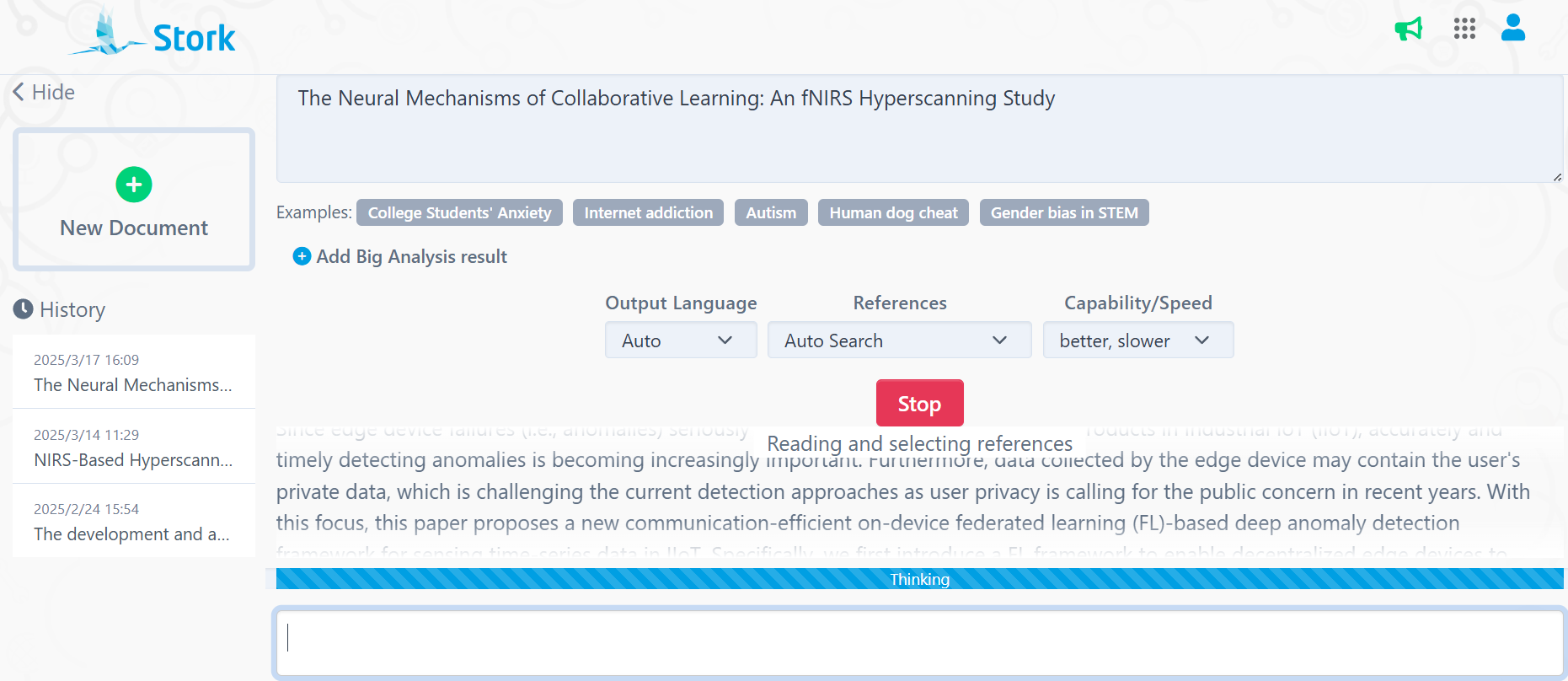
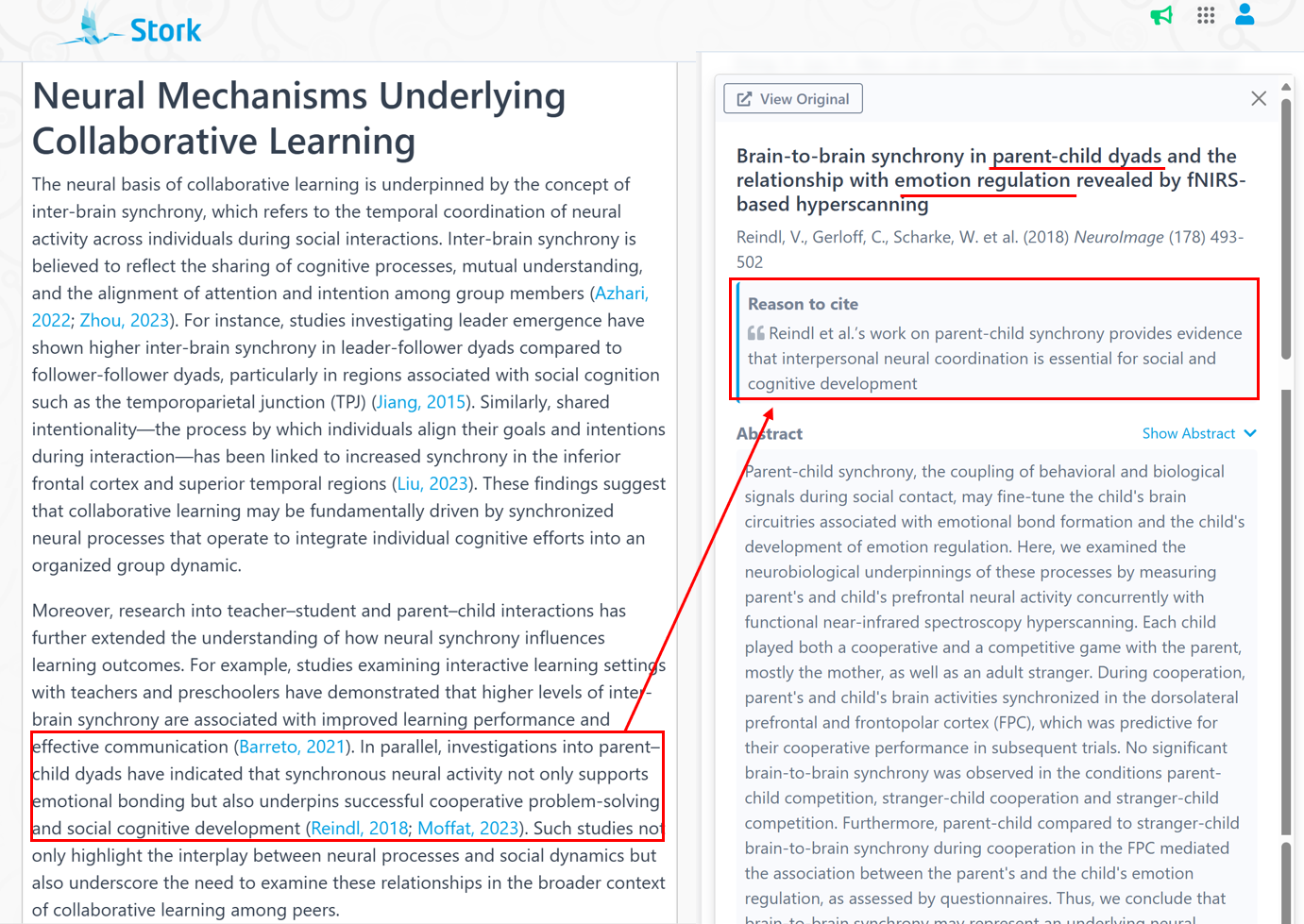
    AI Paper now provides a more interactive and transparent interface. For example, if you input โ€œTitle: The Neural Mechanisms of Collaborative Learning: An fNIRS Hyperscanning Studyโ€,  the references information it reads is display in real time.


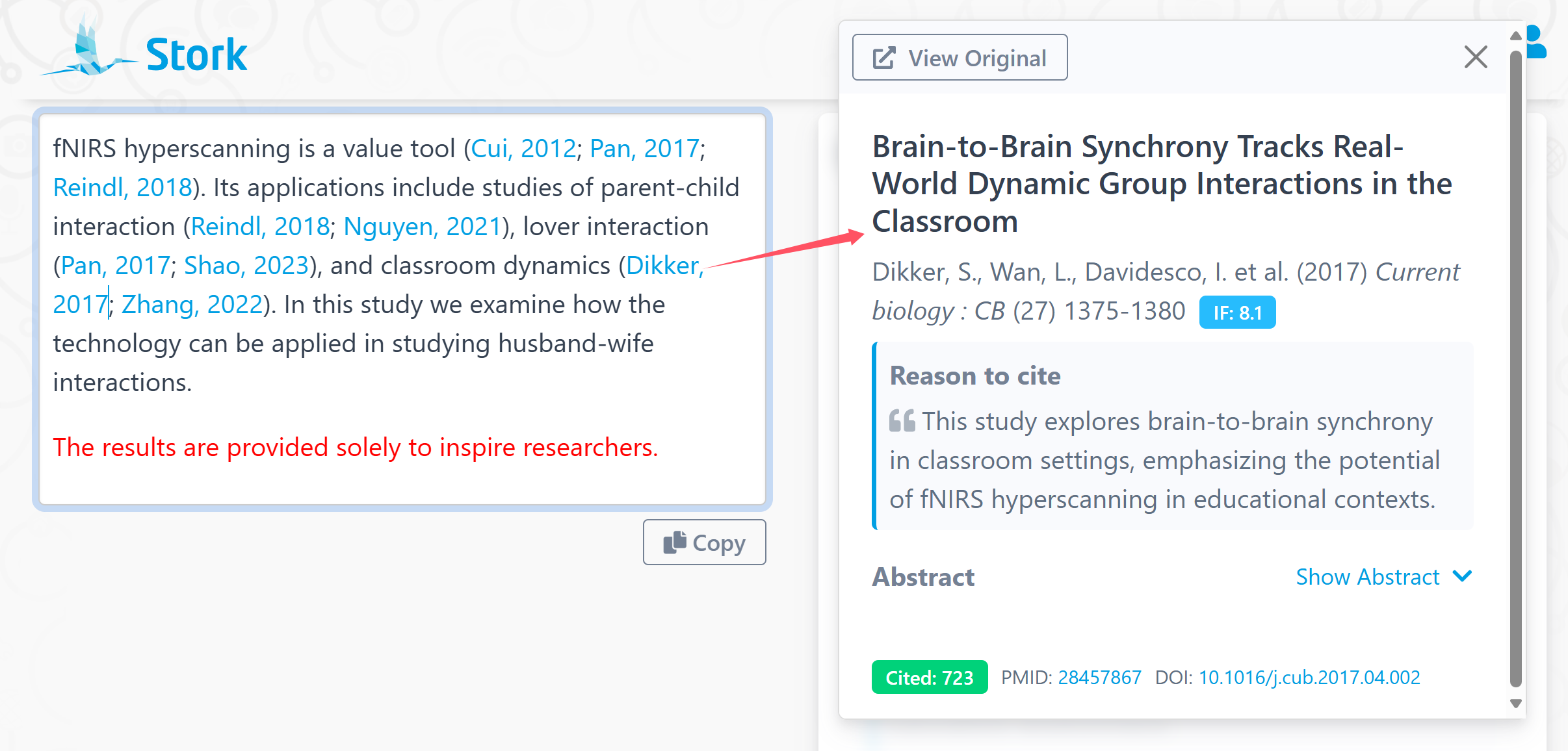
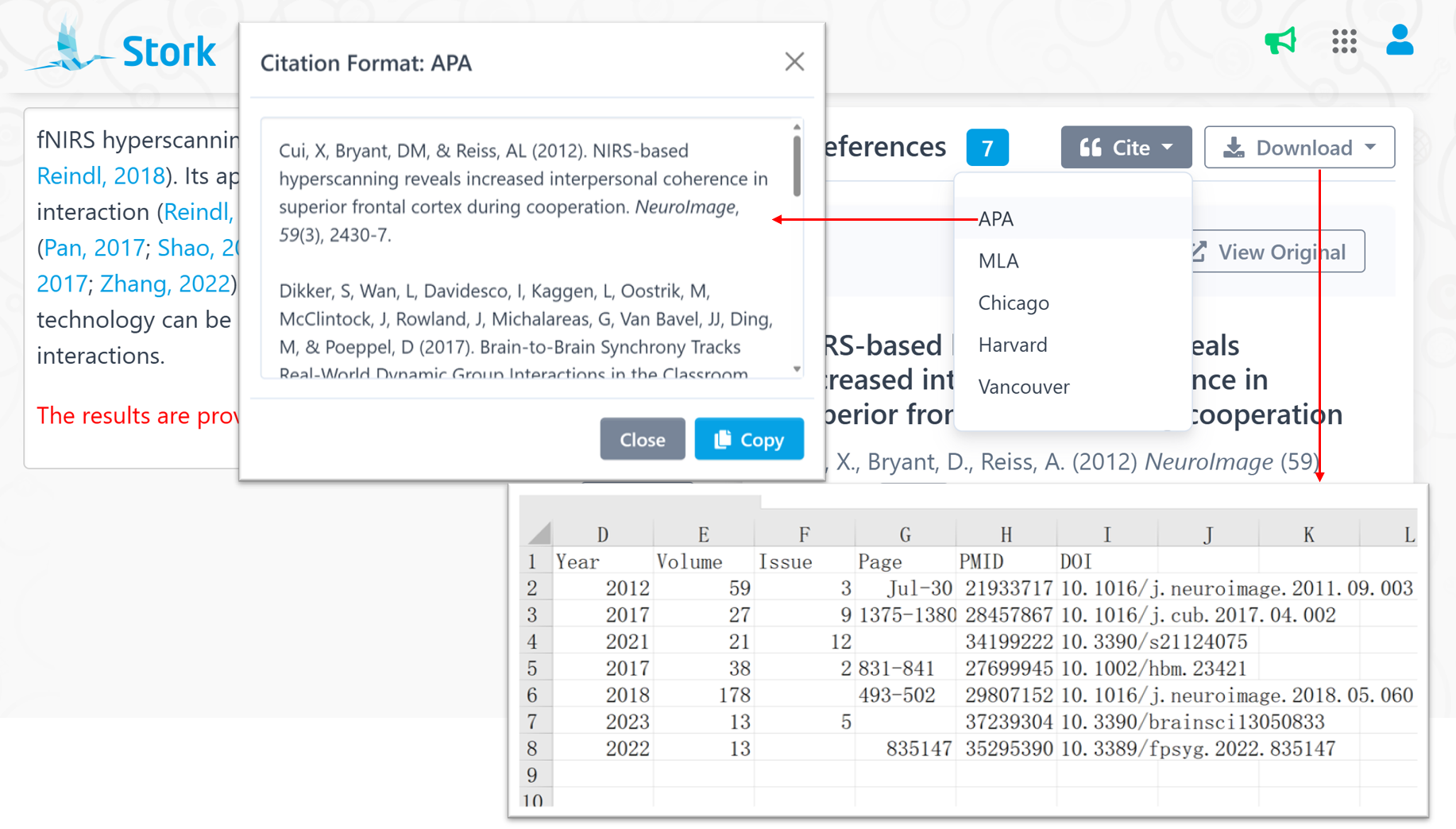
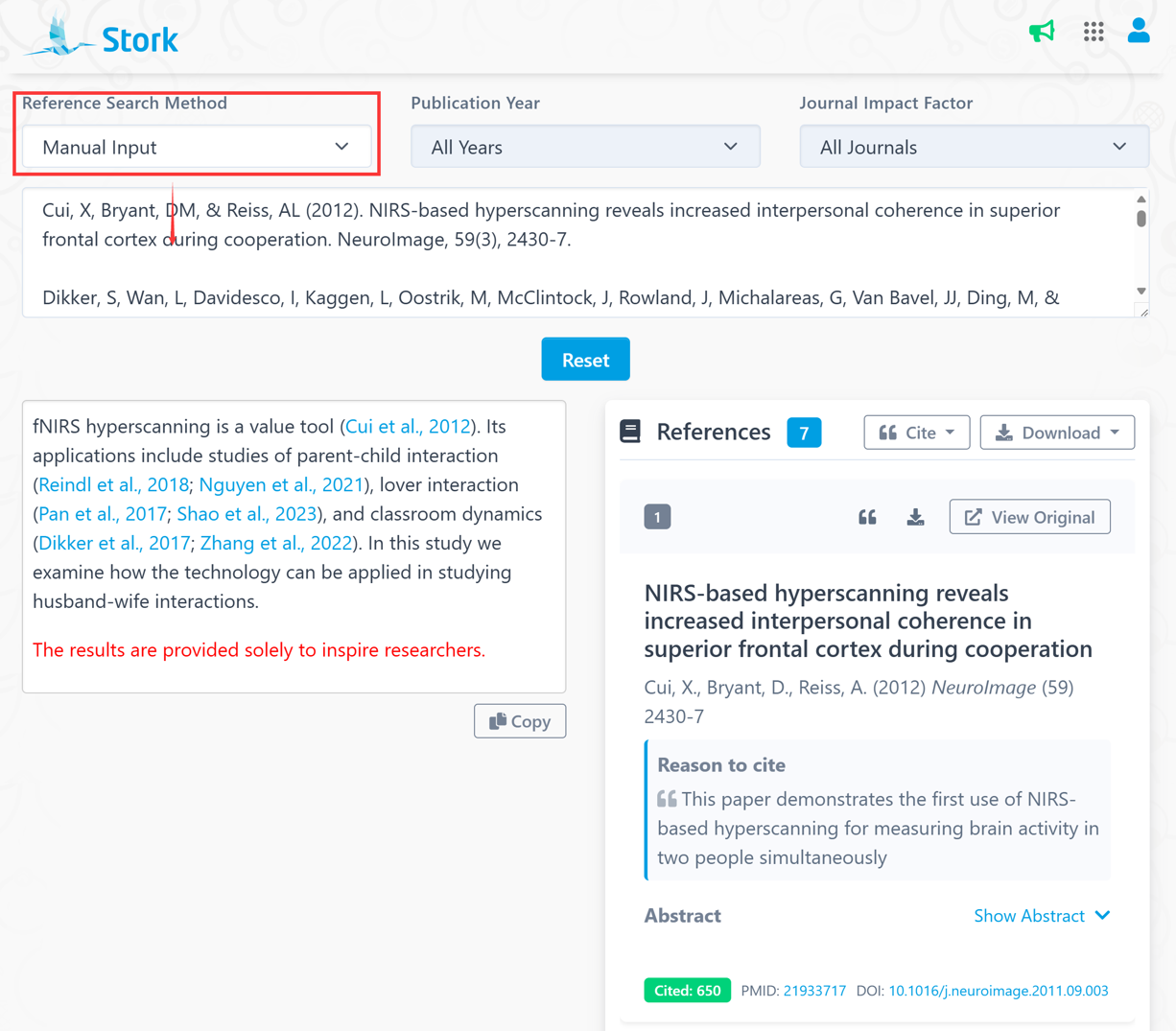
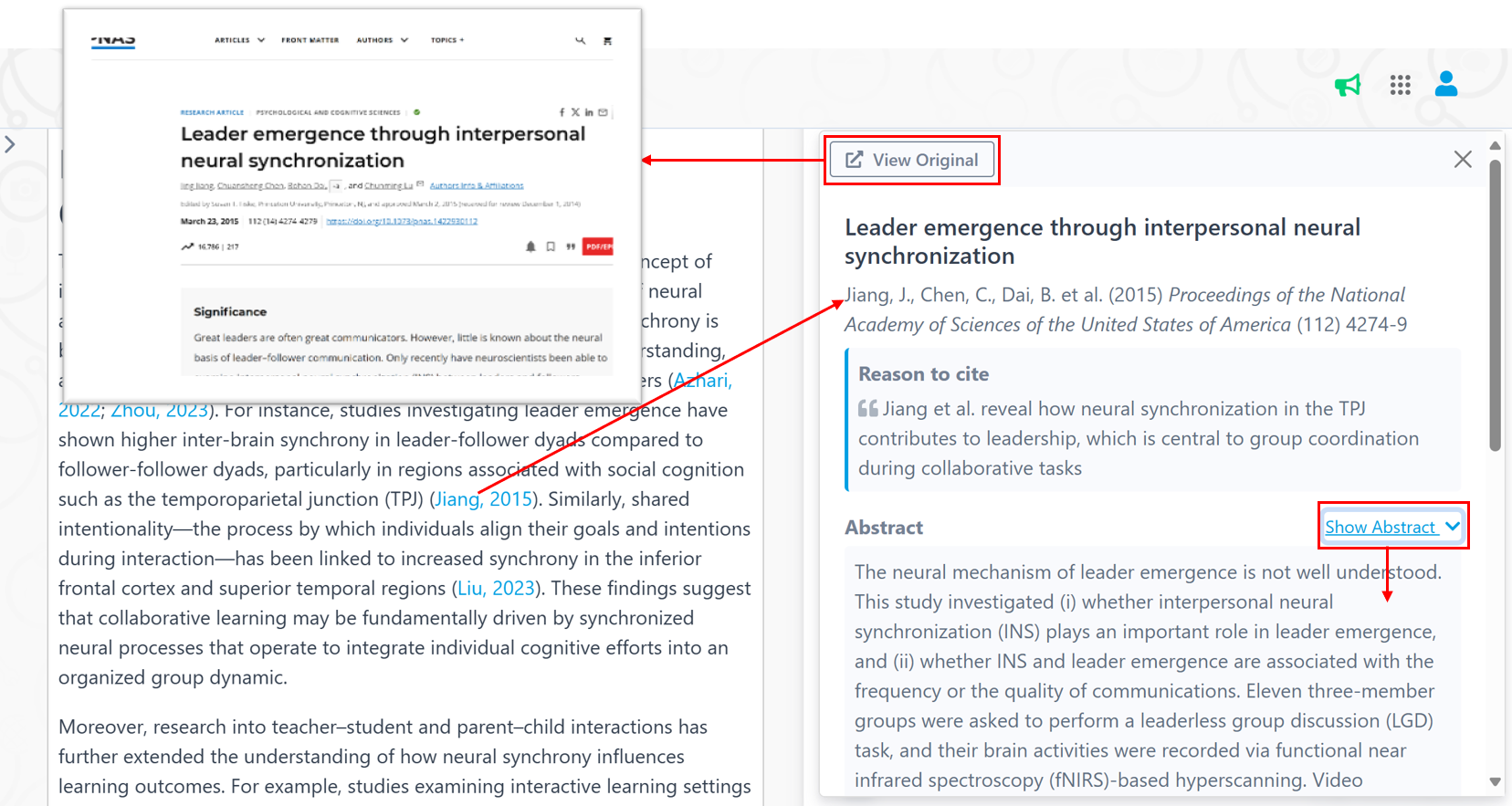
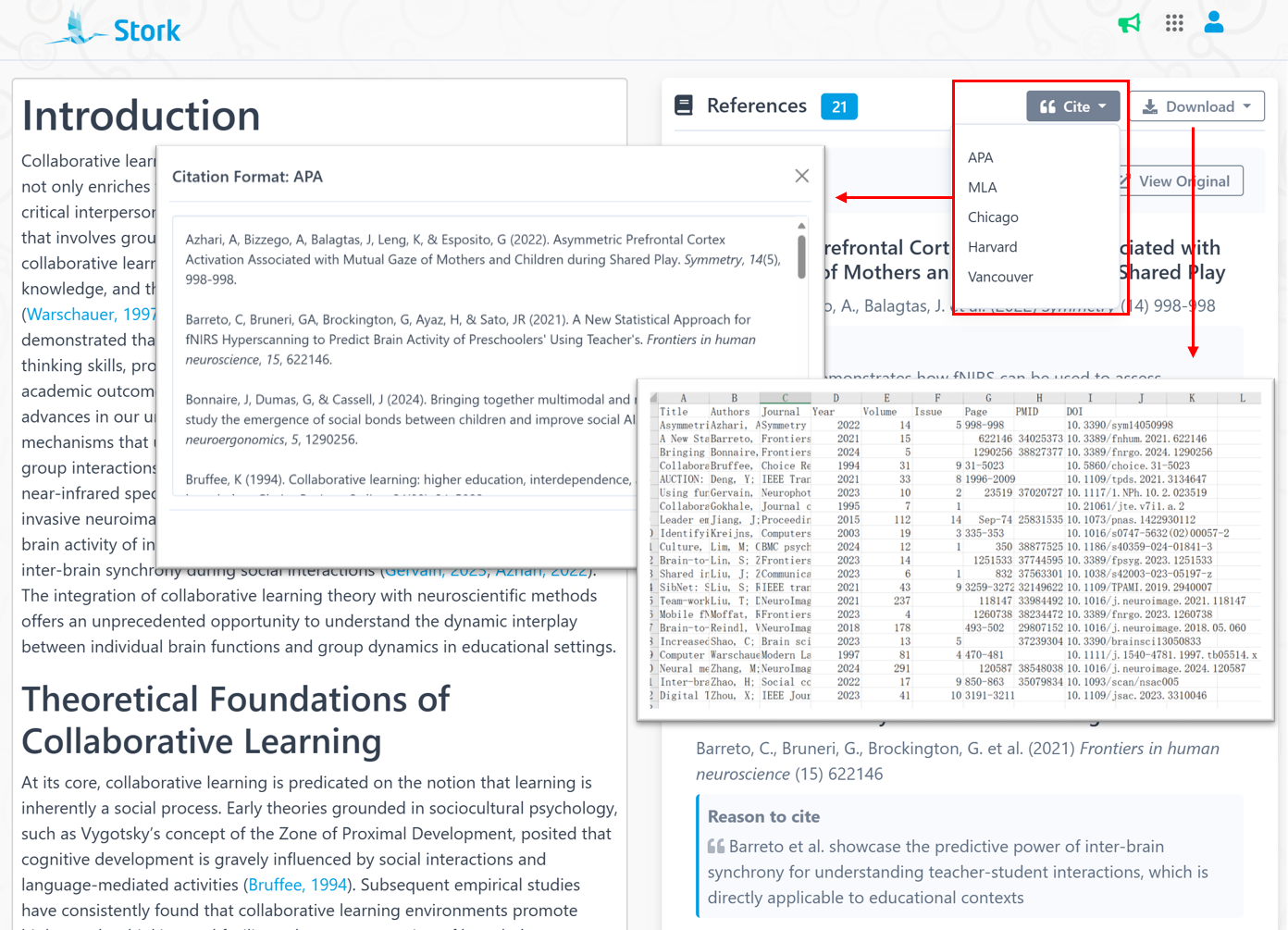
    When completed, all references are automatically sorted alphabetically and displayed on the right side. Each reference comes with detailed information, including citation count, DOI, and PubMed ID. Clicking on any in-text citation will display full details on the right panel, allowing you to view abstracts or even access the full text.


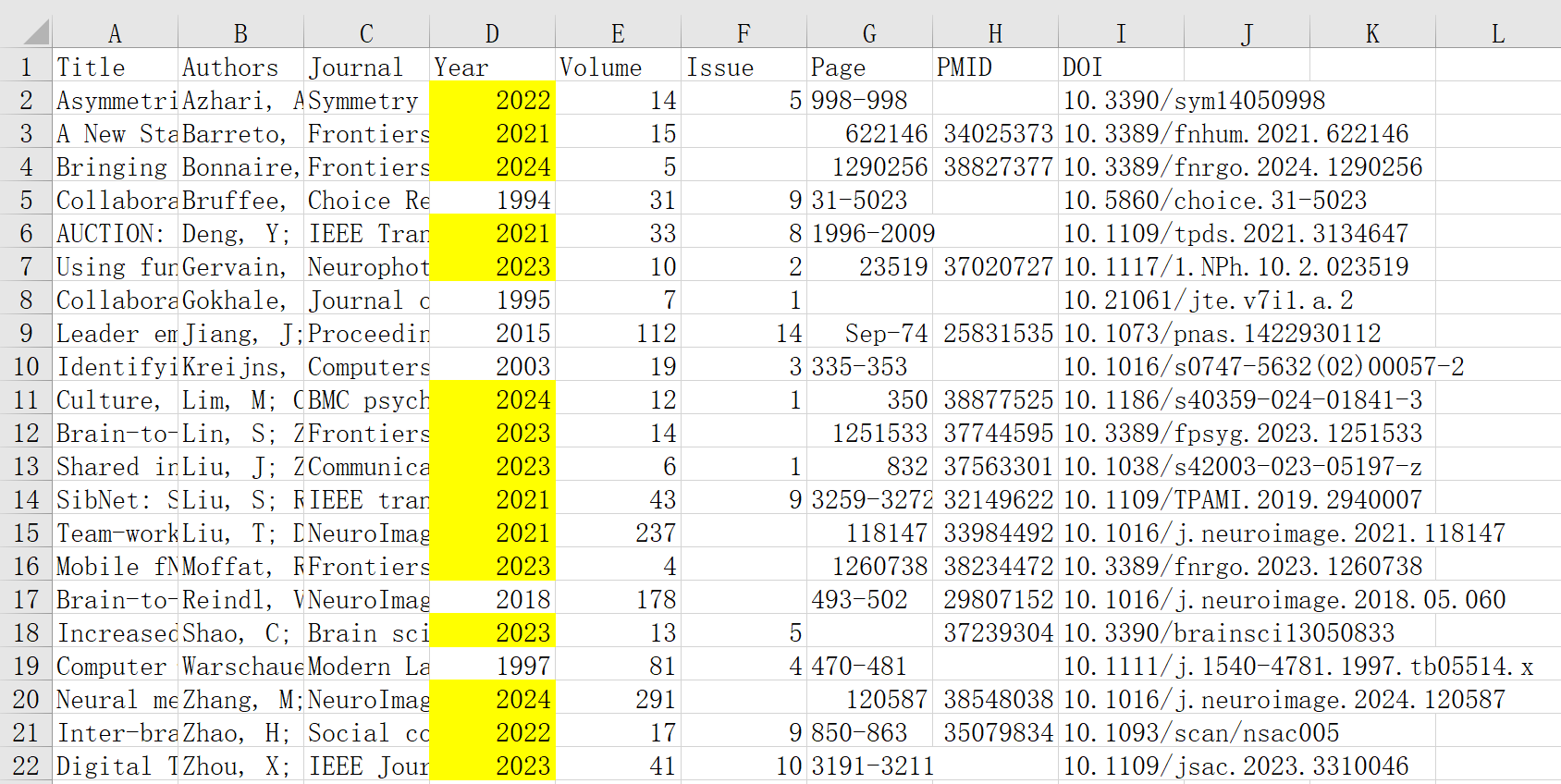
    AI Paper now also supports multiple citation formats such as APA, Harvard, and more. You can copy or download citation list.


    More Authoritative References

    Finding real references is easy for AI Paper – but as researchers, we want more: we want to cite the important references. Thatโ€™s why this upgrade prioritizes references with high citation counts, those published in high-impact journals or the most recent studies, ensuring that the generated references are cutting-edge, credible, and academically valuable.


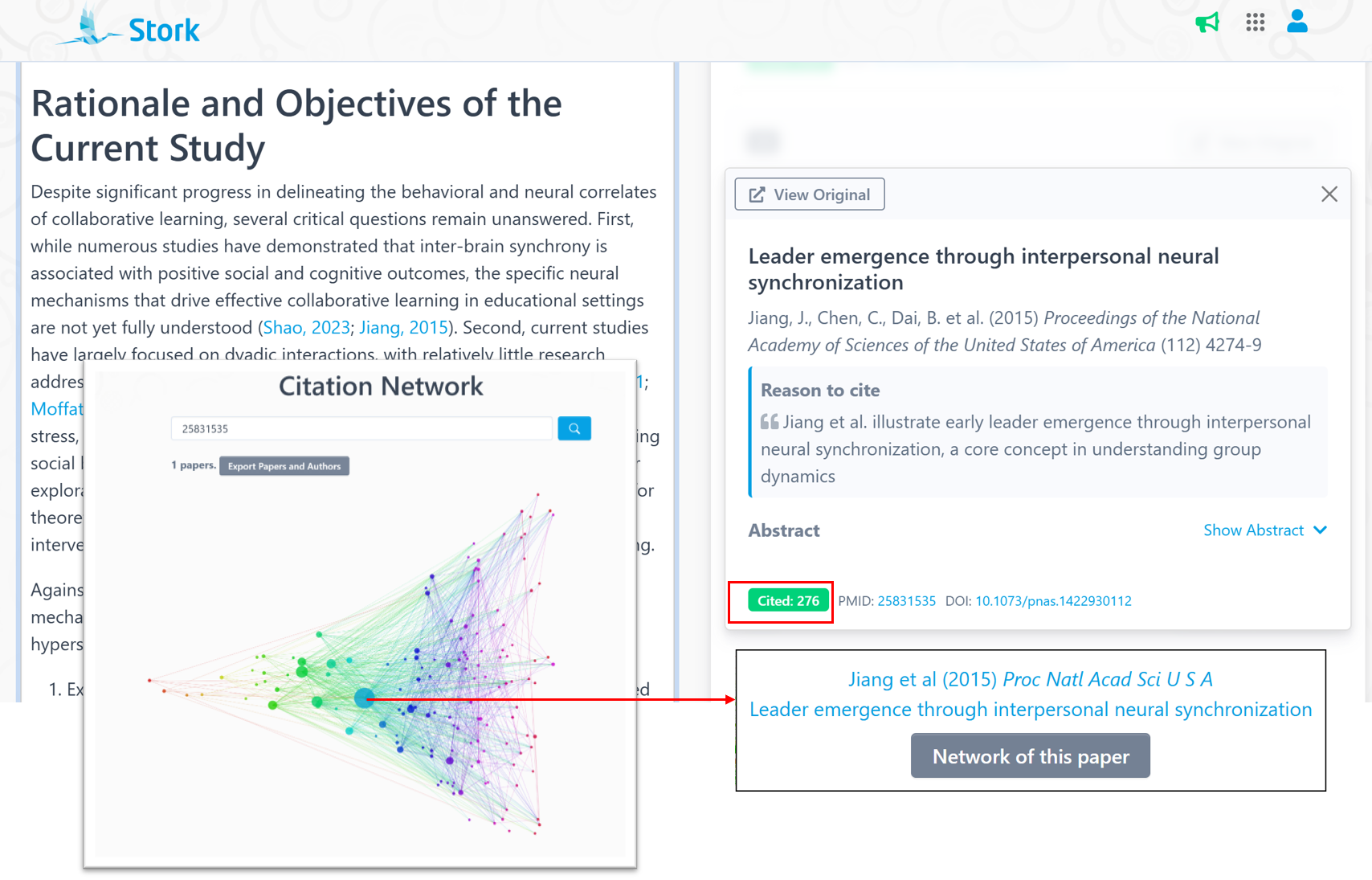
    To make citation quality more transparent, each reference now displays its citation count in green at the bottom left. We can enter the PubMed ID of any reference into Citation Network (https://www.storkapp.cn/citenet/) to visualize both how it cites and is cited by other works.


    In this network, each point is an article, arranged from left to right by publication date (the oldest is on the left). The size of the points is proportional to the number of times the article has been cited. As shown, Jiang et al. (2015) appears as the largest point, indicating its significant academic influence.


    In addition to citing classic and authoritative papers, this upgrade also significantly increases the proportion of recent publications. In the following example, more than 50% of the references come from the past five years.


    More Precise Reference Selection

    One of the most notable improvements in this upgrade is AI Paper’s enhanced citation accuracy. You may have already noticed that each reference now includes a โ€œreason to citeโ€, ensuring that the selected references are highly relevant to the content.


    For example, the referenced study by Reindl  (2018) is perfectly aligned with the cited content.


    Writing the Discussion

    In academic writing, the discussion section is just as challenging as the introduction – it requires logical reasoning and deep insight. To support researchers, AI Paper now can help you review literature and craft a high-quality discussion.


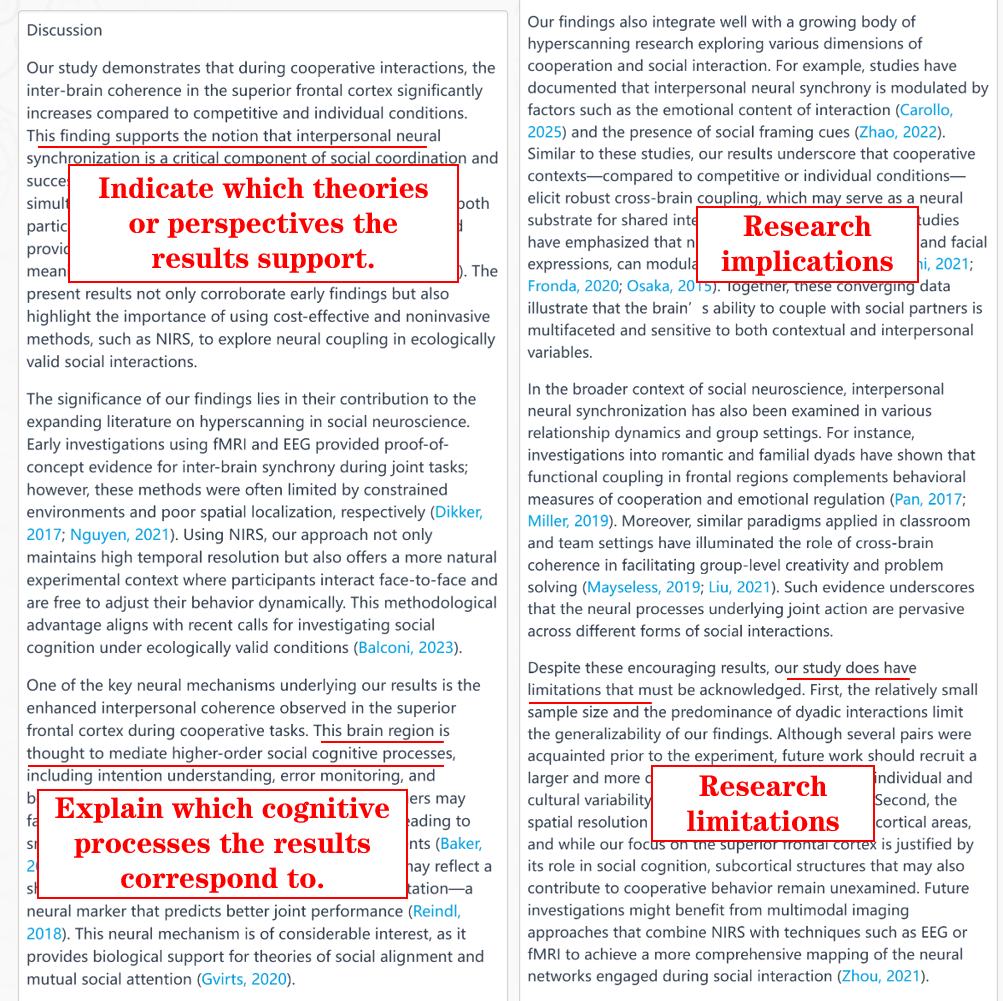
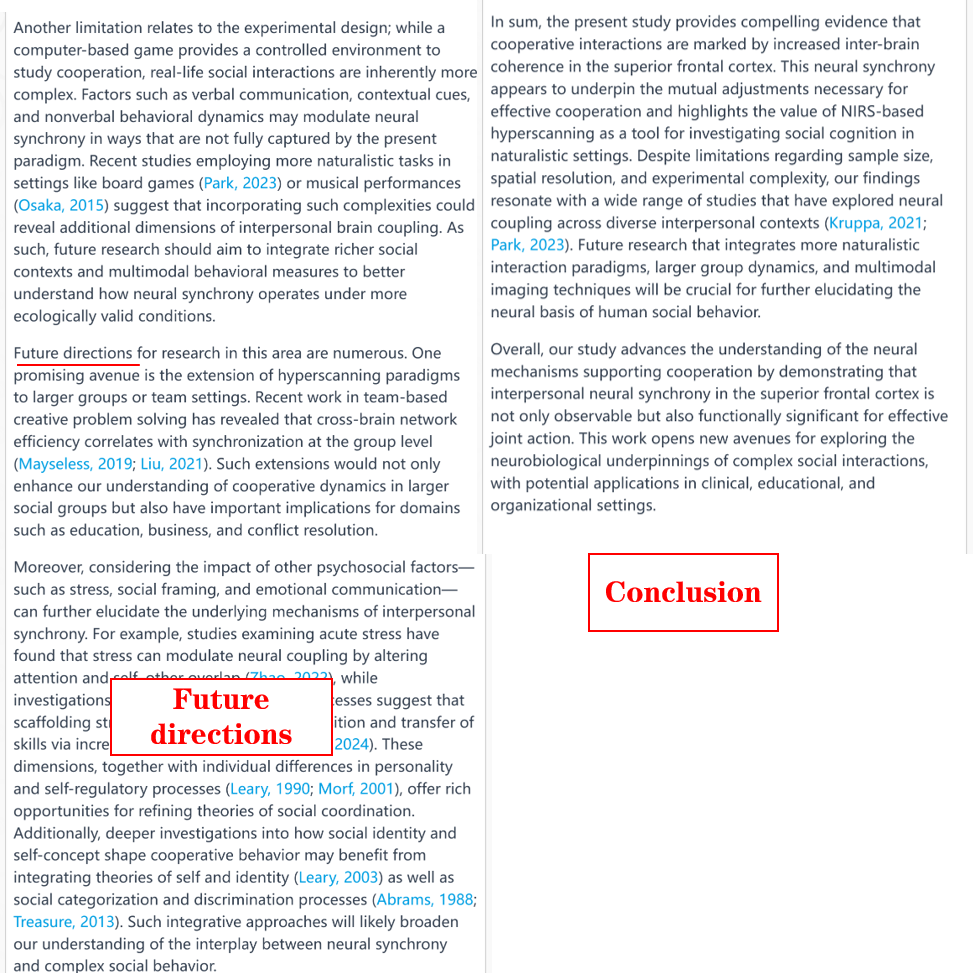
    For example, if you enter details for a study titled “NIRS-Based Hyperscanning Reveals Increased Interpersonal Coherence in Superior Frontal Cortex during Cooperation”, and AI Paper will generate a discussion that

    โœ…Summarizes key findings and explain which theories or perspectives they support.

    โœ…Interprets the results, highlighting the study’s contributions.

    โœ…Acknowledges limitations and propose future research directions.

    โœ…  Wraps up with a concise conclusion.


    So, what do you think?

    With this upgrade, AI Paper is not just helping you write – it’s helping you think. From a cleaner UI to quality references and a structured discussion section, everything is designed to make your research writing smoother and more insightful.


    Give it a try and see how it fits into your workflow. And of courseโ€”if you have any thoughts, feedback, or wild ideas for the next update, let us know!


    ใ€How to useใ€‘

    AI Paper is an advanced feature offered by Stork, which requires subscription (you can try 10 articles for free). After registering/logging in to Stork (https://www.storkapp.me), you can find AI Paper under the advanced features section. Then you can try it out or subscribe. Alternatively, you can visit the official AI Paper website directly at https://www.storkapp.me/aipaper/


  • Writing Assistant helped Ding’s team publish in Journal of Environmental Chemical Engineering

     Info

    “We thank Stork (https://www.storkapp.me/writeassistant/) for its linguistic assistance, which greatly improve the quality of this manuscript.”


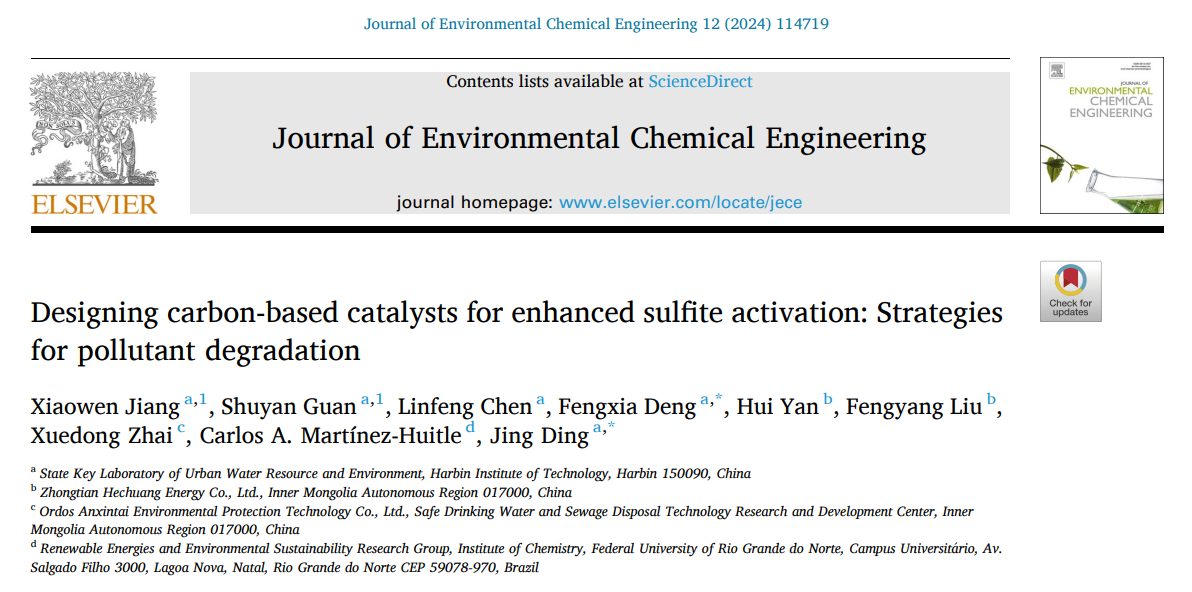
    Recently, Jing Ding and her team from the State Key Laboratory of Urban Water Resource and Environment at Harbin Institute of Technology in China published a paper titled “Designing carbon-based catalysts for enhanced sulfite activation: Strategies for pollutant degradation” in Journal of Environmental Chemical Engineering. The paper cited Writing Assistant of Stork. You can access the paper here: https://doi.org/10.1016/j.jece.2024.114719


    The papers mentioned Stork’s Writing Assistant in the acknowledgments section:


    “We thank Stork (https://www.storkapp.me/writeassistant/) for its linguistic assistance, which greatly improve the quality of this manuscript.”


    Stork’s Writing Assistant can help you with text polishing, grammar correction, and paragraph expansion, etc.


     ใ€How to useใ€‘

    Writing Assistant is an advanced feature offered by Stork (free trial is available). After registering/logging into Stork (https://www.storkapp.me), you can find Writing Assistant under the “Advanced Feature” section. Then you can try it out or subscribe. Alternatively, you can visit the Writing Assistant website directly at https://www.storkapp.me/writeassistant/


     Tips

    To date, more than 40 scientific papers have cited Stork. If you cite Stork in your paper, please let us know at support@storkapp.me, and we’ll offer you a discount based on the journal’s impact factor when you subscribe to Writing Assistant or other advanced features.


  • AI Paper update๏ผšIncorporating Big Analysis results


    TL; DR

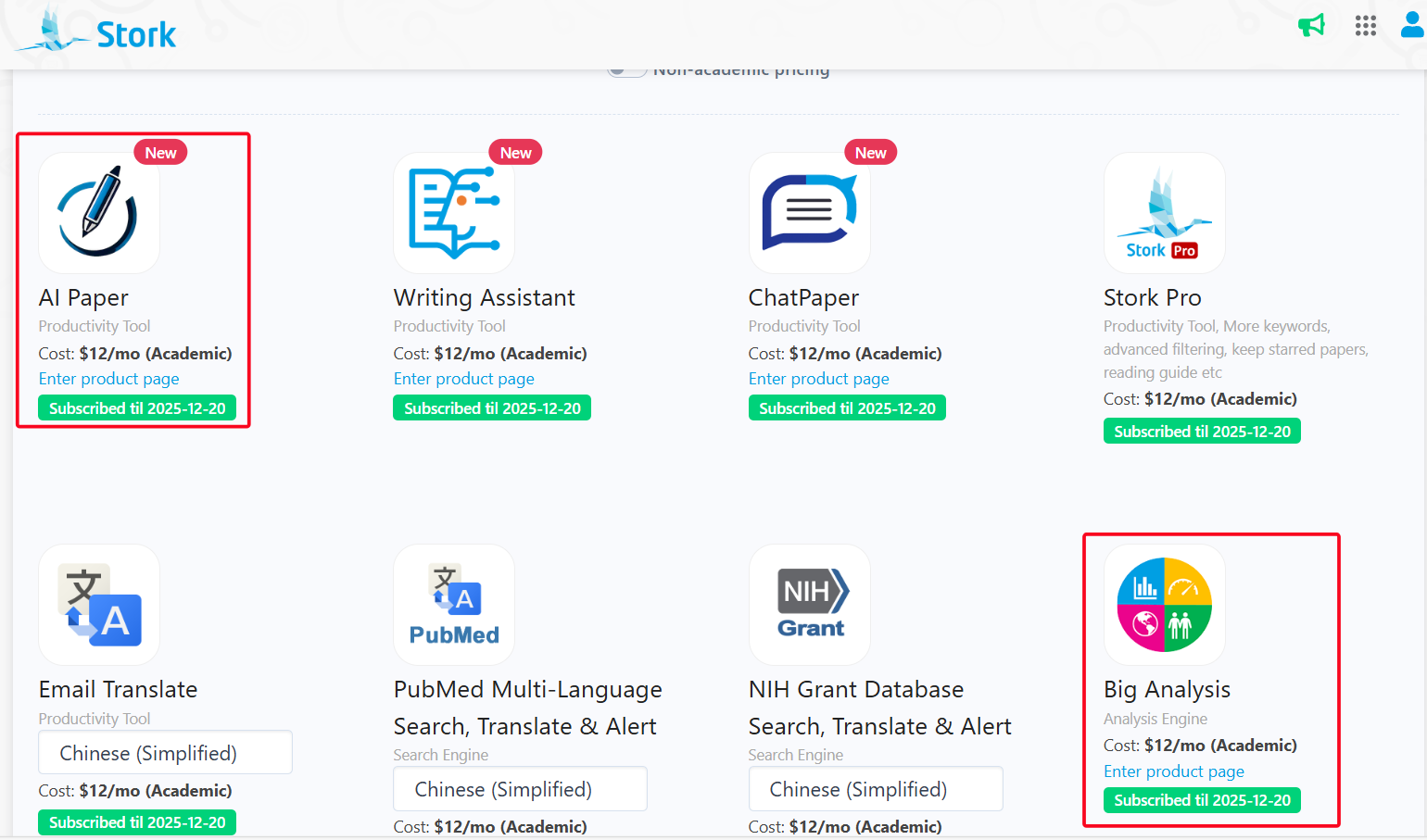
    AI Paper has introduced a new “Add Big Analysis results” button, which enables AI Paper incorporate Big Analysis results into writing.


    Stork’s AI Paper is designed to generate high-quality introductions, essays, and abstracts based on the research title and any relevant materials. Some users have asked: Since the results from the Big Analysis are valuable for writing reviews, how can they be incorporated into AI Paper’s writing process?


    To address this, AI Paper has provided a shortcut button allowing you to directly incorporate the data from Stork’s Big Analysis, including trends, growth rate, word frequency, genes, diseases, brain regions, etc.


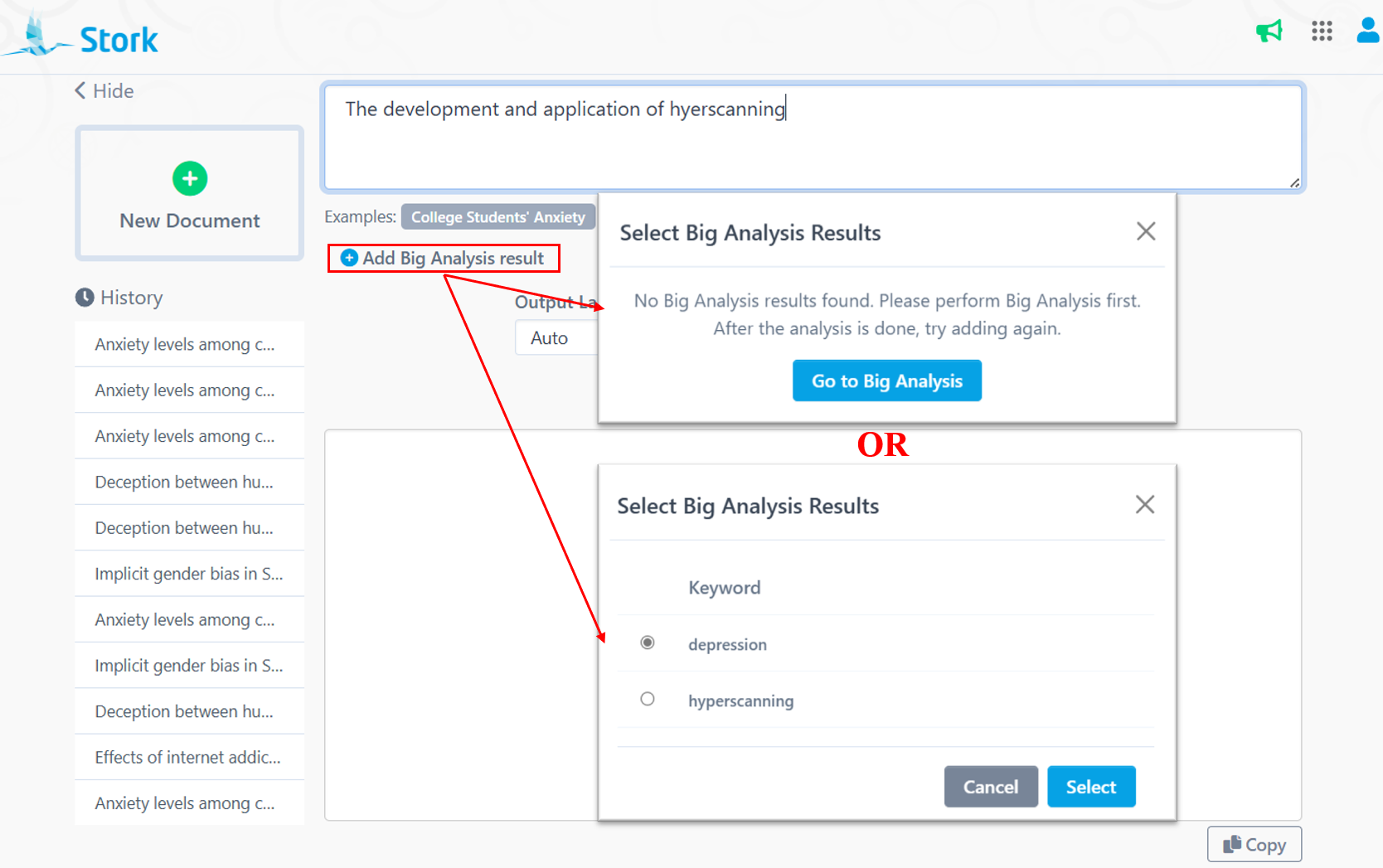
    Click “Add Big Analysis results”  in AI Paper writing interface to select the corresponding data. If no historical Big Analysis results are available, AI Paper will notify you and provide a quick link to access Big Analysis. If you have multiple search histories, simply choose the relevant one.


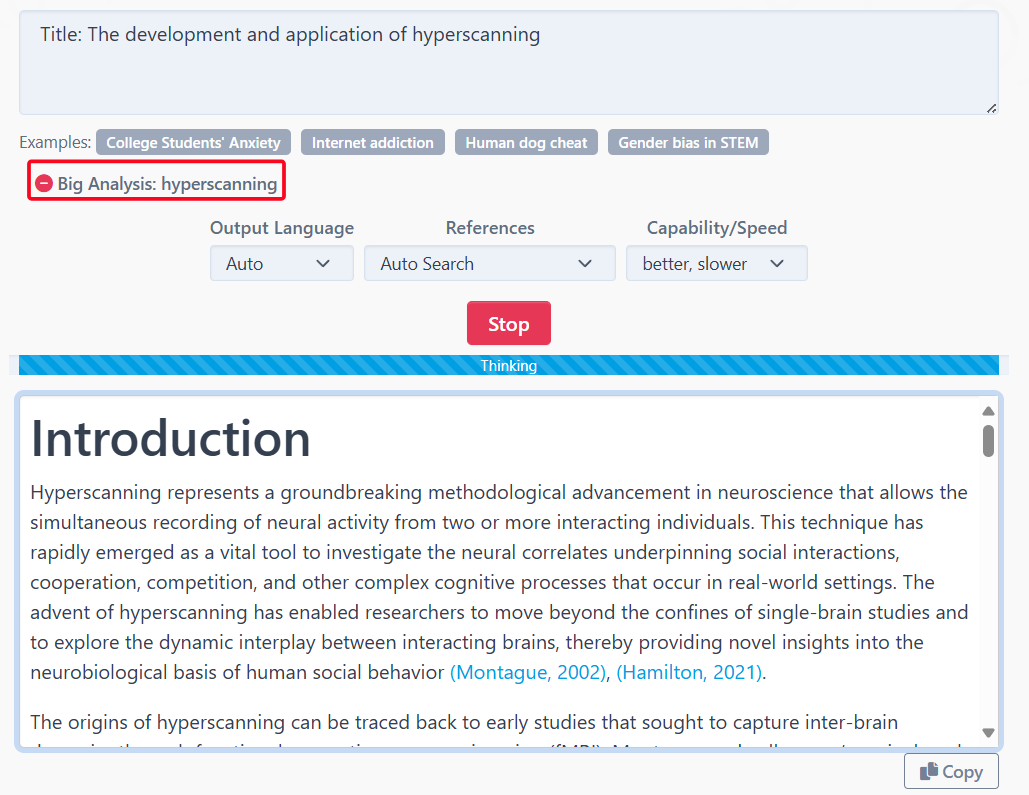
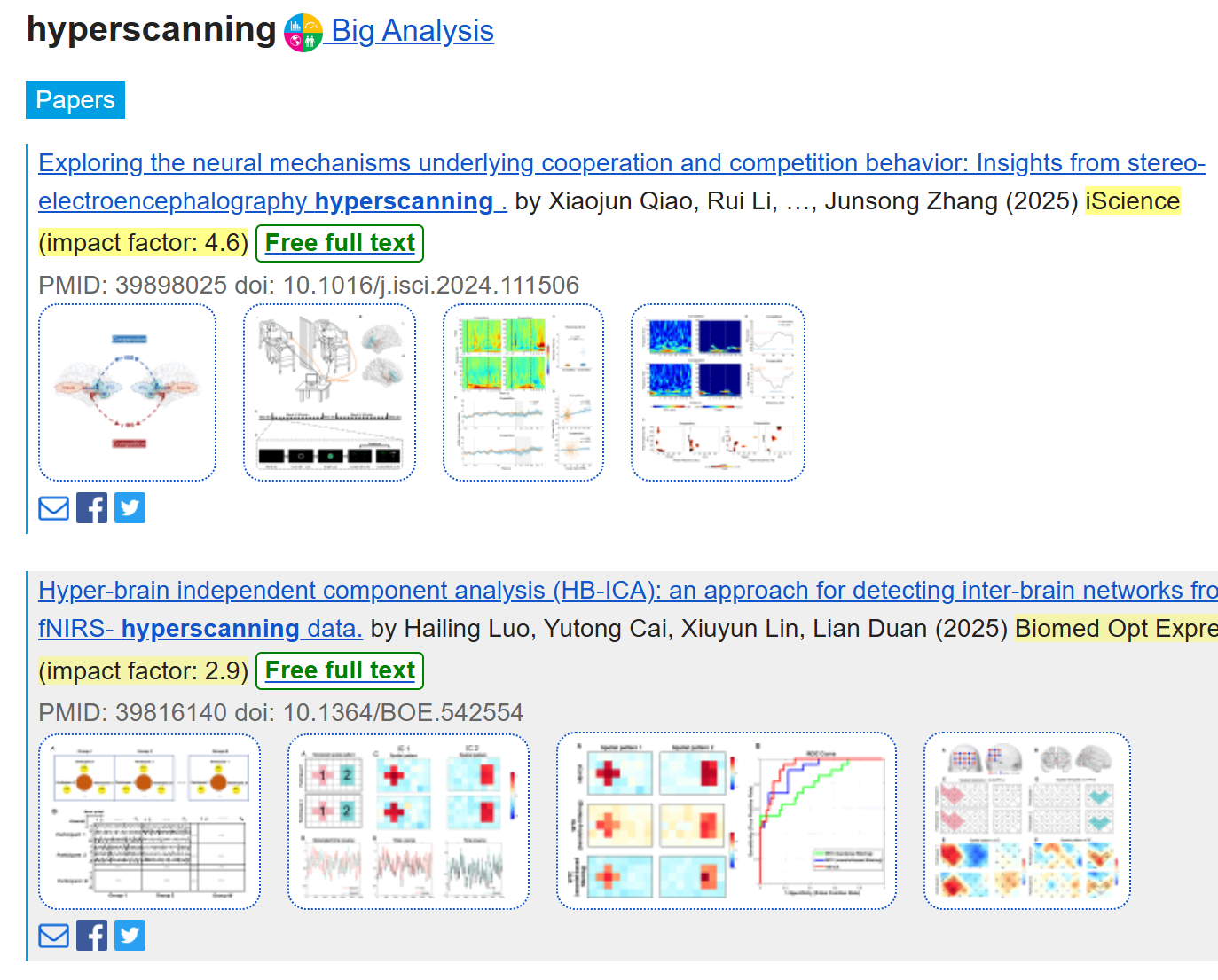
    In the example below, we enter the title “The development and application of hyperscanning” and added the Big Analysis results of “hyperscanning”. The language was set to Auto (matching the input language), references were set to Auto Search (no limits on reference range), and writing Capability/Speed was set to “better, slower” (for a more powerful model). Here are the Introduction written by AI Paper.

    The generated introduction integrates the results from Big Analysis in several key areas:


    AI Paper: 

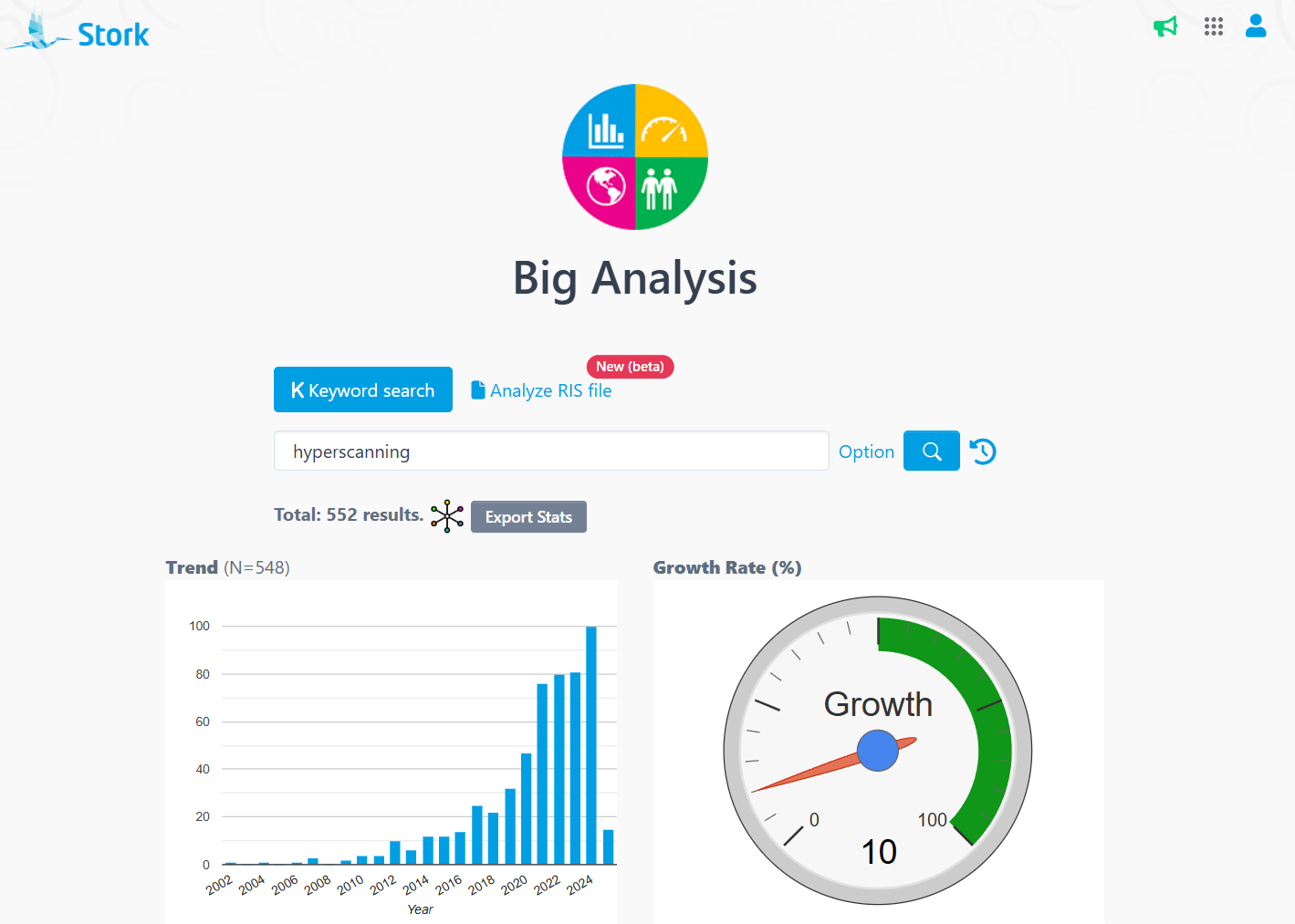
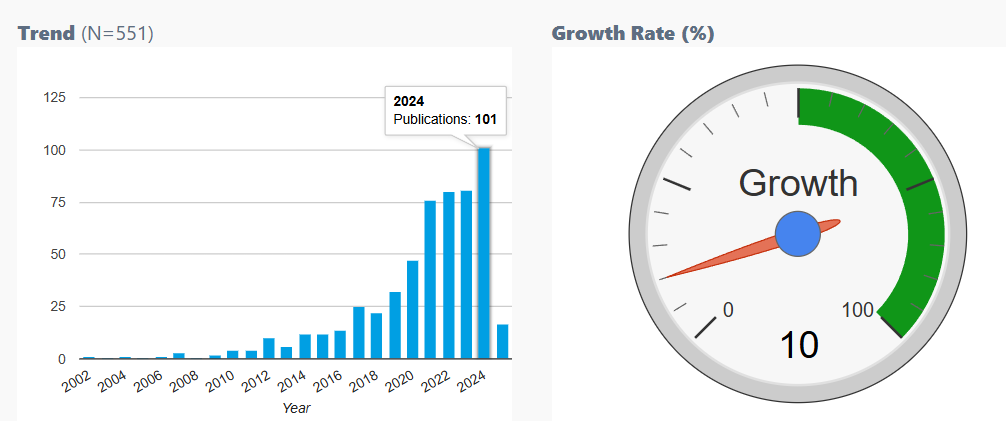
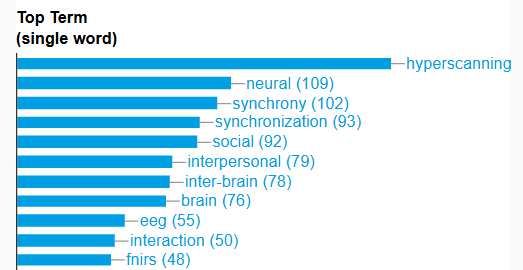
    Over the past two decades, there has been explosive growth in hyperscanning research. A recent bibliometric analysis encompassing 551 papers revealed that the number of publications using the keyword โ€œhyperscanningโ€ increased from a handful in the early 2000s to over 100 in 2024, reflecting a consistent annual growth rate of approximately 10%. This trend underscores both the scientific communityโ€™s growing interest in inter-brain synchronization and the techniqueโ€™s expanding utility across various domains of neuroscience research. The increasing frequency of terms such as โ€œneuralโ€, โ€œsynchronyโ€, and โ€œsocialโ€ within these studies reflects the convergence of interests in understanding the neural basis of social interaction. 

    Big Analysis๏ผš


    AI Paper and Big Analysis help you write higher-quality papers. Stay tuned for more tips to make your research journey even smoother!


    ใ€How to use?ใ€‘

    AI Paper and Big Analysis are advanced features offered by Stork, which require a subscription (you can try for free). After registering/logging in to Stork (https://www.storkapp.me), you can find AI Paper and Big Analysis under the advanced features section. Then you can try them out or subscribe. Alternatively, you can visit the official AI Paper website directly at https://www.storkapp.me/aipaper/ and the Big Analysis website at https://www.storkapp.me/meta/.



  • Stork Update: Figures in emails


    TL; DR

    Stork has recently updated its publication tracking feature, showing figures for some open access papers in the alert emails.


    As a Stork user, the first thing you probably do every morning is to check the latest publications sent by Stork. This free feature delivers important publications based on your keywords directly to your inbox.


    Recently, have you noticed a cool update when opening your email? Some of the papers now include figures!


    In the past, we could only see the title, authors, and basic information of the papers in emails. To view figures, we had to click the link and visit the website. Now, some papers show figures directly in the email! You can quickly view theory diagrams, experimental flowcharts, research results, and moreโ€”helping you assess whether the paper is worth a closer look.


    By clicking on the title, you can also view the relevant figures in the paper's abstract page.


    And if you click on a figure in the email, you'll be directed to the paperโ€™s website, where you can find a high-resolution version for easier reading and analysis.

    These image-rich emails are a real time-saver, and I hope this small update helps streamline your research process!


    ใ€What is Stork?ใ€‘

    Developed by researchers from Stanford University, Stork is your personal research assistant. Its basic (free) feature is to deliver the important publications you need, on time. Stork also offers a range of research productivity tools.


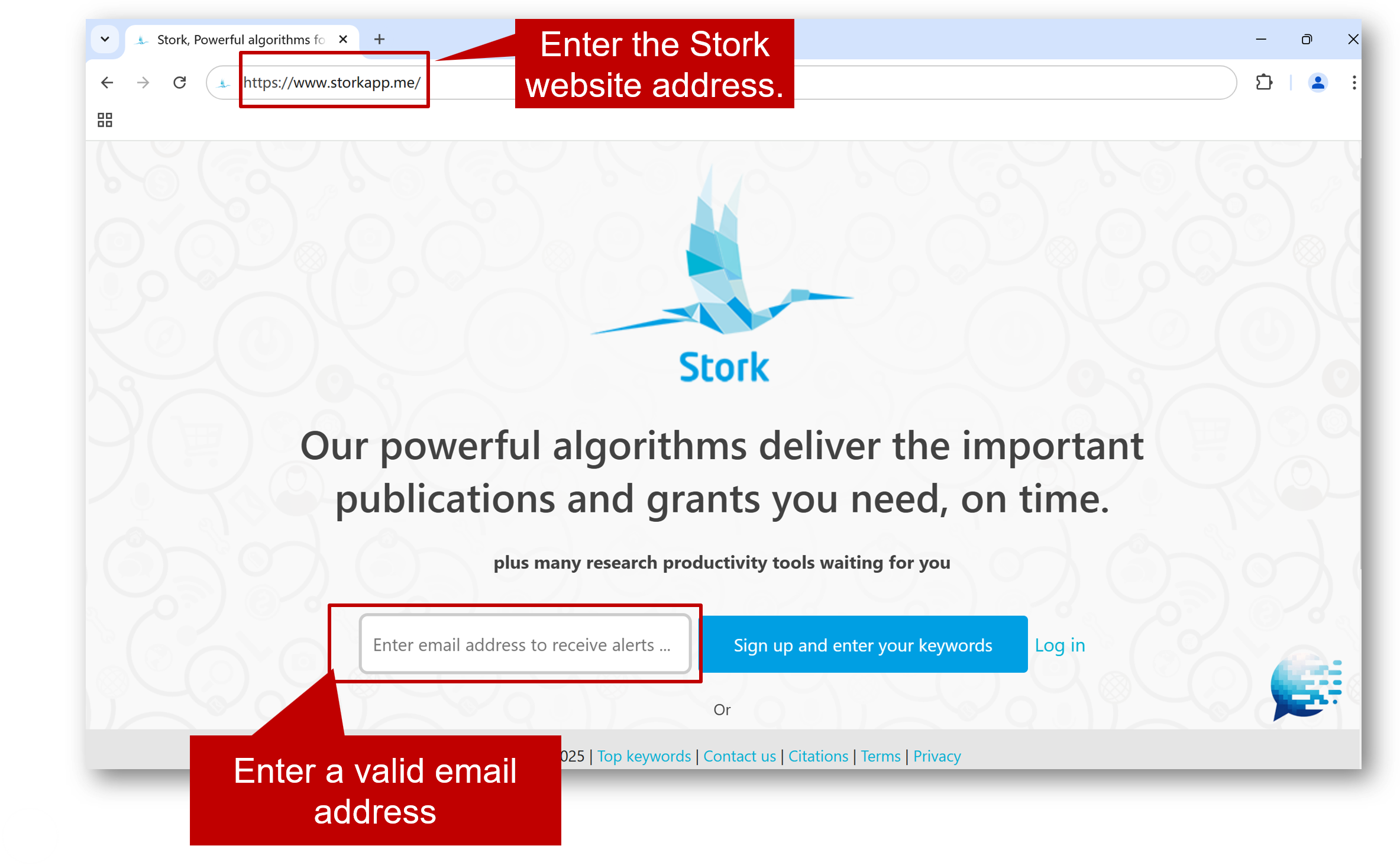
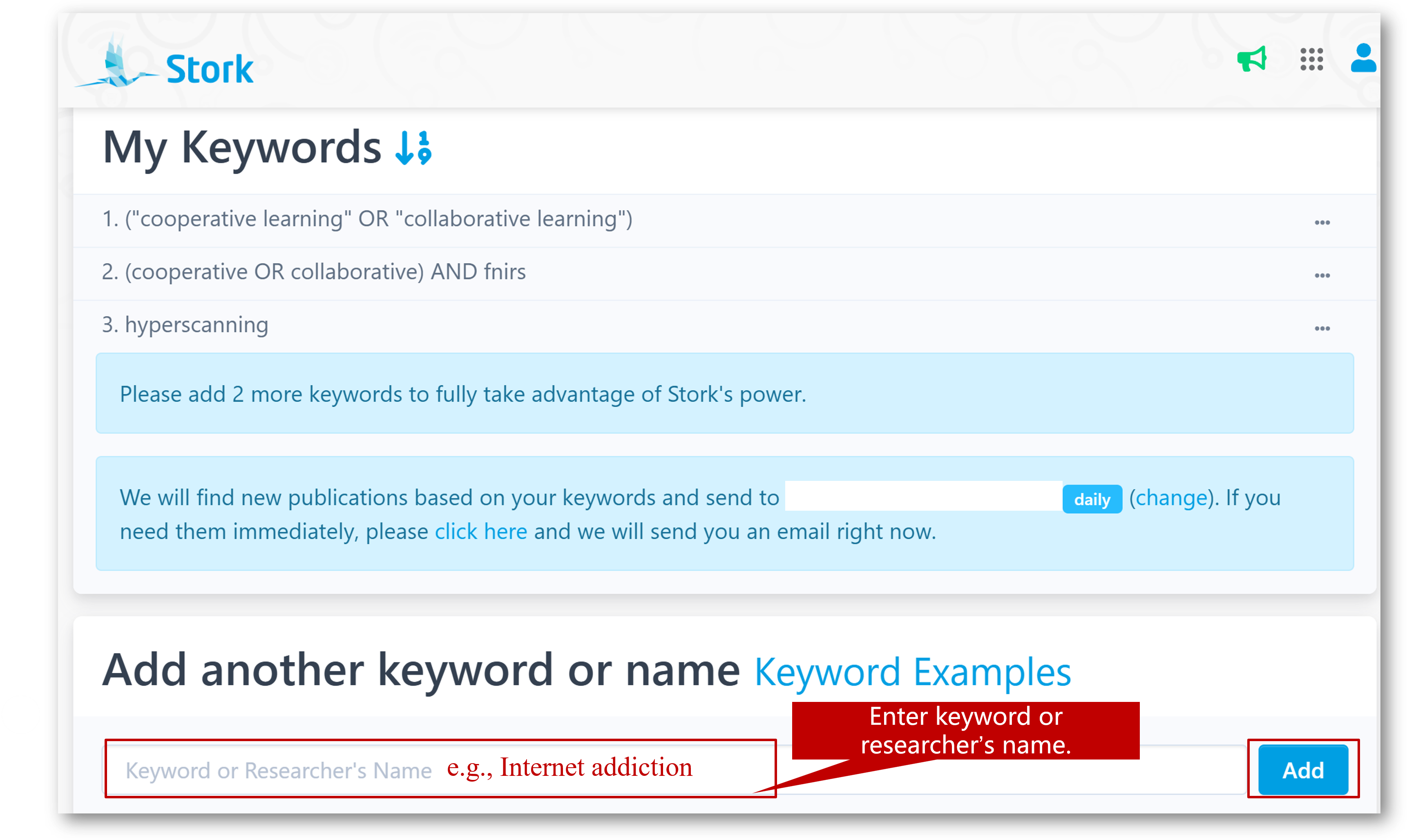
    To get started, visit Storkโ€™s official website (www.storkapp.me), create an account with your email, enter a few keywords, and youโ€™ll be able to stay on top of your fields effortlessly.


  • AI Paper Update: new AI writing with significantly higher quality


    TL; DR

    AI Paper has been upgraded and the output papers have a much better quality.


    AI Paper can automatically generate high-quality introductions, essays, and abstracts based on the research title and any relevant materials you provide (such as keywords, subheadings, methods, results, etc.). With the latest updates, AI Paper is set to make your writing process smoother and more personalized than ever.


    Whatโ€™s New with AI Paper?


    Output Language options: You can now choose from multiple output languages (English or Chinese, other languages coming) based on your specific needs. If you enter your title in a foreign language (e.g. Chinese), but want the article to be written in English, you can select "English" under the Output Language option. If you choose "Automatic", AI Paper will generate content in the language you input.


    Expanded Reference Options: The new Reference feature offers more comprehensive research options. Choose from "Automatic Search" for references from all sources, "Automatic Search (PubMed) " for PubMed-specific references, or "No References" if citations aren't required.


    Improved Writing Capability: The biggest highlight of this update is the Capability option! AI Paper now allows you to choose which model to use, "Normal, Fast" or "Better, Slower".


    Which Version Should You Choose?


    Let's explore how AI Paper handles the topic "Anxiety levels among college students during exam periods", comparing results from two writing models.


    First Version: Clear structure that logically flows from introducing the issue to explaining its causes and effects. This structure quickly helps readers understand the research background and objectives. However, the content is somewhat broad, lacking depth in existing research and missing a systematic analysis of how various factors interact.

    Second Version: The addition of subheadings makes the structure more organized and reader-friendly. The theoretical discussion is more in-depth compared to the first, with a stronger theoretical foundation. In addition to the prompt we provide, AI Paper suggests that incorporating additional theory can better elaborate on the topic, reflecting a deeper level of reasoning from this version. The second version also provides richer, more complete information.

    Depending on your needs, you can select the best writing model for your purpose. If you're preparing a PowerPoint, the first version's concise approach may be ideal. However, for a more in-depth exploration, the second version will give you a more thorough analysis.


    Discover the latest AI Paper functionalities to make writing much easier. Give it a try now!


    How to Use?

    AI Paper is an advanced feature offered by Stork, which requires subscription (registered users can try 10 articles for free). After registering/logging in to Stork (https://www.storkapp.me), you can find AI Paper under the advanced features section. Then you can try it out or subscribe. Alternatively, you can visit the official AI Paper website directly at https://www.storkapp.me/aipaper/



  • 2024 Recap: 15 Major Updates from Stork


    As we enter the year 2025, Stork is proud to mark another year of supporting researchers globally. Throughout the past year, we have dedicated ourselves to incorporating your feedback, enhancing current features, and launching new tools. Our aim? To streamline, expedite, and enhance your research experience. Let’s review Stork’s standout moments from 2024! โœจ


    AI Paper


    In 2024, we introduced AI paper, a cutting-edge tool designed to assist in crafting scientific introductions, essays, and abstracts by generating content based on user input, complete with authentic references. Writing used to feel like navigating a maze in the darkโ€”but with AI Paper, itโ€™s like flipping on a light switch. Clarity is achieved, and productivity is greatly enhanced.

    Writing Assistant 


    Our Writing Assistant, available on both the web and Word plugin, received three major updates last year:

    1

    Custom Instructions

    You can create custom instructions based on your needs, enabling personalized text processing and writing assistance.

    2

    Sentence Sea Integration

    The Sentence Sea integration can help you find similar sentences in a vast array of literature, providing inspiration and evidence for your writing. 

    3

    Polish in other languages 

    In addition to English, you can choose Chinese (and other languages) as the target language, allowing you to polish text in other languages.

    These updates make writing more flexible and efficient than ever before.


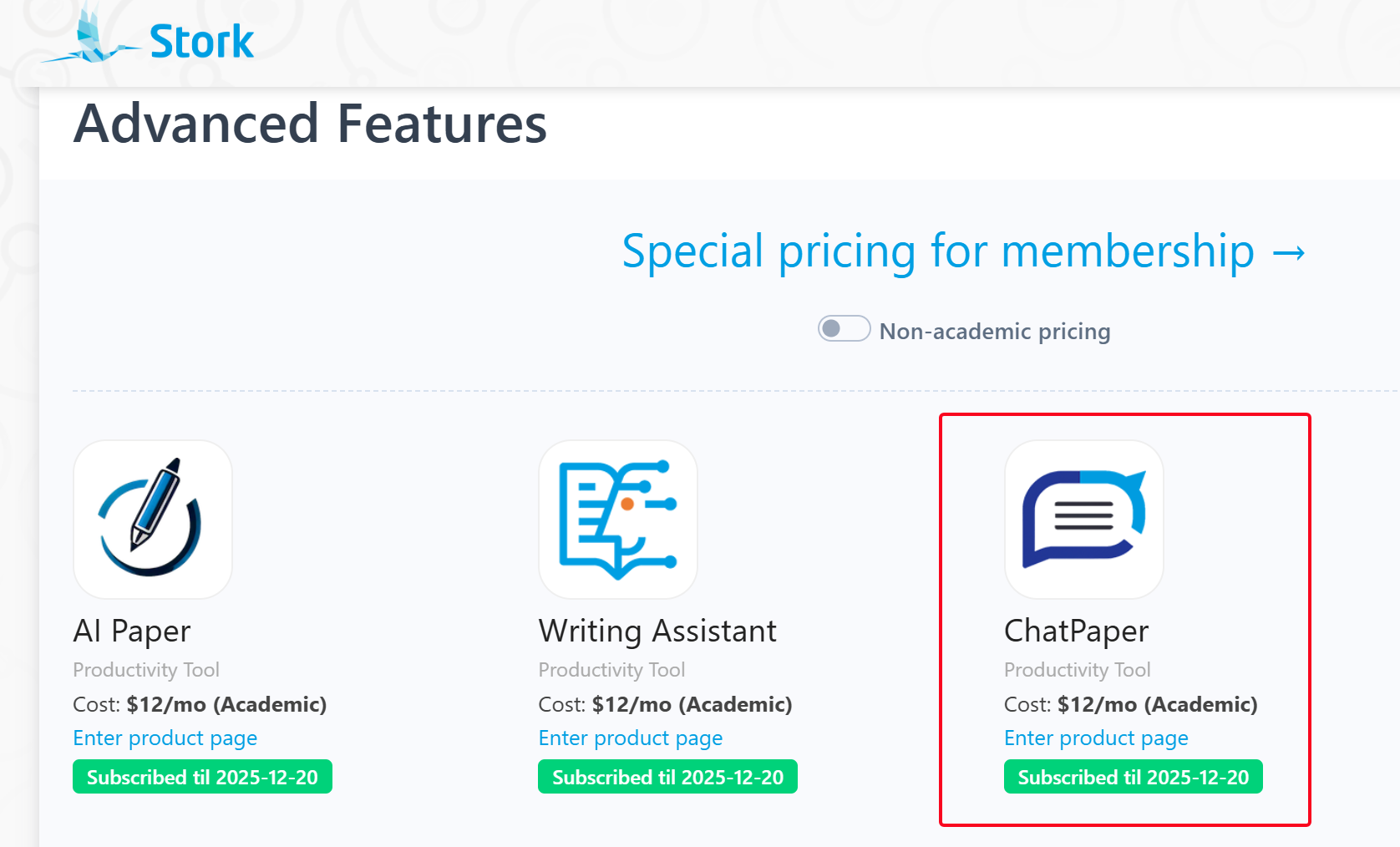
    ChatPaper


    ChatPaper, your trusted companion for reading and analyzing research papers, introduced four significant improvements:

    1

    Reading 5 Papers Simultaneously

     At the beginning of the year, ChatPaper had just completed an update to read two papers at the same time, and was updated again right after the end of the year. Now you can read five papers at a time, making it easy to compare the similarities and differences between the them.

    2

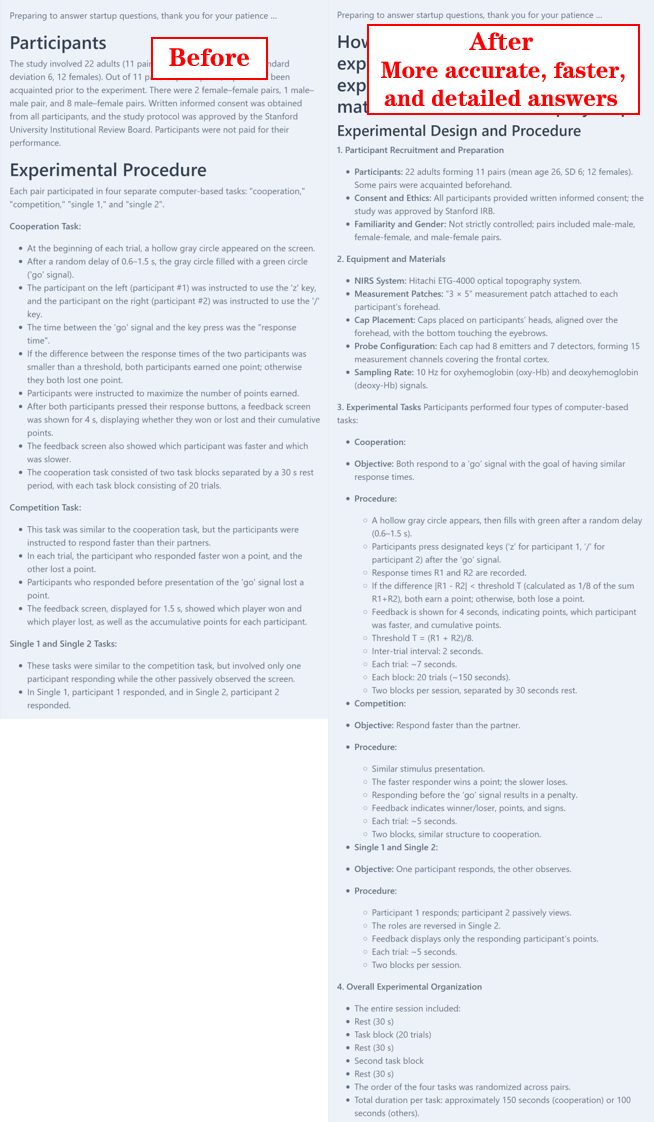
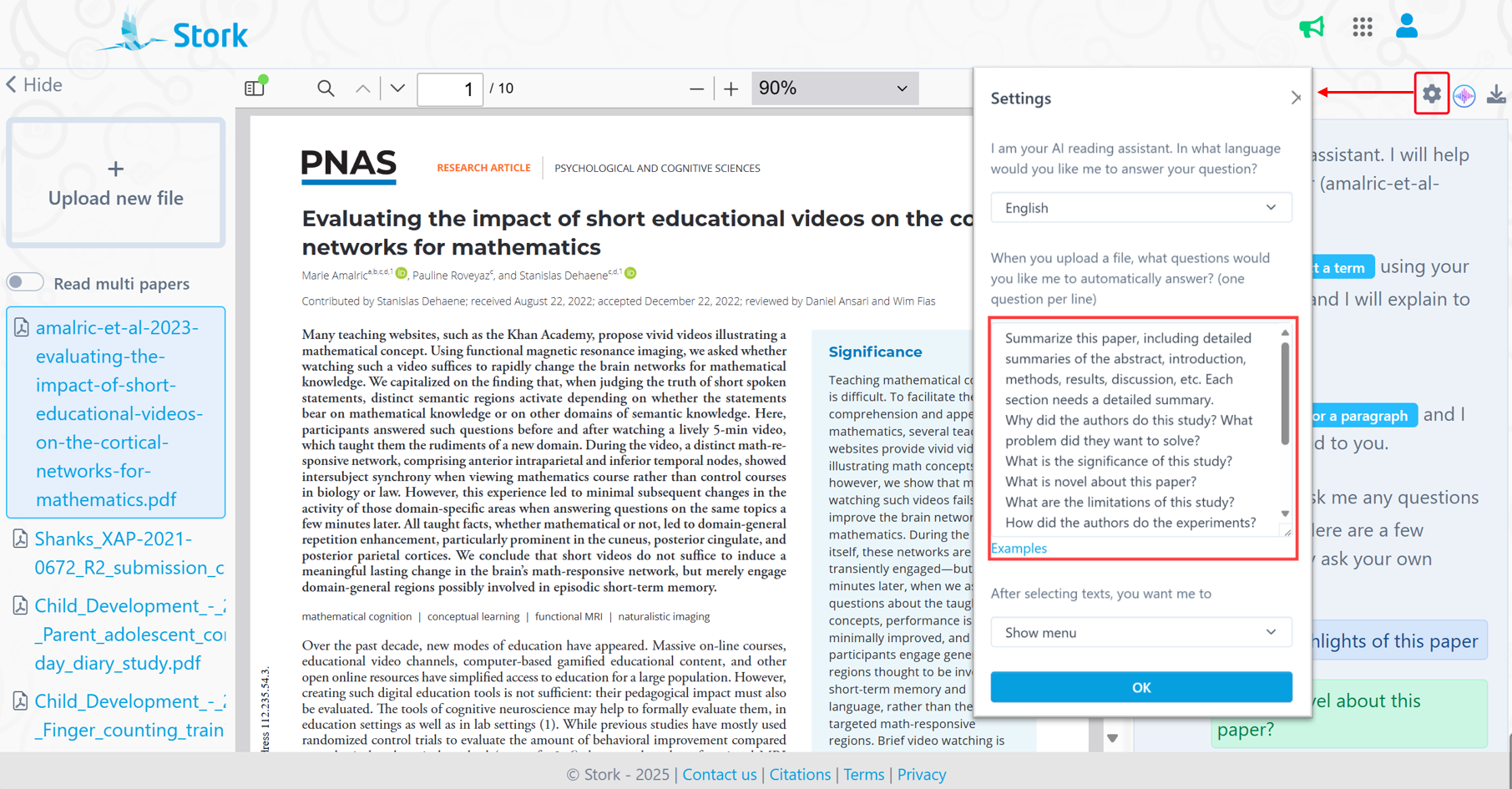
    Startup Questions

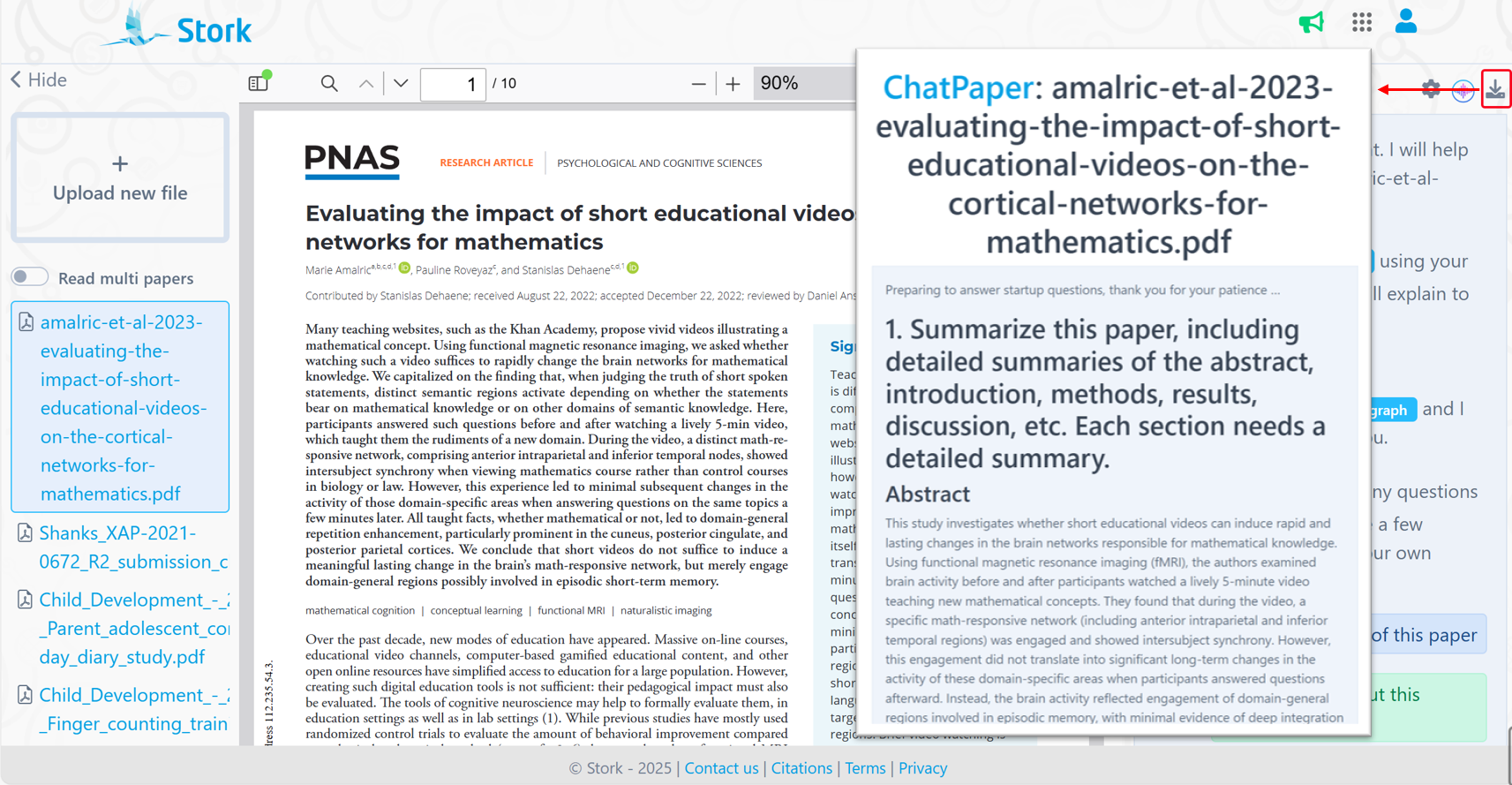
    You can set some questions in advance. When you upload a paper, ChatPaper will automatically answer these questions for you.

    3

    Explain or translate

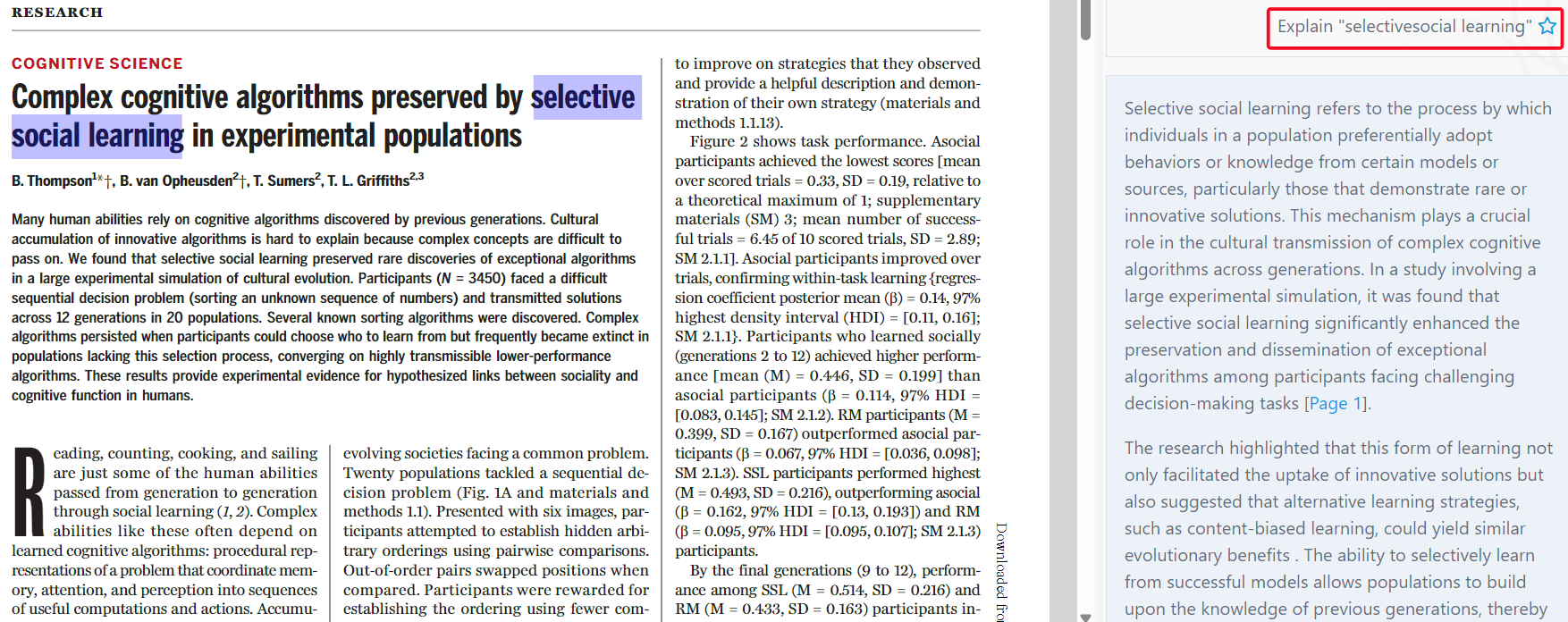
    Instantly translate sentences or explain term without needing extra clicks.

    Free publication tracking and Stork Pro


    To date a large number of users have subscribed to publications tracking through Stork, and we continued to optimize the function to improve the user experience in 2024.

    1

    Keyword suggestions

     Fine-tune your keywords for more accurate and effective tracking.

    2

    Reading guide

    If there are many papers in an email, it’s hard to keep up with reading them all. We will summarize the content of the publications and create a reading guide, allowing you to stay updated more efficiently.

    3

    Interactive Abstract Reading

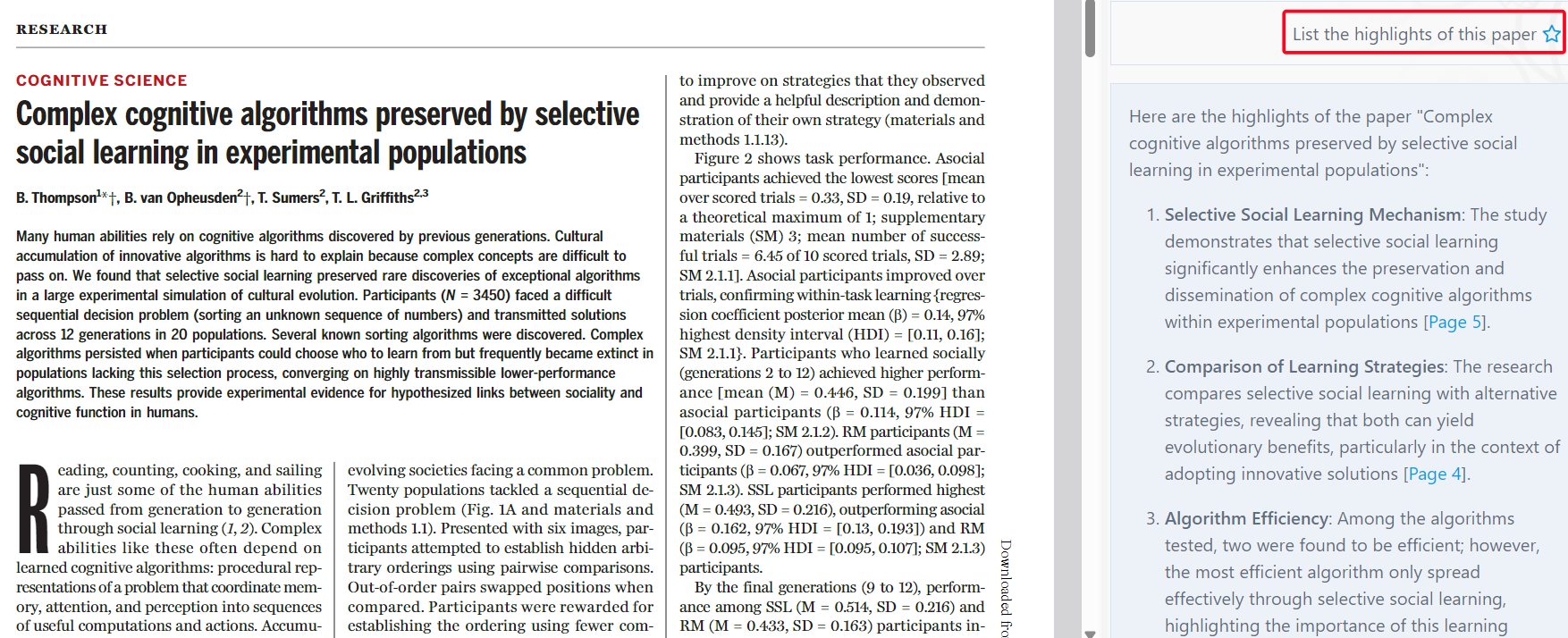
    Link Stork emails with ChatPaper to seamlessly dive into abstract reviews. You can use ChatPaper to summarize the content, highlights, etc. of an article to help you quickly grasp the key points of it in a short period of time.


    Free productivity tool


    In 2024, we introduced two free tools to make your research process easier.

    1

    Citation Parser

     A powerful tool designed to help you tidy up unstructured citations and transform them into a clean, structured table, ready for export as a CSV file. Try it out here: https://www.storkapp.me/citation-parser

    2

    Find Journal

    A free journal search tool that reveals the number of days from submission to acceptance. Try it out here: https://www.storkapp.me/journal


    ๐Ÿ“

    This was our journey in 2024โ€”a year filled with innovation and progress. In 2025, we continue our commitment to support researchers with even more exciting updates. Have feedback or ideas? Weโ€™d love to hear from youโ€”letโ€™s continue to grow together!